Émbaran Kasalametan penting
Please read all instructions carefully before using the Lexibook Paw Patrol Karaoke CD Player. Keep this manual for future reference.
- Ulah ngalaan unit ka hujan atawa Uap.
- Ulah meungpeuk sagala bukaan ventilasi.
- Paké ngan kantétan / asesoris dieusian ku produsén.
- Disconnect the apparatus during lightning storms or when unused for long periods.
- Ensure proper battery installation and disposal.
Eusi pakét
Pastikeun yén sadaya item aya dina bungkusan:
- Lexibook Paw Patrol Karaoke CD Player
- 2 Mikropon
- Adaptor kakuatan
- Instruksi Manual
Produk Leuwihview
The Lexibook Paw Patrol Karaoke CD Player is designed for children to enjoy music and sing along with their favorite characters. It features a front-load CD player, two microphones, an LED display, and a headphone jack for private listening.

Gambar 1: The Lexibook Paw Patrol Karaoke CD Player, featuring a blue and red design with Paw Patrol characters, and two attached red microphones.
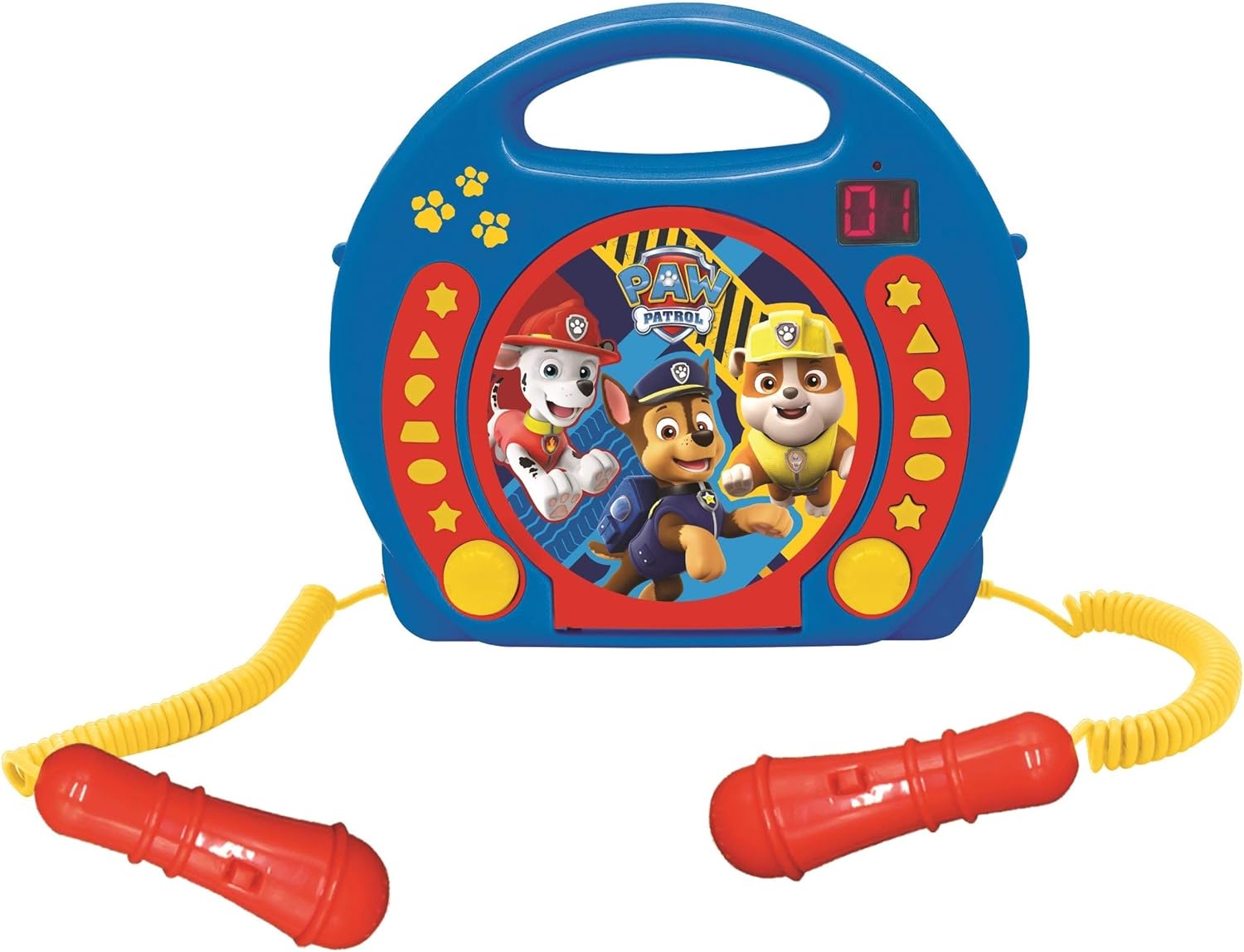
Gambar 2: A top-down perspective of the karaoke CD player, showing the central Paw Patrol shield design, control buttons, and the two microphones.
Klip 1: Hiji produk leuwihview video demonstrating the features and design of the Lexibook Paw Patrol Karaoke CD Player.
Disetél
Sambungan catu daya
- Locate the DC IN jack on the back of the unit.
- Insert the small plug of the provided power adapter into the DC IN jack.
- Colokkeun tungtung adaptor daya anu sanésna kana stop kontak témbok standar.
Pamasangan batré
For portable use, the unit requires 4 'C' batteries (not included).
- Tangtukeun lokasi kompartemen batré dina handapeun unit.
- Ngagunakeun obeng, buka panutup kompartemen batré.
- Insert 4 'C' batteries, ensuring correct polarity (+/-).
- Ganti panutup kompartemen batré jeung amankeun ku screw nu.
Parentah Operasi
Puteran CD
- Open the CD compartment cover located on the top of the unit.
- Teundeun CD kana spindle kalawan sisi labél nyanghareup ka luhur.
- Tutupkeun panutup kompartemen CD pageuh-pageuh.
- Pencét tombol 'PLAY/PAUSE' pikeun ngamimitian muter.
- Use the 'SKIP' buttons (forward/backward) to navigate between tracks.
- Press the 'STOP' button to end CD playback.
Ngagunakeun Mikropon
- Ensure the microphones are securely plugged into their respective jacks.
- During CD playback, speak or sing into the microphones.
- Adjust the microphone volume using the dedicated volume control (if available) or the main volume control.
Fungsi Programming
The programming function allows you to create a custom playlist of tracks.
- With the CD stopped, press the 'PROGRAM' button.
- Use the 'SKIP' buttons to select the desired track.
- Press 'PROGRAM' again to add the track to the playlist.
- Repeat steps 2 and 3 to add more tracks.
- Press 'PLAY' to start playing your programmed sequence.
Paké Headphone
- Plug standard 3.5mm headphones (not included) into the headphone jack.
- Saluyukeun polumeu ka tingkat dengekeun anu nyaman.
- Note: Using headphones will mute the main speakers.
Pangropéa
- Bersihkeun unitna nganggo lawon anu lemes sareng garing. Entong nganggo pembersih atanapi pelarut anu abrasif.
- Keep the CD compartment free of dust and debris.
- Simpen unit dina tempat anu tiis sareng garing nalika henteu dianggo.
Pamérésan masalah
| Masalah | Solusi |
|---|---|
| Unit teu hurung. | Check power adapter connection or ensure batteries are correctly installed and not depleted. |
| CD teu bisa diputer. | Ensure the CD is clean, not scratched, and correctly placed in the compartment. Close the compartment lid completely. |
| Microphones are not working. | Verify microphones are securely plugged in. Check microphone volume levels. |
| Sora téh menyimpang atawa leutik teuing. | Adjust the main volume control. Ensure the CD is not damaged. |
spésifikasi
| Fitur | Rincian |
|---|---|
| Dimensi produk | 10.35 x 3.98 x 8.27 inci |
| Item Beurat | 1.63 pon |
| Produsén Disarankeun Umur | 3 taun ka luhur |
| Batré | Batré 4 C diperyogikeun (teu kalebet) |
| Fitur husus | Témbongkeun LED |
| Warna | Bulao / Beureum |
| Komponén Kaasup | Power adapter, CD player, handle, 2 microphones |
| Tanggal paleupasan | 11 April 2023 |
Garansi sareng Rojongan
Produk ieu hadir kalawan a 2 Taun Garansi kawates from the manufacturer, Lexibook.
For technical support, warranty claims, or further assistance, please contact Lexibook customer service. Refer to the product packaging or the official Lexibook websitus pikeun inpo kontak panganyarna.


