1. Bubuka
Welcome to the DOOGEE V MAX Plus 5G Rugged Smartphone user manual. This guide will assist you in understanding the features and functions of your new device, ensuring optimal performance and longevity. Please read this manual thoroughly before using your smartphone.

Figure 1: DOOGEE V MAX Plus 5G Rugged Smartphone
2. Alat Leuwihview
The DOOGEE V MAX Plus is designed for durability and high performance. Key features include a large battery, advanced camera system, and robust construction.
2.1 Eusi pakét
- DOOGEE V MAX Plus Rugged Phone
- Kabel USB-C
- Adaptor kakuatan
- Alat Ejector SIM
- Manual pangguna (dokumén ieu)
Video 1: Unboxing the DOOGEE S100 PRO (similar model, demonstrates package contents and initial handling).
3. Setélan
3.1 Nyelapkeun Kartu SIM/SD
- Tangtukeun lokasi baki kartu SIM di sisi alat.
- Selapkeun alat SIM ejector kana liang leutik gigireun baki pikeun mukakeunana.
- Teundeun kartu Nano-SIM anjeun jeung/atawa kartu microSD kana baki kalayan kontak emas nyanghareup ka handap, mastikeun orientasi bener.
- Carefully push the tray back into the slot until it is flush with the device. Ensure the rubber seal is properly seated to maintain water and dust resistance.

Figure 2: SIM/SD card tray location (image shows Android 14, but the phone's side profile is visible).
3.2 Daya Awal Hurung sareng Konfigurasi Dasar
- Pencét terus tahan tombol Daya (anu aya di sisi) dugi ka logo DOOGEE némbongan.
- Turutan pituduh dina layar pikeun milih basa anjeun, nyambung ka Wi-Fi, sareng nyetél akun Google anjeun.
- Configure security settings such as fingerprint unlock or a PIN/pattern.
4. Ngoperasikeun smartphone Anjeun
4.1 Batré sareng Ngecas
The DOOGEE V MAX Plus features a 22000mAh battery. Use the provided 33W fast charger for optimal charging. The device also supports OTG for reverse charging other devices.
- Ngecas: Connect the USB-C cable to the phone's charging port and the power adapter. Plug the adapter into a wall outlet.
- Kahirupan batré: Expect extended usage times, including up to 2350 hours of standby and 130 hours of calls.
- Fungsi OTG: Connect an OTG cable (not included) to the USB-C port to charge other devices.

Figure 3: Battery and 33W fast charging capabilities.
Video 2: Demonstrates the 22000mAh battery and camping light feature (from a similar model).
4.2 Fungsi kaméra
The smartphone is equipped with a versatile camera system:
- Kaméra Utama 200MP: Pikeun poto résolusi luhur.
- Kaméra hareup 32MP: Pikeun selfie sareng telepon pidéo.
- Kaméra Visi Peuting 20MP: For clear images in low-light conditions.
- 50MP Wide-Angle Camera: Pikeun poto lanskap anu lega.
- Kaméra Telefoto 8MP: For detailed zoomed-in photos.
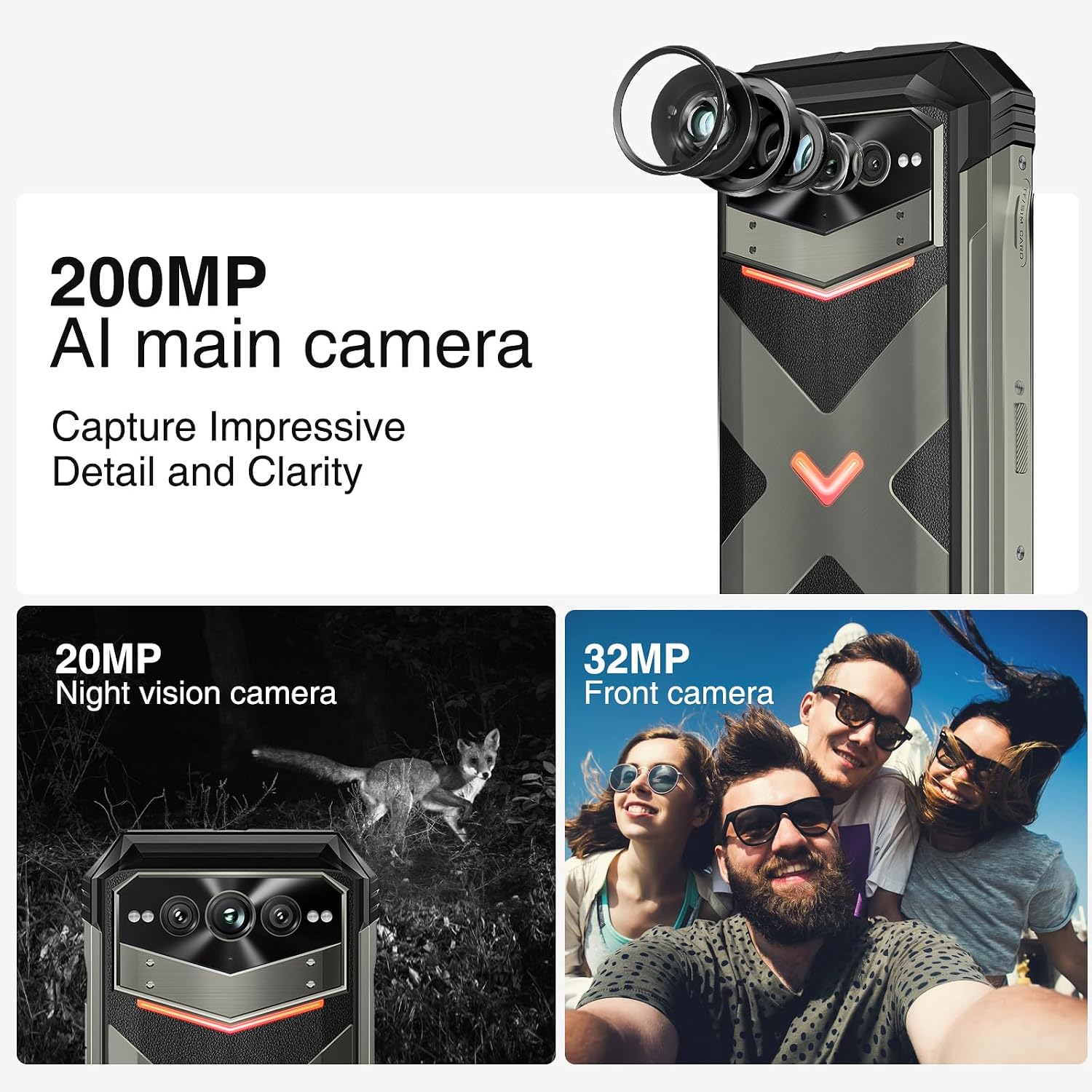
Gambar 4: Leuwihview of the 200MP AI main camera, 20MP night vision camera, and 32MP front camera.
4.3 Tampilan sareng Interaksi
The device features a 6.58-inch FHD+ display with a 120Hz refresh rate for smooth visuals.
- layar: 6.58-inch FHD+ (2408x1080) display with Corning Gorilla Glass.
- Intelligent Interaction Lights: Customizable LED lights on the back for notifications, calls, and charging status.
- Buka Konci Sidik Sidik: For quick and secure access.

Figure 5: Display specifications including size, resolution, aspect ratio, and refresh rate.

Figure 6: Key interaction and connectivity features.
4.4 Konéktipitas jeung Performance
The DOOGEE V MAX Plus supports 5G connectivity and runs on Android 14, powered by a MediaTek Dimensity 7050 processor.
- Sistem operasi: Android 14 for enhanced privacy and personalized settings.
- Prosesor: MediaTek Dimensity 7050 6nm 2.2GHz for efficient performance.
- Mémori & Panyimpenan: Up to 36GB RAM (12GB physical + 24GB virtual) and 512GB internal storage, expandable up to 2TB via microSD.
- Nirkabel: Wi-Fi 6, Cellular (5G), NFC, GPS.

Figure 7: Processor, RAM, and ROM details.
5. Pangropéa
To ensure the longevity and optimal performance of your rugged smartphone, follow these maintenance guidelines:
- beberesih: Ngagunakeun lemes, damp cloth to clean the device. Avoid harsh chemicals or abrasive materials. Ensure all port covers are securely closed before cleaning with water.
- Tahan cai sareng lebu: The device is IP68/IP69K rated. Ensure all port covers (USB-C, SIM tray) are fully sealed to maintain water and dust resistance. Do not intentionally submerge the device beyond its rated depth or duration.
- Perawatan batré: Avoid extreme temperatures. Do not fully discharge the battery regularly. For long-term storage, charge the battery to about 50% and power off the device.
- Apdet parangkat lunak: Pariksa sareng pasang apdet sistem sacara rutin pikeun mastikeun alat anjeun ngagaduhan patch kaamanan sareng paningkatan kinerja pangénggalna.
6. Cara ngungkulan
This section addresses common issues you might encounter with your DOOGEE V MAX Plus.
| Masalah | Mungkin Cukang lantaranana | Solusi |
|---|---|---|
| Alat teu hurung | batré lemah, software kacilakaan | Ngecas alat pikeun sahenteuna 30 menit. Pencét jeung tahan tombol Daya salila 10-15 detik pikeun maksa balikan deui. |
| Sinyal jaringan goréng | SIM card not properly inserted, network coverage issue | Reinsert the SIM card. Move to an area with better network coverage. Contact your carrier if the issue persists. |
| Camera glitches (e.g., video not saving) | Software bug, insufficient storage | Clear camera app cache/data. Ensure sufficient storage space. Check for system updates. If persistent, consider a factory reset (backup data first). |
| Screen scrolling is jerky | High background app usage, software issue | Close unnecessary background apps. Restart the device. Ensure software is up to date. |
| Device is heavy/bulky | Inherent design due to large battery and rugged build | This is a characteristic of rugged phones with large batteries. No specific solution, but users may adapt over time. |
7. Spésifikasi
| Fitur | Rincian |
|---|---|
| Ngaran modél | VMAXPLUS |
| Sistem operasi | Android 14 |
| Prosesor | MediaTek Dimensity 7050 (Kagancangan CPU 2.2 GHz) |
| Ram | 12 GB (tiasa dilegaan dugi ka 36 GB) |
| Panyimpenan internal | 512 GB (tiasa dilegaan dugi ka 2TB nganggo microSD) |
| Ukuran layar | 6.58 inci |
| Resolusi | 2408*1080 (FHD+) |
| Refresh Laju | 120 Hz |
| Kaméra Utama | 200MP |
| Kaméra hareup | 32MP |
| Wengi Visi kaméra | 20MP |
| Kapasitas batré | 22000 mAh |
| Ngecas | 33W Ngecas Gancang |
| Konektipitas | 5G, Wi-Fi 6, NFC, GPS |
| Cai / Tahan Lebu | IP68/IP69K, MIL-STD-810H |
| Diménsi | 6.85 x 31.97 x 8.15 inci |
| Beurat | 15.2 ons (430 gram) |
8. Garansi jeung Rojongan
8.1 Émbaran jaminan
Your DOOGEE V MAX Plus 5G Rugged Smartphone comes with a standard manufacturer's warranty. Please refer to the warranty card included in your product packaging for specific terms, conditions, and duration of coverage. Keep your proof of purchase for warranty claims.
8.2 Rojongan Palanggan
For further assistance, technical support, or service inquiries, please contact DOOGEE customer support through their official websitus atanapi inpormasi kontak anu disayogikeun dina dokuméntasi produk anjeun. Anjeun ogé tiasa nganjang ka Toko DOOGEE di Amazon pikeun émbaran produk tambahan jeung sumber.


