Bubuka
Thank you for choosing the SOAR NCAA Sport True Wireless Earbuds V.5. This manual provides detailed instructions for the proper setup, operation, and maintenance of your earbuds. Please read this manual thoroughly before use to ensure optimal performance and longevity of your device.
Eusi pakét
- SOAR NCAA Sport True Wireless Earbuds V.5 (Left and Right)
- Portabel Ngecas Case
- Kabel Ngecas USB Tipe-C
- Gel Ceuli Tambahan (rupa-rupa ukuran)
- Manual pangguna (dokumén ieu)
Produk Leuwihview
Familiarize yourself with the components of your SOAR True Wireless Earbuds.

Image: The SOAR NCAA Sport True Wireless Earbuds V.5, featuring the TCU Horned Frogs logo, are shown both inside their open charging case and as a single earbud outside the case. The closed charging case lid is also displayed, highlighting the team logo.

Image: A diagram highlighting the functional aspects of the earbuds, including sweat resistance, secure fit ear hooks, the portable charging case, clear call quality, and intuitive one-touch controls.
- Earbuds: Left and Right earbuds with integrated controls and ear hooks for a secure fit.
- Kasus ngecas: Stores and recharges the earbuds.
- Indikator LED: Provide status updates for charging and pairing.
- Multi-function Button/Touch Control: Pikeun ngatur puteran, telepon, sareng asistén sora.
- Mikropon: Dilengkepan pikeun nelepon tanpa nganggo leungeun.
Disetél
1. Ngecas Earbuds jeung Case
- Saméméh dipaké munggaran, eusian pinuh ku earbuds jeung wadah ngecas.
- Teundeun earbuds kana wadah ngecas. Pastikeun aranjeunna leres seated.
- Connect the USB Type-C cable to the charging port on the case and the other end to a USB power source (e.g., computer, wall adapter).
- The LED indicators on the case and/or earbuds will show charging status. Refer to the LED indicator section for details.
- Once fully charged, disconnect the charging cable. A full charge provides over 10 hours of music and talk time.
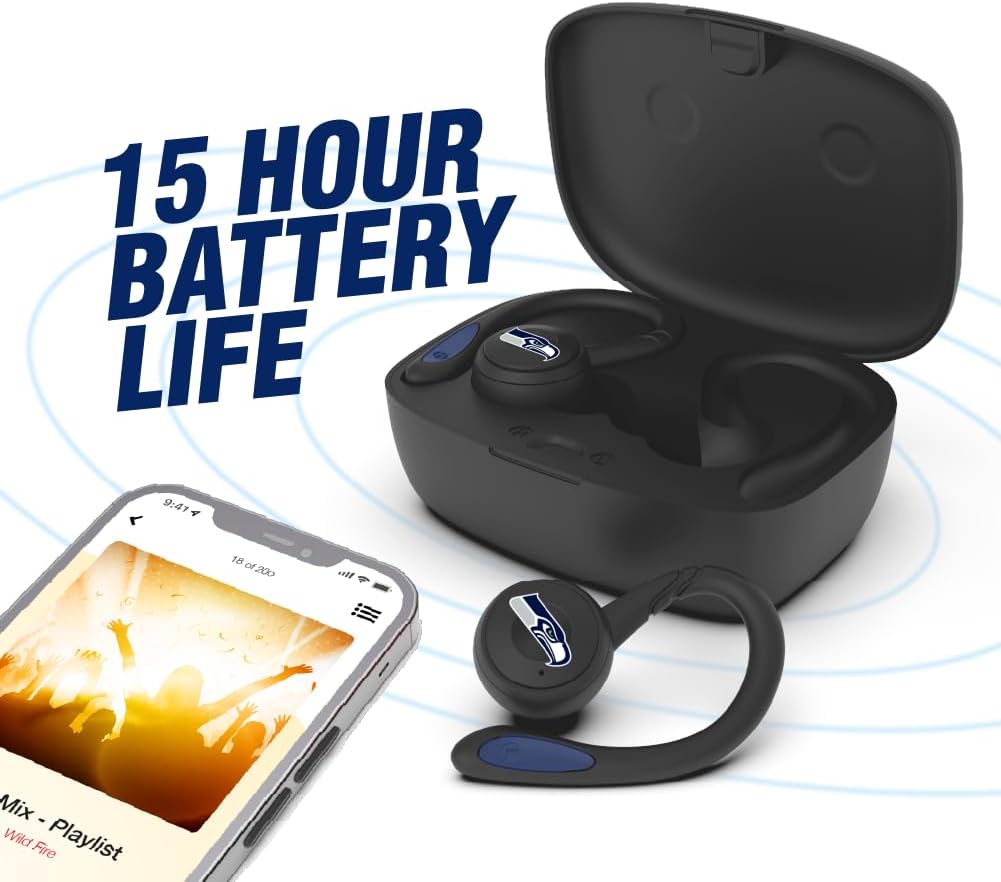
Image: The earbuds are shown within their charging case, positioned beside a smartphone playing music, emphasizing the extended battery life for continuous audio enjoyment.
2. Nyapasangkeun sareng Alat Bluetooth
- Pastikeun yén earbuds dieusi.
- Buka wadah ngecas. Earbud bakal otomatis asup kana modeu pairing, sareng indikator LED-na bakal kedip-kedip (contona, biru sareng beureum silih genti).
- Dina alat Anjeun (smartphone, tablet, jsb), aktipkeun Bluetooth.
- Milarian pikeun available Bluetooth devices. You should see "SOAR Earbuds V.5" or a similar name appear in the list.
- Select the earbuds from the list to connect. Once connected, the LED indicators on the earbuds will stop flashing or show a solid blue light, and you will hear an audible confirmation.
- If pairing fails, turn off the earbuds, disable Bluetooth on your device, and repeat the steps.
Parentah Operasi
Daya Hurung/Pareuman
- Daya Hurung: Open the charging case, or press and hold the multi-function button on each earbud for approximately 3 seconds.
- Pareum listrik: Place the earbuds back into the charging case and close the lid, or press and hold the multi-function button on each earbud for approximately 5 seconds.
Puterkeun Musik
- Puter / Reureuh: Single tap the multi-function button on either earbud.
- Lagu salajengna: Double tap the multi-function button on the right earbud.
- Lagu Sateuacanna: Double tap the multi-function button on the left earbud.
- Volume Up: Triple tap the multi-function button on the right earbud.
- Volume Turun: Triple tap the multi-function button on the left earbud.
Manajemén Telepon
- Ngajawab / mungkas Telepon: Single tap the multi-function button on either earbud.
- Nolak Telepon: Pencét terus tahan tombol multi-fungsi dina salah sahiji earbud salami 2 detik.
Asisten sora
- Aktipkeun Asisten Sora: Press and hold the multi-function button on either earbud for 2 seconds (when not on a call).
Pangropéa
- beberesih: Anggo lawon anu lemes, garing, henteu lint pikeun ngabersihan earbuds sareng wadah ngecas. Ulah make bahan kimia kasar atawa bahan abrasive.
- Gel Ceuli: Regularly remove and clean the ear gels with a damp lawon. Pastikeun aranjeunna tos rengse garing saméméh reattaching.
- Panyimpenan: Nalika henteu dianggo, simpen earbuds dina wadah ngecasna pikeun ngajagi sareng tetep dicas. Nyimpen dina tiis, tempat garing jauh ti sinar panonpoé langsung jeung suhu ekstrim.
- Tahan cai: The earbuds are sweat resistant, but not waterproof. Avoid submerging them in water or exposing them to heavy rain.
Pamérésan masalah
| Masalah | Solusi |
|---|---|
| Earbuds teu hurung. | Ensure the earbuds are charged. Place them in the charging case and connect the case to power. |
| Earbuds henteu dipasangkeun sareng alat. |
|
| Ngan hiji earbud jalan. |
|
| Kualitas sora goréng atanapi disconnections. |
|
spésifikasi
| Fitur | Rincian |
|---|---|
| Nomer modél | NCAA-TWS5-TXC |
| Konektipitas | Bluetooth 5.0 |
| Range nirkabel | Nepi ka 30 suku (9 méter) |
| Kahirupan batré | Over 10 hours (music & talk time per charge) |
| Port ngecas | USB Tipe-C |
| Tipe Kontrol | Touch Control / Multi-function Button |
| Mikropon | Diwangun-Di |
| Bahan | palastik |
| Beurat | Approximately 140 g (total item weight) |
Garansi sareng Rojongan
For warranty information and customer support, please refer to the official SOAR product websitus atanapi ngahubungan pangecér Anjeun. Simpen bukti pameseran anjeun pikeun klaim garansi.
Pikeun pitulung salajengna, mangga buka: www.soar.com (Note: This is a placeholder link. Please refer to the actual product packaging or manufacturer's website for accurate support information.)


