1. Bubuka
Hatur nuhun pikeun meuliasing the Audizio Adria DAB/Internet Radio Tuner. This device offers a versatile audio experience, combining Internet Radio, DAB+, FM radio, Bluetooth connectivity, and Spotify Connect. This manual provides essential information for setting up, operating, and maintaining your tuner to ensure optimal performance and longevity.
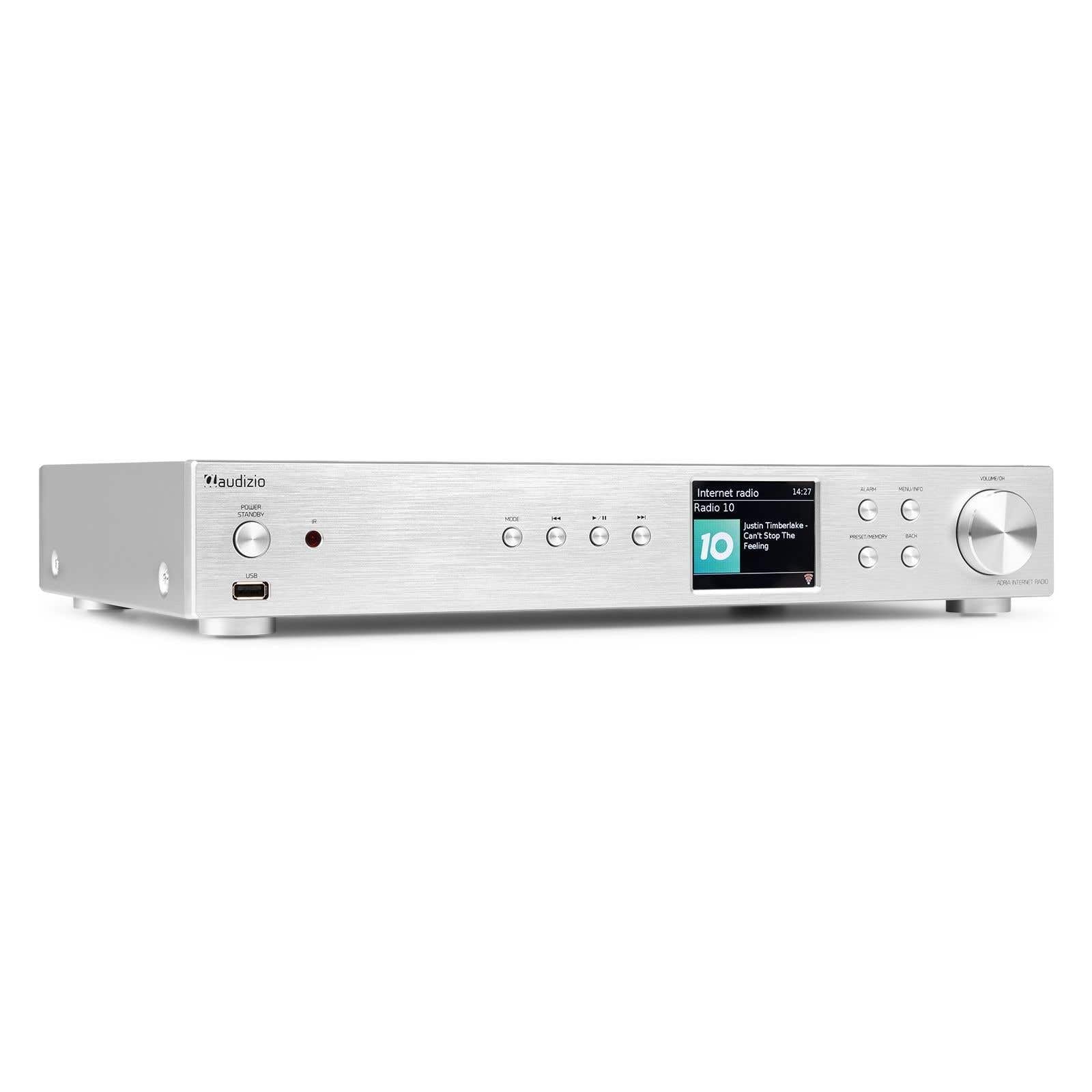
Figure 1.1: Audizio Adria DAB/Internet Radio Tuner with included remote control and antenna.
2. Émbaran Kasalametan
- Baca sagala parentah taliti saméméh pamakéan.
- Keep the unit away from water, moisture, and direct heat sources.
- Ulah meungpeuk bukaan ventilasi. Mastikeun spasi nyukupan sabudeureun unit pikeun aliran hawa ditangtoskeun.
- Paké ngan adaptor kakuatan disadiakeun kalawan unit.
- Entong nyobian ngalereskeun atanapi ngarobih unit nyalira. Rujuk sadayana jasa ka tanaga anu mumpuni.
- Dispose of batteries responsibly. The remote control uses 1 AAA battery.
3. Eusi Paket
Pastikeun yén sadaya item aya dina bungkusan:
- Audizio Adria DAB/Internet Radio Tuner Unit
- Remote Control (requires 1x AAA battery, included)
- Adaptor kakuatan
- Antena DAB/FM
- Manual pamaké
4. Produk Langkungview
4.1 Panel payun

Gambar 4.1: Kontrol sareng Tampilan Panel Hareup
- Power / Standby Button: Ngahurungkeun atanapi mareuman unit.
- Port USB: Pikeun playback média tina alat panyimpenan USB.
- Tombol Mode: Switches between Internet Radio, DAB+, FM, Bluetooth, and Media Player modes.
- Tombol Puter/Reureuh: Ngontrol puteran dina modeu média.
- Tombol Luncat/Setel: Ngatur lagu atanapi nyetel frékuénsi radio.
- Layar tampilan: Nembongkeun inpormasi stasiun, ménu, sareng setelan.
- Tombol Alarm: Ngaksés setélan alarm.
- Tombol Menu/Info: Enters menu or displays information.
- Preset/Memory Button: Nyimpen atanapi ngémutan deui stasiun karesep.
- Tombol Balik: Mulih ka ménu atawa layar saméméhna.
- Volume / OK Knob: Rotates to adjust volume or navigate menus; presses to confirm selections.
4.2 Panel tukang

Gambar 4.2: Sambungan Panel Rear
- Input kakuatan: Sambungkeun adaptor kakuatan anu disayogikeun di dieu.
- DAB/FM Antenna Input: Connect the included DAB/FM antenna.
- Analog Output (RCA): Nyambung ka hiji ampspeaker aktif atawa speaker aktif nu make kabel RCA.
- Input AUX: Connect external audio sources via a 3.5mm jack.
- Port Muatan USB: Pikeun ngecas alat éksternal.
- Kaluaran Digital Optik: Nyambung ka hiji amplifier or DAC with an optical cable.
- Kaluaran Digital Koaksial: Nyambung ka hiji amplifier or DAC with a coaxial cable.
5. Setélan
5.1 Connecting Power and Antennas
- Connect the supplied DAB/FM antenna to the DAB/FM Antenna Input on the rear panel. Extend the antenna fully for best reception.
- Connect the power adapter to the Power Input on the rear panel, then plug it into a wall outlet.
5.2 Nyambungkeun ka Sistem Audio
Choose one of the following methods to connect the Adria tuner to your ampspiker aktif atawa spiker aktif:
- Analog Output (RCA): Use RCA cables to connect the Analog Output ports on the Adria to the corresponding input on your amppangagung.
- Kaluaran Digital Optik: Use an optical cable to connect the Optical Digital Output to an optical input on your ampLifier atanapi DAC.
- Kaluaran Digital Koaksial: Use a coaxial cable to connect the Coaxial Digital Output to a coaxial input on your ampLifier atanapi DAC.
5.3 Mimiti Power-on jeung Network Setup
- Press the Power/Standby button on the front panel or remote control to turn on the unit.
- The display will show the Audizio logo, then guide you through the initial setup wizard.
- Follow the on-screen prompts to select your language, time zone, and connect to your Wi-Fi network. You will need your Wi-Fi network name (SSID) and password.
- Use the Volume/OK knob to navigate menus and confirm selections.
6. Parentah Operasi
6.1 Pamilihan Mode
Pencét éta Modus button on the front panel or remote control to cycle through available modes: Internet Radio, DAB+, FM, Bluetooth, and Media Player (USB).
6.2 Internét Radio
Figure 6.1: Internet Radio Mode Display
- Select Internet Radio mode.
- Use the Volume/OK knob to browse stations by location, genre, or search.
- Press the Volume/OK knob to select a station.
- Pikeun nyimpen stasiun salaku prasetél, pencét terus tahan tombol Prasetél / Mémori button. Select a preset number and confirm.
- Pikeun ngelingan prasetél, pencét tombol Prasetél / Mémori button briefly, then select the desired preset.
6.3 DAB / DAB + Radio

Figure 6.2: DAB Radio Mode Display
- Select DAB+ mode. The unit will automatically scan for available stations on first use.
- Use the Volume/OK knob to scroll through the list of stations.
- Press the Volume/OK knob to select a station.
- Saving and recalling presets works the same as for Internet Radio.
6.4 Radio FM
In FM mode, use the Skip/Tune buttons to manually tune frequencies or press and hold to auto-scan. Saving and recalling presets works the same as for Internet Radio.
6.5 Konektipitas Bluetooth
- Select Bluetooth mode. The unit will enter pairing mode automatically.
- On your smartphone, tablet, or other Bluetooth device, search for available devices and select "Audizio Adria".
- Once paired, you can stream audio from your device to the tuner.
6.6 Spotify Sambungkeun
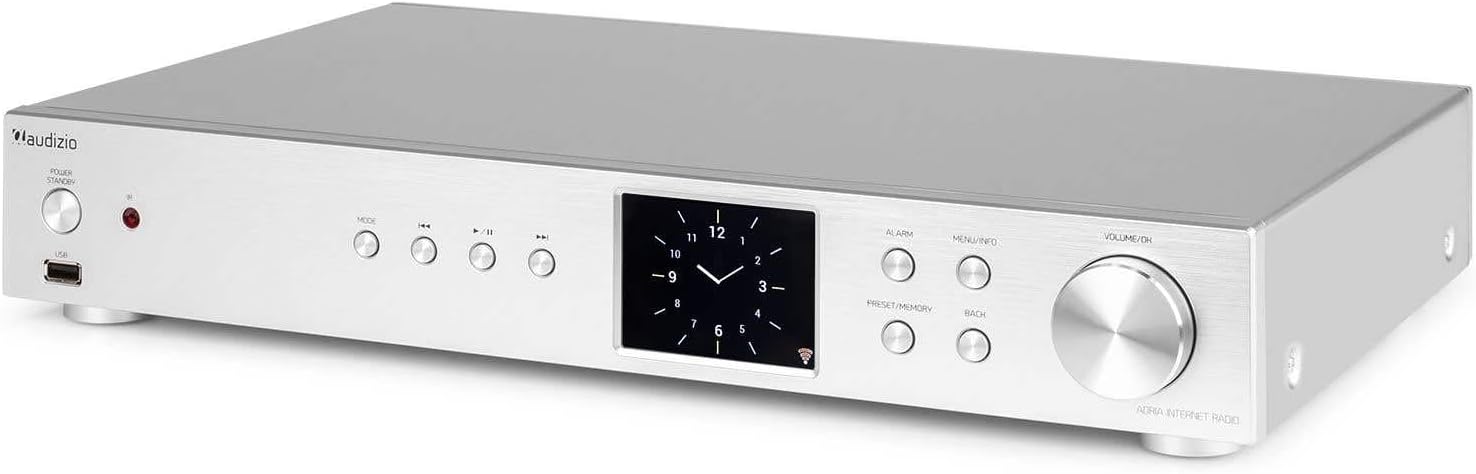
Figure 6.3: Spotify Connect Display
To use Spotify Connect:
- Ensure your Audizio Adria is connected to the same Wi-Fi network as your smartphone or tablet running the Spotify app.
- Open the Spotify app on your device and play a song.
- Tap the "Devices Available" icon (usually a speaker or computer icon) at the bottom of the screen.
- Select "Audizio Adria" from the list of available devices. The music will now play through your tuner.
6.7 Fungsi Alarm

Figure 6.4: Clock and Alarm Display
Pencét éta Alarem button to access and set up alarms. You can configure alarm time, source (buzzer, Internet Radio, DAB, FM), and frequency (daily, once, weekends, weekdays).
7. Kadali jauh

angka 7.1: Layout kadali jauh
The remote control provides full functionality for operating your Audizio Adria tuner. Ensure the included AAA battery is correctly inserted. Point the remote control directly at the unit's front panel for optimal response.
- SNOOZE: Samentawis ngajempékeun alarm.
- Tombol Daya: Ngahurungkeun atanapi mareuman unit.
- Tombol Navigasi (Kaluhur, Turun, Kénca, Katuhu, OK): Pikeun menu navigasi jeung pilihan.
- VOL +/-: Nyetél polumeu.
- MODÉ: Cycles through input modes.
- MENU: Ngaksés ménu utama.
- Balik deui: Mulih ka layar saméméhna.
- INFO: Némbongkeun inpormasi lengkep ngeunaan stasiun atanapi lagu ayeuna.
- SCAN: Ngamimitian scan pikeun stasiun radio.
- EQ: Ngaksés setélan equalizer.
- Papan tombol angka (0-9): Pikeun input langsung atanapi milih prasetél.
- PRESET: Nyimpen atanapi ngémutan deui stasiun karesep.
8. Pangropéa
To ensure the longevity and optimal performance of your Audizio Adria tuner, follow these maintenance guidelines:
- beberesih: Anggo lawon anu lemes sareng garing pikeun ngabersihkeun bagian luar unit. Entong nganggo pembersih abrasif, lilin, atanapi pangleyur.
- Ventilasi: Ensure that the ventilation openings are not blocked. Dust accumulation can be removed with a soft brush or vacuum cleaner.
- Panyimpenan: Upami nyimpen unit kanggo waktos anu panjang, pegatkeun sambungan tina catu daya sareng simpen di tempat anu tiis sareng garing.
- Perawatan Antenna: Handle the antenna gently to avoid damage.
9. Cara ngungkulan
If you encounter issues with your Audizio Adria tuner, consult the following table for common problems and solutions:
| Masalah | Mungkin Cukang lantaranana | Solusi |
|---|---|---|
| Taya kakuatan | kabel kakuatan teu disambungkeun; stop kontak listrik lepat. | Pariksa sambungan kabel kakuatan; coba outlet béda. |
| Taya sora | Volume teuing leutik; kaluaran audio anu dipilih salah; amplampu/spiker pareum atanapi pegat sambunganna. | Increase volume; check audio cable connections; ensure amplifier/speakers are on and set to correct input. |
| Teu bisa nyambung ka Wi-Fi | Incorrect password; weak signal; router issue. | Verifikasi kecap akses Wi-Fi; pindahkeun unit langkung caket kana router; hurungkeun deui router. |
| Panarimaan DAB/FM anu goréng | Anteneu teu dipanjangkeun; daérah sinyal lemah. | Fully extend and reposition the antenna; consider an external antenna if available. |
| Nyapasangkeun Bluetooth gagal | Alat henteu dina mode papasangan; alat jauh teuing; gangguan. | Ensure both devices are in pairing mode; move devices closer; turn off other Bluetooth devices. |
10. Spésifikasi
| Fitur | Spésifikasi |
|---|---|
| merek | Audizio |
| Nomer modél | Adria |
| Warna | pérak |
| Ukuran tampilan | 3.2 inci |
| Téhnologi konektipitas | Optical, Coaxial, Bluetooth |
| Fitur husus | Bluetooth, Internet Radio, DAB+, FM, Spotify Connect |
| Band Radio Dirojong | DAB, DAB+, FM |
| Sumber Daya | Kabel Listrik |
| Ukuran produk (L x W x H) | 43.4 x 7.5 x 31 cm |
| Item Beurat | 3.2 kg |
| Komponén Kaasup | Kadali jauh |
| Alat nu cocog | Smartphone, Tablet, Laptop |
11. Émbaran jaminan
This product is covered by a manufacturer's warranty. Please refer to the warranty card included in your package or contact your retailer for specific terms and conditions. Keep your proof of purchase for warranty claims.
12. Rojongan
For technical assistance, troubleshooting beyond this manual, or service inquiries, please contact Audizio customer support or your local dealer. Contact information can typically be found on the manufacturer's websitus atanapi dokuméntasi pameseran Anjeun.