Bubuka
Welcome to the world of Robo Kombat Tornado! This manual provides essential information for setting up, operating, and maintaining your Silverlit YCOO Robo Kombat Tornado battling robots. Designed for thrilling robot combat, these interactive toys feature 360-degree spinning action, powerful punches, and realistic sound effects. Prepare for epic battles against friends or an intelligent AI opponent.

Image: The Silverlit YCOO Robo Kombat Tornado set, featuring two distinct robots ready for battle.
Fitur konci
- 360° Spin and Super Tornado Punch: Activate a powerful punch combo that sends the robot spinning like a whirlwind when the power indicator beam turns red.
- Two Exciting Battle Modes: Challenge a friend in multiplayer battle mode or face off against an AI-powered robot that learns and counters your moves.
- Realistic Sound Effects and LED Power Belt: Enhance the action with punch sound effects and an LED Power Belt that illuminates during battle, creating an immersive experience.
- Includes Two Robots and Controllers: The set provides everything needed for immediate robot battles, with two durable robots and two easy-to-use remote controls.
- Optimal Gift for Kids 5+: Designed for children aged 5 and up, offering hours of fun for solo or competitive play.
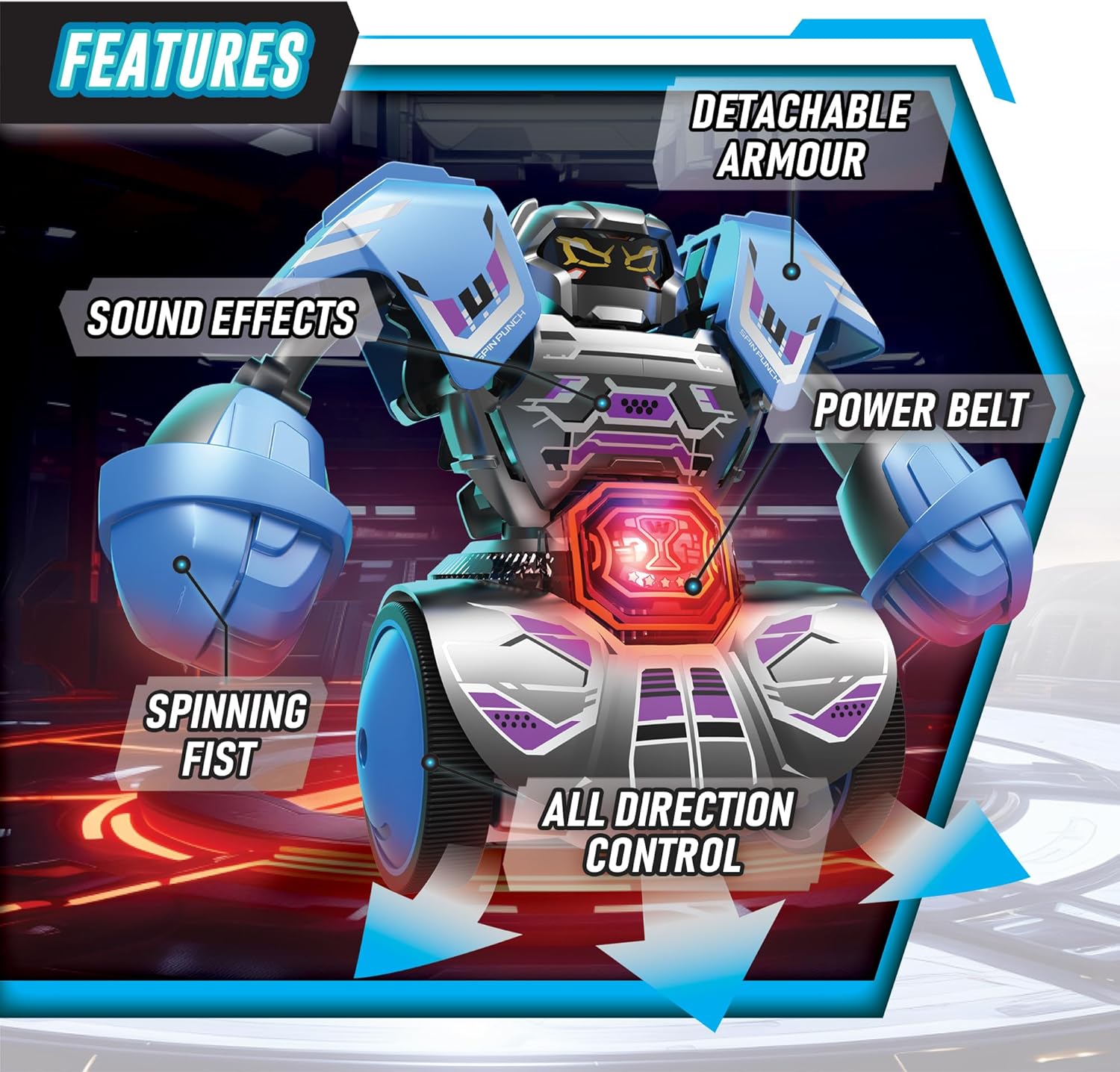
Image: A detailed breakdown of the robot's features, including its detachable armor, sound effects, spinning fists, all-direction control, and LED power belt.

Image: Further visual explanation of features such as detachable armor, the ability to spin left and right, full 360-degree spinning, and the illuminated LED Power Belt.
Eusi pakét
Your Silverlit YCOO Robo Kombat Tornado package should contain the following items:
- 1 x Blue Robo Kombat Tornado Robot
- 1 x Green Robo Kombat Tornado Robot
- 2 x Remote Controllers
- 1 x Manual Instruksi (Dokumén ieu)
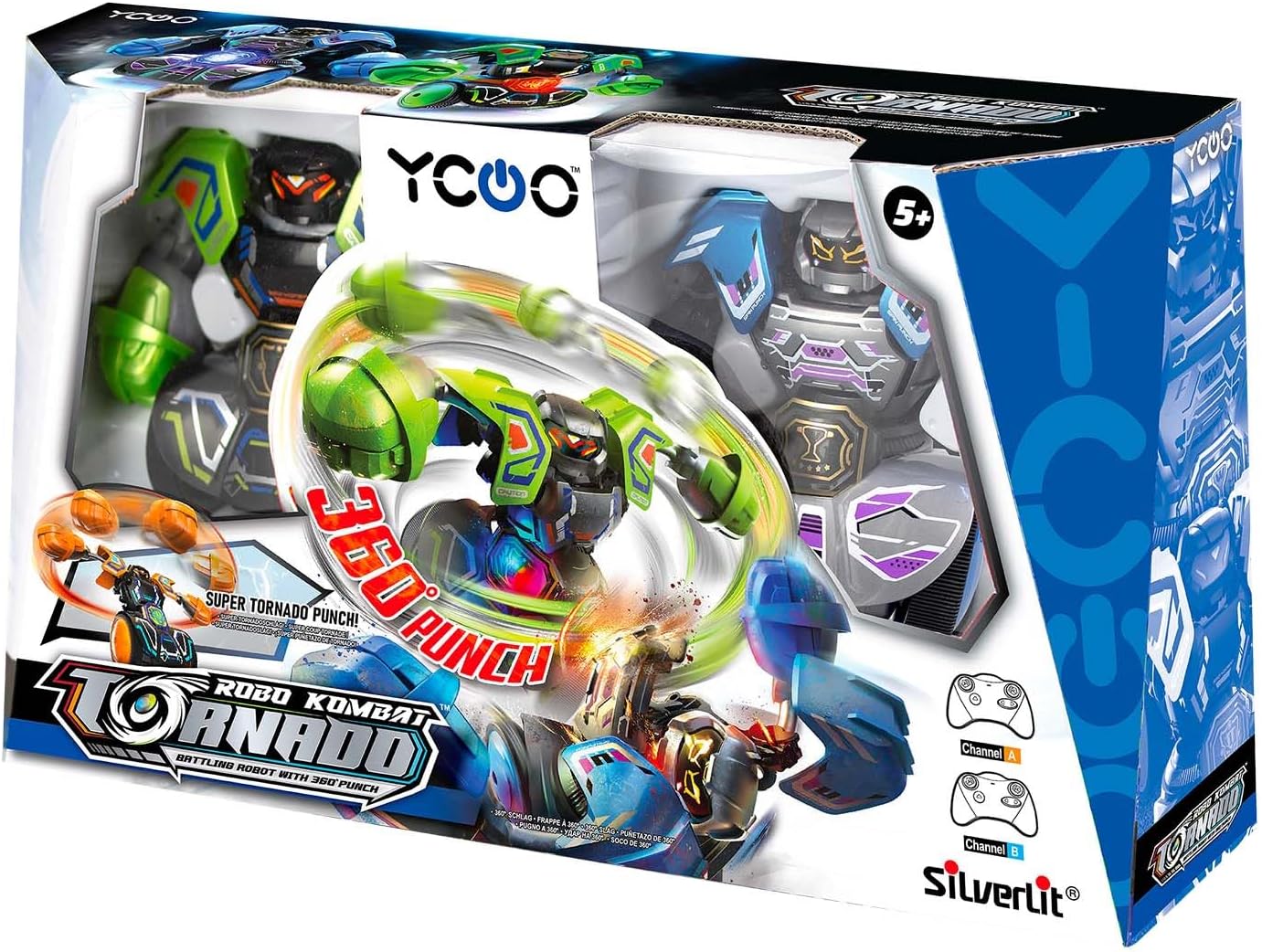
Image: The product packaging, providing a view of how the Robo Kombat Tornado set is presented, including both robots and their controllers.
Disetél
1. Pamasangan batré
Each robot and controller requires batteries (not included). Please refer to the battery compartment on the back of each unit for the correct battery type and polarity.
- Locate the battery compartment on the back of the robot and controller.
- Anggo obeng leutik pikeun muka panutup kompartemen batré.
- Pasangkeun batré anu diperyogikeun, pastikeun polaritasna leres (+/-).
- Ganti panutup kompartemen batré jeung amankeun ku screw nu.
Awas: Do not mix old and new batteries. Do not mix alkaline, standard (carbon-zinc), or rechargeable (nickel-cadmium) batteries. Remove batteries if the toy is not used for a long period.
2. Pairing Robots and Controllers
Each robot is pre-assigned to a specific channel (A or B) corresponding to its controller. Ensure you use the correct controller for each robot.
- Turn on the power switch on both the robot and its corresponding controller.
- The LED indicator on both units will blink and then turn solid when successfully paired.
- If pairing fails, turn both units off and on again, ensuring they are close to each other.
Parentah Operasi
Basic Movement
Use the joysticks on the remote controller to maneuver your robot:
- Joystick kénca: Ngadalikeun gerakan maju sareng mundur.
- Joystick katuhu: Controls turning left and right.
- Punch Buttons: Press the designated buttons to make your robot punch with its left or right fist.
Modeu perangna
The Robo Kombat Tornado offers two exciting ways to play:
- Multiplayer Battle Mode: Engage in head-to-head combat with a friend. Each player controls one robot. The goal is to knock off your opponent's detachable armor or deliver a decisive blow.
- AI Battle Mode: Challenge the robot's artificial intelligence. The AI will learn your moves and adapt its strategy, providing a dynamic solo fighting experience.

Image: This image highlights the two primary game modes: challenging an AI opponent or engaging in multiplayer battles with friends.
Special Moves: 360° Spin and Super Tornado Punch
Unleash devastating special moves during battle:
- 360 ° Puteran: While moving, quickly rotate the right joystick to make your robot spin rapidly, disorienting your opponent.
- Super Tornado Punch: When your robot's power indicator beam (LED Power Belt) turns red, it signifies that the Super Tornado Punch is charged. Press both punch buttons simultaneously to unleash a powerful, spinning attack that can send your opponent reeling.
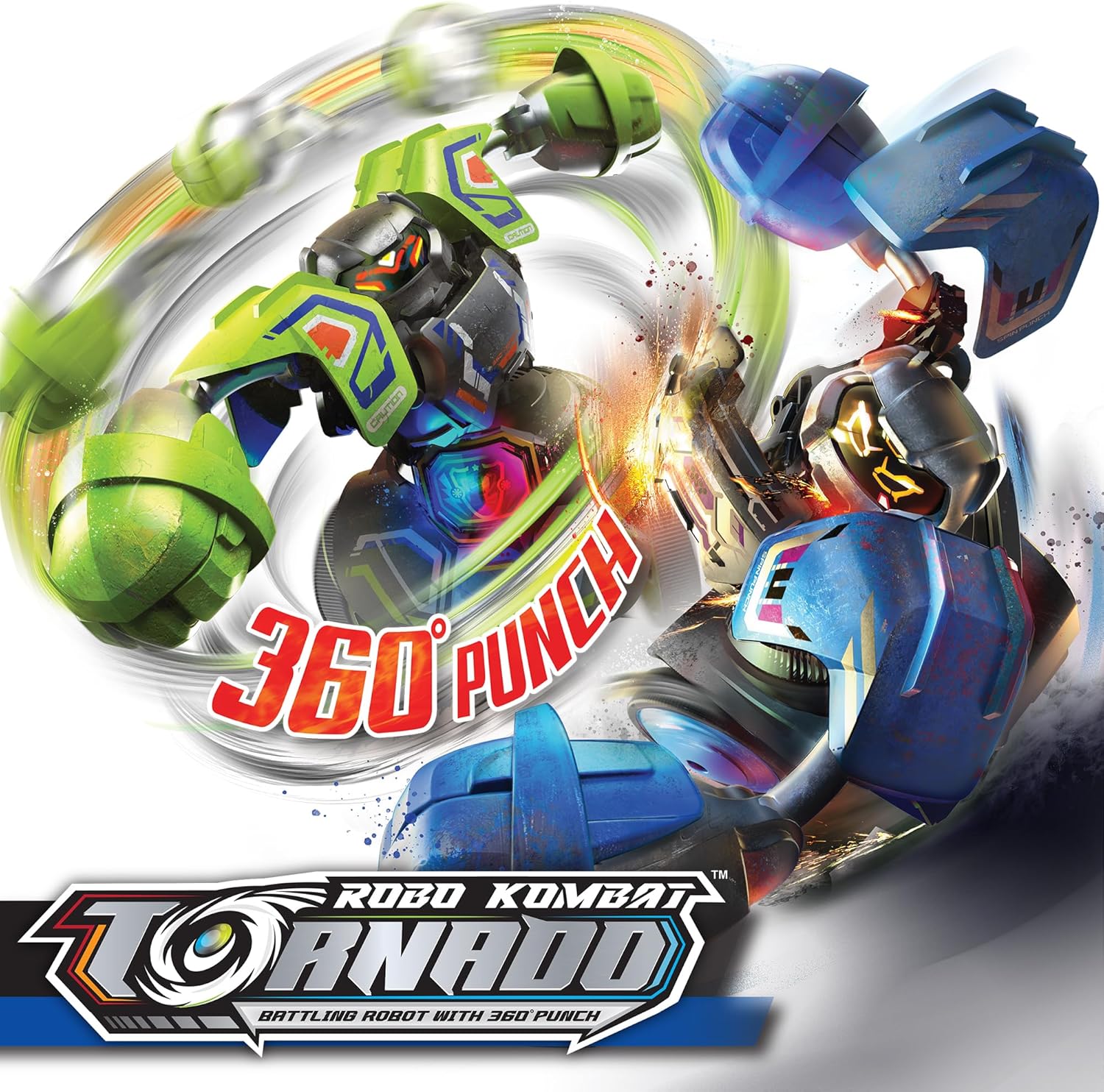
Image: This graphic illustrates the powerful 360-degree punch capability of the Robo Kombat Tornado robots, a key combat move.
Pangropéa
- beberesih: Wipe the robots and controllers with a soft, dry cloth. Do not use harsh chemicals or abrasive cleaners.
- Panyimpenan: Store the robots and controllers in a cool, dry place away from direct sunlight and extreme temperatures.
- Lengser batré: Always remove batteries from the robots and controllers if they will not be used for an extended period to prevent leakage.
- Detachable Armor: The armor is designed to be detachable. If it comes off during play, simply reattach it by aligning the tabs and pressing firmly.
Pamérésan masalah
| Masalah | Mungkin Cukang lantaranana | Solusi |
|---|---|---|
| Robot not responding to controller. | Low batteries in robot or controller; Not paired; Out of range. | Replace batteries; Re-pair robot and controller; Move closer to the robot. |
| Robot moves erratically or slowly. | Low batteries; Obstruction in wheels. | Replace batteries; Check and clear any obstructions from the wheels. |
| Épék sora teu jalan. | Low batteries; Internal malfunction. | Ganti batré. Lamun masalah persists, kontak rojongan customer. |
| LED Power Belt not lighting up. | Low batteries; Internal malfunction. | Ganti batré. Lamun masalah persists, kontak rojongan customer. |
spésifikasi
| Fitur | Rincian |
|---|---|
| Dimensi produk | 17.99 x 4.37 x 10.51 inci |
| Item Beurat | 1.41 pon |
| Nomer modél | 86883 |
| Disarankeun Umur | 5+ taun |
| Sumber Daya | Batré (teu kaasup) |
Garansi sareng Rojongan
Silverlit products are manufactured to high-quality standards. For information regarding warranty coverage, technical support, or replacement parts, please visit the official Silverlit websitus atanapi ngahubungan departemén layanan palanggan maranéhna.
Official Silverlit Websitus: www.silverlit.com
Punten nahan resi pameseran anjeun salaku bukti pameseran pikeun klaim garansi.


