1. Produk Langkungview
The DEWENWILS Wireless Remote Control Outlet Kit provides a convenient solution for controlling electrical appliances and lighting. This kit includes two wireless outlets and one remote control wall switch, allowing you to manage devices from a distance. The system operates independently of Wi-Fi and is pre-programmed for immediate use.

Image 1: DEWENWILS Wireless Remote Control Outlet Kit components.
Fitur konci:
- Removable Wall Switch: The remote control can be detached from its base and used as a portable remote.
- Kontrol nirkabel: Operate lights and appliances from up to 30 meters (100 feet) in open areas.
- Pra-diprogram: Ready for use right out of the box.
- Énergi Éfisién: Low standby power consumption of 0.6W. Outlets remain off after a power outage.
- Desain kompak: Space-saving and modern white appearance.
- Kapasitas Daya Tinggi: Supports up to 3680 Watts.
2. Émbaran Kasalametan
Mangga baca sareng ngartos sadaya parentah kaamanan sateuacan nganggo produk ieu. Gagalna nuturkeun parentah ieu bisa ngakibatkeun shock listrik, seuneu, atawa tatu serius.
- Do not exceed the maximum load capacity of 3680W or 16A.
- Kanggo dianggo di jero rohangan hungkul. Ulah kakeunaan cai atanapiamp kaayaan.
- Ensure the product is fully inserted into the wall socket.
- Keep out of reach of children. The outlets feature child protection mechanisms.
- Ulah ngabongkar atawa ngaropéa produk.
- Unplug the device from the power outlet when not in use for extended periods or during cleaning.
- The product housing is made from high-quality, flame-retardant material for safety.
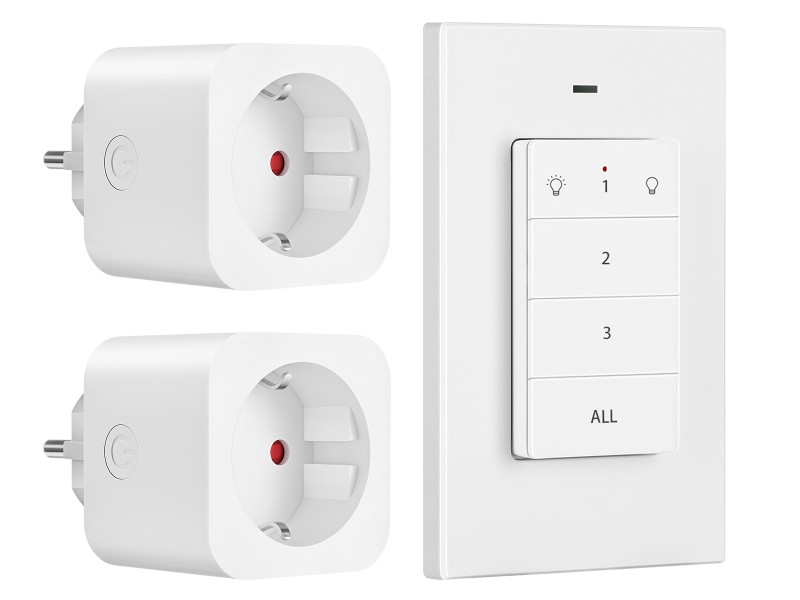
Image 2: Child safety features and flame-retardant material.
3. Eusi Paket
Pastikeun yén sadaya item aya dina pakét anjeun:
- 2 x DEWENWILS Wireless Remote Control Outlets
- 1 x DEWENWILS Wireless Remote Control Wall Switch (with CR2032 battery installed)
- 1 x Manual Pamaké
4. Setélan
4.1 Installing the Outlets
- Plug a wireless remote control outlet into a standard wall socket.
- Connect the appliance or light you wish to control into the wireless outlet.
- Ensure the appliance is switched on if it has its own power switch.
4.2 Installing the Remote Control Wall Switch
The remote control wall switch can be mounted on a wall or used as a portable remote.
- Pamasangan témbok: Use the included adhesive strips or screws to attach the remote's base plate to a desired wall location. Ensure the location is within the 30-meter operating range of the outlets.
- Pamakéan portabel: The remote control can be easily removed from its magnetic base plate for portable use.
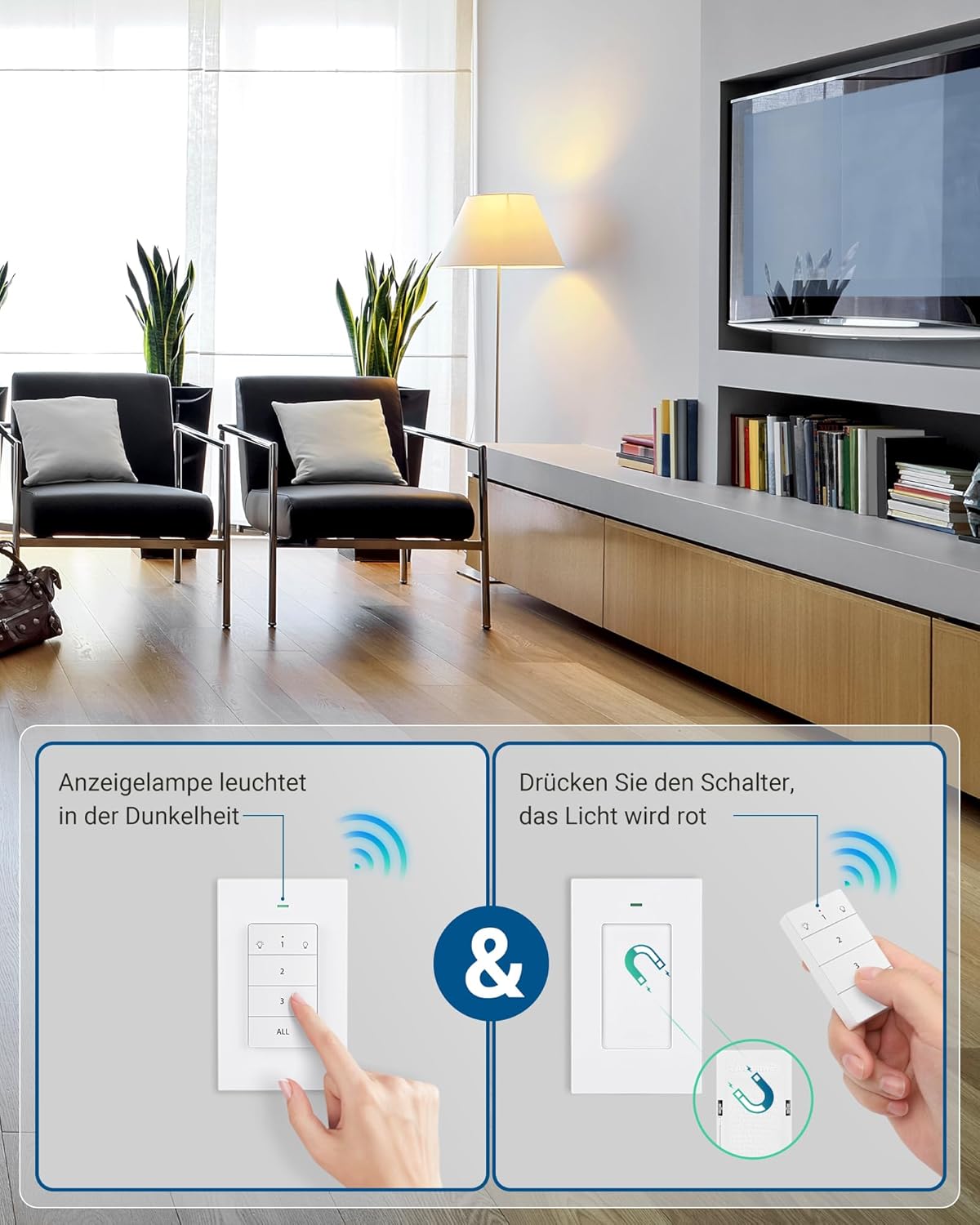
Image 3: Remote control wall switch mounted on a wall.
5. Parentah Operasi
The remote control wall switch is pre-programmed to control the two included outlets. Each button on the remote corresponds to a specific outlet or controls all outlets simultaneously.
5.1 Tata Letak Kadali Jarak Jauh

Image 4: Remote Control Buttons.
- Tombol 1: Controls the first paired outlet. Press once to turn ON, press again to turn OFF.
- Tombol 2: Controls the second paired outlet. Press once to turn ON, press again to turn OFF.
- Tombol 3: (If applicable) Controls a third paired outlet. This kit includes two outlets, so this button may be used for expansion.
- Tombol SADAYA: Controls all paired outlets simultaneously. Press once to turn all ON, press again to turn all OFF.
5.2 Lampu Indikator
The remote control features an indicator light that illuminates when a button is pressed, confirming signal transmission. The outlets also have a red indicator light that shows their power status (ON/OFF).
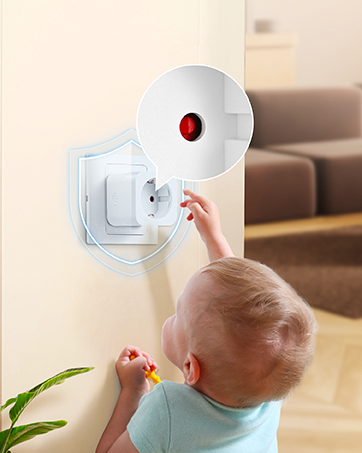
Image 5: Outlet with red indicator light.
6. Pemrograman sareng Pangembangan
The outlets and remote are pre-programmed at the factory. However, you can re-program or add additional DEWENWILS remote controls or outlets (sold separately) to expand your system.
6.1 Pairing a New Remote or Outlet
- Plug the outlet into a wall socket.
- Press and hold the small power button on the side of the outlet for approximately 3 seconds until the red indicator light flashes slowly.
- While the indicator light is flashing, press the desired ON/OFF button (1, 2, 3, or ALL) on your remote control.
- The outlet's indicator light will stop flashing and remain solid ON or OFF, indicating successful pairing.
6.2 Unpairing an Outlet
- Plug the outlet into a wall socket.
- Press and hold the small power button on the side of the outlet for approximately 6 seconds until the red indicator light flashes rapidly.
- The outlet is now unpaired.

Image 6: Expandability with additional DEWENWILS accessories.
7. Pangropéa
- Clean the product with a dry, soft cloth. Do not use abrasive cleaners or solvents.
- Replace the CR2032 battery in the remote control when its operating range decreases or it stops responding. To replace, open the battery compartment on the back of the remote.
- Simpen produk dina tempat anu tiis sareng garing nalika henteu dianggo.
8. Cara ngungkulan
| Masalah | Mungkin Cukang lantaranana | Solusi |
|---|---|---|
| Outlet does not respond to remote. | 1. Batré remote lemah atanapi pareum. 2. Outlet is not plugged in or powered. 3. Outlet is out of range. 4. Outlet is not paired with the remote. |
1. Replace the CR2032 battery in the remote. 2. Ensure the outlet is securely plugged into a live wall socket. 3. Move the remote closer to the outlet. 4. Re-pair the outlet with the remote (refer to Section 6.1). |
| Remote indicator light does not illuminate. | Batré jauh lemah atanapi paéh. | Ganti batré CR2032 dina jarak jauh. |
| Outlet turns off unexpectedly. | Kakuatan anjeuntage lumangsung. | The outlet is designed to remain off after a power outage for safety. Turn it back on manually or with the remote. |
9. Spésifikasi
| Spésifikasi | Nilai |
|---|---|
| Nomer modél | DHRLS12L |
| merek | DEWENWILS |
| Operasi Voltage | 230 volt |
| Max. ayeuna | 16 A |
| Max. Kakuatan | 3680 Watt |
| Frékuénsi nirkabel | 433.92 MHz (RF) |
| Range nirkabel | Nepi ka 30 méter (100 kaki) di daérah kabuka |
| Tipe Batré Jauh | 1 x CR2032 (kaasup) |
| Konsumsi Daya Sayaga | 0.6 W |
| Bahan | Plastic (Flame-retardant) |
| Outlet Dimensions (L x W x H) | 50 x 44 x 50 mm |
| Sertifikasi | CE |
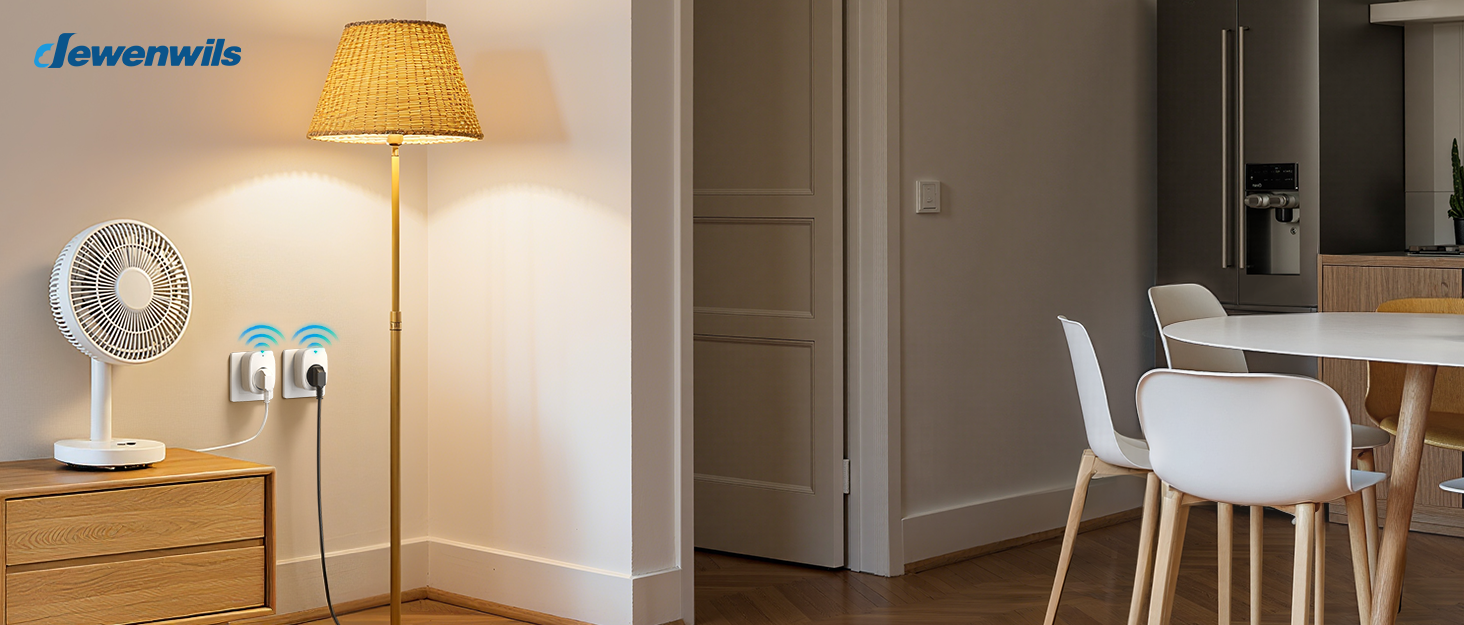
Image 7: Maximum power capacity and compatible appliances.

Image 8: 30-meter RF operating range.
10. Garansi jeung Rojongan
Warranty and support information is not available in the provided product data. Please refer to the product packaging or contact DEWENWILS customer service for details regarding warranty coverage and technical support.
For further assistance, please visit the official DEWENWILS websitus atanapi ngahubungan saluran rojongan customer maranéhanana.


