Bubuka
Welcome to your new BUFFBEE Bluetooth Speaker Alarm Clock Radio. This versatile device combines a night light, Bluetooth speaker, alarm clock, and FM radio into a compact design, perfect for any bedroom or living space. Please read this manual carefully to ensure proper use and optimal performance.

Naon dina Box
- 1 * Manual pamaké
- 1*CR2032 Battery
- 1 * 1.5m DC adaptor
- 1*Bluetooth Clock Radio
Disetél
Sambungan Daya
The BUFFBEE Bluetooth Speaker Alarm Clock Radio is designed to be outlet powered. Connect the provided 1.5m DC Adapter to the DC 5V port on the back of the unit and plug it into a standard wall outlet.
Nyadangkeun batré
Pikeun ingetan setelan waktos sareng alarm salami kakuatan outages, insert the included CR2032 battery into the battery compartment located on the bottom of the unit. This battery only provides backup for settings and does not power the device for operation.

Setélan Waktu Awal
Upon first power-up, the display will show the default time. Refer to the "Operating Instructions" section for detailed steps on setting the current time.
Parentah Operasi
Kadali Langkungview
The device features intuitive controls located on the top panel.
Nyetel Waktos sareng Alarm
Pikeun nyetel waktos, pencét jeung tahan tombol Waktos Set button (usually indicated by a clock icon) until the hour digits flash. Use the +/- tombol pikeun nyaluyukeun jam, teras pencét Waktos Set again to move to minutes. Repeat the process for setting the alarm time.
Display Dimmer (0-100%)
Adjust the display brightness from 0% (completely off) to 100% (very bright) to suit your preference, especially for nighttime use. This feature helps prevent bright light from disturbing your sleep.

Fungsi Speaker Bluetooth
The device features Bluetooth 5.0 for fast and stable connections.
Masangkeun Alat Anjeun
- Pencét éta BT button to enter Bluetooth pairing mode. The display will show "BT" and a flashing Bluetooth icon.
- On your smartphone or other Bluetooth-enabled device, search for "BUFFBEE RS11" (or similar) in the Bluetooth settings.
- Select the device to pair. Once connected, a confirmation sound will play, and the Bluetooth icon will become solid.

Operasi Radio FM
Enjoy strong reception and save up to 30 radio stations.
Auto-Scan and Save Stations
Pencét jeung tahan tombol FM button to initiate an auto-scan for available radio stations. The device will automatically save stations with strong signals.
Manual Tuning / Station Selection
Ngagunakeun éta +/- buttons to manually tune to a specific frequency or cycle through saved stations.

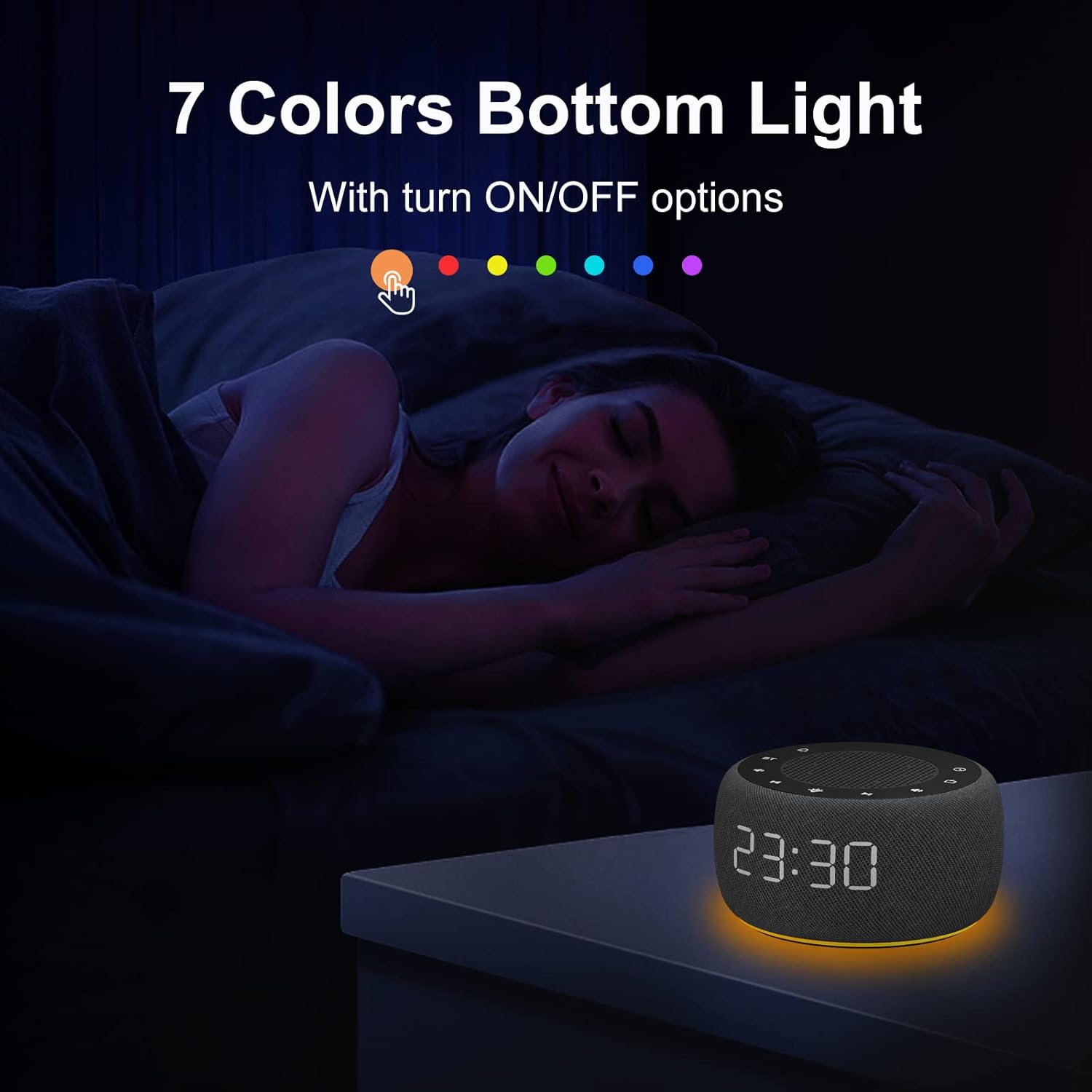
Night Light (7 Colors Underlight)
Create a relaxing atmosphere with 7 selectable colors.
Ngarobah Warna
Pencét éta Caang button (sun icon) to cycle through the 7 available colors.
Pareuman Lampu Peuting
Terus pencét Caang button until the light turns off, or hold the button down for a few seconds.

Alarm Sora
Wake up gently with various alarm sounds, including bird chirping, piano, beep, or your preferred FM radio station.
Pangropéa
To ensure the longevity of your BUFFBEE device, keep it clean and free from dust. Use a soft, dry cloth for cleaning. Avoid using abrasive cleaners or solvents. Do not expose the unit to excessive moisture or extreme temperatures.
Pamérésan masalah
Taya Daya / Pareum
- Ensure the DC adapter is securely plugged into both the unit and a working wall outlet.
- Pariksa naha stop kontak listrik berpungsi ku cara nyolokkeun alat sejen.
- If the display is set to 0% brightness, it may appear off. Press the display dimmer button to increase brightness.
Panarimaan Radio FM anu Goréng
- Panjangkeun anteneu FM sacara lengkep.
- Reposition the unit to a location with better signal reception.
- Perform an auto-scan again to re-scan for stronger stations.
Masalah Nyapasangkeun Bluetooth
- Ensure the device is in Bluetooth pairing mode (flashing BT icon).
- Pastikeun Bluetooth alat éksternal anjeun diaktipkeun sareng aya dina jangkauan.
- Coba cabut pasangan sareng pasangkeun deui alat.
- Restart both the clock radio and your external device.
Alarm Teu disada
- Verify that the alarm is set correctly and enabled.
- Pariksa tingkat volume alarm.
- If using FM radio as an alarm, ensure the selected station has a clear signal.
spésifikasi
| Fitur | Rincian |
|---|---|
| merek | BUFFBEE |
| Modél | RS11 |
| Warna | Angkasa Gray |
| Tipe tampilan | Digital |
| Fitur husus | Adjustable Brightness, Adjustable Volume, Loud Alarm, Mood Light, Radio |
| Dimensi produk | 3.9"W x 2.4"H (3.85 x 3.85 x 2.36 Inches) |
| Sumber Daya | Kabel Listrik |
| Bahan | palastik |
| Item Beurat | 12 ons (340 gram) |
| Jam Alarm | Sumuhun |
| Modeu Operasi | Listrik |
| Bentuk Jam | Multi Témbongkeun |
| Tipe Pamasangan | Tabletop |
| Dupi Batré Kaasup | No (CR2032 for backup only) |
Garansi & Rojongan
This BUFFBEE product comes with a Garansi 1 Taun from the date of purchase. For any support inquiries, technical assistance, or warranty claims, please contact BUFFBEE customer service through the retailer's platform or visit the official BUFFBEE websitus.
Manufacturer: BUFFBEE


