1. Produk Langkungview
The Metapen Pencil A14 is a wireless magnetic charging stylus pen designed to enhance your iPad experience. It offers precise control, quick responsiveness, and advanced features like palm rejection and hotkey shortcuts, making it ideal for note-taking, drawing, and navigation.
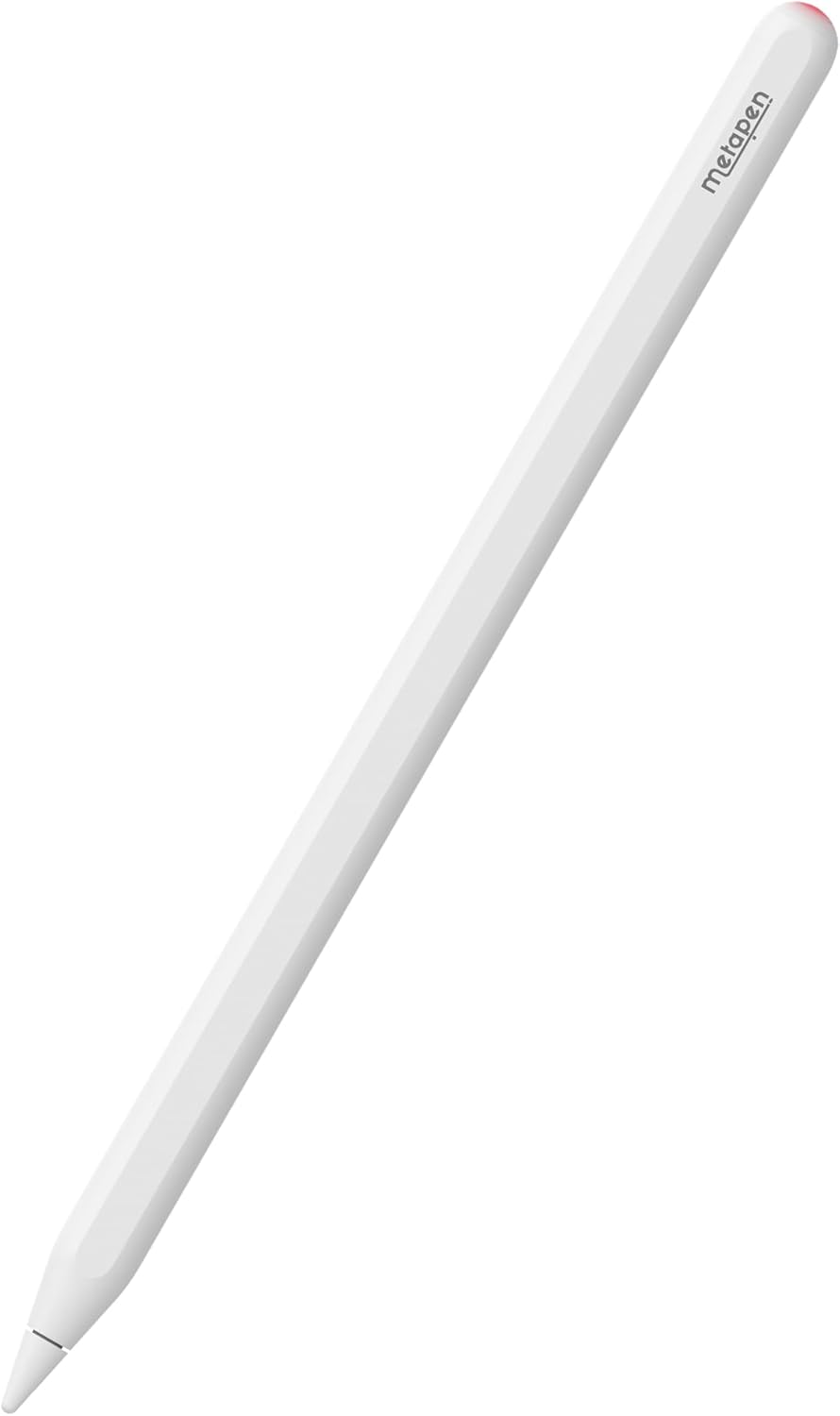
2. Kasaluyuan
The Metapen Pencil A14 is specifically designed for certain iPad models to ensure full functionality, including wireless charging. Please verify your iPad model before use.
- iPad Pro 12.9" (6th, 5th, 4th, 3rd generation)
- iPad Pro 11" (4th, 3rd, 2nd, 1st Gen)
- iPad Air (5th, 4th Gen)
- iPad Mini (Generasi 6)
Catetan: This stylus is NOT compatible with iPad Pro M4 2024, iPad Air M2 2024 3rd Gen, iPad 6/7/8/9/10th Gen, or iPad Mini 5/7th Gen.

3. Setélan
3.1. Naon dina Box
- Metapen Pencil A14 Stylus
- Replacement Tips (2 included)
- Manual pamaké
3.2. Pamasangan Awal (Bluetooth)
- Ensure your iPad's Bluetooth is turned ON (Settings > Bluetooth).
- Press the top button of the Metapen Pencil A14 once to turn it on.
- On your iPad, a Bluetooth Pairing Request will appear. Tap 'Pair' to connect.
If you have previously paired with other devices, please disconnect them first.
3.3. Adding Battery Display Widget
To monitor your Metapen Pencil A14's battery level directly on your iPad:
- Long press on any application icon on your home screen.
- Tap 'Edit Home Page'.
- Tap the '+' icon in the top-left corner.
- Milarian pikeun 'Batteries' and select the Batteries Widget.
- Choose your preferred display size and add it to your home screen.
4. Parentah Operasi
4.1. Wireless Magnetic Charging
The Metapen Pencil A14 supports wireless magnetic charging. Simply attach the stylus to the magnetic charging area on your compatible iPad. Two strong magnets ensure a secure connection.
- Waktu Ngecas Pinuh: Kurang leuwih 90 menit.
- Waktos damel: Nepi ka 8 jam pamakean kontinyu.
- Saré otomatis: After 5 minutes of inactivity to conserve battery.
- Waktu sayaga: Dugi ka 365 dinten.
The LED indicator on the stylus provides battery status:
- Beureum engapan: Ngecas
- Beureum padet: 1% - 20% battery
- Biru padet: 20% - 60% battery
- Bodas Padet: 60% - 100% battery
- Bodas Padet: Dicas pinuh

4.2. Hotkey Shortcuts
Utilize the top button for quick navigation and multitasking:
- Pencét sakali: Return to the Home Screen page.
- Pencét dua kali: Switch to the Multitasking menu (App Switcher).

4.3. Writing and Drawing Experience
The Metapen Pencil A14 offers a smooth and precise writing and drawing experience:
- 0.1mm Pixel Precision: Ensures accurate and detailed input.
- Teu aya lag: Enjoy real-time responsiveness without delays.
- No Breakpoint: Consistent line drawing without interruptions.
- Sensitip Dengdekkeun: Adjust line thickness and shading by tilting the pen, similar to a graphite pencil (works with 'Pencil Brush' tools).


4.4. Tolak Palu
Rest your hand comfortably on the iPad screen while writing or drawing. The advanced palm rejection technology ensures that only the stylus input is registered, preventing accidental marks from your palm.

5. Pangropéa
5.1. Tip ngagantian
The Metapen Pencil A14 uses POM tips, which are the same material as Apple Pencil tips, ensuring durability and a familiar feel. Replacement is easy:
- Puterkeun ujung anu lami lalaunan ka arah anu sabalikna tina jarum jam pikeun nyabutna.
- Align the new tip and twist clockwise until secure. Do not overtighten.

5.2. Perawatan jeung beberesih
The stylus features a moisture-proof paint coating to prevent discoloration or paint loss from sweat. To clean, gently wipe the stylus with a soft, dry cloth. Avoid using harsh chemicals or abrasive materials.

6. Cara ngungkulan
- Stylus teu nyambung/nyapasangkeun: Ensure Bluetooth is enabled on your iPad. Forget any previously paired styluses in Bluetooth settings and try pairing again. Make sure the Metapen Pencil A14 is charged.
- Masalah ngecas: Verify the stylus is correctly aligned on the iPad's magnetic charging area. Ensure your iPad is awake or in a state that allows accessory charging. Remove any thick cases that might interfere with magnetic connection.
- Input anu teu akurat atanapi teu responsif: Check if the stylus tip is securely attached. Replace the tip if it appears worn or damaged. Ensure your iPad screen is clean.
- Batré gancang boros: Confirm the stylus is entering automatic sleep mode when not in use. If the battery widget shows constant activity when attached but not in use, slightly adjust its position on the iPad to ensure it's not constantly 'waking up' or attempting to connect.
7. Spésifikasi
| Fitur | Rincian |
|---|---|
| Dimensi produk | 6.53 x 0.35 x 0.35 inci |
| Item Beurat | 0.529 ons (15 gram) |
| Nomer modél | A14 |
| Warna | Mutiara Bodas |
| Bahan | alumunium |
| Waktu Ngecas | 90 menit |
| Jenis Batré | 1 batré CR5 (kaasup) |
8. Garansi jeung Rojongan
Metapen is committed to providing excellent customer service and product support.
- 2 Years Care: Enjoy peace of mind with our 2-year product care.
- Ngagantian 30 Dinten: Hassle-free replacement within 30 days of purchase.
- Layanan Konsumén 7x24 Jam: Tim pangrojong kami sayogi sapanjang jam pikeun ngabantosan anjeun.
Kanggo inquiries atanapi rojongan, mangga ngahubungan kami di Support@metapen.com.