1. Produk Langkungview
The FITORCH V10 is a compact and powerful Everyday Carry (EDC) flashlight designed for versatile use. It features a high-brightness main LED, multi-color side lights including UV, red, green, and blue, and a magnetic tail cap. This manual provides instructions for safe and effective operation.

Image 1.1: FITORCH V10 EDC Flashlight, showing the device, a USB-C charging cable, and a keyring. The flashlight is compact and features two main light emitters and side lights.

Gambar 1.2: Leuwihview of FITORCH V10 features, including high brightness, beeping warning, multi-source sidelights, USB-C charging, magnetic adsorption, and mini portable design.
2. Eusi Paket
Pastikeun yén sadaya item aya dina bungkusan:
- 1 x FITORCH V10 EDC Flashlight
- 1 x Kabel Ngecas USB-C
- 1 x Gantungan Kunci
- 1 x Manual Pamaké (dokumén ieu)
3. Setup jeung Ngecas
3.1 Ngecas Awal
Before first use, fully charge the flashlight. The FITORCH V10 features a built-in 1000mAh rechargeable battery.
- Panggihan port ngecas USB-C dina alat.
- Connect the provided USB-C cable to the flashlight and a compatible USB power source (e.g., computer, wall adapter).
- During charging, a red light will flash.
- Once fully charged, the indicator light will turn solid green.
Charging time is approximately 120-180 minutes (2-3 hours).

Image 3.1: Illustration of the FITORCH V10's internal 1000mAh built-in battery, highlighting its capacity for extended use.

Image 3.2: The bottom right panel shows the USB-C charging port and the indicator lights: red flashing for charging, green solid for full charge.
4. Parentah Operasi
The FITORCH V10 features two main buttons: a Power button (left) and a Mode button (right).
4.1 Operasi Lampu Utama
The main light provides up to 1000 lumens of brightness with multiple modes.
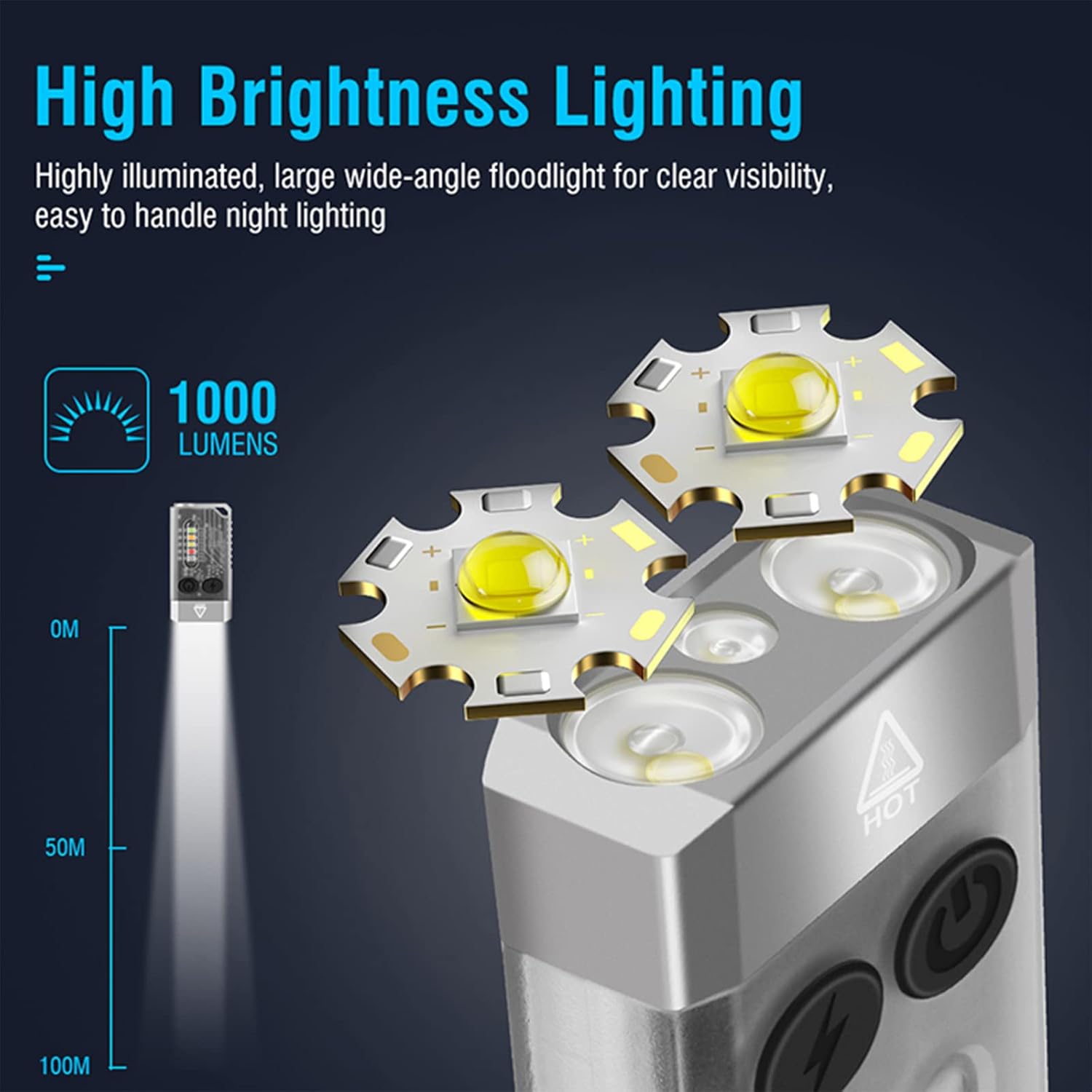
Image 4.1: Illustration of the FITORCH V10's high brightness main light, capable of 1000 lumens and projecting light up to 100 meters.
- Hurungkeun/Pareuman: Double-click the Power button to turn the main light ON. Long press the Power button to turn it OFF.
- Ngalihkeun Modeu: While the main light is ON, click the Power button to cycle through High, Medium, Low, and Economic modes.
- Modeu Turbo: Long press the Power button from any state to activate Turbo mode. Release the button to turn off Turbo mode.
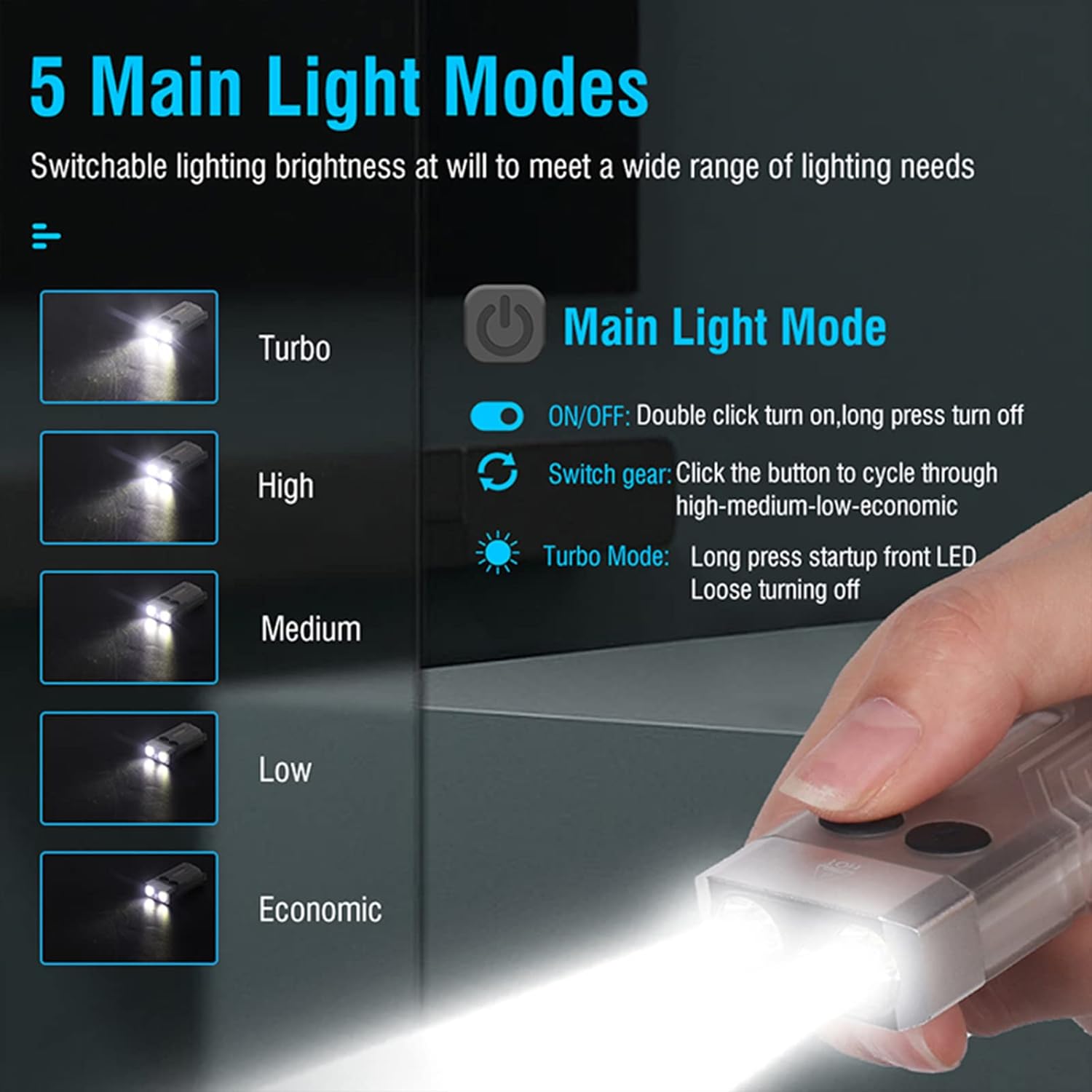
Image 4.2: Diagram illustrating the 5 main light modes (Turbo, High, Medium, Low, Economic) and their activation methods using the Power button.
4.2 Side Light Operation
The side lights offer various colors and functions, including UV light.
- Hurungkeun/Pareuman: Double-click the Mode button to turn the side light ON. Long press the Mode button to turn it OFF.
- Ngalihkeun Modeu: While the side light is ON, click the Mode button to cycle through White, Warm, Green, Red, Blue, Red Flash, Red & Blue Flash.
- Modeu UV: Triple-click the Mode button from any state to enter UV mode.

Image 4.3: Diagram illustrating the multi-source sidelights (White, Warm, Green, Red, Blue, Red Flash, Red & Blue Strobe, UV Light) and their activation methods using the Mode button.

Gambar 4.4: Examples of 365nm UV light applications, including money inspection, antique appraisal, fluorescent agent detection, and treasure hunt.
4.3 Fungsi Alarm
The flashlight includes an 80dB beeping alarm with flashing red and blue lights.
- Aktipkeun Alarm: Triple-click the Power button from any state to activate the alarm (beeping + red and blue flashing).
- Nonaktipkeun Alarm: Long press the Power button to turn off the alarm.
4.4 Magnetic Tail Cap
The FITORCH V10 features a magnetic tail cap for convenient attachment to metal surfaces, allowing for hands-free operation.
Image 4.5: The top left panel shows the FITORCH V10 attached to a metal surface via its magnetic tail cap, illuminating an engine bay.
5. Pangropéa
5.1 beberesih
- Ngusap awak senter ku hipu, damp lawon.
- Ulah make cleaners abrasive atawa pangleyur.
- Tetep port ngecas bébas tina lebu jeung lebu.
5.2 Panyimpenan
- Simpen senter di tempat anu tiis, garing, sareng jauh tina sinar panonpoé langsung.
- Pikeun neundeun jangka panjang, ngeusi batre kira-kira 50% unggal 3-6 bulan pikeun ngajaga kaséhatan batré.
5.3 Perawatan Batré
- Ulah sering-sering ngecas batréna nepi ka béak.
- Anggo ukur kabel USB-C anu disayogikeun atanapi sarimbag anu disertipikasi pikeun ngecas.
- Ulah nyobian ngaganti batré diwangun-di.
6. Cara ngungkulan
- Senter teu hurung:
- Pastikeun batréna tos dicas. Sambungkeun ka sumber daya teras parios indikator ngecas.
- Verify correct operation: Double-click the Power button for the main light, double-click the Mode button for side lights.
- Kaluaran cahaya taram:
- Batré bisa jadi lemah. Ngecas senter.
- Pastikeun lénsa bersih sareng bébas tina halangan.
- Flashlight gets warm during use:
- It is normal for high-power LED flashlights to generate heat, especially in Turbo or High modes. This is a normal operating characteristic.
- If the flashlight becomes excessively hot, reduce the brightness mode or turn it off to allow it to cool.
- Ngecas teu jalan:
- Check the USB-C cable for damage and ensure it is properly connected to both the flashlight and the power source.
- Coba kabel USB-C atanapi adaptor kakuatan anu sanés.
- Pastikeun port ngecas bersih.
7. Spésifikasi
| Fitur | Rincian |
|---|---|
| Modél | V10 |
| merek | FITORCH |
| Bahan | Alumunium alloy |
| Tipe Sumber Cahaya | LED |
| Caang | Nepi ka 1000 Lumens |
| Kapasitas batré | 1000mAh (Built-in Rechargeable) |
| Pangecas Interface | USB-C |
| Ngecas Voltage | 4.5V-5V |
| Waktu Ngecas | 120-180 menit |
| Dimensi produk | 2.6" x 1.3" x 0.6" (66mm x 33mm x 15mm) |
| Item Beurat | 1.76 ons (50 gram) |
| Tahan cai | IPX4 (tahan cipratan) |
| Fitur husus | UV Light, Red/Green/Blue Side Lights, Magnetic Tail, Alarm Function |
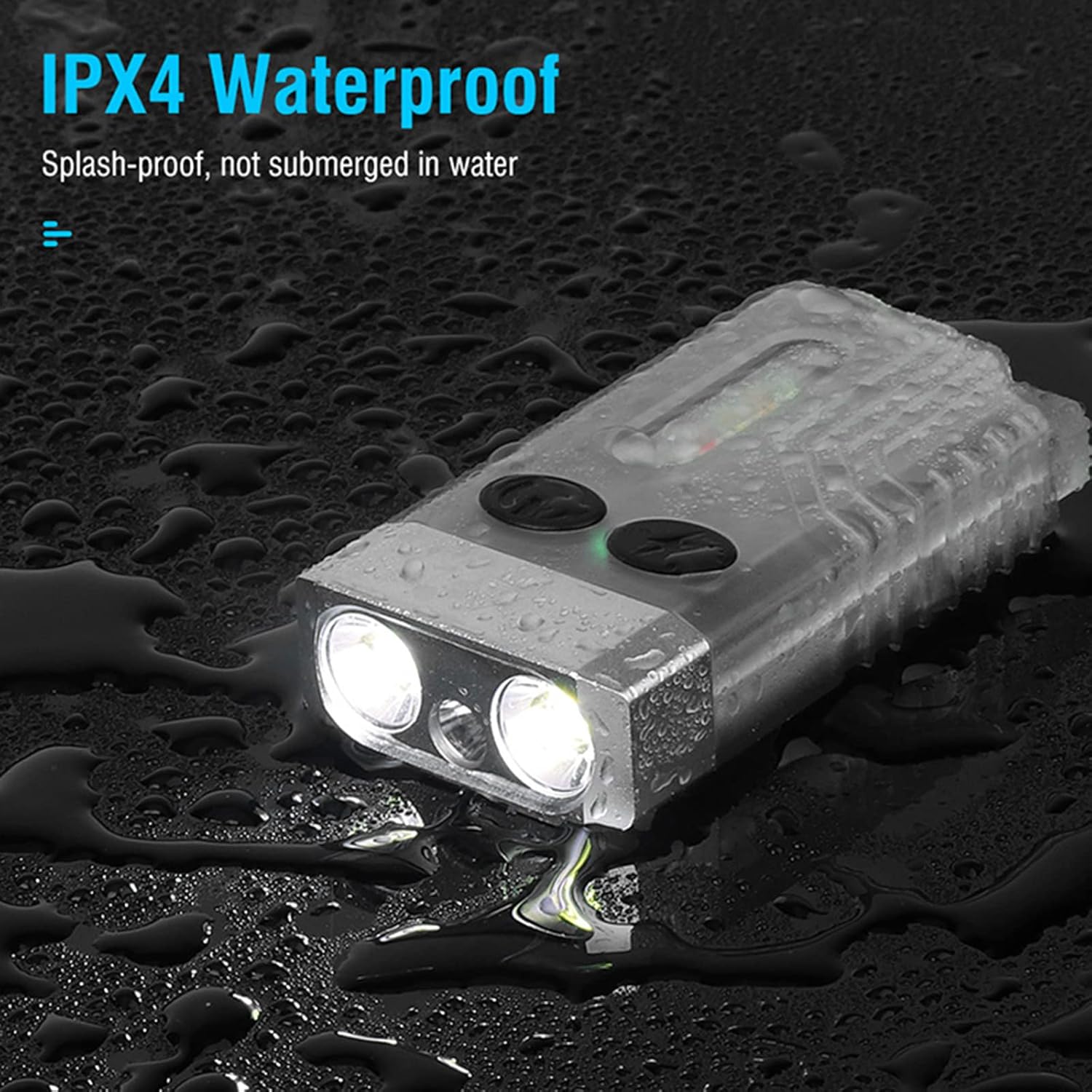
Image 7.1: The FITORCH V10 demonstrating its IPX4 splash-proof water resistance, indicating it is protected against water splashes from any direction.
8. Garansi jeung Rojongan
FITORCH products are manufactured to high-quality standards. For warranty information or technical support, please refer to the official FITORCH websitus atanapi ngahubungan pangecér Anjeun.
Punten tahan bukti pameseran anjeun pikeun klaim garansi.


