1. Bubuka
Hatur nuhun pikeun meuliasing the LODADRA 20'' Low Profile Ceiling Fan with Light and Remote. This modern and space-saving ceiling fan is designed to provide optimal air circulation and adjustable lighting for various rooms, including bedrooms, living rooms, and kitchens. Equipped with a quiet DC motor and versatile features, it ensures comfort and convenience. Please read this manual thoroughly before installation and operation to ensure safe and efficient use.
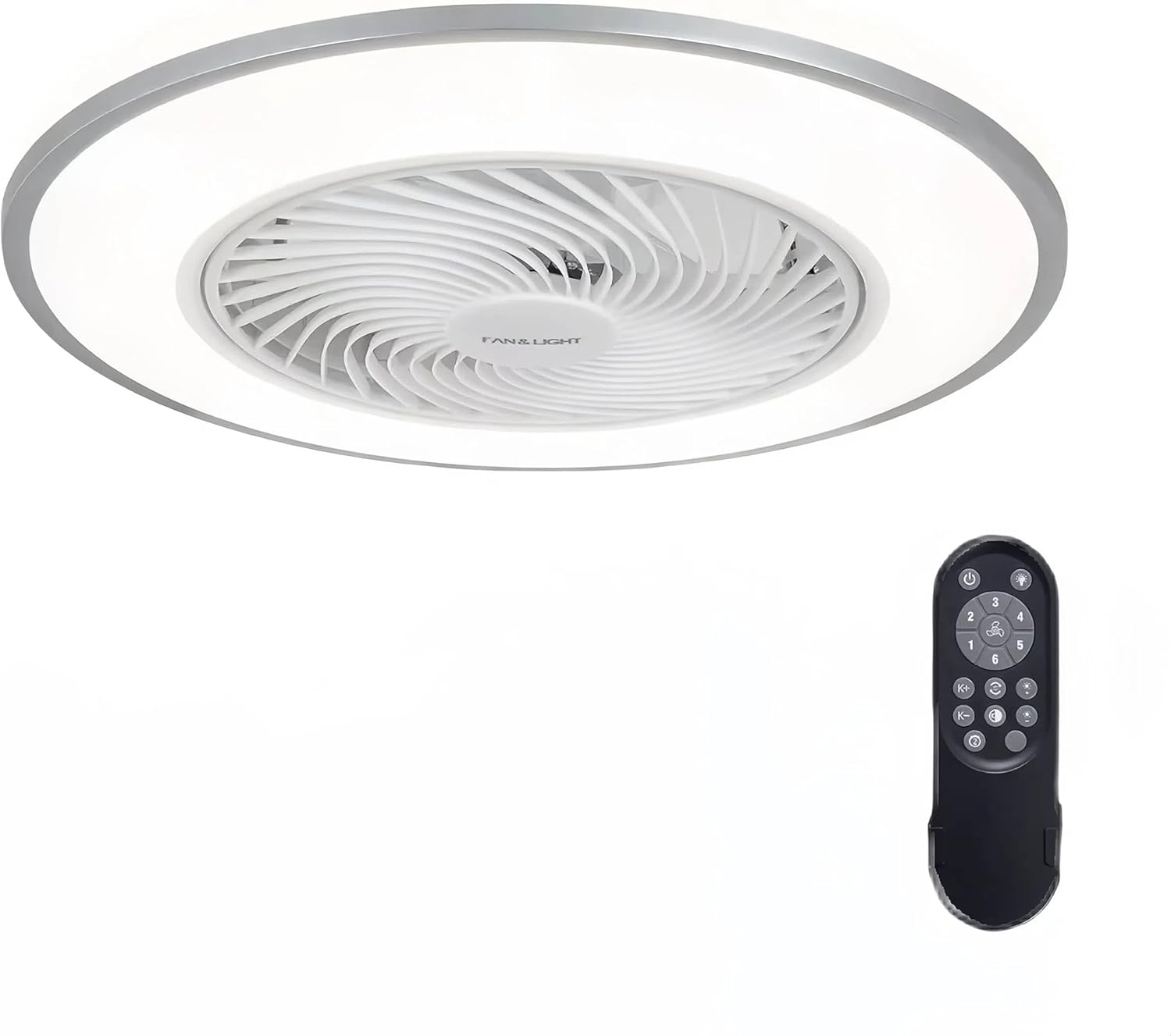
Figure 1: LODADRA 20'' Low Profile Ceiling Fan with Light and Remote.
2. Émbaran Kasalametan
PERHATOSAN: Pikeun ngurangan résiko kahuruan, kejutan listrik, atawa tatu pribadi, salawasna turutan pancegahan dasar ieu:
- Baca sadaya parentah sateuacan masang kipas.
- Pamasangan kedah dilakukeun ku tukang listrik anu mumpuni.
- Ensure the power is OFF at the circuit breaker before installation or maintenance.
- Sadaya kabel kedah saluyu sareng kode listrik nasional sareng lokal.
- The mounting structure must be capable of supporting the fan's weight.
- Ulah nyelapkeun objék kana bilah kipas bari kipas beroperasi.
- Jauhkeun barudak sareng piaraan tina kipas nalika operasi.
- Produk ieu dirancang pikeun pamakéan jero rohangan wungkul.
3. Eusi Paket
Pariksa yén sadaya komponén aya sareng henteu ruksak sateuacan ngamimitian pamasangan:
- Pro lowfile Ceiling Fan (1)
- Jauh Jauh (1)
- Installation Hardware Kit (screws, wire nuts, etc.)
- Manual pangguna (dokumén ieu)
4. Spésifikasi
| Fitur | Spésifikasi |
|---|---|
| merek | LODADRA |
| Ngaran modél | Pro lowfile Kipas siling sareng Lampu |
| Nomer Modél Item | LA04 |
| Warna | Bodas + Pérak |
| Bahan | Tambaga, Plastik |
| Dimensi produk | 19.2 "L x 19.2" W x 8.7" H |
| Ukuran | 20'' |
| Sumber Daya | DC |
| Voltage | 110 volt |
| Wattage | 36 watt |
| Tipe Sumber Cahaya | LED |
| Suhu Warna Lampu | 3000K-6000K (Warm, Neutral, White) |
| Laju kipas | 6 Laju |
| Métode kontrol | Kadali jauh |
| Fitur husus | Remote Controlled, LED Light, Bladeless, Reversible Blades, Memory Function, Smart Timing |
| Tipe Pamasangan | siram Gunung |
| Pamakéan jero rohangan / outdoor | jero rohangan |
5. Setup & Instalasi
The LODADRA ceiling fan is designed for semi-flush mount installation, with most functional parts pre-assembled for quick and easy setup. Ensure power is off at the circuit breaker before starting.
- Prepare the Mounting Bracket: Pasangkeun braket pemasangan kana kotak sambungan plafon nganggo sekrup anu disayogikeun. Pastikeun éta napel pageuh sareng tiasa nahan beurat kipas.
- Sambungkeun Wiring: Connect the fan's electrical wires to the household wiring according to the wiring diagram in the detailed assembly instructions. Use appropriate wire nuts to secure connections.
- Pasangkeun Badan Kipas: Carefully lift the fan body and align it with the mounting bracket. Secure the fan body to the bracket using the designated screws.
- Cék ahir: Once secured, ensure all connections are tight and the fan is stable. Restore power at the circuit breaker.

Figure 2: Visual guide for connecting wires and mounting the fan.
Pidéo 1: Pamasangan resmi sareng fitur parantos réngséview of the LODADRA Low Profile Ceiling Fan with Light. This video demonstrates the ease of installation and highlights key functionalities.
6. Parentah Operasi
Your LODADRA ceiling fan comes with a remote control for convenient operation of all its features.
6.1. Kadali lampu
- Hurungkeun/Pareuman: Use the dedicated light button on the remote to turn the light on or off.
- Penyesuaian Suhu Warna: Cycle through three color temperatures (3000K Warm, 4000K Neutral, 6000K White) using the remote.
- Penyesuaian Caang: Adjust brightness from 10% to 100% steplessly by holding the light button.
- Fungsi mémori: The fan remembers your last light color temperature and brightness setting when turned off via the remote, restoring it upon the next power-on.

Figure 3: Demonstrates the adjustable color temperature and brightness of the LED light.

Figure 4: Stepless dimming feature allows precise control over light intensity.

Figure 5: The memory function retains your preferred light settings.
6.2. Kontrol kipas
- Laju kipas: Select from 6 fan speeds using the remote control to achieve your desired airflow.
- Blades anu tiasa dibalikkeun: The fan features a reversible motor for year-round comfort.
- Modeu Usum Panas (Aliran Udara Ka Handap): Nyiptakeun angin anu niiskeun.
- Modeu Usum Tiris (Aliran Udara Ka Luhur): Ngasirkulasikeun hawa haneut anu nyangkut di deukeut lalangit.
- Setelan waktos: Utilize the sleep timer settings for automatic fan shut-off.

Figure 6: Illustration of the fan's reversible airflow for seasonal use.

Figure 7: The 6-speed fan offers various airflow options from low to high.

Figure 8: Easily switch between summer and winter modes for optimal comfort.
7. Pangropéa
Pangropéa rutin ngabantosan manjangkeun umur sareng kinerja kipas siling anjeun.
- beberesih: Pikeun ngabersihkeun kipas, usap ku lembut, damp lawon. Ulah nganggo pembersih atanapi pangleyur anu abrasif. Pastikeun listrikna pareum sateuacan dibersihkeun.
- Debu: Regularly dust the fan and light fixture to prevent dust buildup, which can affect performance and light output.
- Henteu Dibutuhkeun Lubrication: Motor kipas dilumasi permanén sareng henteu kedah diminyakan.
8. Cara ngungkulan
If you encounter issues with your LODADRA ceiling fan, refer to the following common problems and solutions:
| Masalah | Mungkin Cukang lantaranana | Solusi |
|---|---|---|
| Fan teu beroperasi | Kipasna teu aya daya; Kabel sambungan kendor; Batré remot kontrol lemah atanapi teu dipasangkeun. | Check circuit breaker and wall switch; Verify all wire connections are secure; Replace remote battery or re-pair remote with fan (refer to remote pairing instructions in full manual). |
| Lampu teu hurung | Loose wire connection to light; LED module failure; Remote control issue. | Check light wiring connections; Contact customer support if LED module is faulty; Ensure remote battery is good and remote is paired. |
| Kipas nyieun noise kaleuleuwihan | Loose mounting screws; Internal component issue. | Tighten all mounting screws; If noise persists, contact customer support. |
| Kadali jauh teu jalan | Low battery; Not paired with fan; Obstruction between remote and receiver. | Replace battery; Re-pair remote with fan; Ensure clear line of sight to fan. |
9. Jaminan & Dukungan
LODADRA products are manufactured to the highest quality standards. This product comes with a standard manufacturer's warranty covering defects in materials and workmanship. For specific warranty details, claims, or technical support, please refer to the warranty card included with your purchase or contact LODADRA customer service directly.
Palayanan palanggan: Please visit the official LODADRA website or contact your retailer for support information.

