1. Bubuka
Hatur nuhun pikeun meuliasing the FEELWORLD F6 PLUSX 5.5-inch 4K HDMI Field Monitor. This manual provides essential information for the safe and efficient operation of your device. Please read it thoroughly before use and retain it for future reference.
2. Émbaran Kasalametan
- Ulah ngalaan monitor ka hujan atawa Uap pikeun nyegah shock listrik atawa seuneu.
- Hindarkeun nempatkeun monitor dina sinar panonpoé langsung atanapi caket sumber panas.
- Use only the specified power adapter or compatible battery types.
- Ulah nyobian ngabongkar atanapi ngarobih monitor. Serahkan sadaya perawatan ka tanaga anu mumpuni.
- Bersihkeun layar nganggo kaen anu lembut sareng garing. Hindarkeun ngagunakeun bahan kimia anu kasar.
3. Eusi Paket
Pastikeun yén sadaya item anu didaptarkeun di handap kalebet kana pakét anjeun:
- FEELWORLD F6 PLUSX Monitor x1
- Micro HDMI Cable x1
- Tilt Arm x1
- Sunshade x1
- Buku Panduan x1

4. Produk Langkungview
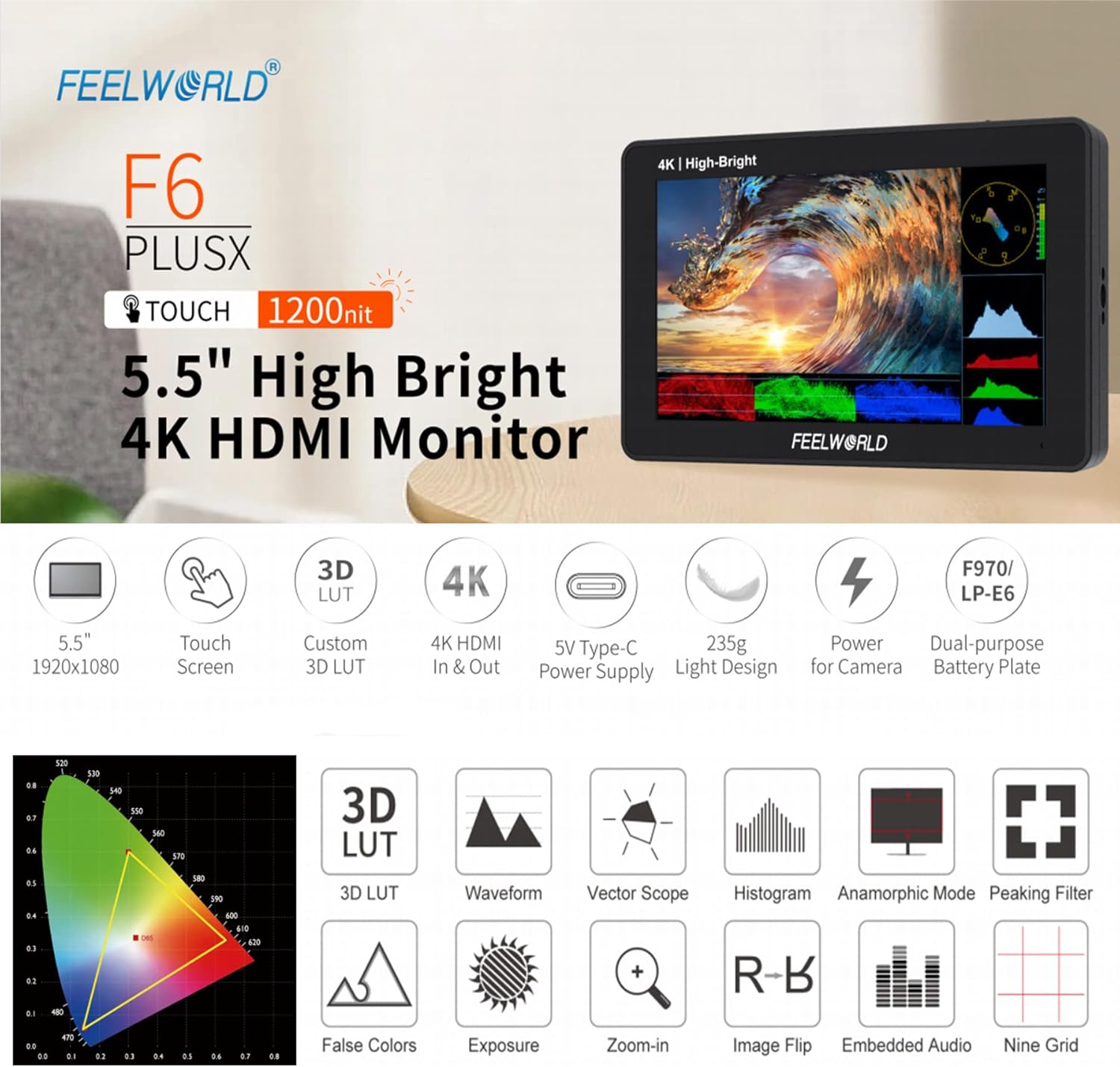
4.1 Fitur konci
- 5.5-inch IPS Touchscreen Display with 1920x1080 resolution.
- 1200 nits high brightness for outdoor visibility.
- 4K HDMI Input and Loop Output.
- Support for 3D LUT import via SD card.
- HDR (High Dynamic Range) monitoring.
- Advanced monitoring functions: Waveform, Vector Scope, Histogram, False Colors, Peaking Filter, Zoom-in, Image Flip, Embedded Audio, Nine Grid, Anamorphic Mode.
- Flexible power options: DC 12V input, 5V Type-C input, and dual-purpose battery plate (F970/LP-E6).
- Lightweight design (235g).

4.2 Monitor Layout and Ports
The F6 PLUSX features multiple ports for connectivity and power:
- HDMI IN: Connects to your camera or video source.
- HDMI OUT: Loops out the HDMI signal to another monitor or device.
- DC OUT 8V: Provides power to compatible cameras or accessories.
- Slot Kartu SD: For importing 3D LUTs and firmware updates.
- DC IN 12V: Main power input for the monitor.
- 3.5mm Ear Phone Slot: Pikeun ngawaskeun audio.
- DC IN 5V (Tipe-C): Alternative power input, compatible with portable power banks.

4.3 Kadali
The monitor features a touchscreen interface and physical controls for navigation:
- Power Button / Touch Lock: Press and hold to power on/off. Short press to lock/unlock the touchscreen.
- Menu Scroll Wheel: Dipaké pikeun nganapigasi ménu jeung mastikeun selections.
- 1/4 Screw Holes: For mounting the monitor to various camera rigs or accessories.

5. Setélan
5.1 Powering Monitor
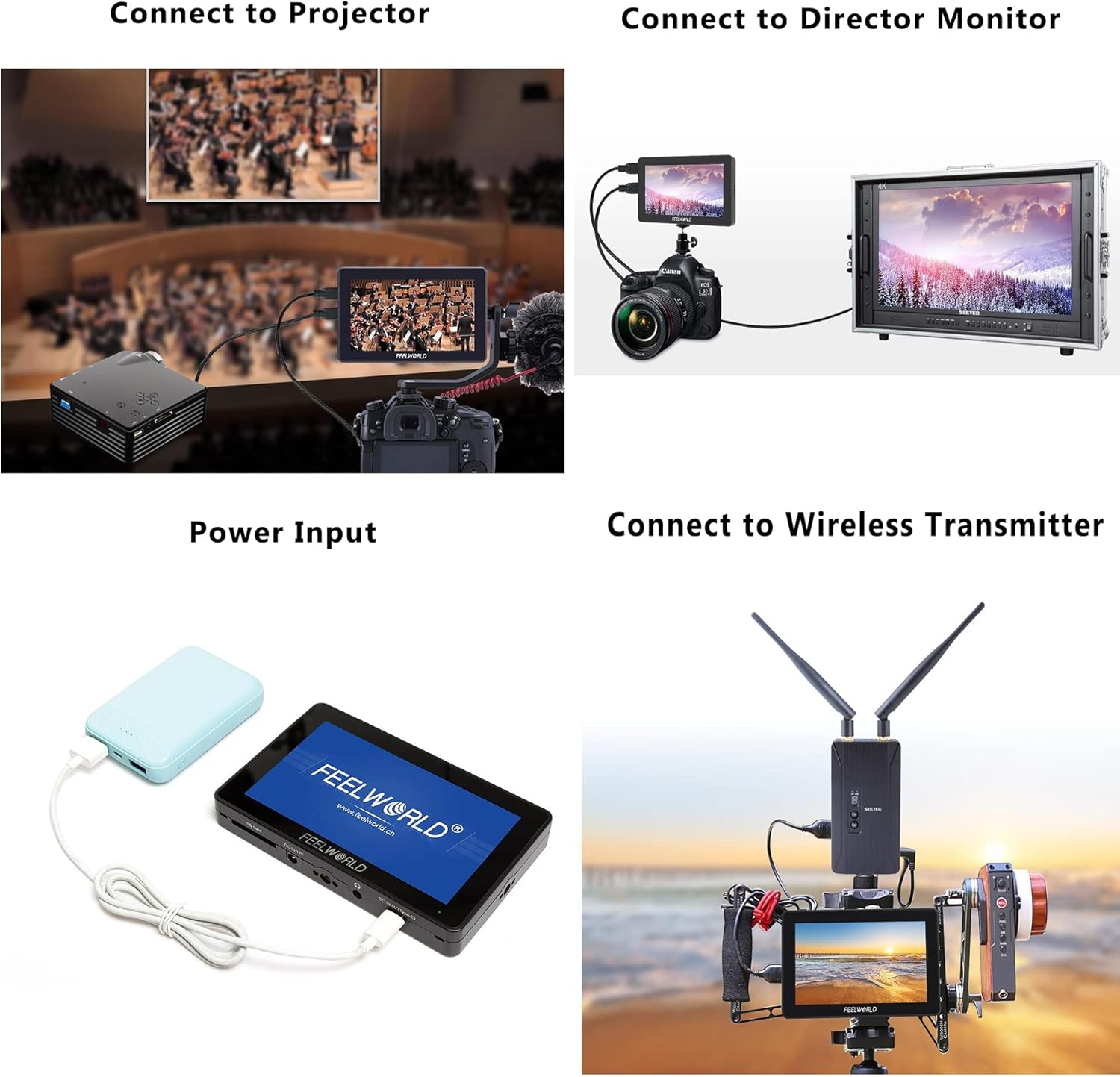
The F6 PLUSX offers several power options:
- Input DC 12V: Connect the included power adapter to the DC 12V port.
- 5V Type-C Input: Use a compatible USB Type-C cable and a 5V power source (e.g., power bank) to the DC IN 5V (Type-C) port.
- Plat batré: Attach a compatible F970 or LP-E6 battery to the battery plate on the rear of the monitor.
5.2 Nyambungkeun ka Kaméra
- Pastikeun monitor sareng kaméra anjeun pareum.
- Sambungkeun hiji tungtung kabel Micro HDMI kana port kaluaran HDMI kaméra anjeun.
- Connect the other end of the Micro HDMI cable to the HDMI IN port on the F6 PLUSX monitor.
- Hurungkeun monitor, teras hurungkeun kaméra anjeun. Eupan pidéo kaméra kedahna muncul dina monitor.
5.3 Masang Monitor
Use the included tilt arm or other compatible mounting accessories with the 1/4 screw holes to attach the monitor to your camera, cage, or stand.
6. Parentah Operasi
6.1 Operasi Dasar
- Hurungkeun/Pareuman: Press and hold the power button on the top of the monitor.
- Kontrol layar rampa: Tap icons or swipe on the screen to access and adjust settings.
- Napigasi Menu: Use the menu scroll wheel to navigate through menu options and press to confirm.
- Touch Lock: Short press the power button to lock or unlock the touchscreen to prevent accidental changes.
6.2 Ngagunakeun 3D LUTs
The F6 PLUSX supports importing custom 3D LUTs to preview foo anjeuntage with specific color grades or log conversions.
- Save your .cube format 3D LUT files kana kartu SD.
- Insert the SD card into the monitor's SD card slot.
- Access the LUT menu via the touchscreen or scroll wheel.
- Select 'Import LUT' and choose the desired LUT file tina kartu SD.
- Once imported, you can apply the LUT to your video feed for real-time preview.

6.3 Advanced Monitoring Functions
The monitor includes various tools to assist with exposure, focus, and color accuracy:
- Bentuk gelombang: Displays the luminance and chrominance levels of your video signal.
- Wengkuan Véktor: Shows the color information of your video signal, useful for color balancing.
- Warna Palsu: Helps set proper exposure by displaying different exposure levels as distinct colors.
- Saringan puncak: Highlights sharp edges in the image to assist with focus.
- Zum-in: Ngagedekeun sabagian gambar pikeun mariksa fokus kritis.
- Pemantauan HDR: Aktipkeun viewing of HDR signals for enhanced clarity and detail.
7. Pangropéa
- beberesih: Use a soft, lint-free cloth to clean the screen and body of the monitor. For stubborn marks, slightly dampen the cloth with water. Avoid alcohol or abrasive cleaners.
- Panyimpenan: When not in use, store the monitor in a dry, cool place, away from direct sunlight and extreme temperatures.
- Pembaruan firmware: Periodically check the FEELWORLD official website for firmware updates to ensure optimal performance and access to new features. Follow the instructions provided with the firmware update carefully.
8. Cara ngungkulan
- Henteu aya gambar dina layar:
- Ensure the monitor is powered on and receiving power.
- Check HDMI cable connections at both the camera and monitor.
- Verify the camera's HDMI output is active and configured correctly.
- Coba kabel HDMI anu béda.
- Henteu aya Audio:
- Ensure headphones are properly connected to the 3.5mm jack.
- Check the audio settings on both the monitor and the camera.
- Layar rampa teu ngaréspon:
- Check if the touchscreen lock is enabled (short press the power button to toggle).
- Pareuman heula monitorna.
- Monitor Overheating:
- Pastikeun ventilasi nyukupan sabudeureun monitor.
- Avoid prolonged use in direct sunlight or high ambient temperatures.
9. Spésifikasi
| Fitur | Spésifikasi |
|---|---|
| Ukuran tampilan | 5.5 inci |
| Resolusi | 1920 x 1080 piksel |
| Caang | 1200 nits |
| Babandingan Kontras | 1000:1 |
| Viewdina Angle | 160° (H/V) |
| Palabuhan Input | 1 x HDMI, 1 x DC 12V, 1 x DC 5V (Type-C) |
| Palabuhan Kaluaran | 1 x HDMI, 1 x DC OUT 8V, 1 x 3.5mm Ear Phone |
| Slot Kartu SD | Yes (for 3D LUTs and firmware) |
| Konsumsi Daya | Kira-kira. 8W |
| Lempeng Batré | F970 / LP-E6 compatible |
| Diménsi | Kira-kira. 148mm x 93mm x 20mm |
| Beurat | Kira-kira. 235g |
10. Garansi jeung Rojongan
FEELWORLD products are designed and manufactured to high quality standards. For warranty information and technical support, please refer to the warranty card included with your product or visit the official FEELWORLD websitus. Simpen resi pameseran anjeun salaku bukti pameseran pikeun klaim garansi.


