1. Bubuka
The WARSUN H882 Searchlight Flashlight is a high-performance, portable lighting device designed for various applications including outdoor activities, camping, and emergency situations. It features advanced LED and Xenon lighting technology, durable construction, and multiple operating modes to provide reliable illumination.
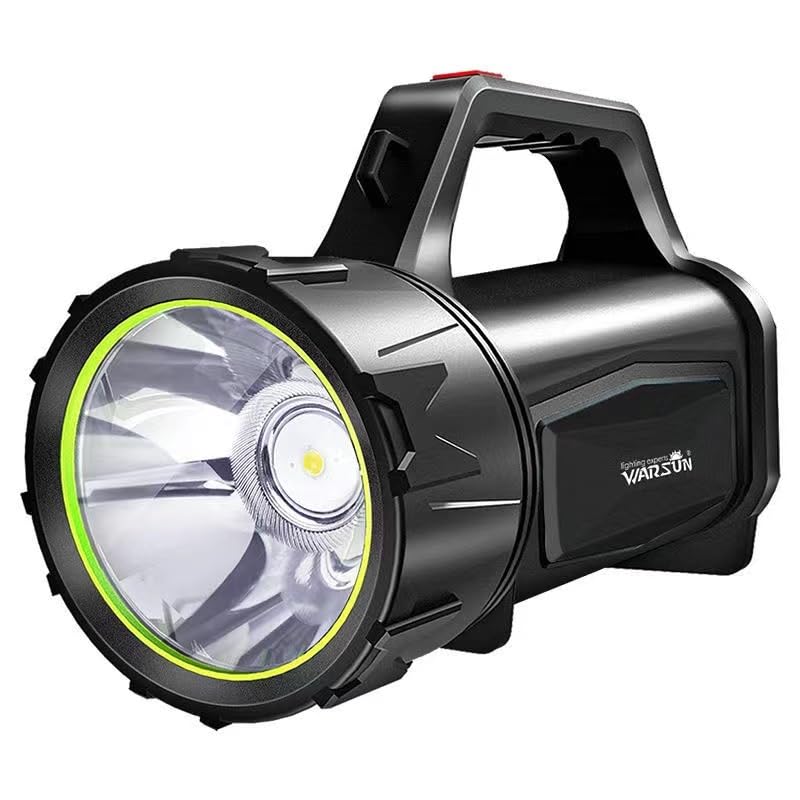
Gambar 1.1: Hareupeun view of the WARSUN H882 Searchlight Flashlight.
2. Fitur Produk
- Pencahayaan anu kuat: Delivers up to 3000 lumens for bright and clear lighting.
- Kahirupan batré anu tahan lila: Operates continuously for up to 48 hours on a single charge.
- Extended Beam Distance: Capable of illuminating targets up to 1 kilometer away.
- Modeu Lampu serbaguna: Includes high, low, and strobe modes to suit different requirements.
- Daya tahan sareng réliabilitas: Features shock resistance, anti-drop design, and IP5 water resistance for use in challenging environments.

Image 2.1: The WARSUN H882 Searchlight Flashlight demonstrating its waterproof design.
3. Eusi Paket
Mangga parios pakét kanggo barang-barang ieu:
- WARSUN H882 Searchlight Flashlight
- Kabel Ngecas USB
- Batré Litium Ion Diwangun-di
4. Setélan
4.1 Muatan Awal
Before first use, fully charge the WARSUN H882 Searchlight Flashlight. Connect the provided USB charging cable to the charging port on the device and to a standard USB power adapter (not included) or a computer USB port. The charging indicator will show the charging status.

Image 4.1: Connecting the USB cable for charging the flashlight.
5. Parentah Operasi
5.1 Daya Hurung/Pareuman
Press the power button located on the handle to turn the flashlight on. Press it again to cycle through the different lighting modes (High, Low, Strobe). To turn off the flashlight, continue pressing the power button until the light switches off, or press and hold the button for a few seconds.
5.2 Ngaganti Modeu
With the flashlight on, short press the power button repeatedly to switch between High, Low, and Strobe modes. Select the mode appropriate for your lighting needs.
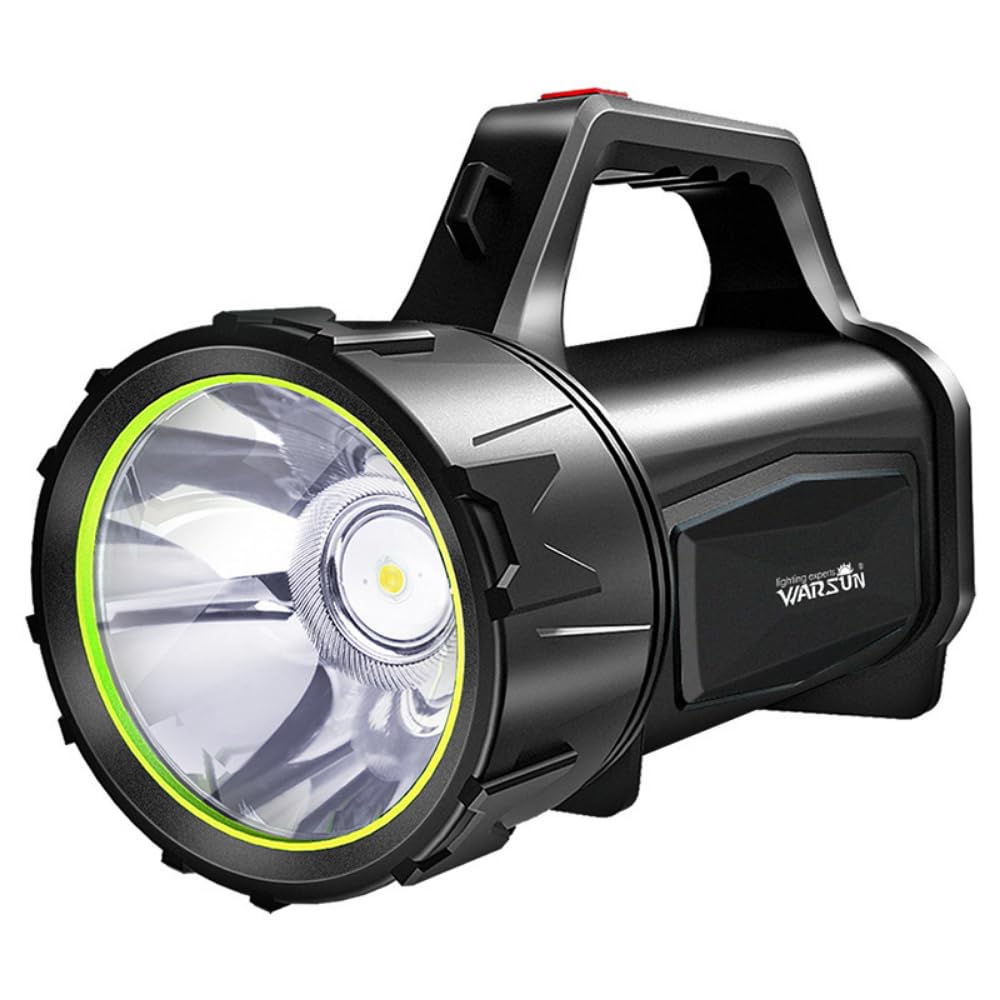
Image 5.1: The WARSUN H882 Searchlight Flashlight in operation, showing its powerful beam.
6. Parentah Ngecas
6.1 Ngecas Alat
To charge the H882, locate the USB charging port, typically protected by a rubber cover to maintain water resistance. Plug the smaller end of the USB cable into the flashlight's port and the larger end into a compatible USB power source. The indicator lights will show charging progress. A full charge can take several hours.
6.2 Fungsi Power Bank
The WARSUN H882 also features a power bank function, allowing you to charge other USB-powered devices. Connect your device's charging cable to the flashlight's output USB port. This feature is useful for charging mobile phones or other small electronics in emergency situations.
7. Pangropéa
7.1 beberesih
Ngusap senter ku hipu, damp cloth to remove dirt and debris. Do not use abrasive cleaners or solvents, as these may damage the surface or internal components. Ensure the charging port cover is securely closed after cleaning to maintain water resistance.
7.2 Panyimpenan
Store the flashlight in a cool, dry place away from direct sunlight and extreme temperatures. For long-term storage, it is recommended to charge the battery every 3-6 months to maintain battery health.
8. Cara ngungkulan
- Senter teu hurung:
- Ensure the battery is charged. Connect to a power source and allow it to charge for at least 30 minutes before attempting to turn it on again.
- Pariksa naha tombol daya berpungsi leres.
- Cahya taram atawa kedip-kedip:
- Tingkat batré bisa jadi low. Ngecas senter pinuh.
- Pastikeun lensa beresih jeung bebas tina halangan.
- Charging is not working:
- Verify that the USB cable is securely connected to both the flashlight and the power source.
- Try using a different USB cable or power adapter to rule out faulty accessories.
- Pariksa port ngecas pikeun sagala lebu atawa karuksakan.
If issues persist after attempting these troubleshooting steps, please contact customer support.
9. Spésifikasi
| Fitur | Spésifikasi |
|---|---|
| Nomer modél | H882 |
| merek | WARSUN |
| Tipe Sumber Cahaya | LED, Xenon |
| Caang | 3000 Lumén |
| Jarak Beam | Up to 1 Kilometer |
| Kahirupan batré | Nepi ka 48 jam (modeu handap) |
| Sumber Daya | Batré Powered (1 batré Litium Ion kaasup) |
| Komposisi sél batré | Litium Ion |
| Tingkat Résistansi Cai | IP5 (Tahan cai) |
| Bahan | ABS |
| Dimensi produk | 20D x 10W x 15H Sentimeter |
| Item Beurat | 0.55 Kilogram (550 g) |

Image 9.1: Detailed performance specifications of the WARSUN H882 Searchlight.
10. Émbaran Kasalametan
- Ulah neuteup langsung kana sinar lampu pikeun nyingkahan tatu panon.
- Jauhkeun tina jangkauan barudak.
- Ulah ngabongkar atanapi ngarobih senter, sabab ieu tiasa ngabatalkeun garansi sareng nimbulkeun résiko kaamanan.
- Paké ngan kabel USB disadiakeun pikeun ngecas.
- Avoid exposing the flashlight to extreme heat or fire.
- Buang batré nurutkeun peraturan lokal.
11. Garansi jeung Rojongan
This WARSUN H882 Searchlight Flashlight comes with a standard manufacturer's warranty. For specific warranty terms and conditions, please refer to the product packaging or contact your retailer. For technical support, troubleshooting assistance, or to inquire about replacement parts, please contact WARSUN customer service through their official websitus atawa inpo kontak disadiakeun kalawan pameseran Anjeun.
