1. Produk Langkungview
The TONOR UHF Dual Karaoke Microphone System TW320 provides a wireless audio solution for various applications such as karaoke, speeches, and events. It features a cardioid pickup pattern for clear sound, a wide receiving range, and adjustable channels to minimize interference.
Video: Leuwihview of the TONOR UHF Dual Karaoke Microphone System TW320, demonstrating its components and basic functionality.
2. Eusi Paket
Pastikeun yén sadaya item anu didaptarkeun di handap kalebet kana pakét anjeun:
- 2 x Mikropon
- 1 x Panarima
- 2 x Anti-slip Rings
- 2 x Mic Covers (Foam)
- 1 x Kabel Ngecas USB
- 1 x Manual Pamaké

Image: The complete TONOR TW320 Dual Karaoke Microphone System package contents, showing two microphones, the receiver, anti-slip rings, mic covers, and charging cable.

Gambar: Hiji ngabeledug view of the TONOR TW320 system, highlighting each individual component included in the package.
3. Setélan
3.1 Pamasangan Batré Mikropon
Each microphone requires 2 AA batteries (not included). To install, unscrew the bottom part of the microphone, insert the batteries according to the polarity markings, and then reattach the bottom part.

Image: A red TONOR microphone with its bottom cap removed, revealing the compartment for two AA batteries. The image also highlights the power button and a real-time battery indicator on the microphone body.
3.2 Receiver Charging
The receiver has a built-in 1500mAh rechargeable battery. Connect the provided USB charging cable to the receiver's USB-C port and a power source. A full charge takes approximately 2-3 hours and provides 5-6 hours of continuous use. The specific usage time may vary based on volume and distance.

Image: An illustration demonstrating how to charge the TONOR receiver using the included USB cable and a power adapter. Microphones and AA batteries are also shown on a wooden desk.
3.3 Nyambungkeun ka Alat Audio
The receiver features a 6.35mm (1/4”) jack for connection. Plug the receiver directly into compatible audio devices such as karaoke machines, speakers, amplifiers, mixers, or audio interfaces. Ensure your output device has a 6.35mm MIC interface.

Image: A visual guide showing the TONOR receiver plugging into a 6.35mm MIC input on an audio device, with examples of compatible equipment like karaoke machines, amplifters, sarta mixers.
Video: Step-by-step instructions on how to connect the TONOR receiver to various audio devices using the 6.35mm jack.
3.4 Pairing Microphones and Receiver
The system is designed for plug-and-play operation. Simply turn on the receiver and then turn on the microphones. The receiver will automatically synchronize with the microphone's frequency.
- Hurungkeun panarima.
- Hurungkeun mikropon.
- Plug the receiver into the speaker or audio device.
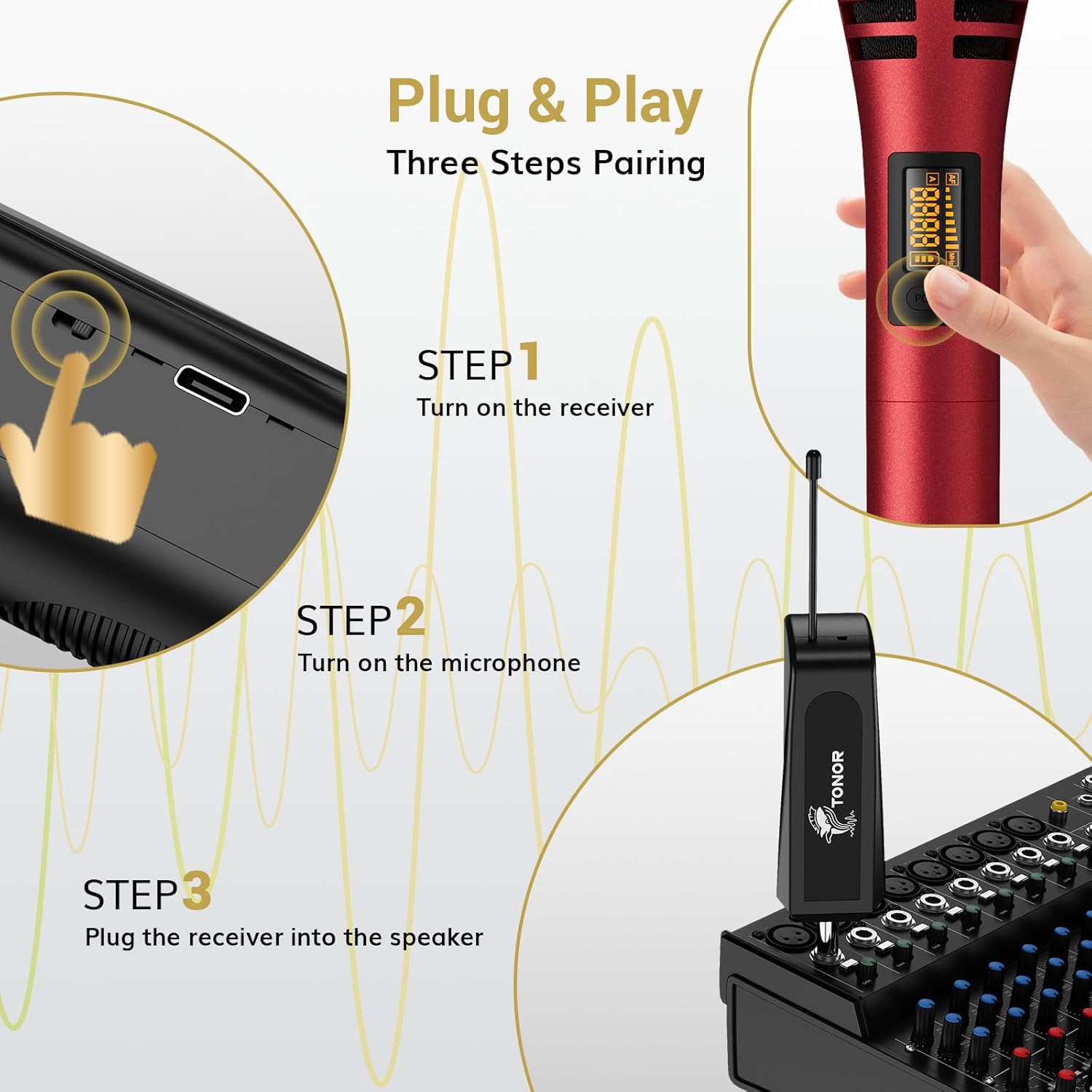
Image: A three-step visual guide demonstrating the simple pairing process: activating the receiver, powering on the microphone, and connecting the receiver to an audio mixer.
Video: A short demonstration on how to pair the microphone transmitter with the receiver for immediate use.
3.5 Using Multiple Microphone Sets
The system supports up to 15 adjustable channels, allowing multiple sets to be used simultaneously without radio interference. This is ideal for events requiring several microphones.
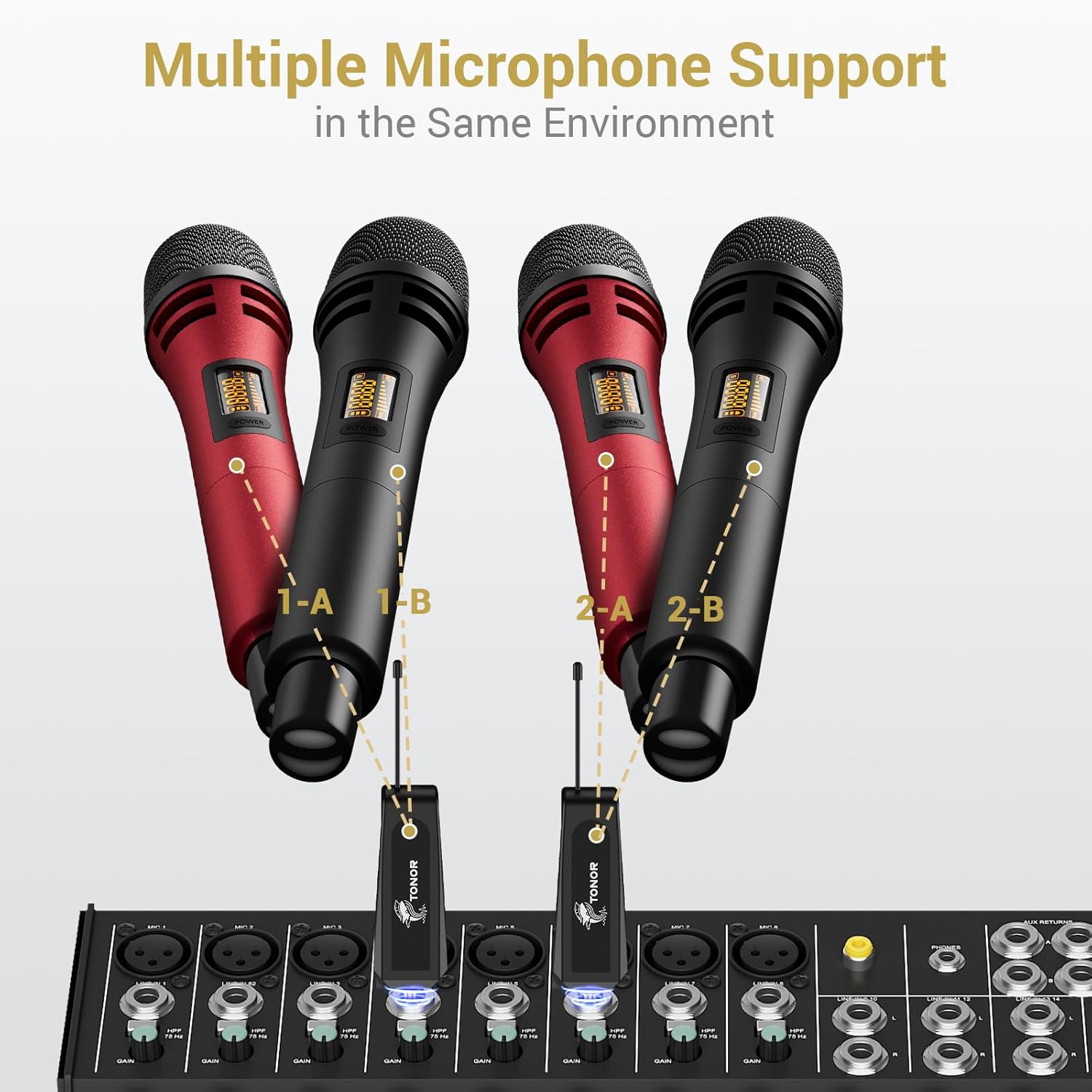
Image: A visual representation of multiple TONOR microphones (two red, two black) connected to separate receivers, all feeding into a single audio mixer, illustrating simultaneous use.
Video: Instructions on how to set up and use multiple TONOR microphone sets concurrently in the same environment.
4. Parentah Operasi
4.1 Daya Hurung/Pareuman
To power on the microphone, press and hold the power button located on the microphone body. The real-time battery indicator will light up. To power off, press and hold the power button again.
4.2 Adjusting Channels
The system offers 15 adjustable channels. If you experience interference, you can change the channel on the microphone. The receiver will automatically sync to the new frequency.

Image: A hand adjusting the channel on a TONOR microphone, with a digital display showing frequency and volume controls, indicating the availability of 15 adjustable channels.
4.3 Pituduh Pamakéan
The microphones feature a cardioid pickup pattern, which reduces background noise and focuses on the sound source. This ensures high-quality audio with minimal distortion. The system provides a wide line-of-sight receiving range of up to 200 feet, offering flexibility for indoor and outdoor use.

Gambar: Hiji ngabeledug view of the microphone head, detailing its components like the cardioid pickup, noise-reducing foam pad, and high-fidelity sound coil, emphasizing high-quality sound capture.
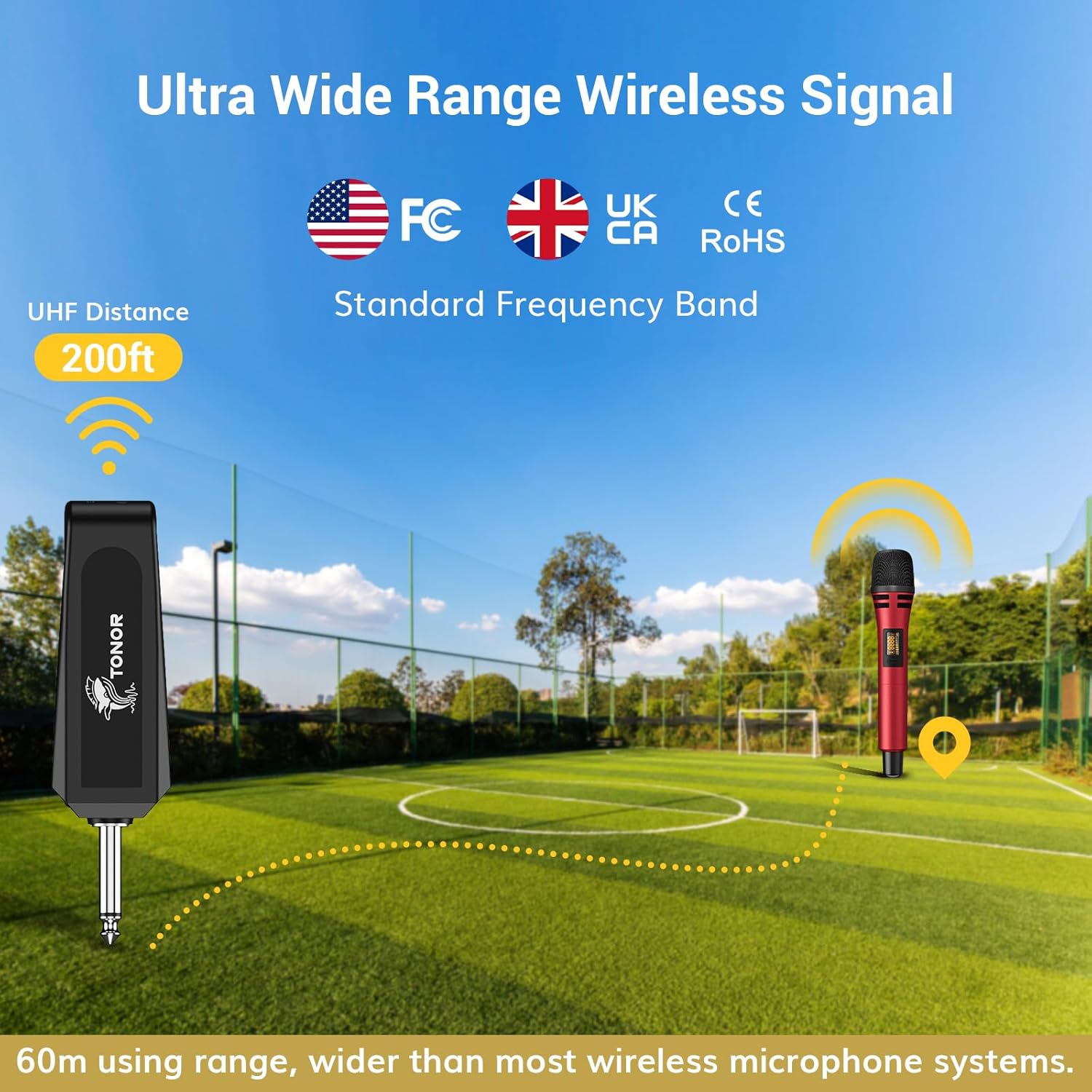
Image: A visual representation of the microphone and receiver in an open outdoor setting, illustrating the 200-foot wireless range and standard frequency band compliance.
4.4 Catetan kasaluyuan
The system is compatible with devices that have a 6.35mm (1/4”) MIC interface. It is TEU compatible with mobile phones, computers, tablets, soundbars, or audio preamps/boosters without appropriate adapters.

Image: A clear visual list of devices that are incompatible with the microphone system, such as mobile phones, computers, and TVs, without specific adapters.
5. Pangropéa
5.1 Perawatan Batré
To prolong battery life, always turn off the microphones and receiver after use. Charge the receiver promptly when the battery is low. Standby mode will continue to consume power.
6. Cara ngungkulan
6.1 Taya Sora atawa Sambungan Intermittent
- Pariksa batré: Ensure microphones have fresh AA batteries and the receiver is fully charged.
- Pariksa sambungan: Confirm the receiver is securely plugged into a compatible 6.35mm MIC input on your audio device.
- Robah Saluran: If experiencing interference, try adjusting the channel on the microphone. The receiver will automatically sync.
- rentang: Ensure the microphones are within the 200-foot line-of-sight range of the receiver. Obstacles can reduce range.
7. Spésifikasi
| Fitur | Spésifikasi |
|---|---|
| merek | TONOR |
| Ngaran modél | TW320 |
| Faktor Bentuk Mikropon | Dicekel |
| Téhnologi konektipitas | UHF nirkabel |
| Tipe Panyambung | 6.35 mm Jack (Receiver) |
| Range nirkabel | Nepi ka 200 kaki (garis pandang) |
| Jumlah Saluran | 15 bisa diatur |
| Sumber Daya Mikropon | 2 x AA Batteries (per mic) |
| Batré panarima | 1500mAh Built-in Rechargeable |
| Receiver Usage Time | 5-6 hours (after 2-3 hours charge) |
| Sensitipitas Audio | 80 desibel |
| Rasio Signal-to-Noise | 70 dB |
| Pola Polar | Saarah (Cardioid) |
| Bahan | palastik |
| Item Beurat | 1.58 pon (0.72 Kilogram) |
8. Émbaran Kasalametan
- Ulah ngalaan alat ka suhu ekstrim atawa kalembaban.
- Hindarkeun ragrag atanapi ngagentoskeun alat kana tabrakan anu kuat.
- Jauhkeun tina jangkauan barudak.
- Use only the provided charging cable for the receiver.


