1. Bubuka
Hatur nuhun pikeun meuliasing the ZEBRONICS Juke BAR 9102 PRO 240W Dolby Soundbar. This manual provides essential information for the proper setup, operation, and maintenance of your soundbar system. Please read this manual thoroughly before use to ensure optimal performance and safety.
2. Parentah Kasalametan
- Sumber Daya: Anggo ngan ukur adaptor kakuatan anu ditangtukeun. Pastikeun voltage kompatibel jeung catu daya lokal Anjeun.
- Ventilasi: Ulah meungpeuk sagala bukaan ventilasi. Mertahankeun spasi nyukupan sabudeureun unit pikeun aliran hawa ditangtoskeun.
- Cai sareng Uap: Do not expose the soundbar or subwoofer to water, rain, or moisture. Avoid placing objects filled with liquids, such as vases, on or near the unit.
- Sumber Panas: Jauhkeun unit tina sumber panas sapertos radiator, register panas, kompor, atanapi alat anu ngahasilkeun panas anu sanés.
- beberesih: Cabut dayana sateuacan dibersihkeun. Anggo lawon anu lemes sareng garing. Entong nganggo pembersih cair atanapi pembersih aerosol.
- Palayanan: Entong nyobian ngalayanan produk ieu nyalira. Rujuk sadayana ngalayanan ka tanaga jasa anu mumpuni.
- panempatan: Place the soundbar on a stable, flat surface or mount it securely on a wall as instructed.
3. Eusi Paket
Pastikeun yén sadaya item anu didaptarkeun di handap kalebet kana pakét anjeun:
- Soundbar - 1 Unit
- Subwoofer - 1 Unit
- Remote Control - 1 Unit
- QR Code User Manual - 1 Unit (Digital access)
- Wall Mount Bracket and Fasteners
4. Produk Langkungview
The ZEBRONICS Juke BAR 9102 PRO is a 240W output Dolby soundbar system designed to enhance your audio experience. It features a soundbar with quad drivers and a powerful 6.5-inch wired subwoofer.




5. Setélan
5.1 Panempatan Awal
- Teundeun soundbar di tengah handap televisi Anjeun.
- Position the subwoofer on the floor near the soundbar for optimal bass response.
5.2 Sambungan Daya
- Sambungkeun kabel kakuatan ka input kakuatan soundbar.
- Sambungkeun kabel daya ka input daya subwoofer.
- Colokkeun duanana kabel daya kana stop kontak témbok anu cocog.
5.3 Sambungan Subwoofer
The subwoofer connects to the soundbar via a wired connection. Ensure the subwoofer cable is securely connected to both units.
6. Parentah Operasi
6.1 Daya Hurung/Pareuman
Press the power button on the soundbar or the remote control to turn the unit on or off. The LED display will indicate the power status.
6.2 Volume Control
Use the volume up (+) and volume down (-) buttons on the soundbar or remote control to adjust the audio level.
6.3 Pamilihan Mode
Press the 'Mode' button on the soundbar or remote control to cycle through available input modes (Bluetooth, HDMI ARC, Optical, AUX, USB). The LED display will show the current mode (e.g., 'BT' for Bluetooth, 'ARC' for HDMI ARC).
6.4 Modeu ékualiser (EQ).
The soundbar features 3D EQ alternatives. Use the EQ button on the remote to switch between modes. The LED display will show 'E1', 'E2', 'E3' for different sound profiles, and '3D' for the virtual 5.1 effect. Common EQ modes include:
- E1: Modeu musik
- E2: modeu pilem
- E3: News/Voice mode
- 3D: Virtual Surround Sound mode
6.5 Lampu LED RGB
The soundbar includes RGB LED lights. These can be controlled and changed using the remote control to suit your preference.
7. Pilihan Konéktipitas
The ZEBRONICS Juke BAR 9102 PRO offers multiple connectivity options for versatile use.
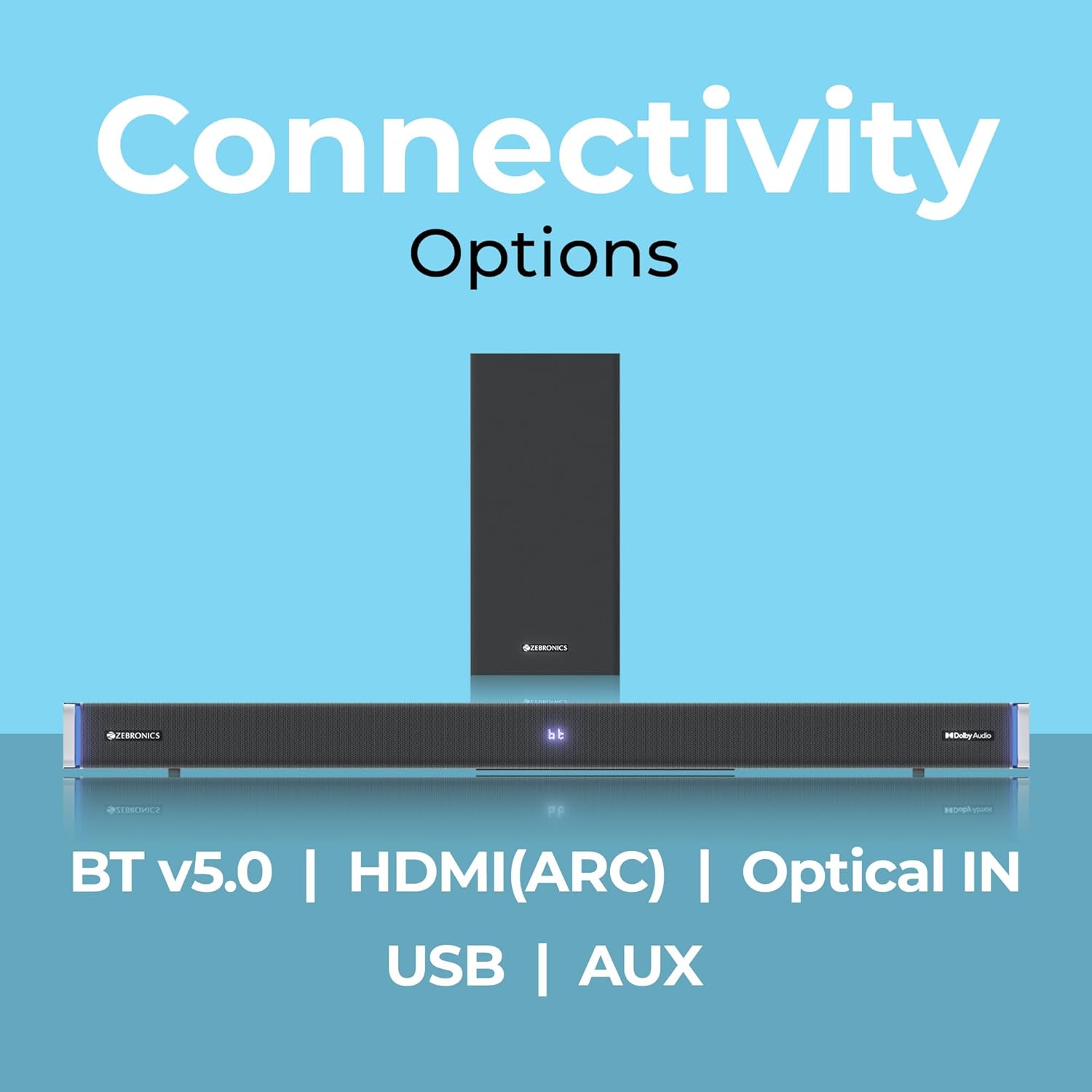
7.1 Bluetooth v5.0
- Press the 'Mode' button until 'BT' appears on the LED display.
- On your mobile device or computer, search for Bluetooth devices and select 'ZEB-JUKE BAR 9102 PRO'.
- Once paired, audio will stream wirelessly to the soundbar.
7.2 HDMI (ARC)
- Connect an HDMI cable (ARC compatible) from the HDMI ARC port on your television to the HDMI ARC port on the soundbar.
- Select 'ARC' mode on the soundbar.
- Ensure your TV's audio output is set to HDMI ARC.
7.3 Optical IN
- Connect an optical cable from your audio source (e.g., TV, DVD player) to the 'Optical IN' port on the soundbar.
- Select 'OPT' mode on the soundbar.
7.4 3.5mm AUX Cable
- Connect a 3.5mm AUX cable from your audio source to the 'AUX' port on the soundbar.
- Select 'AUX' mode on the soundbar.
7.5 Playback USB
- Insert a USB pen drive (up to 32GB, supporting MP3 audio format) into the USB port on the soundbar.
- Select 'USB' mode on the soundbar. The soundbar will automatically begin playing compatible audio files.
8. Pamasangan Tembok
The soundbar can be wall-mounted to save space. A wall mount bracket and fasteners are included in the package.
- Determine the desired mounting location on the wall, ensuring it is structurally sound and can support the weight of the soundbar.
- Mark the positions for drilling holes using the wall mount bracket as a template.
- Bor liang pilot sareng pasang jangkar témbok anu pas upami diperyogikeun.
- Secure the wall mount bracket to the wall using the provided fasteners.
- Carefully attach the soundbar to the mounted bracket. Ensure it is securely fastened before releasing.
Catetan: Professional installation is recommended for wall mounting to prevent damage or injury.
9. Pangropéa
9.1 beberesih
Wipe the surfaces of the soundbar and subwoofer with a soft, dry, lint-free cloth. Do not use abrasive cleaners, waxes, or solvents as they may damage the finish.
9.2 Panyimpenan
Upami nyimpen unit kanggo waktos anu panjang, pegatkeun sambungan tina catu daya sareng simpen di tempat anu tiis sareng garing, jauh tina sinar panonpoé langsung sareng suhu anu ekstrim.
10. Cara ngungkulan
| Masalah | Mungkin Cukang lantaranana | Solusi |
|---|---|---|
| Taya kakuatan | kabel kakuatan teu disambungkeun; Stopkontak teu aktip | Ensure power cables are securely connected and the outlet is functional. |
| Taya sora | Modeu input salah; Volume teuing leutik; Kabel teu nyambung kalawan bener | Pilih modeu input anu leres. Ningkatkeun volume. Pariksa sadaya kabel audio pikeun sambungan aman. |
| Masalah papasangan Bluetooth | Soundbar henteu dina mode papasangan; Alat jauh teuing; gangguan | Ensure soundbar is in 'BT' mode. Move device closer. Restart both devices. |
| Kadali jauh teu jalan | Batré béak; Halangan antara jarak jauh sareng soundbar | Replace remote control batteries. Remove any obstructions. |
| Sora distort | Volume too high; Poor audio source quality; Incorrect EQ setting | Reduce volume. Try a different audio source. Adjust EQ settings. |
11. Spésifikasi
| Fitur | Rincian |
|---|---|
| Ngaran modél | ZEB-JUKE BAR 9102 PRO |
| Daya Kaluaran | 240 Watt (RMS) |
| Diaméter Subwoofer | 6.5 inci |
| Ukuran Supir Audio | 5.5 cm (Quad Drivers) |
| Konektipitas | Bluetooth v5.0, HDMI (ARC), Optical IN, 3.5mm AUX, USB |
| Konfigurasi Sora Sakuliling | Virtual 5.1 |
| Réspon Frékuénsi | 20 Hz - 20 KHz |
| Rasio Signal-to-Noise | 65 dB |
| Impedansi | 15 ohm |
| Métode kontrol | Kadali jauh |
| Dimensi Produk (Soundbar) | Approx. 98.5W x 17.3D x 40.2H Centimeters |
| Item Beurat | 5.8 kg |
| Sumber Daya | Kabel Listrik |
| Fitur husus | Dolby Audio, LED Display, RGB LED Lights, Wall Mountable |
12. Garansi jeung Rojongan
12.1 Émbaran jaminan
This ZEBRONICS product comes with a garansi 1 taun from the date of purchase. The warranty covers manufacturing defects under normal use. Please retain your purchase receipt for warranty claims.
12.2 Rojongan Palanggan
For technical assistance, troubleshooting, or warranty inquiries, please contact ZEBRONICS customer support. Refer to the official ZEBRONICS website or the QR Code User Manual for contact details.


