1. Bubuka jeung Leuwihview
The Buffbee Sound Machine & Alarm Clock is a versatile 2-in-1 device designed to enhance your sleep and wake-up experience. It combines a high-quality sound machine with a precise digital alarm clock, offering a range of features to create a peaceful environment and ensure timely waking.

Image 1.1: The Buffbee device highlighting its dual functionality as a sound machine and an alarm clock.
Fitur konci:
- Fungsi 2-in-1: Combines a sound machine and a digital alarm clock in one compact unit.
- 18 Sora-Sora Anu Ngaregepkeun: Includes 5 white noises, 3 fan sounds, and 10 nature sounds (ocean, lullaby, waves, rain, thunderstorm, stream, croaks, bird chirps, summer night, campfire) to aid sleep and relaxation.
- Kacaangan tampilan anu tiasa diatur: Clock face brightness can be dimmed from 0% to 100% to suit your preference.
- Kontrol Volume anu tepat: Offers 30 levels of volume adjustment for optimal sound output.
- Timer Saré: Set the sound machine to automatically turn off after 15, 30, 60, 90, or 120 minutes, or allow continuous play.
- Lampu Peuting 7 Warna: Features a soothing colored light at the base with 7 color options and ON/OFF functionality.
- Speaker kualitas luhur: Equipped with a 5W speaker for rich, detailed sound.

Gambar 1.2: Hareupeun view of the Buffbee Sound Machine & Alarm Clock, displaying the time and the top control panel.
2. Setélan
2.1 Unboxing jeung Eusi
Carefully remove the Buffbee Sound Machine & Alarm Clock from its packaging. Verify that all components are present:
- Buffbee Sound Machine & Alarm Clock unit
- Power Adapter (USB cable and wall adapter)
- Manual pangguna (dokumén ieu)
2.2 Sambungan Daya
The device is powered by an electrical cable.
- Insert the small end of the USB power cable into the DC IN port on the back of the Buffbee unit.
- Plug the larger end of the USB cable into the provided wall adapter.
- Colokkeun adaptor témbok kana stop kontak listrik standar.
The device will power on automatically, and the digital display will illuminate.
2.3 Nyetél Waktos
Saatos kakuatan-on awal atanapi saatos kakuatan outage, you may need to set the correct time.
- Pencét jeung tahan tombol Waktos Set button (usually indicated by a clock icon) on the top panel until the hour digits begin to flash.
- Ngagunakeun éta +/- buttons (or arrow buttons) to adjust the hour.
- Pencét éta Waktos Set tombol deui pikeun pindah ka adjustment menit.
- Ngagunakeun éta +/- tombol pikeun nyaluyukeun menit.
- Pencét éta Waktos Set tombol sakali deui pikeun ngonfirmasi tur kaluar mode setelan waktos.
3. Parentah Operasi
3.1 Sound Machine Function
The Buffbee Sound Machine offers 18 soothing sounds to help you relax and sleep.

Gambar 3.1: Internal view illustrating the upward-firing speaker for enhanced sound quality.
Maénkeun Sora:
- Pencét éta Modeu sora button (often a music note icon) to cycle through the available sound categories (White Noise, Fan Sounds, Nature Sounds).
- Ngagunakeun éta Next/Previous Sound buttons (arrow icons) to select a specific sound within the chosen category.
- The sound will begin playing automatically.
Nyaluyukeun Volume:
The device features 30 levels of precise volume control.
- Pencét éta Volume Naik (+) or Volume Turun (-) buttons to increase or decrease the sound volume.

Image 3.2: Illustration of the auto-off timer and 30-level precise volume control features.
Nyetél Timer Saré:
The sleep timer allows the sound machine to turn off automatically after a set duration.
- Pencét éta Timer button (often an hourglass icon) repeatedly to cycle through the available timer options: 15 minutes, 30 minutes, 60 minutes, 90 minutes, 120 minutes, or continuous play (indicated by 'ON' or no timer display).
- The selected timer duration will be displayed briefly on the screen.
3.2 Fungsi Jam Alarm
The Buffbee device functions as a digital alarm clock with customizable wake-up sounds.
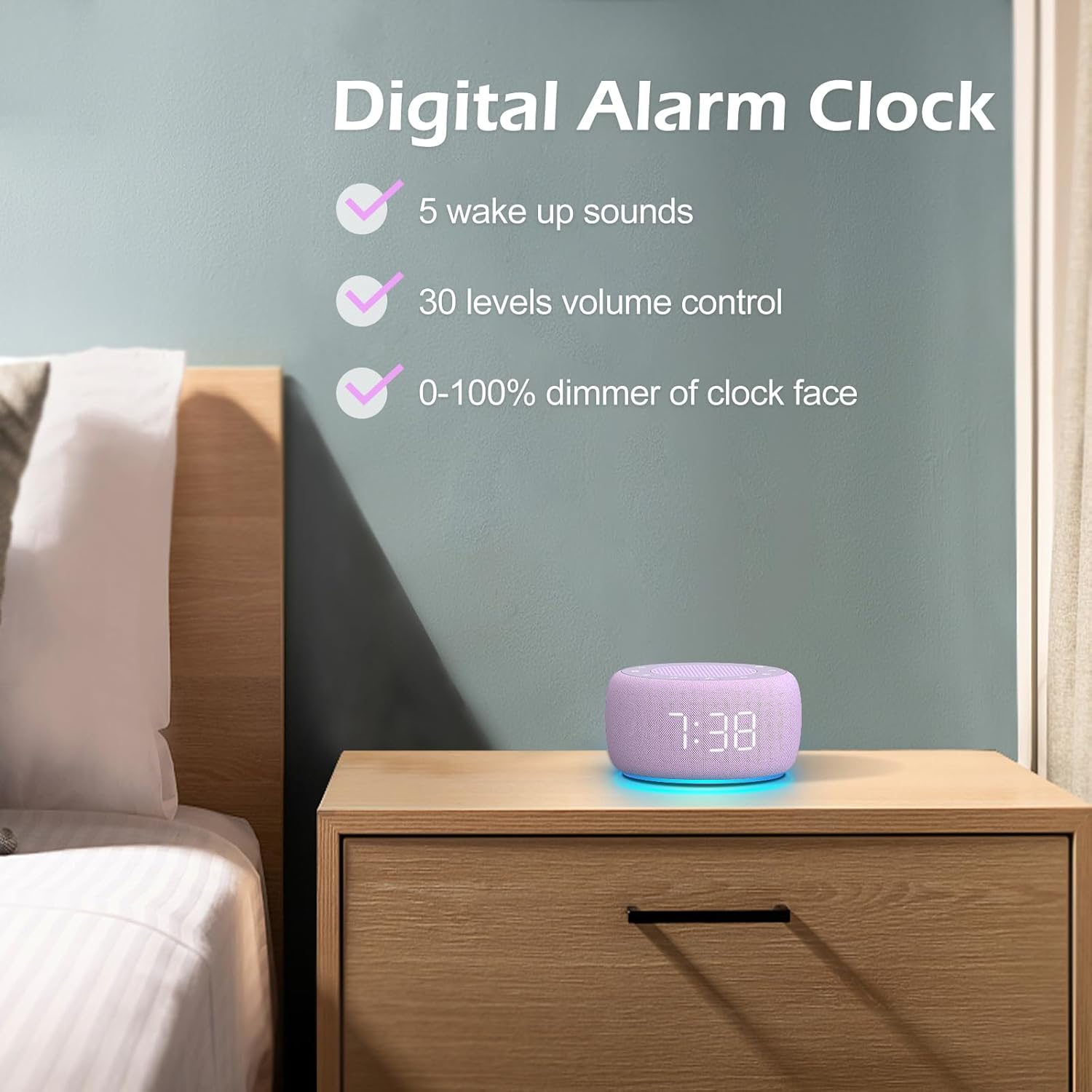
Gambar 3.3: Leuwihview of the digital alarm clock features, including wake-up sounds, volume control, and display dimmer.
Nyetél Alarm:
- Pencét jeung tahan tombol Siapkeun Alarm button (often an alarm clock icon) until the alarm hour digits begin to flash.
- Ngagunakeun éta +/- tombol pikeun nyaluyukeun jam alarm.
- Pencét éta Siapkeun Alarm tombol deui pikeun pindah ka adjustment menit.
- Ngagunakeun éta +/- tombol pikeun nyaluyukeun menit alarm.
- Pencét éta Siapkeun Alarm button one more time to confirm the alarm time.
- After setting the time, you can select the wake-up sound by pressing the Pilih Sora button (if available, or use +/- buttons while alarm sound is flashing). There are 5 wake-up sounds available.
- Pencét éta Siapkeun Alarm button again to activate the alarm. An alarm icon will appear on the display.
Fungsi Tungkul
Nalika alarm disada, pencét éta Tunda button (usually a large button on top or a dedicated snooze icon) to temporarily silence the alarm for a few minutes (typically 9 minutes). The alarm will sound again after the snooze period.
Pareuman Alarm:
Pikeun mareuman alarm lengkep, pencét tombol Alarm Hurung / Pareum button (often the same as the Alarm Set button, or a dedicated toggle). The alarm icon will disappear from the display.
3.3 Display & Light Functions
Nyaluyukeun kacaangan tampilan:
The digital display brightness can be adjusted from 0% (completely dark) to 100% (brightest).

Image 3.4: Demonstration of the 0-100% display dimmer feature, showing various brightness levels.
- Pencét éta Dimmer button (often a sun icon) repeatedly to cycle through different brightness levels.
- Tahan éta Dimmer button to smoothly adjust the brightness from 0% to 100% and vice versa. Release the button at your desired brightness.
Ngagunakeun Lampu Peuting:
The device features a colored night light at its base with 7 color options.

Image 3.5: The Buffbee device showcasing its 7-color night light feature in a bedroom setting.
- Pencét éta Caang button (often a light bulb icon) to turn the night light ON.
- Pencét éta Caang button repeatedly to cycle through the 7 available colors.
- Pencét éta Caang button one more time after cycling through all colors to turn the night light OFF.
4. Pangropéa
4.1 beberesih
To maintain the appearance and functionality of your Buffbee device:
- Sok cabut colokan alat tina stop kontak samemeh beberesih.
- Anggo lawon anu lemes, garing, sareng henteu buluan pikeun ngusap permukaan luar.
- Ulah nganggo pembersih abrasif, lilin, atanapi pangleyur, sabab ieu tiasa ngaruksak lapisan akhir.
- Ulah meunang Uap kana sagala bukaan.
4.2 Panyimpenan
Upami teu dianggo kanggo waktos anu panjang, simpen alat di tempat anu tiis, garing, jauh tina sinar panonpoé langsung sareng suhu anu ekstrim.
4.3 Warnings Kasalametan
Mangga perhatikeun pancegahan kaamanan di handap ieu:
- Produk ieu sanés cocooan. Jauhkeun tina jangkauan barudak.
- Handle with care to avoid electric shock. Do not expose the device to water or excessive moisture.
- Use within recommended noise exposure limits to prevent hearing damage.
- Ulah nyobian ngabongkar atawa ngalereskeun alat sorangan. Rujuk sadayana jasa ka tanaga anu mumpuni.
5. Cara ngungkulan
If you encounter issues with your Buffbee Sound Machine & Alarm Clock, please refer to the following common problems and solutions:
| Masalah | Mungkin Cukang lantaranana | Solusi |
|---|---|---|
| Alat teu hurung. | Taya sambungan kakuatan atawa adaptor faulty. | Ensure the power cable is securely plugged into the device and the wall outlet. Try a different outlet. |
| Teu aya sora ti panyatur. | Volume is too low or muted. Incorrect sound selected. | Ningkatkeun volume nganggo Volume Naik (+) button. Ensure a sound is selected and not paused. |
| Alarm teu disada. | Alarm is not set or not activated. Alarm volume is too low. | Verify that the alarm time is set correctly and the alarm icon is displayed. Increase the alarm volume (if separate from main volume). |
| Pintonan taram teuing atanapi caang teuing. | Display dimmer setting is incorrect. | Pencét atawa tahan tombol Dimmer button to adjust the brightness to your preference. |
| Lampu peuting teu jalan. | Night light is turned off. | Pencét éta Caang button to turn on and cycle through colors. |
6. Spésifikasi
Detailed technical specifications for the Buffbee Sound Machine & Alarm Clock (Model BK11):
| Fitur | Spésifikasi |
|---|---|
| merek | BUFFBEE |
| Nomer modél | BK11 |
| Warna | Violet |
| Bahan | palastik |
| Sumber Daya | Kabel Listrik |
| Dimensi produk | 14.3 x 11.2 x 7.7 cm (5.6 x 4.4 x 3.0 inci) |
| Item Beurat | 322 gram (0.71 pon) |
| Kaluaran Speaker | 5W |
| Pilihan Sora | 18 Soothing Sounds (5 White Noise, 3 Fan, 10 Nature) |
| Tingkat Volume | 30 Precise Levels |
| Paparan Dimmer | 0-100% Adjustable Brightness |
| Warna Lampu Peuting | 7 kelir |
| Pilihan Timer Saré | 15, 30, 60, 90, 120 minutes, or Continuous Play |
| Wake-up Sounds | 5 Alarm Sounds |
7. Garansi jeung Rojongan
7.1 Émbaran jaminan
This product comes with a standard manufacturer's warranty. Please refer to the product packaging or the seller's websitus wéb pikeun syarat sareng kaayaan garansi khusus, kalebet durasi sareng rincian jangkauan.
7.2 Rojongan Palanggan
For any questions, technical assistance, or warranty claims, please contact Buffbee customer support through the retailer's platform or the official Buffbee website. Have your product model number (BK11) and purchase details ready when contacting support.


