1. Bubuka
This manual provides detailed instructions for the operation and maintenance of your YABER E1 Mini Projector. Please read this manual thoroughly before using the product to ensure proper function and longevity.
2. Naon dina Box
- 1x YABER E1 Projector
- 1x Kadali Jauh
- 1x Kabel Listrik
- 1 x Kabel HDMI
- 1x Cleaning Kit
3. Produk Langkungview
Familiarize yourself with the main components of your YABER E1 Mini Projector.

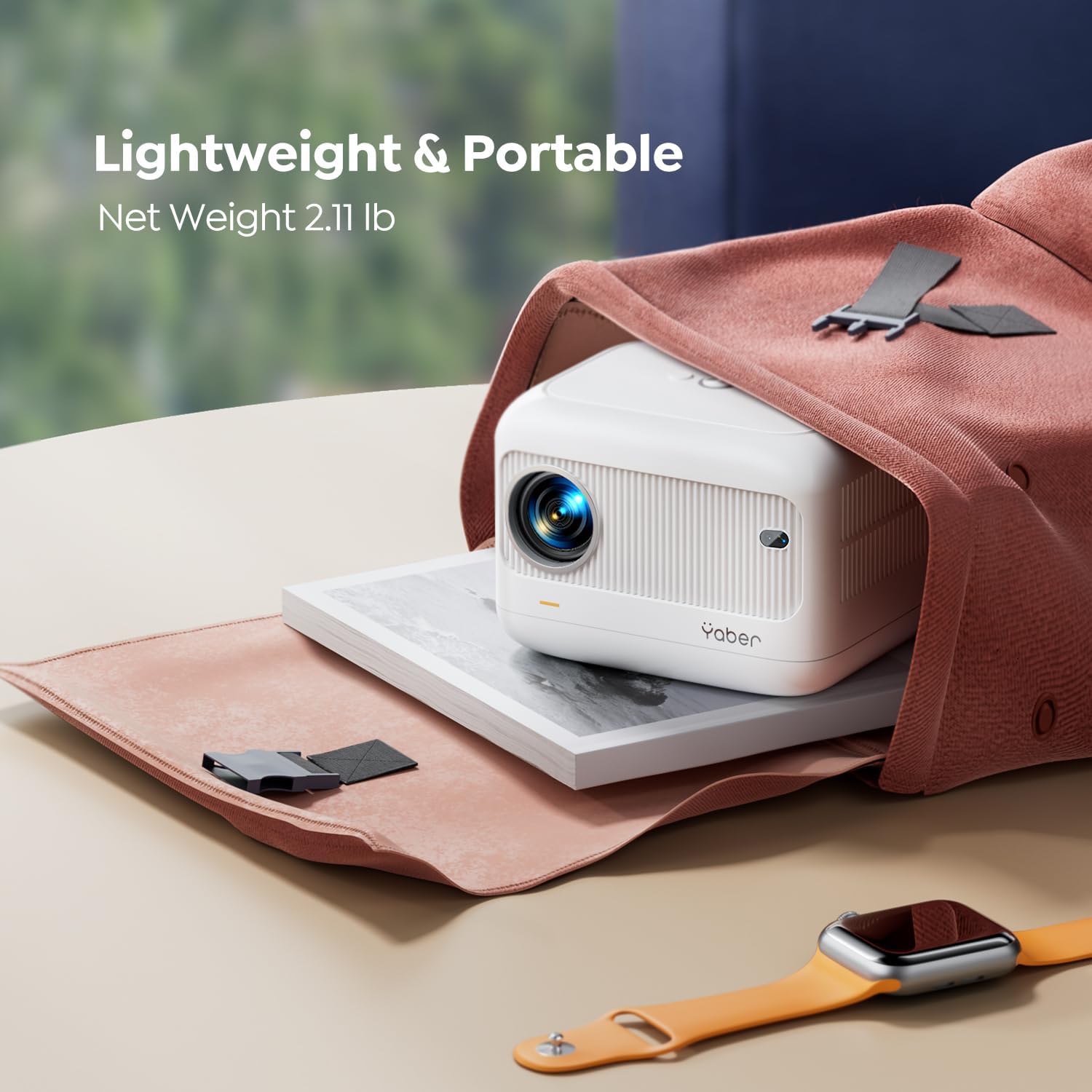
Gambar 3.1: Hareupeun view of the YABER E1 Mini Projector, showing the lens and sensor.
3.1. Palabuhan jeung sambungan

Gambar 3.2: Tukangeun view of the YABER E1 Mini Projector, highlighting the input/output ports.
- Port HDMI: Connect to devices like TV sticks, laptops, gaming consoles (PS3/4/5).
- Port USB (x2): Sambungkeun drive USB pikeun playback média.
- 3.5mm Audio Jack: Sambungkeun speaker éksternal atawa headphone.
- Input kakuatan: Sambungkeun kabel daya anu disayogikeun.
4. Setélan
4.1. Powering on / Pareum
- Sambungkeun kabel listrik ka input daya proyektor teras ka stopkontak.
- Pencét tombol daya dina proyektor atawa kadali jauh pikeun ngahurungkeun.
- Pikeun mareuman, pencét deui tombol daya.
4.2. Nempatkeun jeung proyéksi
The projector supports a projection distance of 2.6ft to 16.4ft, allowing for screen sizes from 50 to 200 inches.

Gambar 4.1: Example of projector placement for a bedroom setup.
4.3. Fokus Listrik sareng Koreksi Keystone
The YABER E1 features electric focus and ±40° keystone correction for optimal image clarity and shape.
- Use the remote control or the buttons on the projector panel to adjust the focus.
- For keystone correction, use the remote to adjust the image vertically to achieve a rectangular display.

Gambar 4.2: Visual representation of electric keystone correction.
5. Parentah Operasi
5.1. Nyambungkeun ka Wi-Fi
The projector supports both 2.4G and 5G Wi-Fi for stable and fast wireless connections.
- Navigate to the Wi-Fi settings menu on the projector.
- Pilih jaringan Wi-Fi anu dipikahoyong teras lebetkeun kecap aksesna.
Gambar 5.1: Illustration of dual-band Wi-Fi connectivity.
5.2. Konektipitas Bluetooth
Connect Bluetooth 5.2 enabled devices such as headphones or speakers for enhanced audio.
- Go to the Bluetooth settings menu.
- Enable Bluetooth and select your device from the available list to pair.

Gambar 5.2: Projector connected to external Bluetooth speakers.
5.3. Pangeunteungan layar
Wirelessly mirror your smartphone (iOS/Android) or PC screen to the projector.
- Pastikeun proyéktor sareng alat anjeun nyambung ka jaringan Wi-Fi anu sami.
- Select the appropriate screen mirroring option (e.g., iOS Cast, Miracast) on the projector.
- Follow the on-screen instructions on your device to initiate mirroring.
5.4. Input Sources
Connect various devices using the available ports:
- HDMI: TV Stick, Box, PS3/4/5, PCs, Laptops.
- USB: USB drives for media.
- 3.5mm Audio: External speakers, headphones.

Gambar 5.3: Diagram illustrating various compatible devices and connection types.
6. Integrasi Média
6.1. Video produk
Below are official product videos demonstrating key features and usage scenarios.
Klip 6.1: Official product demonstration of the YABER E1 Projector, highlighting its portability and ease of use.
Klip 6.2: Unboxing and testing of the YABER E1 Mini 1080p Projector, showcasing fitur sareng kinerjana.
7. Pangropéa
7.1. Ngabersihan Lensa
Use the provided cleaning kit to gently clean the projector lens. Avoid using abrasive materials or harsh chemicals that could damage the lens coating.
7.2. Kaperawatan Umum
- Keep the projector in a cool, dry place away from direct sunlight and excessive dust.
- Pastikeun ventilasi ditangtoskeun sabudeureun projector pikeun nyegah overheating.
- Avoid dropping or subjecting the projector to strong impacts.
8. Cara ngungkulan
For common issues like signal, sound, Bluetooth, or Wi-Fi connectivity, consult the following:
- Taya Gambar/Kualitas Gambar Goréng:
- Pariksa sadaya sambungan kabel (HDMI, daya).
- Adjust electric focus using the remote or projector buttons.
- Perform keystone correction to ensure a rectangular image.
- Ensure the projection surface is suitable and free from obstructions.
- Henteu aya sora:
- Check volume levels on both the projector and the connected source device.
- Pariksa sambungan Bluetooth upami nganggo spiker éksternal.
- Ensure audio output settings on the source device are correctly configured.
- Masalah Konektipitas Wi-Fi/Bluetooth:
- Ensure the projector and device are within range of the Wi-Fi router or each other.
- Restart the projector and the connected device.
- Verify Wi-Fi password and network selection.
For further assistance, please contact YABER customer service at service@yaber.com.
9. Spésifikasi
| Fitur | Rincian |
|---|---|
| Dimensi produk | 6.26 x 4.92 x 4.61 inci |
| Item Beurat | 3.3 pon |
| Nomer modél | YABER E1 |
| Resolusi tampilan | 1920 x 1080 (HD lengkep) |
| Téhnologi konektipitas | 3.5mm Jack, Bluetooth 5.2, HDMI, USB, Wi-Fi (2.4G & 5G) |
| Fitur husus | Electric Focus, ±40° Keystone Correction, Built-in 2*6W Speakers, Wireless Screen Mirroring, Built-In Cooling System |
| Dianjurkeun Mangpaat | Home Cinema, Outdoor Activities, Gaming |
10. Garansi jeung Rojongan
YABER offers a 1-year free replacement policy and 3-year maintenance policy. For any inquiries or support, please contact our professional customer service team 24/7 via email at service@yaber.com.


