Bubuka
Thank you for choosing the Eacam QW33 Smart Sports Watch. This manual provides essential information for setting up, operating, and maintaining your device. Please read it thoroughly to ensure optimal performance and longevity of your smartwatch.

Gambar 1: Hareupeun view of the Eacam QW33 Smart Sports Watch.
Fitur produk
- Multiple Sports Modes & Customizable Dials: Offers a wide range of sports modes and over 100 watch faces for personalized style.
- Large High-Definition Display: Features a 1.28-inch IPS screen with 240x240 pixel resolution for clear and vibrant visuals.
- IP67 Cai sareng Tahan Lebu: Designed to withstand splashes, rain, and dust, ensuring durability in various environments.
- Konektipitas Bluetooth: Seamlessly connects to your smartphone via Bluetooth 5.1 for calls, messages, and notifications.
- Rotatable Knob: Allows for easy navigation through menus and interfaces without direct screen touch.
- Intelligent Health Monitoring: Includes 24-hour heart rate monitoring and sleep tracking.
- Dukungan Multi-fungsi: Supports NFC access control and quick response code payment (after account binding).
Guide Setup
1. Ngecas Alat
Before first use, fully charge your Eacam QW33 Smart Sports Watch. Use the provided magnetic charging cable. Align the magnetic pins of the charger with the charging contacts on the back of the watch. The watch will vibrate and display a charging indicator.
- Mode ngecas: Magnetic suction.
- Kapasitas batré: batré litium 260 mAh.
- Waktu Ngecas Pinuh: Kurang leuwih 2 jam.

Gambar 2: Tukangeun view of the watch showing the heart rate sensor and magnetic charging contacts.
2. Instalasi App sarta Papasangan
To unlock the full potential of your smartwatch, download the companion application on your smartphone. The app allows for data synchronization, watch face customization, and advanced settings.
- Scan the QR code in the watch's manual or search for the designated app in your phone's app store (Google Play Store for Android, Apple App Store for iOS).
- Pasang aplikasi sareng buka.
- Pastikeun Bluetooth diaktipkeun dina smartphone Anjeun.
- In the app, follow the on-screen instructions to search for and pair with your Eacam QW33. The watch's Bluetooth name will typically be 'QW33' or similar.
- Konfirmasi pamundut papasangan dina telepon anjeun sareng jam tangan.
Kasaluyuan Sistim: Android 5.0 ka luhur, ios 10.0 ka luhur.
Parentah Operasi
1. Napigasi Dasar
The Eacam QW33 features a full touch screen and a rotatable knob for intuitive navigation.
- Layar cabak: Swipe left/right, up/down to navigate between screens and menus. Tap to select items.
- Rotatable Knob: Rotate the knob to scroll through lists or switch watch faces. Press the knob to return to the previous screen or confirm a selection.

Figure 3: The rotatable knob allows for easy interface switching.
2. Ngaropea Watch Faces
The watch supports over 100 creative dials. You can switch them directly on the watch or through the companion app.
- Dina Lalajo: From the home screen, long-press the display to enter the watch face selection menu. Swipe left/right or rotate the knob to browse and tap to select.
- Via Aplikasi: Open the companion app, navigate to the 'Dial Market' or 'Watch Face' section, and choose from the available options.

Gambar 4: Kelamples of multiple creative dials available for the watch.
3. Nyieun jeung Nampa Telepon
With Bluetooth connected to your smartphone, you can manage calls directly from your watch.
- Nelepon: Access the 'Dialer' or 'Contacts' function on the watch. You can dial numbers directly or select from synced contacts.
- Narima Telepon: Nalika telepon asup, jam tangan bakal ningalikeun ID panelepon. Ketok ikon héjo pikeun ngajawab atawa ikon beureum pikeun nolak.

Figure 5: The watch displaying an incoming call, allowing direct interaction.
4. Modeu Olahraga sarta Pangimeutan Kaséhatan
The watch supports various sports modes and continuous health tracking.
- Modeu Olahraga: Navigate to the 'Exercise' or 'Sports' menu. Select your desired activity (e.g., running, cycling) to start tracking. The watch will record real-time data such as heart rate, duration, and calories burned.
- Ngawaskeun Laju haté: Arloji terus ngawas denyut jantung anjeun. View your current heart rate and historical data in the 'Heart Rate' section or the app.
- Nyukcruk saré: Wear the watch to bed to automatically track your sleep patterns. View sleep duration and quality analysis in the app.

Figure 6: The watch supports a variety of professional sports modes.
5. Ramalan Cuaca
Once connected to the app, the watch can display real-time weather information.
- Swipe to the weather screen to view current conditions and forecasts for upcoming days.
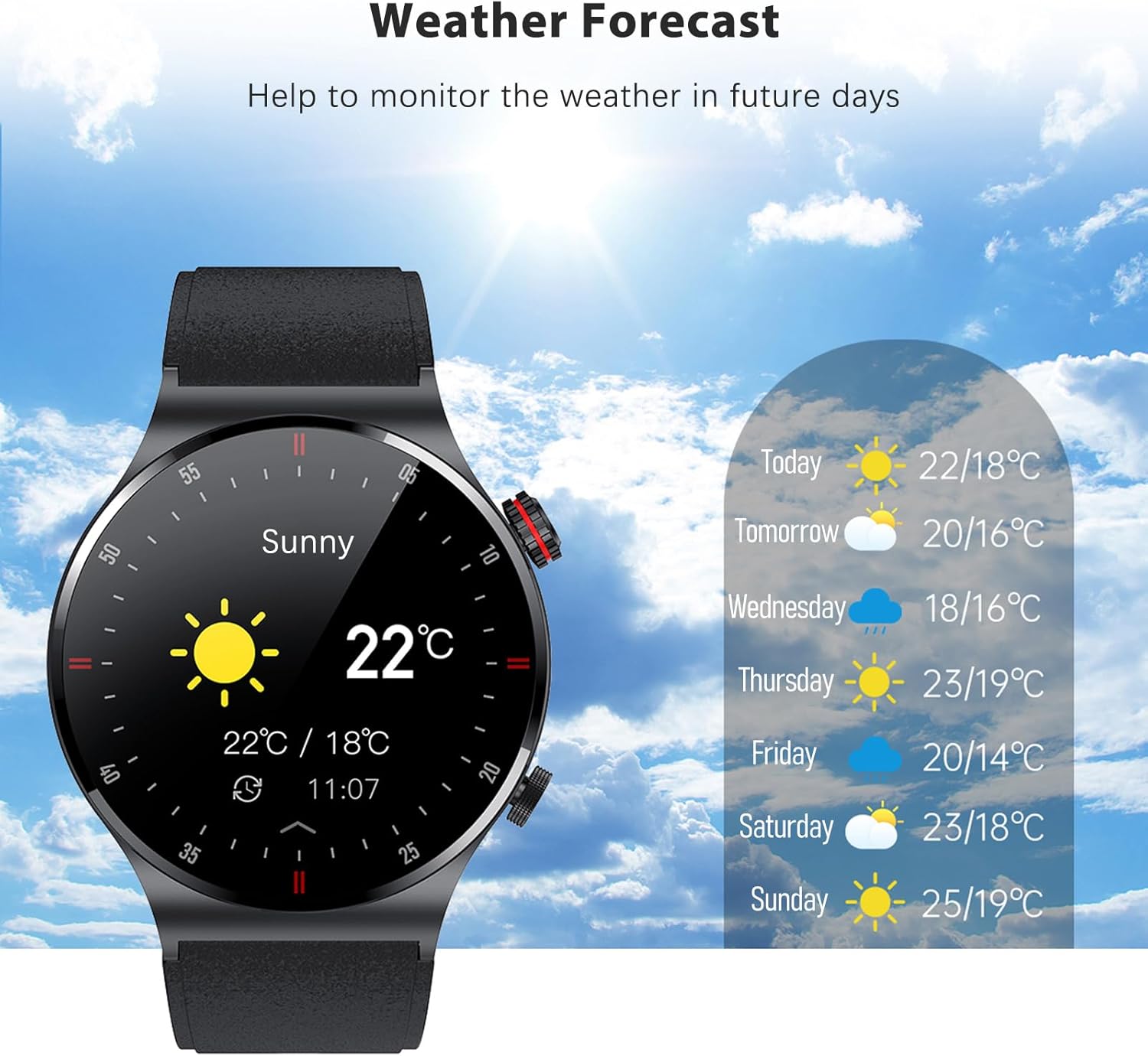
Figure 7: The watch displaying the weather forecast.
Pangropéa
1. Tahan cai (IP67)
The Eacam QW33 is IP67 water and dust resistant. This means it is protected against immersion in water up to 1 meter for up to 30 minutes, and is fully dust-tight.
- It is suitable for daily use, such as hand washing, rain, and splashes.
- Entong use the watch in hot water, saunas, or during deep diving.
- Avoid prolonged exposure to water or high-pressure water jets.
- Upami jam tangan baseuh, usap dugi ka garing nganggo lawon lemes sateuacan ngecas atanapi nganggo tombol.

Figure 8: The watch is IP67 waterproof, protecting it from rain and sweat.
2. beberesih sarta Panyimpenan
- Ngabersihan arloji sacara teratur ku kaén anu lembut sareng garing.
- Pikeun noda nekad, make rada damp lawon lajeng garing tuntas.
- Avoid using harsh chemicals, cleaning solvents, or strong detergents, as they may damage the watch's finish or internal components.
- Simpen arloji dina tempat anu tiis sareng garing jauh tina sinar panonpoé langsung sareng suhu anu ekstrim.
3. Kaperawatan batré
- Hindarkeun sering-sering ngosongkeun batré.
- Charge the watch when the battery level is low.
- If storing the watch for an extended period, charge it to about 50% to prevent battery degradation.
Pamérésan masalah
| Masalah | Mungkin Cukang lantaranana | Solusi |
|---|---|---|
| Arloji teu hurung | batré lemah; Sistem kacilakaan | Charge the watch for at least 30 minutes; Press and hold the power button for 10-15 seconds to force restart. |
| Teu tiasa dipasangkeun sareng telepon | Bluetooth pareum; Masalah aplikasi; Jam tangan teu tiasa kapendak | Ensure phone Bluetooth is on; Restart phone and watch; Reinstall the app; Reset watch to factory settings. |
| Data kaséhatan teu akurat | Improper wearing; Sensor dirty | Ensure watch is snug on wrist; Clean the sensor on the back of the watch. |
| hirup batré pondok | Frequent use of power-intensive features; High screen brightness | Reduce screen brightness; Limit continuous heart rate monitoring; Turn off unnecessary notifications. |
spésifikasi
| Fitur | Rincian |
|---|---|
| Dimensi produk | 45.7 x 45.7 x 12 mm |
| Beurat produk | 58 gram |
| tampilan | 1.28 inch IPS screen, 240 x 240px |
| Layar cabak | layar rampa pinuh |
| CPU | GR5515 |
| Waktu sayaga | 15 dinten |
| Waktos Gawé | 5-7 poé |
| Batré | Batré Litium 260 mAh |
| Mode ngecas | Nyeuseup Magnét |
| Bluetooth | BLE 5.1 |
| Peunteun waterproof | IP67 |
| Kasaluyuan Sistim | Android 5.0+, ios 10.0+ |
| Sayogi Basa | Simplified Chinese, English, Italian, Japanese, German, Spanish, French, Russian, Portuguese, Polish, Turkish, Greek, Hebrew, Czech, Hungarian, Arabic |
Garansi sareng Rojongan
Émbaran jaminan
This product is covered by a standard manufacturer's warranty. Please refer to the warranty card included in your package for specific terms and conditions. Keep your purchase receipt as proof of purchase for warranty claims.
Rojongan Palanggan
For any questions, technical assistance, or warranty inquiries, please contact Eacam customer support through the contact information provided on the product packaging or the official Eacam website. Please have your product model number (QW33) and purchase details ready when contacting support.


