1. Bubuka

Gambar 1.1: The HGLRC M100-5883 GPS Compass Module.
The HGLRC M100-5883 GPS Compass Module is a compact and high-performance navigation solution designed for FPV (First Person View) fixed-wing aircraft and UAVs (Unmanned Aerial Vehicles). Featuring an upgraded 10th generation chip and an integrated QMC5883 compass, this module provides rapid satellite acquisition and accurate positioning data, enhancing the reliability and functionality of your aerial platforms.
2. Fitur konci
- Upgraded 10th Generation Chip: Incorporates the latest technology for enhanced performance and reliability.
- Integrated QMC5883 Compass: Provides accurate heading information, simplifying setup and reducing the need for separate modules.
- Multi-Mode Positioning: Supports GPS, Galileo, and BDS satellite systems for fast and reliable satellite acquisition in various environments.
- Stable Signal Reception: Utilizes a carefully modulated ceramic antenna and external expansion PCB for effective satellite signal reception.
- Desain kompak sareng ringan: Measures 21mm x 21mm and weighs only 7.73g, ideal for space-constrained applications.
- Kasaluyuan: Suitable for FPV fixed-wing UAVs and compatible with popular flight controllers running Betaflight and INAV.
3. Eusi Paket
Pastikeun yén sadaya item aya dina pakét anjeun:

Gambar 3.1: Package contents including the HGLRC M100-5883 GPS module, connecting cable, and other accessories.
- HGLRC M100-5883 GPS Compass Module
- Kabel Nyambungkeun
- Stiker (upami kalebet)
- Quality Certificate (if included)
4. Instalasi jeung Setup
4.1 Instalasi fisik
The HGLRC M100-5883 module is designed to be compact. Mount the module securely on your aircraft, ensuring it is as far as possible from high-current wires, motors, and ESCs to minimize electromagnetic interference, which can affect GPS and compass performance.
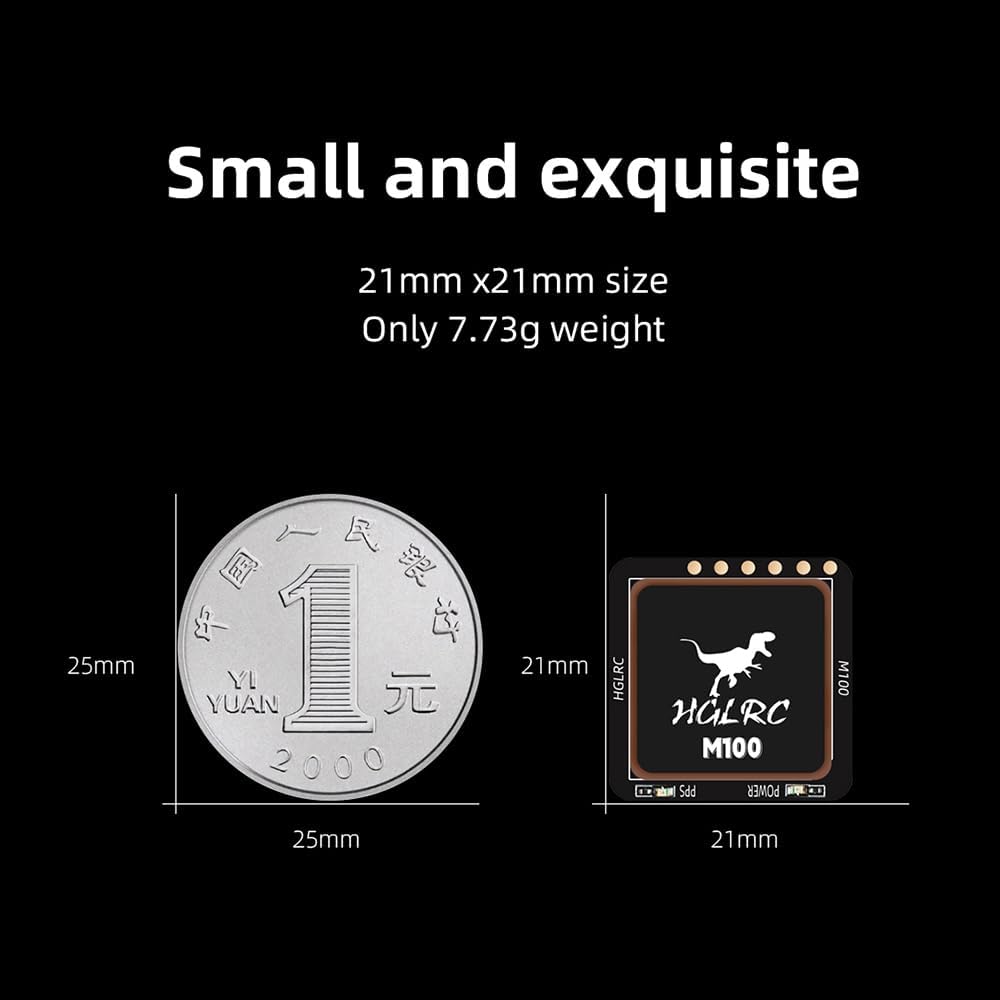
Gambar 4.1: The HGLRC M100-5883 module measures 21mm x 21mm and weighs 7.73g.
4.2 Diagram Wiring
Connect the GPS module to your flight controller according to the following diagram. Ensure correct polarity and pin assignments (TX to RX, RX to TX, SDA to SDA, SCL to SCL, 5V to 5V, GND to GND).

Gambar 4.2: Pinout of the HGLRC M100-5883 GPS module.

Gambar 4.3: Wiring connections between the HGLRC M100-5883 GPS module and a flight controller.
- SCL: Jalur Jam I2C
- SDA: Jalur Data I2C
- RX: UART Receive (connect to Flight Controller TX)
- TX: UART Transmit (connect to Flight Controller RX)
- 5v: Power Input (3.7V - 5V recommended)
- GND: taneuh
penting: Some users have reported that the module requires at least 3.7V to operate normally, despite some specifications indicating 3.3V. Ensure your power supply meets this requirement for stable operation.
4.3 Konfigurasi Betaflight
To configure the GPS module in Betaflight:
- Connect your flight controller to Betaflight Configurator.
- Arahkeun ka Palabuhan tab.
- Identify the UART port to which your GPS module is connected (e.g., UART3).
- Nyetél Input sénsor for that UART to GPS.
- Nyetél Laju Baud ka 115200.
- Pindah ka Konfigurasi tab.
- Aktipkeun GPS fitur.
- Pilih UBLOX as the GPS protocol.
- Save and reboot your flight controller.

Gambar 4.4: Betaflight Ports and Configuration tab settings for GPS.
After successful configuration and powering on the aircraft, the GPS indicator light on the module should be active, and the GPS icon should appear in the Betaflight OSD or configurator's sensor status display.
4.4 INAV Configuration
To configure the GPS module in INAV:
- Connect your flight controller to INAV Configurator.
- Arahkeun ka Palabuhan tab.
- Identify the UART port to which your GPS module is connected (e.g., UART3).
- Nyetél Input sénsor for that UART to GPS.
- Nyetél Laju Baud ka 115200.
- Pindah ka Konfigurasi tab.
- Aktipkeun GPS fitur.
- Pilih UBLOX as the GPS protocol.
- For the integrated compass, navigate to the Sensors & Buses bagian.
- Pilih QMC5883 for the Magnetometer.
- Save and reboot your flight controller.

Gambar 4.5: INAV Ports tab settings for GPS.

Gambar 4.6: INAV Sensors & Buses tab for QMC5883 compass selection.
Upon powering the aircraft, the indicator lights on the GPS module should be active, and the GPS and compass icons should be visible in the INAV OSD or configurator's sensor status display.
5. Parentah Operasi
5.1 Satellite Acquisition
For optimal satellite acquisition, operate the aircraft in an open area with a clear view ti langit.
- Mimiti Tiis: When first powered on or after a long period of inactivity, the module may take 25-30 seconds to achieve a 3D fix.
- Mimitian haneut: Subsequent acquisitions after a brief power cycle are typically much faster, often within a few seconds.
- The module supports GPS, Galileo, and BDS for faster and more reliable locks.
- A solid blue LED on the module indicates a successful GPS lock.
5.2 Kalibrasi Kompas
The integrated QMC5883 compass requires calibration for accurate heading information. Perform compass calibration in your flight controller software (Betaflight/INAV) according to their respective documentation. It is recommended to calibrate the compass at your primary flying location and recalibrate if you experience significant changes in magnetic environment or travel long distances.
6. Pangropéa
- Inspeksi Fisik: Regularly check the module and its connections for any signs of damage, loose wires, or corrosion.
- Perlindungan Lingkungan: While robust, avoid exposing the module to extreme moisture, dust, or direct impact. Consider conformal coating for enhanced protection in harsh environments.
- Pembaruan firmware: Keep your flight controller firmware updated, as this may include improvements for GPS and compass functionality.
7. Cara ngungkulan
| Masalah | Mungkin Cukang lantaranana | Solusi |
|---|---|---|
| No GPS lock or very slow lock. |
|
|
| Inaccurate compass readings or "Compass Variance" errors. |
|
|
| Module not recognized by flight controller software. |
|
|
8. Spésifikasi
| Parameter | Nilai |
|---|---|
| Modél | M100-5883 GPS |
| Chip GPS | Generasi ka-10 |
| Kompas | QMC5883 |
| Supported Satellite Systems | GPS, Galileo, BDS |
| Diménsi | 21mm x 21mm x 7.7mm (kira-kira.) |
| Beurat | 7.73g |
| Masukan Voltage | 3.7V - 5V (Nominal 5V) |
| Konektipitas | UART (TX, RX), I2C (SDA, SCL) |
| Laju Baud | 115200 (bisa dikonfigurasi) |
| Jinis Layanan Kandaraan | UAV, FPV Fixed-Wing |
9. Garansi jeung Rojongan
HGLRC products are manufactured to high-quality standards. For warranty information, please refer to the terms and conditions provided at the time of purchase or contact HGLRC customer support directly.
For technical assistance, troubleshooting, or further inquiries, please visit the official HGLRC websitus atanapi ngahubungan departemén layanan palanggan maranéhna.