1. Bubuka
The GeekTale F02-01 Fingerprint Door Lock offers advanced keyless entry solutions for your home. This smart deadbolt combines multiple access methods including fingerprint recognition, a digital keypad, Bluetooth app control, and traditional backup keys. Designed for ease of use and enhanced security, this manual will guide you through the installation, setup, and daily operation of your new smart lock.
fitur konci ngawengku:
- Éntri Tanpa Konci 4-in-1: Fingerprint, Passcode, Bluetooth App, and Backup Keys.
- Kaamanan ditingkatkeun: 6-digit keypad for accurate input and anti-peep passcode function.
- Kontrol pinter: Manage users, create temporary passcodes, set auto-locking times, and view access logs via the mobile application.
- Pamasangan Gampang: Wireless setup designed to fit most standard US doors.
2. Eusi Paket
Sateuacan ngamimitian pamasangan, mangga pastikeun sadaya komponén aya:
- GeekTale F02-01 Smart Deadbolt (Exterior and Interior Assemblies)
- Pamasangan Hardware
- Piring neunggeul
- Kancing Bolt
- Konci Cadangan
- Pituduh Instalasi (dokumén ieu)
Catetan: 4 batré AA diperyogikeun pikeun operasi sareng henteu kalebet dina pakét.
3. Pitunjuk Instalasi
The GeekTale F02-01 is designed for straightforward, wireless installation, replacing most existing front door locks. Please follow these steps carefully.
3.1 Kasaluyuan panto
Pastikeun panto anjeun nyumponan spésifikasi ieu:
- Ketebalan Panto: 1-3/8" nepi ka 2-1/8" (35mm nepi ka 54mm)
- Backset: 2-3 / 4 "atanapi 2-3 / 8" (70mm atanapi 60mm)
- Diaméterna liang panto: 2-1/8" (54mm)

Image: This diagram illustrates the compatible door dimensions, including thickness, backset, and bore hole diameter, for both left-handed and right-handed door installations.

Image: A detailed technical drawing showing various measurements for the lock components and their placement on a door, ensuring proper fit.
3.2 Léngkah-léngkah Instalasi
For a visual guide to installation, please refer to the video below. The process involves removing your existing lock, installing the new latch bolt, mounting the exterior and interior assemblies, and connecting the power cable.
Video: This video demonstrates the installation process for the GeekTale Smart Deadbolt and Smart Knob, showing how to replace a traditional door knob with the smart lock components.
- Cabut Konci Anu Aya: Unscrew and remove your current deadbolt and door knob.
- Pasang Latch Bolt: Insert the new latch bolt into the door edge, ensuring the correct backset (60mm or 70mm).
- Mount Exterior Assembly: Place the exterior keypad assembly onto the door, feeding the cable through the door hole.
- Mount Interior Assembly: Sambungkeun kabel tina assembly exterior ka assembly interior. Ngamankeun assembly interior kana panto ngagunakeun screws disadiakeun.
- Pasang Batré: Insert 4 AA batteries into the battery compartment of the interior assembly.
- Operasi tés: Manually test the lock and unlock mechanism to ensure smooth operation.
4. Setup awal jeung Manajemén pamaké
After installation, configure your lock for keyless entry using the mobile app, fingerprints, and passcodes.
4.1 App Pairing and Management
The smart lock can be controlled and managed via a dedicated mobile application.
- Unduh App: Milarian pikeun the GeekTale app in your smartphone's app store and install it.
- Ngadamel akun: Ngadaptarkeun akun anyar atanapi log in upami anjeun parantos gaduh.
- Tambahkeun Alat: Follow the in-app instructions to add your F02-01 smart lock. Ensure Bluetooth is enabled on your phone.

Image: A smartphone screen displaying the GeekTale app, illustrating options for managing users, creating codes, viewing access logs, setting auto-lock, mute mode, and low battery alerts.

Image: A visual representation of the mobile application's interface, highlighting features for managing user access and reviewing the lock's activity log.
4.2 Pendaptaran Sidik
Konci ieu tiasa nyimpen dugi ka 50 sidik jari anu unik.
- Access Fingerprint Menu: In the app, navigate to the fingerprint management section.
- Tambahkeun Sidik: Follow the on-screen prompts to register your fingerprint by placing your finger on the sensor multiple times from different angles.
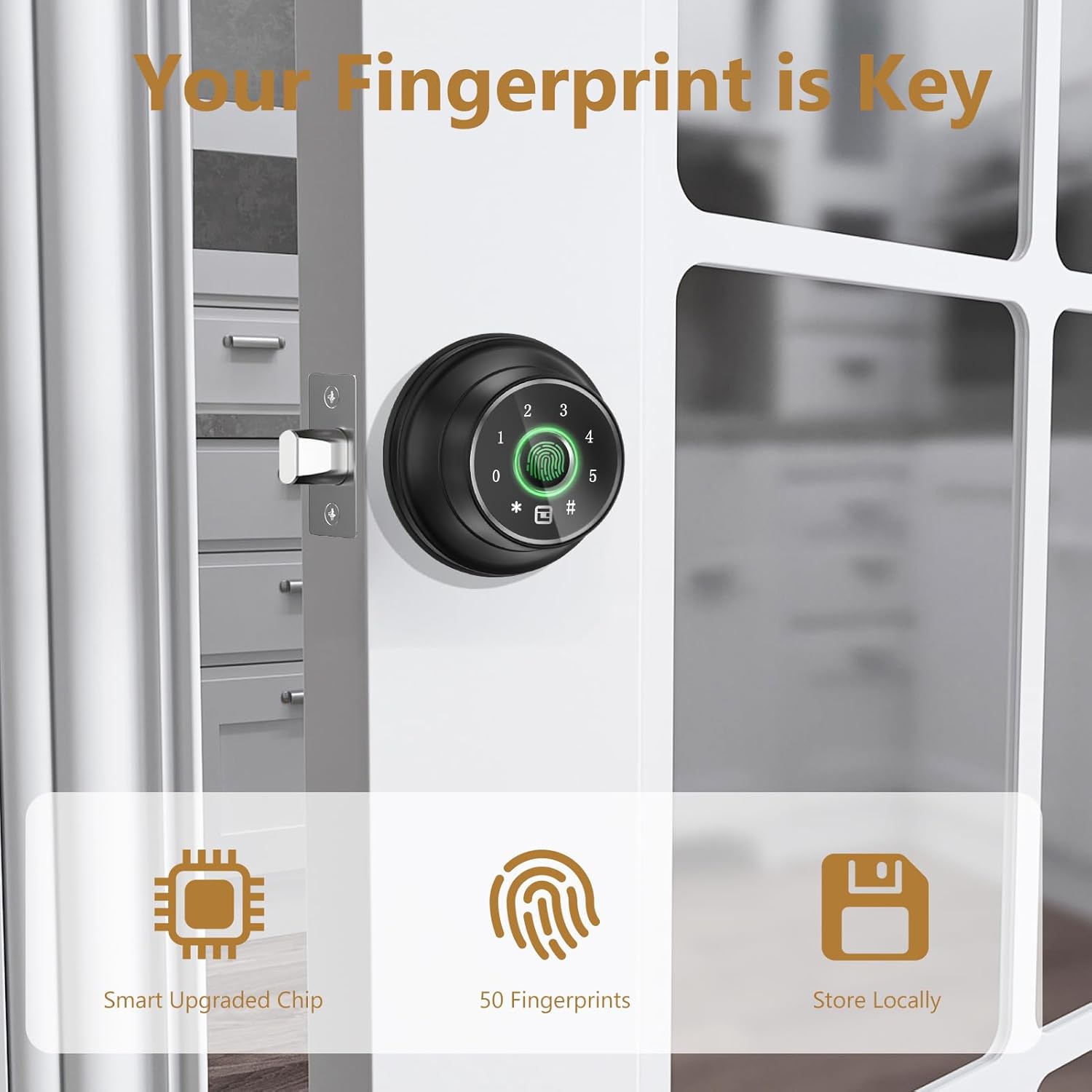
Gambar: A close-up view of the smart lock's fingerprint sensor, emphasizing its role in keyless entry and the lock's ability to store multiple fingerprints locally.
4.3 Passcode Creation
You can create up to 20 passcodes for various users.
- Access Passcode Menu: In the app, navigate to the passcode management section.
- Nyiptakeun Kodeu aksés: Enter your desired 6-digit passcode. You can set temporary or permanent codes.

Image: A screenshot of the mobile app demonstrating how to create and manage temporary access codes for the smart lock, suitable for guests or service providers.
5. Parentah Operasi
The GeekTale F02-01 offers multiple convenient ways to lock and unlock your door.
5.1 Muka konci Panto
You can unlock the door using any of the following methods:
- Sidik jari: Teundeun ramo anu kadaptar dina sénsor sidik jari. Koncina bakal muka konci upami sidik jari dikenal.
- Kodeu aksés: Enter your 6-digit passcode on the keypad, then press the '#' key.
- Anti-Peep Passcode: To prevent others from seeing your code, you can enter random digits before or after your actual passcode. For exampLe, upami kode anjeun 001122, anjeun tiasa ngalebetkeun 555001122333.
- Aplikasi Bluetooth: Open the GeekTale app on your smartphone and tap the unlock icon when within Bluetooth range.
- Backup Key: In case of emergency or battery depletion, use the physical backup key to unlock the door.

Image: This image highlights the four primary ways to access the GeekTale smart lock: fingerprint, Bluetooth app, keypad, and traditional key, emphasizing quick and versatile entry.

Image: The smart lock's keypad is shown with an example of an anti-peep passcode, where random digits are entered before and after the actual PIN to obscure it from onlookers.
5.2 Ngonci Panto
You can lock the door using the following methods:
- Konci Otomatis: The lock can be configured via the app to automatically lock after a set period (5-60 seconds) once the door is closed.
- Konci Hiji-Toél: Press the '#' key on the keypad to manually lock the door.
- Aplikasi Bluetooth: Open the GeekTale app on your smartphone and tap the lock icon.

Image: The smart lock is depicted on a door, with an arrow indicating the automatic locking mechanism, demonstrating the auto-lock and one-touch lock functionalities.
5.3 Mode Jempe
To operate the lock quietly, activate Mute Mode through the mobile application. This will silence all lock sounds.

Image: The smart lock is shown on a door with a sleeping person in the background, indicating the mute mode feature for silent operation, configurable via the app.
5.4 Integrasi Smart Home (Opsional)
For remote unlock, voice control, and instant unlock notifications, a separate gateway device is required. This gateway allows integration with smart home systems like Alexa and Google Assistant.

Image: This image displays the smart lock alongside a smart plug, illustrating its compatibility with remote unlock, voice control (Alexa, Google Assistant), and instant notifications when connected to a separately purchased gateway.
6. Pangropéa
6.1 Ngagantian batré
The lock is powered by 4 AA batteries. When the battery level is low, you will receive a low battery alert via the app. To replace the batteries:
- Cabut panutup batré dina assembly interior.
- Replace the old batteries with 4 new AA batteries, ensuring correct polarity.
- Ganti panutup batré.

Image: The smart lock's interior assembly is shown, highlighting the emergency power port and indicating a low battery notification, reminding users to replace the 4 AA batteries.
6.2 Emergency Power Port
If the batteries completely run out before you can replace them, an emergency power port (USB-C) is available on the exterior assembly. Connect a portable power bank to temporarily power the lock and gain entry.
6.3 beberesih
Lap beungeut konci ku lawon anu lemes sareng garing. Ulah nganggo pembersih atanapi pangleyur anu abrasif, sabab ieu tiasa ngaruksak lapisan sareng komponén éléktronik.
7. Cara ngungkulan
If you encounter issues with your GeekTale F02-01 smart lock, please refer to the following common problems and solutions:
- Konci henteu ngabales: Pariksa tingkat batré sareng gentos upami diperyogikeun. Pastikeun konci parantos dipasang kalayan leres sareng sadaya kabel parantos nyambung.
- Sidik henteu dikenal: Ensure your finger is clean and dry. Try re-registering your fingerprint in the app.
- Passcode not working: Double-check the passcode entry. Ensure the passcode is active and has not expired (for temporary codes).
- Masalah sambungan aplikasi: Ensure Bluetooth is enabled on your phone and you are within range of the lock. Try restarting the app or your phone.
- Lock mechanism grinding: This may indicate an obstruction or misalignment during installation. Re-check the installation steps, particularly the latch bolt and strike plate alignment.
Upami masalah masih aya, mangga ngahubungi dukungan palanggan kanggo bantosan salajengna.
8. Spésifikasi produk
| Fitur | Spésifikasi |
|---|---|
| Ngaran modél | F02-01 |
| merek | GeekTale |
| Tipe Konci | Biometric Deadbolt |
| Bahan | alumunium |
| Warna | Hideung |
| Ukuran (L x W x H) | 2.95 x 2.16 x 5.31 inci |
| Item Beurat | 1.92 pon |
| Protokol konektipitas | Bluetooth |
| Métode kontrol | Aplikasi, Toél |
| Sumber Daya | 4 Batré AA (teu kalebet) |
| Kamampuh sidik | Nepi ka 50 |
| Kapasitas Passcode | Nepi ka 20 |
| Fitur husus | Fingerprint Deadbolt, Keypad, App Control, Auto Lock, Emergency Power Port |
9. Garansi sarta Rojongan Palanggan
GeekTale is committed to providing quality products and customer satisfaction. Your GeekTale F02-01 Fingerprint Door Lock comes with a standard manufacturer's warranty. For specific warranty details, please refer to the product packaging or contact customer service.
If you have any questions, require technical assistance, or experience issues with your product, please do not hesitate to contact our localized After-Sales Customer Service. We are dedicated to resolving your questions and ensuring your satisfaction.
For support, please visit the GeekTale store or use the contact information provided with your product.


