Bubuka
This manual provides detailed instructions for the setup, operation, maintenance, and troubleshooting of your Divoom Songbird Karaoke Bluetooth Speaker. Please read this manual thoroughly before using the product to ensure proper function and longevity.

Figure 1: The Divoom Songbird Karaoke Bluetooth Speaker system, including the main speaker unit, two wireless microphones, and their charging base.
Eusi pakét
Sateuacan neraskeun pamasangan, mangga pariksa heula sadaya komponén anu aya dina pakét:
- 1 x SongBird-HQ Speaker Unit
- 2 x Mikropon Nirkabel
- 1 x Microphone Charging Base
- 1 x Manual Pamaké (dokumén ieu)
- 1 x Kabel Ngecas USB-C
- 1 x Kabel Aux
- 1 x Giftbag (packaging)

Figure 2: All items included in the Divoom Songbird Karaoke Bluetooth Speaker package, showing the speaker, microphones, cables, and manual.
Disetél
1. Ngecas Alat
The Divoom Songbird speaker and microphones are powered by internal Lithium Ion batteries. For optimal performance, fully charge all components before first use.
- Connect the provided USB-C cable to the charging port on the speaker unit and to a compatible USB power adapter (not included).
- Place the two microphones onto their charging base. Ensure they are seated correctly for charging.
- Charging indicators (LEDs) on the speaker and microphones will illuminate during charging and turn off or change color when fully charged.
2. Daya Awal Hurung
- To power on the speaker, locate the power button (refer to Figure 3 for control layout) and press and hold it until you hear an audible prompt or see an indicator light.
- To power on the microphones, slide the power switch on each microphone to the 'ON' position.

Figure 3: Top panel of the Divoom Songbird speaker, illustrating the various control knobs and buttons for operation.
Parentah Operasi
1. Sambungan Bluetooth
The Divoom Songbird speaker uses Bluetooth for wireless audio streaming.
- Ensure the speaker is powered on and in Bluetooth pairing mode (usually indicated by a blinking LED).
- On your mobile device or computer, navigate to the Bluetooth settings.
- Milarian pikeun available devices and select "Divoom Songbird" from the list.
- Sakali disambungkeun, speaker bakal masihan konfirmasi anu tiasa disada, sareng indikator LED bakal hurung pageuh.
2. Sambungan Bantu (AUX)
For wired audio playback, use the provided 3.5mm Aux cable.
- Connect one end of the Aux cable to the 3.5mm Aux-in port on the speaker.
- Connect the other end to the headphone jack or audio output of your audio source (e.g., smartphone, MP3 player).
- The speaker will automatically switch to AUX mode or may require manual selection via a mode button.
3. Using the Microphones for Karaoke
The two wireless microphones are designed for karaoke functionality.
- Ensure both the speaker and microphones are powered on.
- The microphones should automatically pair with the speaker. If not, refer to the troubleshooting section.
- Adjust microphone volume and echo effects using the dedicated knobs on the speaker's top panel (refer to Figure 3).
- Sing into the microphone while playing music through the speaker via Bluetooth or AUX.

Figure 4: The two wireless microphones for the Divoom Songbird speaker, shown resting in their charging base.
Pangropéa
1. beberesih
Pikeun ngajaga penampilan sareng fungsionalitas speaker anjeun:
- Ngusap permukaan luar ku lawon anu lemes, garing, henteu lint.
- Do not use abrasive cleaners, alcohol, benzene, or other chemical solvents, as these may damage the finish.
- Ulah meunang Uap kana sagala bukaan.
2. Panyimpenan
Nalika henteu dianggo kanggo waktos anu berkepanjangan:
- Store the speaker and microphones in a cool, dry place, away from direct sunlight and extreme temperatures.
- Ensure the batteries are partially charged (around 50%) before long-term storage to preserve battery health.
3. Kaperawatan batré
The device contains a built-in rechargeable Lithium Ion battery. To maximize battery lifespan:
- Hindarkeun sering-sering ngeusi batre.
- Avoid leaving the device plugged in constantly after it's fully charged.
- Charge the device at least once every three months if not in regular use.
Pamérésan masalah
If you encounter issues with your Divoom Songbird speaker, refer to the following common problems and solutions:
| Masalah | Mungkin Cukang lantaranana | Solusi |
|---|---|---|
| Taya kakuatan / Alat moal hurung | Batré béak. | Charge the speaker and microphones fully using the provided USB-C cable. |
| Teu bisa nyambung via Bluetooth | Spiker teu dina modeu pairing; Bluetooth alat pareum; jauh teuing ti spiker. | Ensure speaker is in pairing mode. Turn Bluetooth off and on again on your device. Move closer to the speaker (within 10 meters). Forget the device on your phone and re-pair. |
| Taya sora tina speaker | Volume is too low; incorrect input mode; audio source issue. | Increase volume on both the speaker and your audio source. Ensure the correct input mode (Bluetooth/AUX) is selected. Check if the audio source is playing correctly. |
| Mikropon teu jalan | Microphones are off; not charged; not paired with speaker. | Ensure microphones are powered on and charged. Power cycle both the speaker and microphones. They should automatically pair. |
spésifikasi
Detailed technical specifications for the Divoom Songbird Karaoke Bluetooth Speaker:
- Jumlah modél: 90100058218
- merek: Divoom
- Ukuran produk: 28 x 10 x 25 cm
- Beurat barang: 1.3 kg
- Sumber Daya: Batré Powered (1 batré Litium Ion kaasup)
- Kakuatan Sora: 50 Watt
- Mikropon: Dual Microphone 24bit
- Kahirupan batré: Kurang leuwih 8 jam
- Téknologi konektipitas: Bantu, Bluetooth
- Tipe Panyambung: 3.5 mm Jack
- Fitur husus: Bluetooth, Portabel
- warna: Héjo
- Pamakéan anu disarankeun: For music players, Karaoke
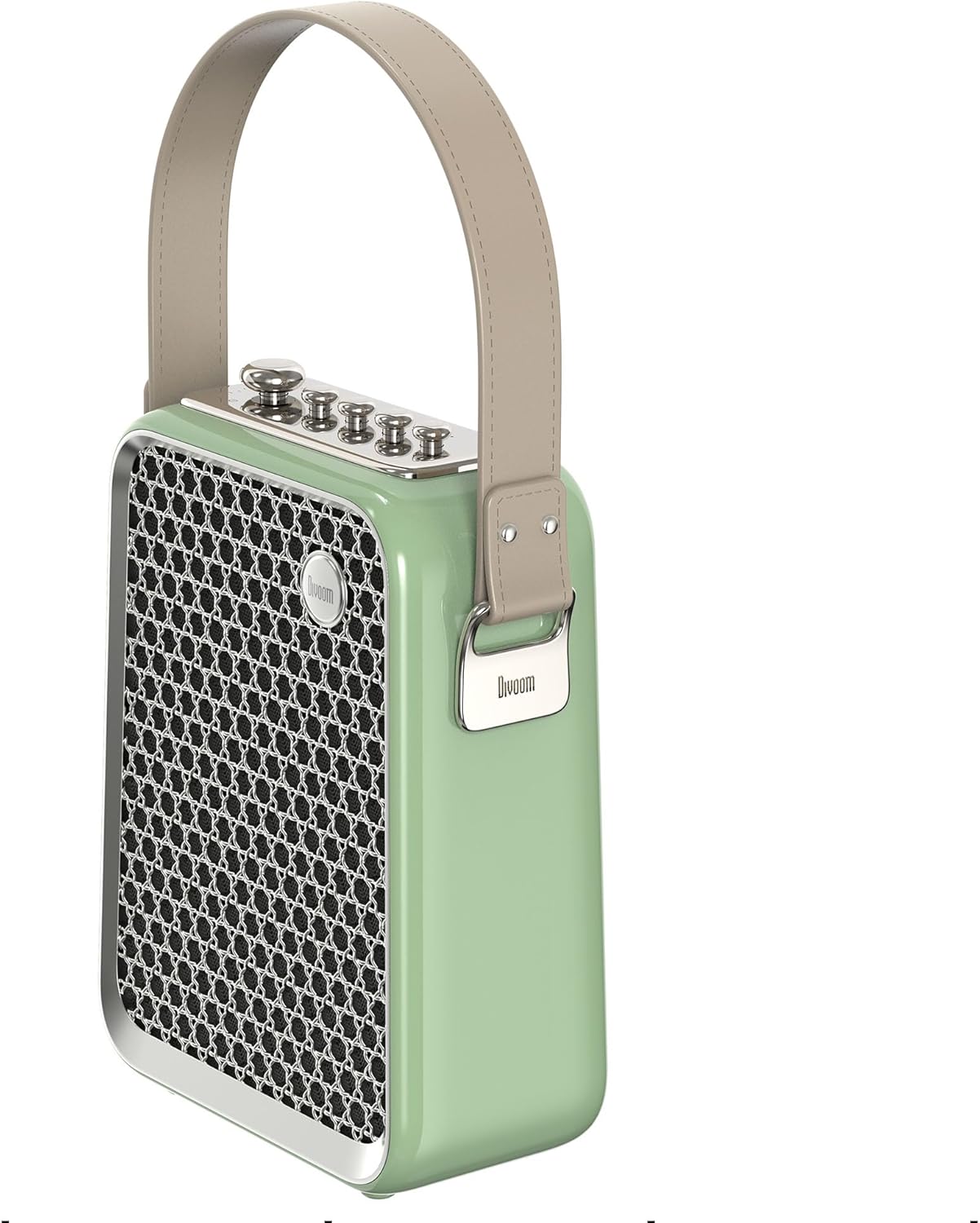
Gambar 5: Sisi profile of the Divoom Songbird speaker, highlighting its compact dimensions and integrated carrying handle.
Garansi sareng Rojongan
Émbaran jaminan
This product may be eligible for extended warranty plans and accidental damage protection plans. Please refer to your purchase documentation or contact your retailer for specific warranty terms and conditions applicable to your region.
- Rencana Garansi Perpanjangan 1 Taun: Sadia keur meuli.
- 1 Year Accidental Damage Protection Plan: Sadia keur meuli.
- Rencana Garansi 2 Taun anu Diperpanjang: Sadia keur meuli.
Rojongan Palanggan
For technical assistance, troubleshooting beyond this manual, or warranty claims, please contact Divoom customer support. Visit the official Divoom website for contact information or refer to the support details provided with your product packaging.
Anjeun oge bisa nganjang ka Divoom brand page on Amazon pikeun inpo nu leuwih lengkep.


