Bubuka
Thank you for choosing the AVMTON Wireless Gaming Mouse. This manual provides detailed instructions on how to set up, operate, and maintain your new mouse, ensuring optimal performance and an enhanced gaming and work experience. Designed for comfort and precision, this ergonomic wireless mouse features adjustable DPI, customizable buttons, and vibrant RGB lighting.
Produk Leuwihview
The AVMTON Wireless Gaming Mouse is engineered for both gaming and office use, offering a comfortable ergonomic design and responsive control. It features a honeycomb hollow design with RGB backlighting, providing both aesthetic appeal and lightweight performance.
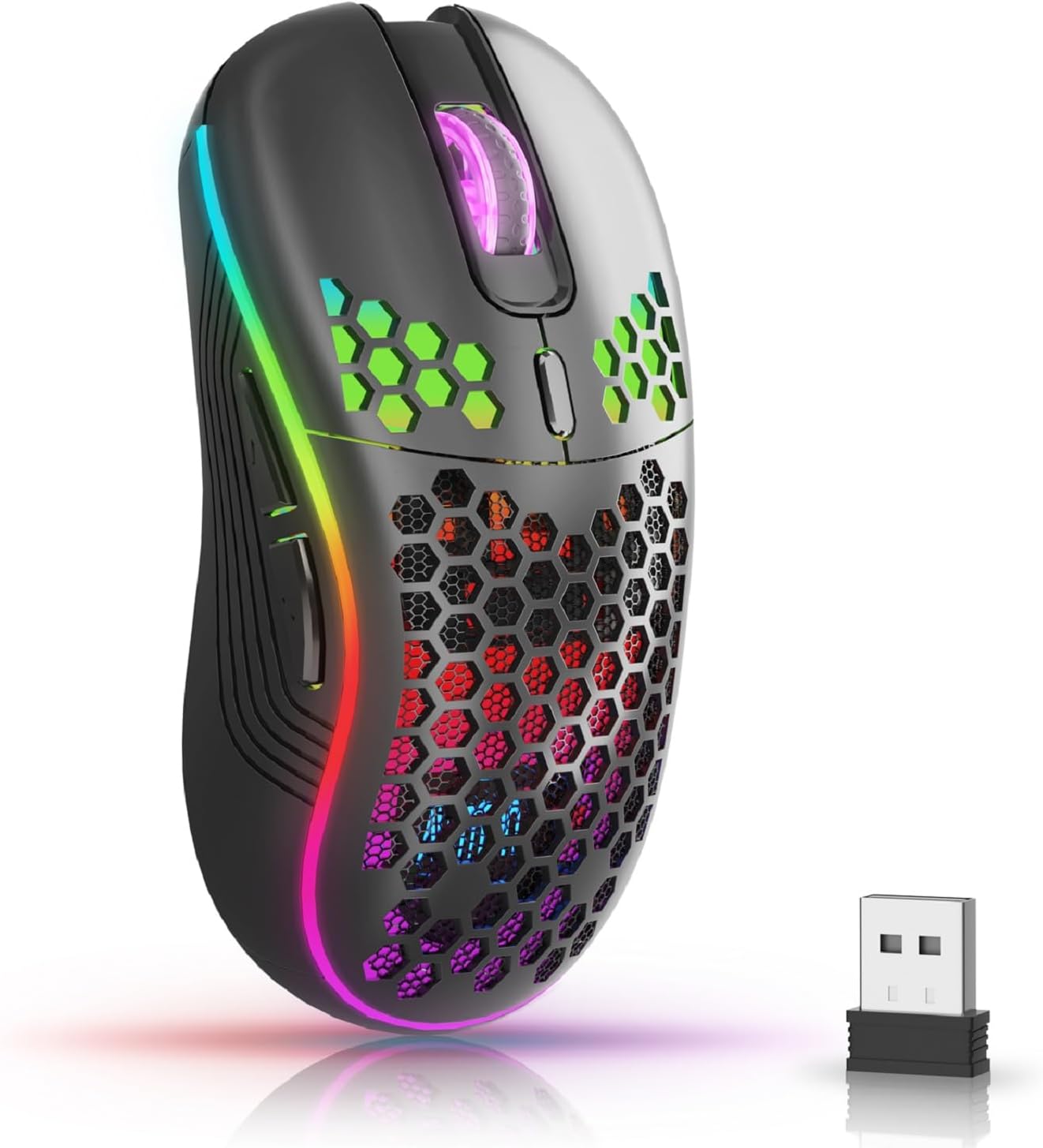
The AVMTON Wireless Gaming Mouse in black, featuring RGB lighting and a honeycomb design, shown alongside its compact USB receiver.

Illustration of the mouse's connectivity modes, including Type-C charging, 2.4G wireless receiver, and a 10m sensing range, suitable for home, gaming, and office environments.
Fitur konci:
- Desain ergonomis: Shaped to fit the hand comfortably, reducing strain during extended use.
- DPI adjustable: Easily switch between 800/1200/1600/2400/4800 DPI settings for precise control.
- 6 Tombol anu tiasa diprogram: Includes forward/backward, left/right click, scroll wheel, and DPI adjustment button.
- Batré anu tiasa dicas deui: Built-in lithium battery with USB-C charging, offering 15-20 days of use on a single charge.
- Desain Klik Silent: Idéal pikeun lingkungan anu sepi sapertos perpustakaan atanapi kantor.
- Kasaluyuan lega: Supports Windows 2000/ME/XP/7/8/10/Vista/98, Mac OS, Linux, and compatible with laptops, PCs, desktops, and Macbooks.
- Konstruksi awét: Tested for over 5 million clicks, ensuring long-lasting performance.
Guide Setup
Follow these steps to set up your AVMTON Wireless Gaming Mouse:
- Ngecas mouse: Before first use, fully charge the mouse using the provided USB-C charging cable. Connect the cable to the mouse's Type-C port and a USB power source (e.g., computer USB port, USB wall adapter). The charging indicator will show the charging status.
- Manggihan USB Receiver: The compact USB 2.4G wireless receiver is typically stored in a compartment on the underside of the mouse for safe keeping during transport.
- Sambungkeun panarima: Insert the USB receiver into an available USB port on your computer (laptop, PC, desktop, Macbook).
- Daya Hurung: Hurungkeun beurit nganggo saklar daya anu aya di handapeun beurit.
- Sambungan otomatis: Beurit kedah otomatis nyambung ka komputer anjeun. Henteu aya supir tambahan anu biasana diperyogikeun pikeun fungsionalitas dasar.
Parentah Operasi
Understanding the functions of your mouse buttons and settings will enhance your experience.
Fungsi Tombol:
- Tombol Klik Kénca: Fungsi klik primér standar.
- Tombol Klik katuhu: Fungsi klik sekundér standar.
- Gulung kabayang: Gulung ka luhur atanapi ka handap dina dokumén sareng web kaca. Bisa ogé dipencet pikeun fungsi klik tengah.
- Tombol Penyesuaian DPI: Located near the scroll wheel. Press this button to cycle through available DPI settings (800/1200/1600/2400/4800). Each press changes the cursor speed and sensitivity.
- Tombol Maju: Typically located on the side of the mouse. Used for navigating forward in web browser atawa file penjelajah.
- Tombol Mundur: Typically located on the side of the mouse. Used for navigating backward in web browser atawa file penjelajah.
Kontrol Lampu Latar RGB:
The mouse features dynamic RGB backlighting. If you prefer to turn off the backlight, refer to the specific instructions provided with your mouse or check the manufacturer's website for software utilities, if available. Some models allow toggling RGB with a combination of buttons (e.g., DPI button + another button).
Pangropéa
Proper maintenance ensures the longevity and performance of your mouse.
- Ngecas: Recharge the mouse when the battery indicator shows low power. A full charge provides approximately 15-20 days of use. It is recommended to fully charge the mouse before extensive use.
- beberesih: Anggo lawon anu lemes sareng garing pikeun ngabersihkeun permukaan beurit. Pikeun kokotor anu bandel, radaamp lawon bisa dipaké, tapi pastikeun teu aya Uap anu asup kana komponén internal. Hindarkeun bahan kimia anu kasar atanapi bahan anu abrasif.
- Panyimpenan: Lamun teu dipaké pikeun période nambahan, pareuman beurit pikeun ngahemat umur batre. Simpen dina tempat anu tiis sareng garing.
Pamérésan masalah
If you encounter issues with your AVMTON Wireless Gaming Mouse, try the following solutions:
- Beurit Teu Ngabales:
- Pastikeun beurit diaktipkeun.
- Pariksa lamun panarima USB geus aman plugged kana port USB jalan dina komputer Anjeun.
- Recharge the mouse. A low battery can cause unresponsiveness.
- Coba colokkeun panarima USB kana port USB anu béda.
- Balikan deui komputer anjeun.
- Lag atanapi Intermittent Connection:
- Ensure the mouse is within the 10-meter sensing range of the USB receiver.
- Remove any large metallic objects or other wireless devices that might be causing interference between the mouse and the receiver.
- Cobi pindahkeun panarima USB ka port anu langkung caket kana beurit.
- Pangaluyuan DPI Henteu Jalan:
- Ensure you are pressing the dedicated DPI adjustment button.
- If the issue persists, try restarting the mouse and your computer.
- Lampu RGB Teu Gawé:
- Check if the RGB backlight has been intentionally turned off (refer to "RGB Backlight Control" in Operating Instructions).
- Pastikeun mouse gaduh daya batré anu cekap.
If these steps do not resolve the issue, please contact AVMTON customer support for further assistance.
spésifikasi
| Fitur | Rincian |
|---|---|
| merek | AVMTON |
| Nomer modél | AV-DDMB-1 |
| Warna | Hideung |
| Téhnologi konektipitas | 2.4G Nirkabel (USB Receiver) |
| Setélan DPI | 800 / 1200 / 1600 / 2400 / 4800 |
| Jumlah Kancing | 6 |
| Orientasi leungeun | Leres |
| Kahirupan batré | Approx. 15-20 days (on a single charge) |
| Port ngecas | USB Tipe-C |
| Sistem Operasi cocog | Windows 2000/ME/XP/7/8/10/Vista/98, Mac OS, Linux |
| Alat nu cocog | Komputer Pribadi, Laptop |
| Fitur husus | Portable, Ergonomic, Rechargeable, RGB Backlight, Silent Click |
Garansi sareng Rojongan
AVMTON offers a 12-month worry-free after-sales service for this product. If you encounter any problems with your wireless mouse, please do not hesitate to contact us. Our customer support team is ready to assist you.
For support, please visit the official AVMTON websitus atanapi ngahubungan pangecér Anjeun.


