Bubuka
These Coby True Wireless Earbuds provide a high-quality audio experience with advanced features designed for convenience and performance. They feature adaptive noise isolation, an LCD battery display charging case, voice assistant support, and immersive high-fidelity audio. With up to 10 hours of total playtime and Bluetooth 5.3 connectivity, these earbuds are ideal for daily use, commutes, and active lifestyles.
Eusi pakét

Image: The retail box, the charging case with earbuds inside, two loose earbuds, and a USB-C charging cable are displayed on a white surface.
Saatos muka bungkusan, pastikeun sadaya komponén aya:
- Coby True Wireless Earbuds (Left and Right)
- Charging Case with LCD Battery Display
- Kabel Ngecas USB-C
- Bantalan Ceuli (rupa-rupa ukuran)
Disetél
1. Ngecas Awal

Image: Two black charging cases are shown, one with a USB-C cable plugged in, illustrating the fast charging capability. The LCD display on the cases shows "100".
Before first use, fully charge the earbuds and the charging case. Place the earbuds into the charging case. Connect the provided USB-C cable to the charging port on the case and the other end to a USB power source (e.g., wall adapter, computer USB port).
The LCD display on the charging case will show the current battery percentage, indicating charging progress. A full charge is indicated by "100" on the display.
2. Papasangan Bluetooth

Image: A smartphone screen displays the Bluetooth settings, showing "CETW526" as a connected device. The charging case with earbuds is next to the phone.
- Pastikeun yén earbuds dieusi sareng di jero wadah ngecas.
- Buka tutup wadah ngecas. Earbuds bakal otomatis asup kana mode papasangan.
- Dina alat Anjeun (smartphone, tablet, jsb), aktipkeun Bluetooth.
- Milarian pikeun new devices. Select "CETW526" from the list of available devices.
- Sakali disambungkeun, ajakan sora bakal mastikeun papasangan suksés.
The earbuds utilize Bluetooth 5.3 for stable and fast wireless connectivity.
Parentah Operasi
Ngagem Earbuds

Image: A close-up of a man wearing a black Coby True Wireless Earbud, demonstrating a snug and secure fit in the ear.
Gently insert each earbud into your ear canal. Adjust the earbud until it feels snug and comfortable. The correct fit is crucial for optimal sound quality and noise isolation.
Putereun Audio sareng Telepon
The earbuds feature intuitive controls for managing your audio and calls. Specific touch controls may vary slightly, but general functions include:
- Puter / Reureuh: Ketok tunggal dina boh earbud.
- Lagu salajengna: Ketok dua kali dina earbud katuhu.
- Lagu Sateuacanna: Ketok dua kali dina earbud kénca.
- Ngajawab / mungkas Telepon: Ketok tunggal dina boh earbud nalika aya telepon asup.
- Nolak Telepon: Pencet jeung tahan boh earbud salila 2 detik dina mangsa telepon asup.
- Aktipkeun Asisten Sora: Triple tap on either earbud to activate your device's voice assistant (e.g., Siri, Google Assistant).
These earbuds offer adaptive noise isolation to reduce ambient noise, allowing for a more immersive listening experience.
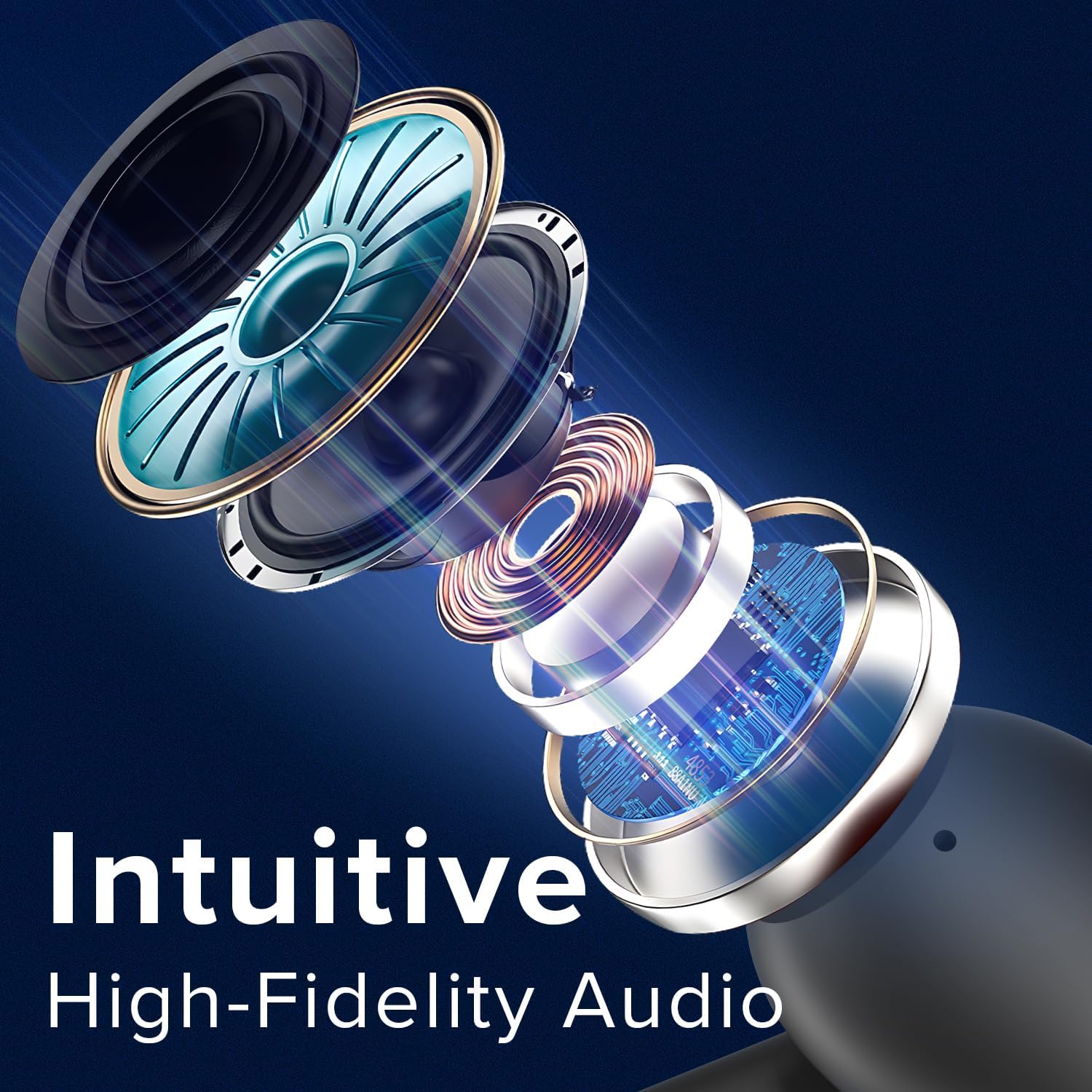
Image: An exploded diagram illustrates the internal components of a Coby earbud, highlighting its high-fidelity audio drivers and circuitry.
Pangropéa
To ensure the longevity and optimal performance of your Coby True Wireless Earbuds, follow these maintenance guidelines:
- beberesih: Regularly clean the earbuds and charging case with a soft, dry, lint-free cloth. Do not use abrasive cleaners or solvents. For earwax buildup, gently clean the ear tips with a small, soft brush or cotton swab.
- Panyimpenan: When not in use, always store the earbuds in their charging case to protect them from dust, dirt, and physical damage.
- Perawatan batré: Avoid fully depleting the battery frequently. Charge the case and earbuds regularly, even if not in constant use, to maintain battery health.
- Tahan cai: The earbuds are water-resistant, but not waterproof. Avoid submerging them in water or exposing them to heavy rain. Dry them thoroughly if they get wet from sweat or light splashes.
Pamérésan masalah
Upami anjeun ngalaman masalah sareng earbud anjeun, cobian solusi ieu:
| Masalah | Solusi |
|---|---|
| Earbuds teu dipasangkeun / nyambungkeun. |
|
| Ngan hiji earbud jalan. |
|
| Volume lemah atawa kualitas sora goréng. |
|
| Kasus ngecas teu ngecas. |
|
spésifikasi
| Fitur | Rincian |
|---|---|
| Ngaran modél | Earbuds nirkabel |
| Nomer Modél Item | CETW526 |
| Téhnologi konektipitas | Nirkabel (Bluetooth) |
| Vérsi Bluetooth | 5.3 |
| Daya Tahan Batré (Total Waktos Maén) | Nepi ka 10 Jam |
| Tipe Kontrol | Kontrol sora |
| Kontrol bising | Isolasi sora |
| Tingkat Résistansi Cai | Tahan cai |
| Rentang Frékuénsi | 20 Hz - 20,000 Hz |
| Alat nu cocog | iPhone, iPad, Android, Smartphone, Bluetooth Enabled Devices |
| Dimensi produk | 1.62 x 5.52 x 7.49 inci |
| Item Beurat | 3.2 ons |
| UPC | 810071493423 |
Garansi sareng Rojongan
For warranty information or technical support, please refer to the warranty card included with your product or visit the official Coby website. You may also contact Coby customer service directly for assistance with product issues or inquiries.
Catetan: Simpen resi pameseran anjeun salaku bukti pameseran pikeun klaim garansi.


