1. Bubuka
This manual provides essential information for the proper installation, operation, and maintenance of your LC-Power FHD 32 inch 165Hz Curved Gaming Monitor (Model: LC-M32-FHD-165-C-A). Please read this manual thoroughly before using the product to ensure optimal performance and safety.

Gambar 1.1: Hareupeun view of the LC-Power 32-inch curved gaming monitor.
2. Émbaran Kasalametan
Perhatikeun pancegahan kaamanan ieu pikeun nyegah karusakan monitor sareng mastikeun kasalametan pangguna:
- Ulah ngalaan monitor ka hujan, beueus, atawa suhu ekstrim.
- Pastikeun ventilasi ditangtoskeun sabudeureun monitor. Ulah meungpeuk bukaan ventilasi.
- Paké ngan adaptor kakuatan disadiakeun kalawan monitor.
- Hindarkeun nempatkeun barang beurat dina kabel listrik.
- Cabut kabel daya tina stop kontak nalika aya badai atanapi henteu dianggo salami lami.
- Ulah nyobian ngalereskeun monitor sorangan. Serahkan sadaya perawatan ka tanaga anu mumpuni.
3. Eusi Paket
Pastikeun yén sadaya item aya dina bungkusan:
- LC-Power 32 inch Curved Gaming Monitor
- Stand Monitor (Dasar sareng Beuheung)
- Adaptor Daya sareng Kabel Daya
- Kabel HDMI
- Manual pamaké
- Screws pikeun Majelis Stand
4. Setélan
4.1 Ngarakit Stand
- Cabut monitor sacara saksama tina bungkusanna, jaga ditangtayungan dina permukaan anu lemes.
- Gantelkeun beuheung nangtung ka panel monitor ngagunakeun screws disadiakeun.
- Connect the stand base to the stand neck and secure it with the remaining screws.
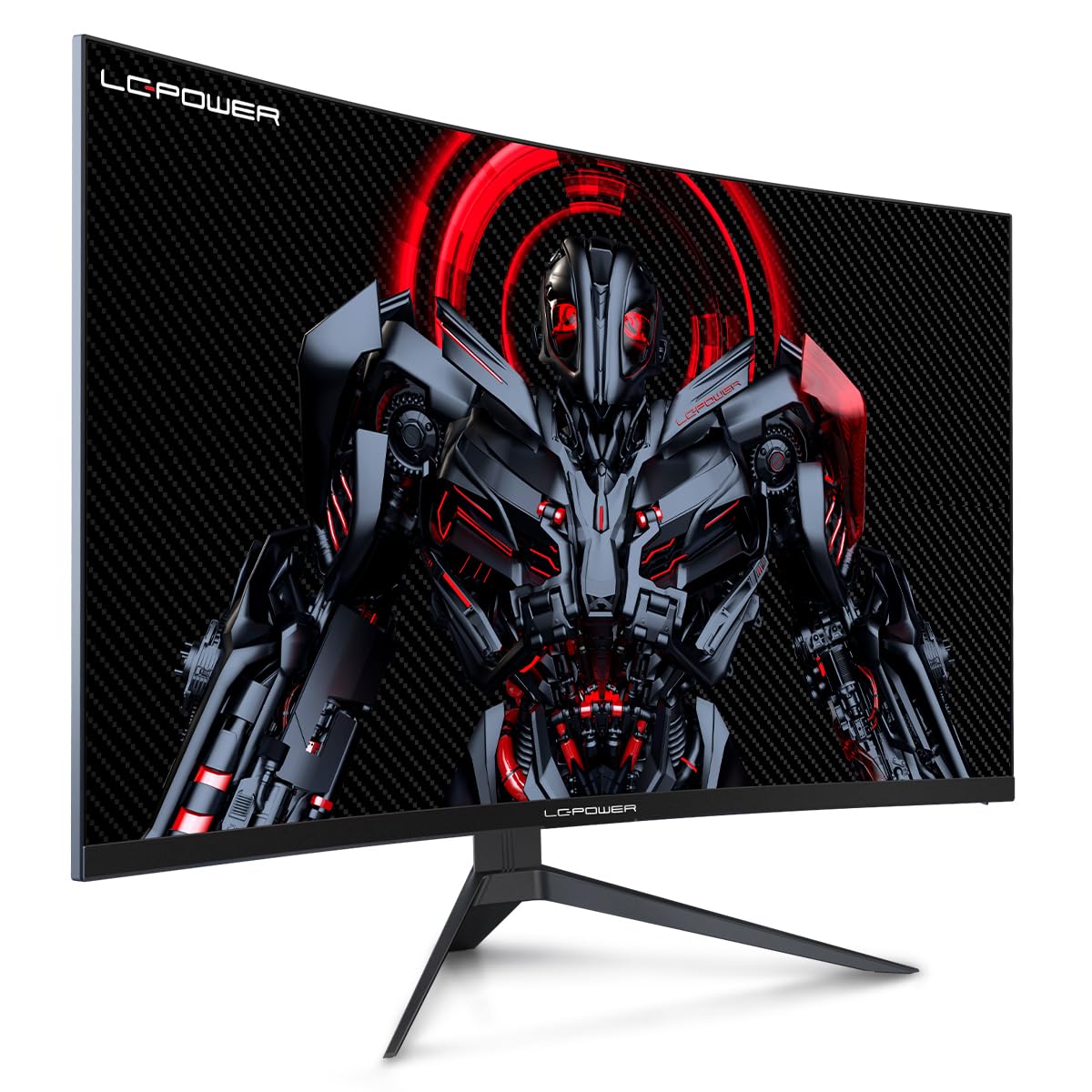
Figure 4.1: LC-Power monitor with stand assembled.
4.2 Nyambungkeun Kabel
Connect the necessary cables to the monitor's rear ports:
- kakuatan: Connect the power adapter to the monitor's DC input and then to a power outlet.
- Video Input: Connect an HDMI or DisplayPort cable from your computer's graphics card to the corresponding port on the monitor.

Gambar 4.2: Tukangeun view tina monitor jeung palabuhan input.
4.3 Pamasangan VESA (Opsional)
The monitor supports VESA 100x100mm mounting. To use a VESA mount, remove the stand and attach the monitor to a compatible VESA bracket using appropriate screws (not included).
5. Parentah Operasi
5.1 Daya Hurung/Pareuman
Press the power button, typically located on the back or bottom of the monitor, to turn the monitor on or off. The power indicator light will illuminate when the monitor is on.
5.2 Menu dina layar (OSD).
The OSD menu allows you to adjust various monitor settings. Use the control buttons (joystick or individual buttons) on the monitor to navigate the menu.
Setélan OSD umum:
- Setélan Gambar: Saluyukeun kacaangan, kontras, seukeutna gambar, sareng suhu warna.
- Pilih Input: Pindah sacara manual antara input HDMI sareng DisplayPort.
- Audio: Adjust volume if external speakers are connected via the monitor's audio output.
- Setélan kaulinan: Access features like Overdrive, GamePlus (crosshair overlays), FPS/RTS modes, and Adaptive Sync.
- Setélan tampilan: Adjust aspect ratio, resolution, and refresh rate. Ensure your graphics card is configured to output 1920x1080 resolution at 165Hz for optimal performance.
- Lampu Biru Lemah & Henteu Kedip-kedip: These features are designed to reduce eye strain during prolonged use. They can be enabled or disabled in the OSD menu.
6. Pangropéa
6.1 Ngabersihan Monitor
- Salawasna cabut monitor saméméh beberesih.
- Make kaen nu lemes, teu aya lint rada dampDieusian ku cai atanapi pembersih layar anu hampang sareng henteu abrasive.
- Ulah menyemprot cleaner langsung kana layar.
- Avoid using benzene, thinner, or ammonia-based cleaners.
6.2 Panyimpenan
If storing the monitor for an extended period, disconnect all cables, pack it in its original packaging, and store it in a cool, dry place away from direct sunlight.
7. Cara ngungkulan
Tingali tabel di handap ieu pikeun masalah umum sareng solusina:
| Masalah | Mungkin Cukang lantaranana | Solusi |
|---|---|---|
| Henteu aya gambar dina layar | Power cable disconnected; Video cable disconnected; Incorrect input selected | Check power and video cable connections; Select correct input via OSD menu |
| Gambar kedip-kedip | Faulty video cable; Graphics card driver issue; Refresh rate mismatch | Replace video cable; Update graphics drivers; Set refresh rate to 165Hz in OS display settings |
| Warna némbongan lepat | Color settings in OSD; Graphics card settings | Adjust color settings in OSD; Calibrate colors via graphics card control panel |
| Monitor teu hurung | Power cable not connected; Power adapter faulty | Ensure power cable is securely connected; Test power outlet; Contact support if adapter is suspected faulty |
8. Spésifikasi
Detailed technical specifications for the LC-Power LC-M32-FHD-165-C-A monitor:
| Fitur | Spésifikasi |
|---|---|
| merek | LC-Kakuatan |
| Modél | LC-M32-FHD-165-CA |
| Ukuran layar | 32 inci |
| Resolusi layar | 1920 x 1080 (FHD 1080p) |
| Refresh Laju | 165 Hz |
| Waktu Tanggapan | 1 Milidetik |
| Curvature | 1500R |
| Rasio Aspék | 16:9 |
| Téknologi tampilan | LCD |
| Viewdina Angle | 178 darajat |
| Panganteur Hardware | HDMI, DisplayPort |
| Fitur husus | Curved, Flicker-Free, Low Blue Light, GamePlus, Overdrive, FPS/RTS |
| Kasaluyuan VESA | 100 x 100 mm |
| Dimensi produk | 14.3 x 53.8 x 40.6 cm (L x W x H) |
| Item Beurat | 8.24 kg |
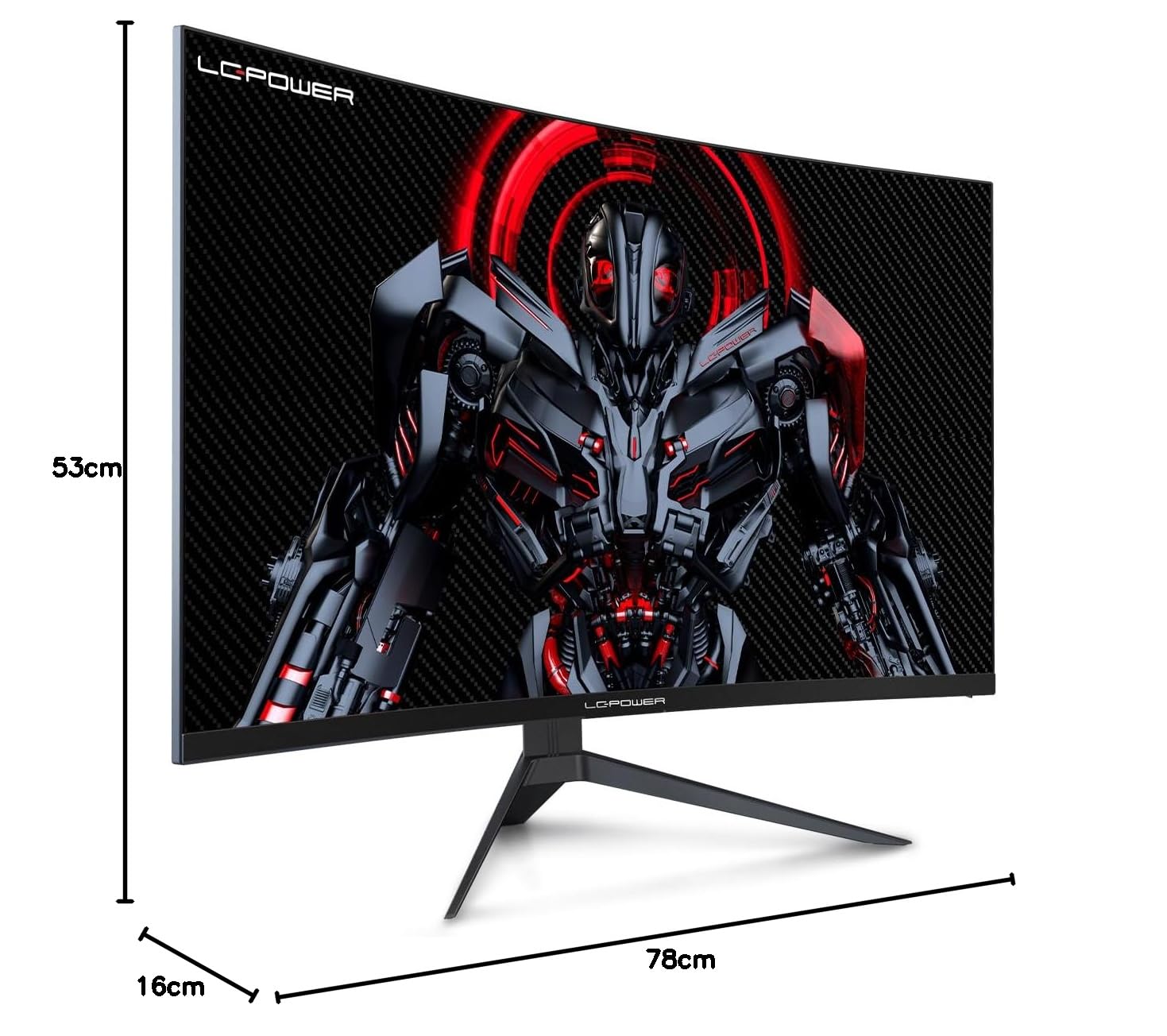
Figure 8.1: Monitor dimensions for planning installation space.
9. Garansi jeung Rojongan
LC-Power provides a three-year warranty for this product. Additionally, a twelve-month replacement service is available. For technical assistance or inquiries regarding damage, defects, or missing parts, please contact LC-Power customer support. Telephone technical support is also available.


