1. Bubuka
The Livoo TES255 is a multifunctional device that combines a Bluetooth speaker, a digital alarm clock, and a color-changing light. It is designed for convenience and versatility, offering features such as hands-free calling, a rechargeable battery, and a TF card slot for direct music playback.
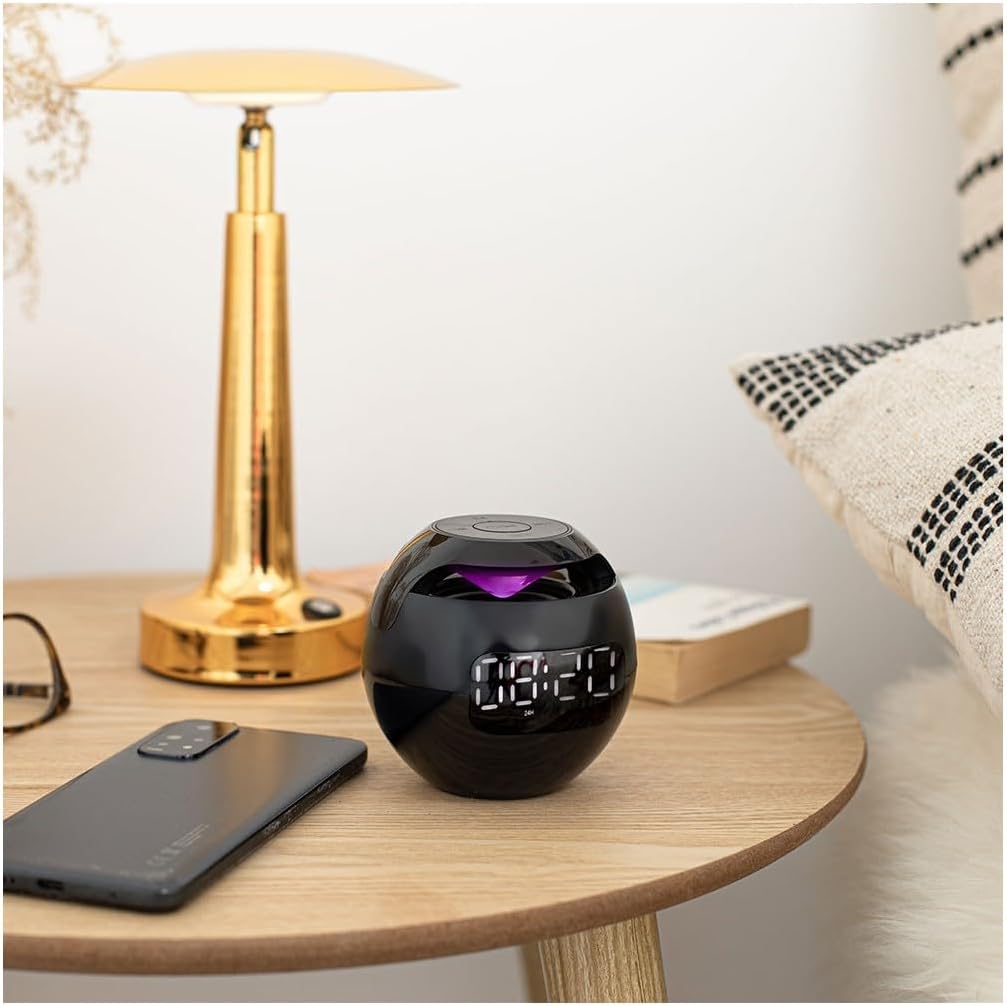
Image 1.1: The Livoo TES255 Bluetooth Speaker Alarm Clock positioned on a bedside table.
2. Émbaran Kasalametan
- Entong ngalaan alat ka suhu anu ekstrim, sinar panonpoé langsung, atanapi kalembaban anu luhur.
- Hindarkeun ragrag atanapi ngagentoskeun alat kana tabrakan anu kuat.
- Jauhkeun alat tina cai sareng cairan sanés.
- Ulah nyobian ngabongkar atanapi ngalereskeun alat nyalira. Hubungi petugas servis anu mumpuni.
- Anggo ukur kabel ngecas anu disayogikeun atanapi anu sarimbag anu disertipikasi.
3. Eusi Paket
- Livoo TES255 Bluetooth Speaker Alarm Clock
- Kabel Ngecas USB
- Manual pamaké
4. Produk Langkungview
4.1 Témbongkeun hareup

Gambar 4.1: Hareupeun view of the Livoo TES255, highlighting the digital time display and alarm indicators.
The front of the device features a clear digital display showing the current time. Alarm indicators (bell icons) are visible when alarms are set.
4.2 Panel kontrol

Gambar 4.2: Luhur view of the Livoo TES255, illustrating the control buttons.
- Power / Play / Pause Button: Press and hold to power on/off. Press to play/pause music or answer/end calls.
- Tombol M (Modeu): Press to switch between Bluetooth, TF card, and Clock modes.
- Previous Track / Volume Down Button: Press to go to the previous track. Press and hold to decrease volume.
- Next Track / Volume Up Button: Press to go to the next track. Press and hold to increase volume.
- Tombol SET: Press to enter time/alarm setting mode.
4.3 Palabuhan

Gambar 4.3: Sisi view of the Livoo TES255, showing the Micro USB charging port and TF card slot.
- Port Mikro USB Ngecas: Pikeun nyambungkeun kabel ngecas USB.
- Slot Kartu TF: For inserting a MicroSD (TF) card for music playback.
5. Setélan
5.1 Ngecas Alat
The Livoo TES255 is equipped with a 1200 mAh rechargeable Li-ion battery. Before first use, fully charge the device. Connect the provided USB charging cable to the Micro USB port on the device and the other end to a USB power adapter (not included) or a computer's USB port. The charging indicator light will illuminate during charging and turn off when fully charged. A full charge provides up to 3 hours of continuous playback.
5.2 Daya Hurung/Pareuman
Pencét jeung tahan tombol Daya / Play / Reureuh button for approximately 3 seconds to turn the device on or off.
5.3 Nyetél Waktos sareng Alarm
- In Clock mode, press the SET tombol pikeun asup ka modeu setelan waktu. Angka jam bakal kedip-kedip.
- Ngagunakeun éta Lagu saméméhna / Volume Turun jeung Lacak / Jilid salajengna tombol pikeun nyaluyukeun jam.
- Pencét SET deui pikeun pindah ka pangaturan menit. Atur menit nganggo tombol volume.
- Pencét SET again to set Alarm 1. The alarm hour digits will flash. Adjust as needed.
- Pencét SET again to set Alarm 1 minutes. Adjust as needed.
- Repeat the process for Alarm 2.
- Pencét SET sakali deui pikeun kaluar ti modeu setelan.
- Pikeun ngaktipkeun/nonaktipkeun alarm, pencét sakeudeung SET button when not in setting mode. The alarm icon will appear/disappear on the display.
6. Parentah Operasi
6.1 Nyapasangkeun Bluetooth
- Pastikeun spiker diaktipkeun.
- Pencét éta M (modus) button until the device enters Bluetooth mode (a voice prompt or indicator light may confirm this).
- Dina telepon pinter anjeun atanapi alat Bluetooth anu sanés, aktipkeun Bluetooth teras milarian alat anu sayogi.
- Select "TES255" from the list of devices to pair.
- Once paired, you will hear a confirmation sound, and you can now play audio through the speaker.
6.2 Puterkeun Musik
- Ngaliwatan Bluetooth: After successful pairing, play music from your connected device. Use the Play / Reureuh button to control playback. Use the Lagu saméméhna / Volume Turun jeung Lacak / Jilid salajengna buttons for track navigation and volume adjustment.
- Via TF Card: Lebetkeun kartu MicroSD (TF) nganggo audio MP3 files into the TF card slot. The device should automatically switch to TF card mode and begin playback. If not, press the M (modus) button to select TF card mode. Use the same controls as Bluetooth for playback, track navigation, and volume.
6.3 Telepon bebas leungeun
When connected via Bluetooth to your smartphone, the integrated microphone allows for hands-free calling.
- Ngajawab Telepon: Pencét éta Daya / Play / Reureuh tombol sakali pikeun ngajawab telepon asup.
- Tungtung Telepon: Pencét éta Daya / Play / Reureuh tombol sakali salami nelepon pikeun mungkas telepon.
- Nolak Telepon: Pencét jeung tahan tombol Daya / Play / Reureuh tombol salami 2 detik kanggo nampik telepon asup.
6.4 Color Changing Lights

Image 6.1: The Livoo TES255 showcasing its color-changing LED light feature.
The device features an integrated color-changing light. To activate or change the light mode, refer to the specific instructions in your device's quick start guide or experiment with short presses of the M (modus) button or a dedicated light button if available (not explicitly detailed in provided data).
7. Pangropéa
- Bersihkeun alat ku kaen anu lemes sareng garing. Ulah make cleaners abrasive atawa pangleyur.
- Avoid exposing the device to dust or dirt, which can affect performance.
- If storing the device for an extended period, charge it periodically to maintain battery health.
8. Cara ngungkulan
- Alat teu hurung: Pastikeun batréna geus dieusian. Sambungkeun kabel ngecas tur cobian deui.
- Teu aya sora: Check the volume level on both the speaker and your connected device. Ensure the device is correctly paired via Bluetooth or that the TF card is properly inserted.
- Masalah sambungan Bluetooth: Ensure the speaker is in Bluetooth pairing mode. Make sure your device is within the effective range (typically 10 meters) and there are no obstructions. Try unpairing and re-pairing the device.
- Alarm teu disada: Verify that the alarm is set correctly and activated (alarm icon visible on display). Check the volume level.
9. Spésifikasi
| merek | Livoo |
| Nomer modél | TES255 |
| Warna | Hideung |
| Ukuran (L x W x H) | 8.4 x 3.81 x 9 cm |
| Beurat | 250 g |
| Bahan | palastik |
| Batré | 1200 mAh Li-ion (Rechargeable) |
| Konektipitas | Bluetooth |
| Fitur husus | Integrated microphone for hands-free calls, color-changing light, TF card slot, dual programmable alarms, digital display |
| Sumber Daya | Batré Powered |
10. Garansi jeung Rojongan
For warranty information and customer support, please refer to the documentation provided with your purchase or contact Livoo customer service directly. Keep your proof of purchase for warranty claims.


