1. Bubuka
Welcome to the user manual for your GMKtec Nucbox G10 Mini PC. This document provides essential information for setting up, operating, maintaining, and troubleshooting your device. The Nucbox G10 is a compact and versatile mini PC designed for various applications, from office productivity and home entertainment to light gaming and server tasks.
2. Eusi Paket
Punten parios yén sadaya barang anu didaptarkeun di handap kalebet kana pakét anjeun:
- GMKtec Nucbox G10 AMD Ryzen 5 3500U Mini PC Computer
- Power Supply & Cable
- Kabel HDMI
- Dudukan sareng Sekrup VESA
- Manual pamaké
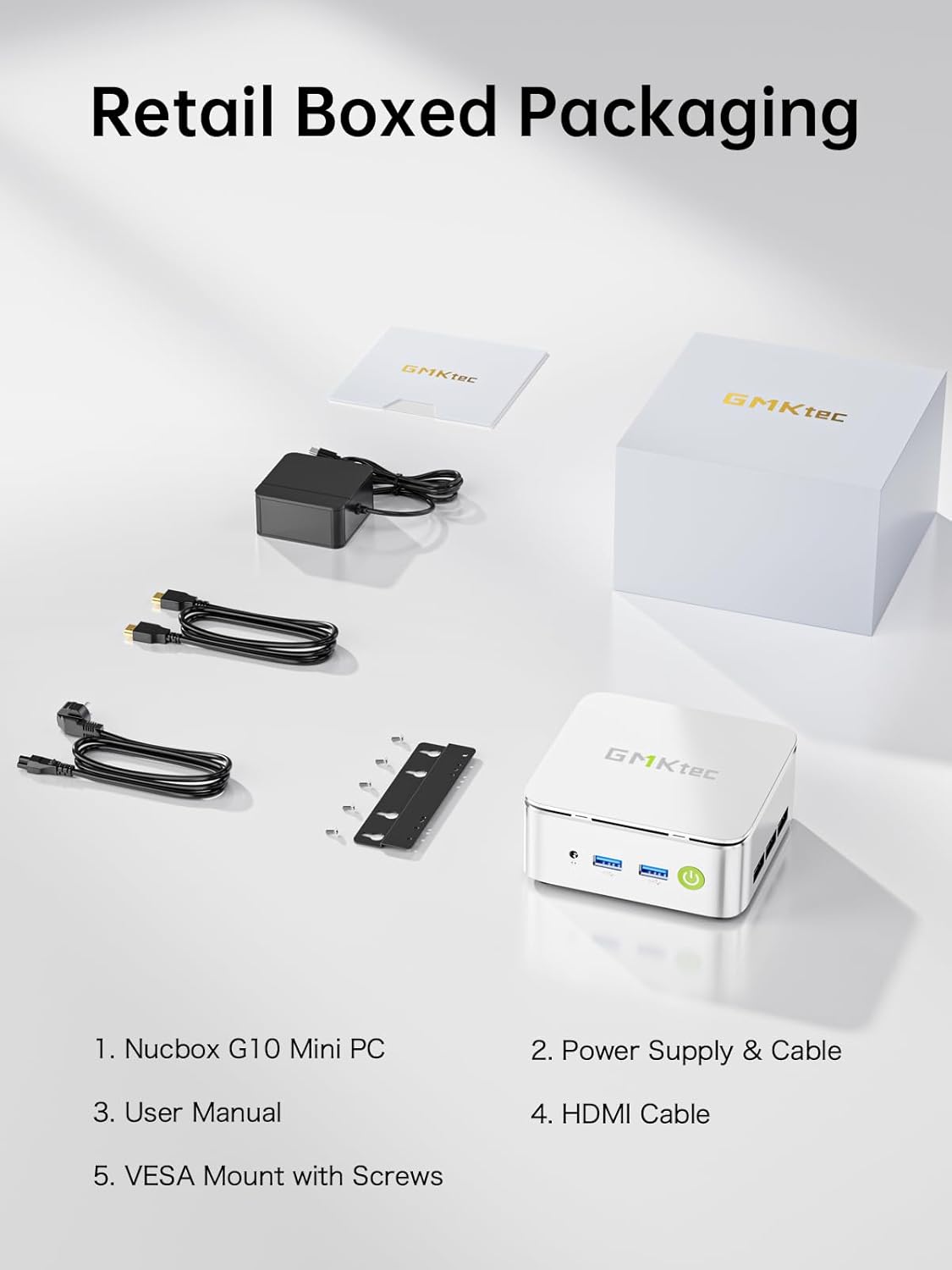
Figure 2.1: The retail packaging contents of the GMKtec Nucbox G10, including the Mini PC, power supply & cable, HDMI cable, VESA mount with screws, and user manual.
3. Produk Langkungview
The GMKtec Nucbox G10 is an ultra-compact mini PC featuring robust specifications for diverse computing needs.
- Prosesor: AMD Ryzen 5 3500U (64-bit quad-core, 2.1 GHz base, 3.7 GHz boost)
- Grafik: Integrated AMD Radeon Vega 8 Graphics (up to 1.2 GHz)
- Mémori: 16GB DDR4 SO-DIMM RAM (Dual Channel, expandable to 64GB)
- Panyimpenan: 1TB NVMe SSD (Dual M.2 2280 PCIe 3.0 slots, expandable to 16TB)
- Jaringan: 2.5GbE LAN, Wi-Fi 5 (802.11ac), Bluetooth 5.0
- ukuran: 4.1 x 3.8 x 1.7 inci

Gambar 3.1: A view of the GMKtec Nucbox G10 Mini PC, highlighting its compact design and various front and rear connectivity ports.

Figure 3.2: An infographic illustrating the core features of the Nucbox G10, including its AMD Ryzen 5 3500U processor, silent cooling system, ultra-compact size, Wi-Fi + Bluetooth capabilities, 16GB DDR4 RAM, and 1TB M.2 2280 SSD.
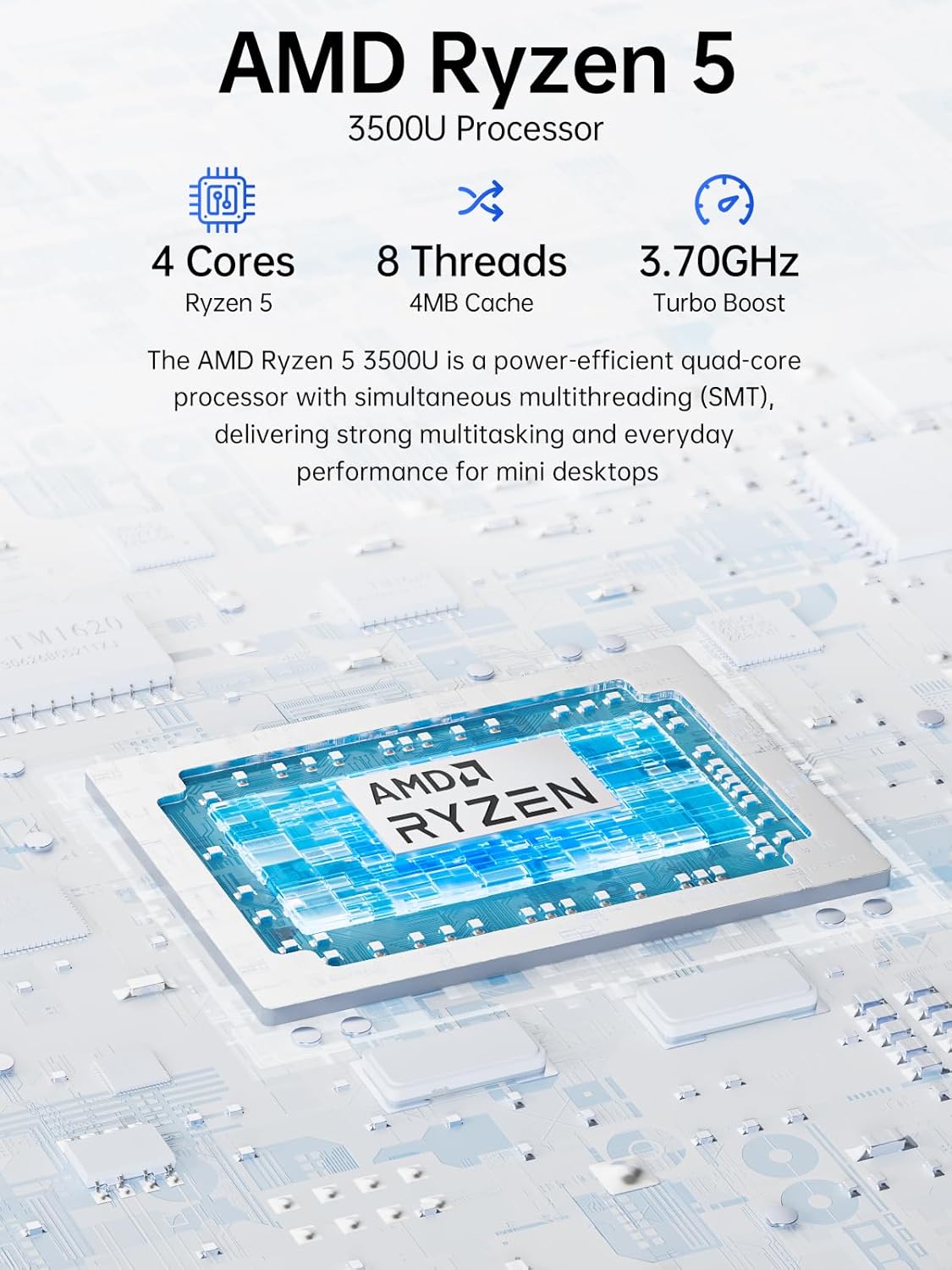
Gambar 3.3: A lengkep view of the AMD Ryzen 5 3500U processor, emphasizing its 4 cores, 8 threads, 4MB cache, and 3.70GHz Turbo Boost, designed for strong multitasking and everyday performance.
4. Setup Guide
4.1 Nyambungkeun périferal
Connect your keyboard, mouse, and other USB devices to the available USB 3.2 (5Gbps) ports on the front or the USB 2.0 port on the rear. The front also features a 3.5mm audio jack for headphones or microphones.
4.2 Sambungan Daya
Connect the provided power supply to the dedicated USB-C (PD Only) port on the rear of the Mini PC. Alternatively, a full-function USB-C port (PD/DP/Data) can also be used with a compatible docking station that provides power delivery.
4.3 Sambungan tampilan
The Nucbox G10 supports up to three independent 4K displays simultaneously. Connect your monitors using the following ports:
- HDMI 2.1 (4K@60Hz)
- DisplayPort 1.4 (4K@60Hz)
- Full Function USB-C (DP/DATA/PD)
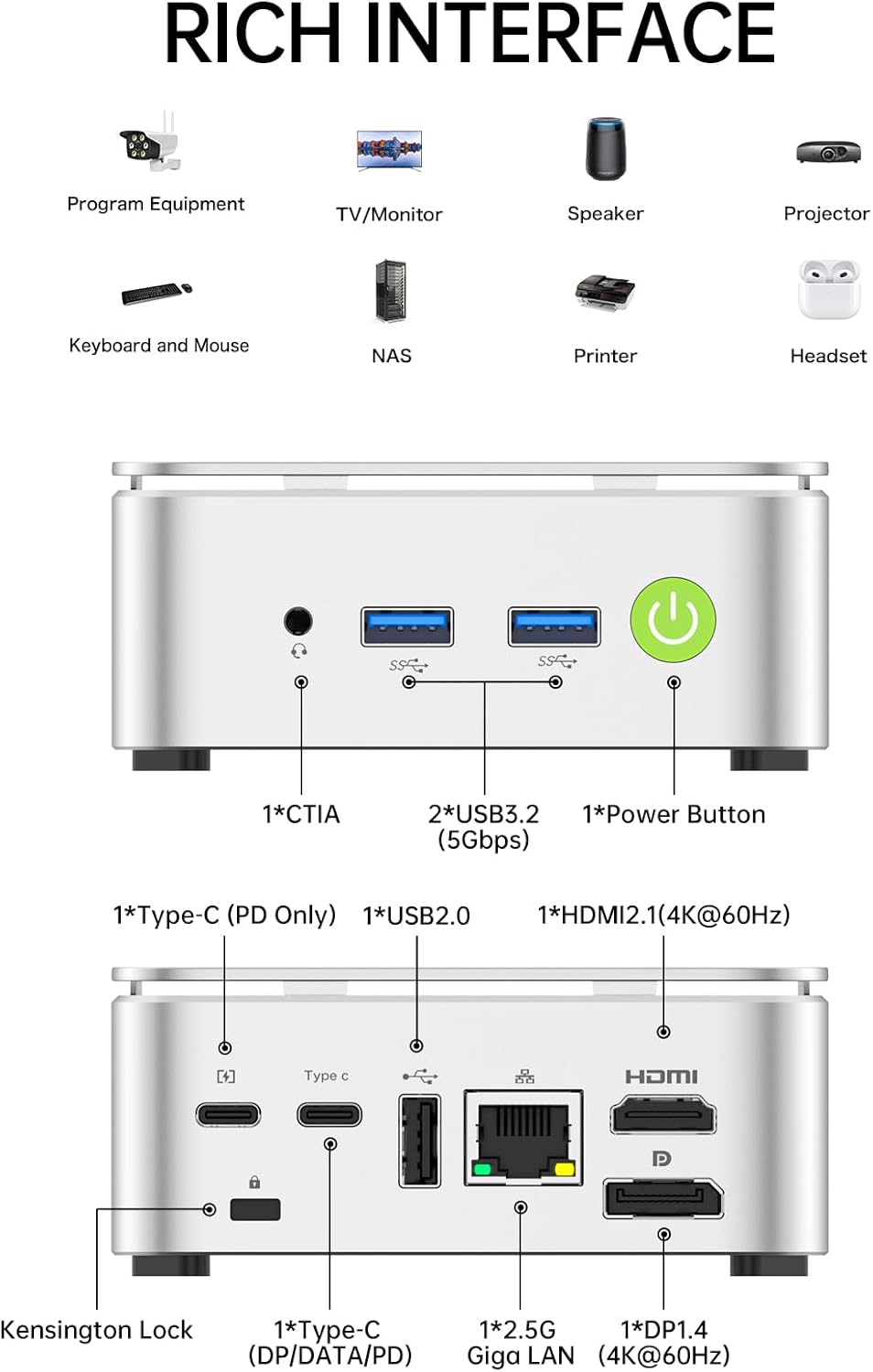
Figure 4.1: A comprehensive diagram labeling all front and rear input/output ports of the Nucbox G10, including USB 3.2, USB 2.0, 3.5mm audio jack, Power Button, Type-C (PD Only), Type-C (DP/DATA/PD), 2.5G Giga LAN, HDMI 2.1, DP 1.4, and Kensington Lock.
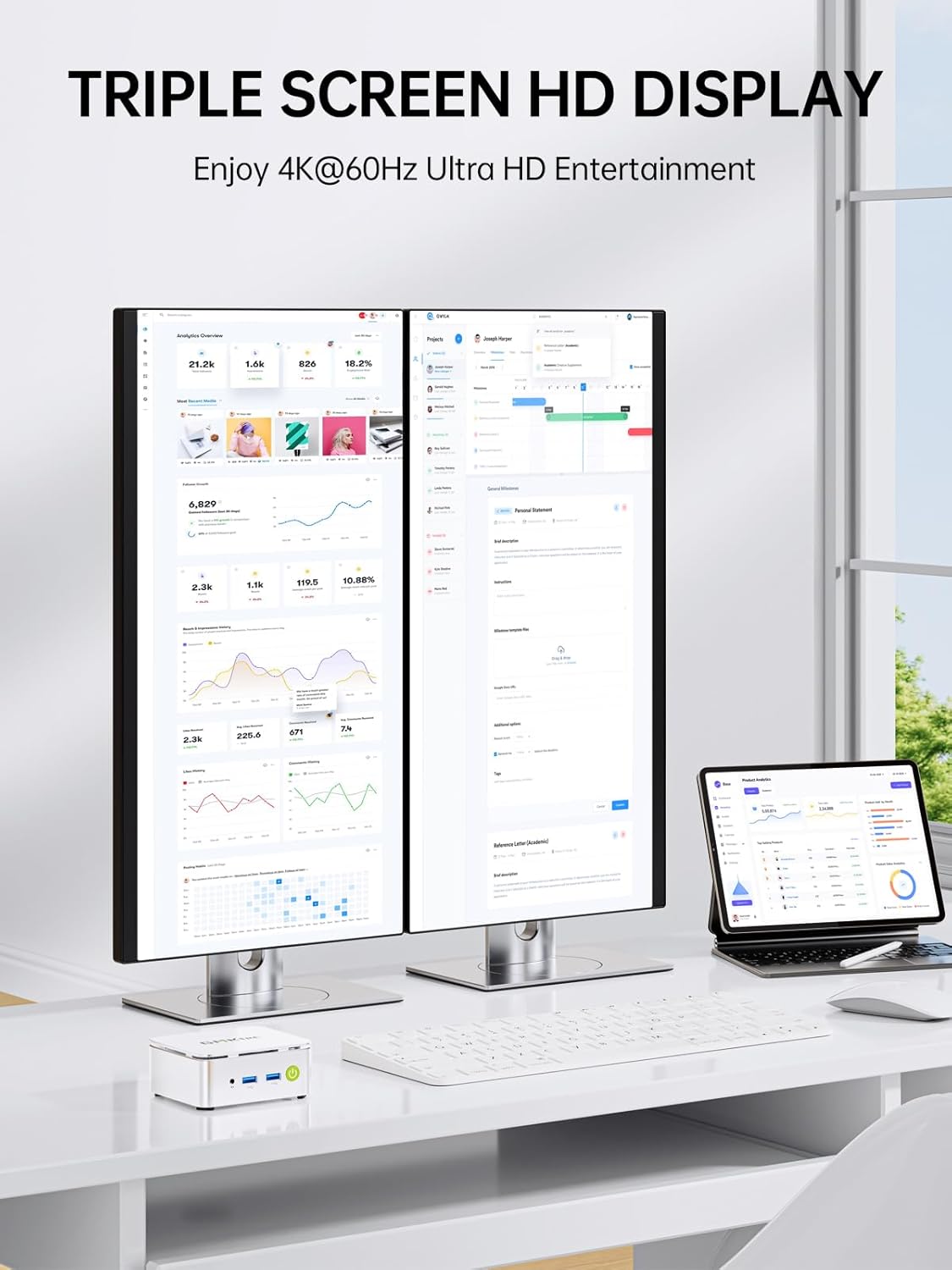
Figure 4.2: An illustration of the Nucbox G10 supporting a triple screen HD display setup, allowing users to enjoy 4K@60Hz Ultra HD entertainment and enhanced productivity across multiple monitors.
5. Operating System & Performance
5.1 Pre-installed Operating System
Your Nucbox G10 comes with an activated version of Windows 11 Pro, offering enhanced features for business and advanced users.
5.2 BIOS Settings for Optimal Performance
To achieve the full performance potential of your Nucbox G10, it is recommended to adjust certain settings in the BIOS. By default, the system may operate in a balanced power mode, which can limit performance under heavy loads.
- Ngaksés BIOS: Power on the Mini PC and repeatedly press the Esc key during startup to enter the BIOS setup utility.
- Power Limit Select: Navigate to the 'Main' tab. Under 'Power Limit Select', change the setting from 'Balance' (default 15W TDP) to 'High Performance' (35W TDP). This significantly improves CPU and GPU performance.
- System Fan Speed Control: Go to the 'Advanced' tab, then 'Hardware Monitor', and select 'System Fan Speed Control'. By default, 'System Smart Fan' is 'Disabled', meaning it automatically adjusts fan speed. For sustained high performance and to prevent thermal throttling, it is recommended to 'Enable' 'System Smart Fan' and set 'PWM Control System Fan Speed' to '100%'. This ensures the fan runs at full speed to maintain optimal temperatures.
Note: Running the fan at 100% will increase audible fan noise but is crucial for maintaining peak performance during demanding tasks.
5.3 Konektipitas jaringan
The Nucbox G10 offers versatile network options:
- 2.5GbE Ethernet: For high-speed wired network connections, ideal for servers or demanding network tasks.
- Wi-Fi 5 (802.11ac): Provides fast and stable wireless internet access.
- Bluetooth 5.0: Pikeun nyambungkeun periferal nirkabel sapertos kibor, beurit, sareng headphone.
5.4 Linux Compatibility
The Nucbox G10 is compatible with Linux distributions such as Ubuntu. Ethernet, Wi-Fi, Bluetooth, audio, and video functionalities are generally supported. Linux may offer a snappier experience at lower power settings due to less overhead compared to Windows.
6. Hardware Maintenance & Upgrades
6.1 Memory (RAM) Upgrade
The Mini PC is equipped with 16GB DDR4 SO-DIMM RAM (2x8GB) in a dual-channel configuration. It supports memory expansion up to 64GB RAM. To upgrade, carefully remove the top cover and replace the existing SO-DIMM modules.
6.2 Storage (SSD) Upgrade
The Nucbox G10 features dual M.2 2280 PCIe 3.0 slots, supporting storage expansion up to 16TB SSD (2x8TB). This allows for significant storage capacity for various applications.

Figure 6.1: An internal diagram showcasing the dual-channel DDR4 SO-DIMM RAM slots (expandable to 64GB) and dual M.2 2280 SSD slots (expandable to 16TB), illustrating the device's high capacity storage and memory expandability.
6.3 Sistim cooling
The Nucbox G10 incorporates a silent turbo cooling fan and an ultra-efficient cooling system to manage heat effectively. Proper fan control, as detailed in the BIOS settings, is essential for sustained performance.
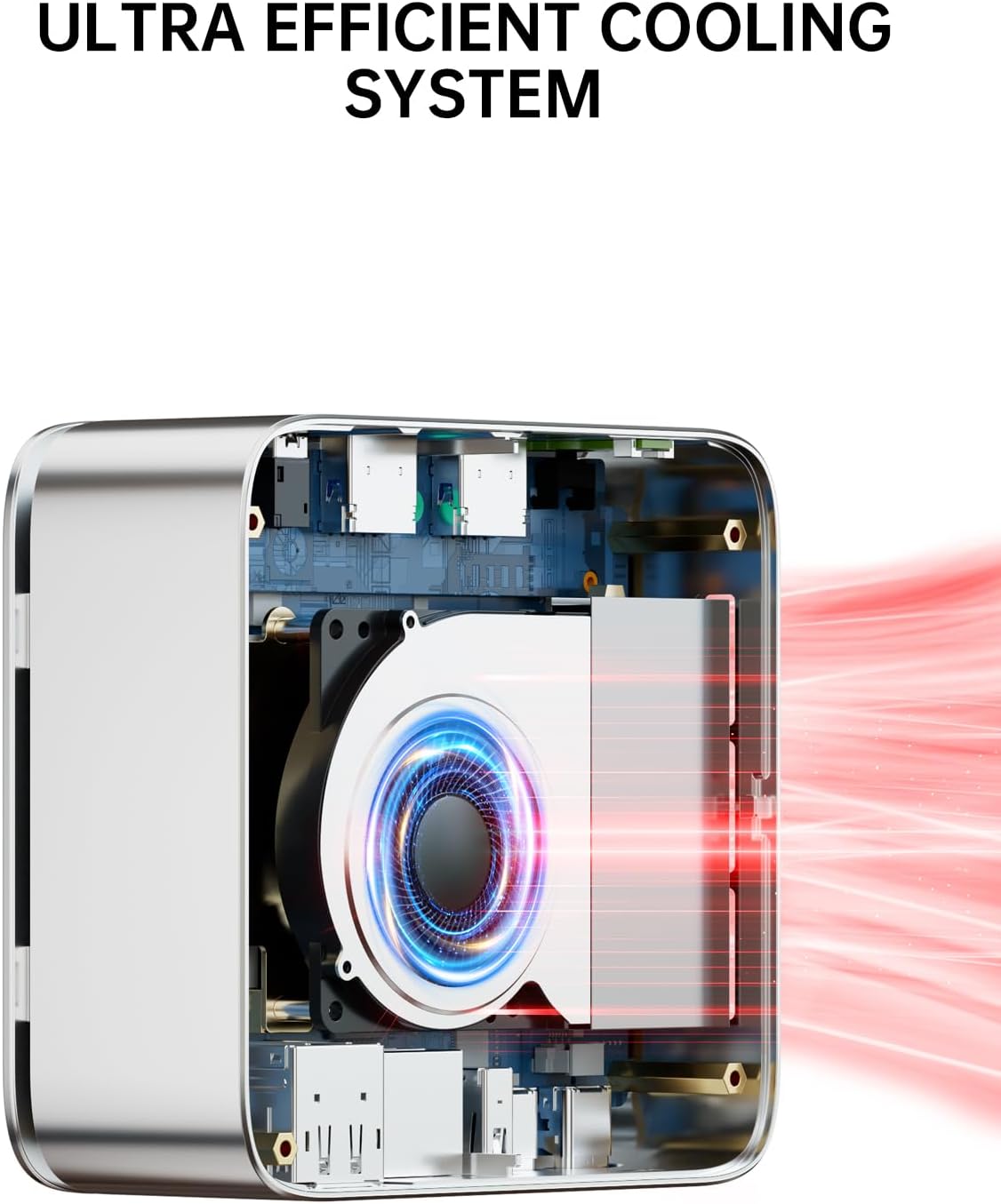
Figure 6.2: A cutaway view revealing the ultra-efficient cooling system with its internal fan, designed to maintain optimal temperatures for maximum performance.
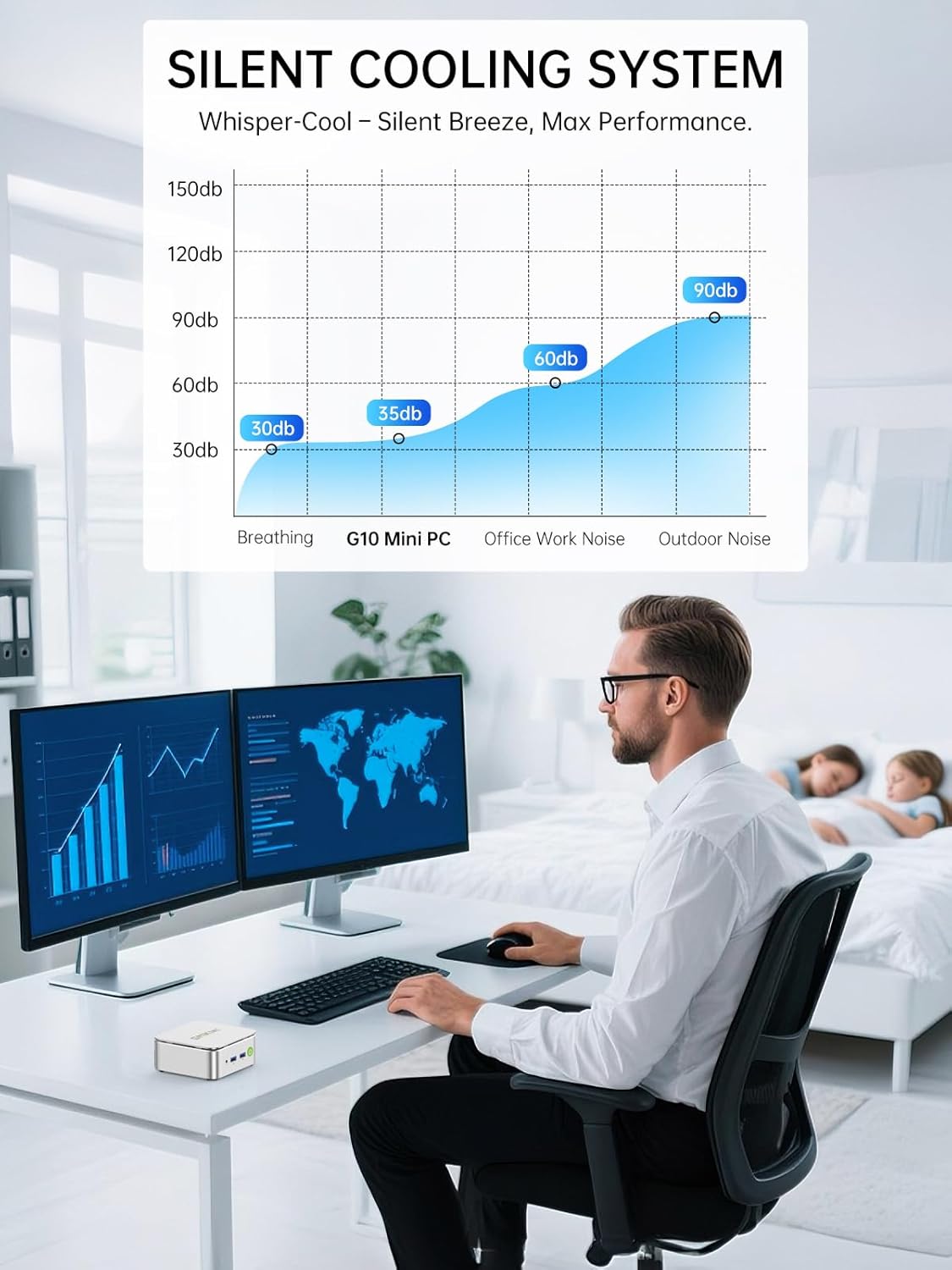
Figure 6.3: A chart demonstrating the silent cooling system of the G10 Mini PC, indicating its low noise level (35dB) compared to breathing (30dB), office work (60dB), and outdoor noise (90dB), ensuring a quiet operation.
7. Cara ngungkulan
- Kinerja rendah: If you experience lower-than-expected performance, especially during demanding tasks, ensure the BIOS 'Power Limit Select' is set to 'High Performance' and 'System Smart Fan' is enabled with 'PWM Control System Fan Speed' at '100%'.
- 4K 60fps Video Playback Issues: While the device supports 4K@60Hz, some frame drops may occur, particularly during initial playback or with certain codecs. Ensure your display drivers are up to date and consider using a dedicated media player for smoother performance.
- Network Speed Discrepancies: If wired (2.5GbE) or wireless (Wi-Fi 5) speeds are not as expected, verify your router/modem settings and ensure all network drivers are installed correctly. Note that upstream bandwidth on the 2.5GbE port may be slightly limited compared to downstream.
- Emulation Performance: For higher-end console emulation (e.g., PS2, GameCube), performance may be limited due to the older processor architecture and RAM speed. Older retro games and less demanding emulation should perform well.
8. Spésifikasi
| Fitur | Spésifikasi |
|---|---|
| Prosesor | AMD Ryzen 5 3500U (3.7 GHz Max Boost) |
| Ram | 16GB DDR4 SDRAM (3200 MHz), expandable to 64GB |
| Panyimpenan | 1TB NVMe SSD (Dual M.2 2280 PCIe 3.0 slots, Max. 16TB) |
| Grafik Coprocessor | AMD Radeon Vega 8 Graphics (1200 MHz) |
| Resolusi layar Max | 4096 × 2160 piksel |
| Tipe Wireless | Wi-Fi 5 (802.11a/b/g/n/ac), Bluetooth 5.0 |
| Ethernet | 2.5 GbE LAN |
| palabuhan USB | 2x USB 3.2, 2x USB 2.0, 2x USB-C (1x PD Only, 1x DP/Data/PD) |
| Kaluaran Video | HDMI 2.1, DisplayPort 1.4, USB-C (DP) |
| Sistem operasi | Windows 11 Pro |
| Item Beurat | 2.29 pon |
| Dimensi produk | 4.1 x 3.8 x 1.7 inci |
9. Garansi jeung Rojongan
GMKtec offers a 1-year limited warranty for each Mini PC, starting from the date of purchase. This warranty covers all defects due to design and workmanship.
Rojongan Palanggan:
- For Amazon Support, log in to your Amazon account, go to 'Your Orders', and select 'Ask Product Question'.
- For After-Sales Support, you can send an email to the After-Sales Team at support@gmktec.com. 24/7 customer support is available.
10. Video Produk Resmi
Watch this official video from GMKtec for a visual overview of the Nucbox G10 Mini PC's features and capabilities.
Resmi réngséview video from GMKtec showcasing the features, design, and connectivity options of the Nucbox G10 Mini PC.


