1. Bubuka
Thank you for choosing BUGANI Open Ear Headphones, Model MH22109. These headphones are designed to provide a comfortable, open-ear listening experience with advanced Bluetooth 5.3 technology, immersive stereo sound, and clear call functionality. This manual will guide you through the setup, operation, and maintenance of your new headphones.
2. Émbaran Kasalametan
- Do not expose the headphones or charging case to extreme temperatures, direct sunlight, or fire.
- Avoid using the headphones at excessively high volumes for prolonged periods to prevent hearing damage.
- Keep the device away from water and liquids, although it is IPX5 rated for sweat and light splashes, it is not designed for submersion.
- Ulah nyobian ngabongkar atawa ngaropéa alat. Ieu bakal ngabatalkeun jaminan.
- Anggo ukur kabel ngecas anu disayogikeun atanapi kabel Type-C anu disertipikasi pikeun ngecas.
- Be aware of your surroundings when using open-ear headphones, especially in traffic or hazardous environments.
3. Eusi Paket
The BUGANI Open Ear Headphones package includes the following items:
- BUGANI Open Ear Headphones (Left and Right)
- Ngecas Case
- Kabel Ngecas USB Tipe-C (henteu didaptarkeun sacara éksplisit tapi standar)
- Manual pangguna (dokumén ieu)

Image: The BUGANI Open Ear Headphones and their transparent charging case.
4. Produk Langkungview
The BUGANI Open Ear Headphones feature a unique design that rests gently on your ears without entering the ear canal, providing comfort and situational awareness. The charging case protects the earbuds and provides extended battery life.

Image: A woman wearing the BUGANI Open Ear Headphones, illustrating the open-ear design and comfortable fit.

Image: A man relaxing and listening to music with the headphones, highlighting the immersive stereo sound.
5. Setélan
5.1 Ngecas Headphone sareng Case
Saméméh dipaké munggaran, eusian pinuh headphone jeung wadah ngecas.
- Teundeun earbuds kana wadah ngecas. Pastikeun aranjeunna leres seated.
- Connect the Type-C charging cable to the charging port on the case and plug the other end into a USB power adapter (not included) or a computer's USB port.
- The LED indicator on the charging case will show the charging status. A full charge for the case typically takes 1-2 hours.
- The earbuds provide up to 6 hours of playtime on a single charge, and the charging case extends total playtime to approximately 30 hours.

Image: The charging case with earbuds, displaying the battery level, next to a smartphone playing music, illustrating the 30-hour playtime.
5.2 Nyapasangkeun Bluetooth
The headphones feature one-step auto-pairing for convenience.
- Buka wadah ngecas. Earbuds bakal otomatis hurung tur asup kana mode papasangan.
- Dina alat anjeun (smartphone, tablet, komputer), aktipkeun Bluetooth.
- Milarian pikeun available Bluetooth devices and select "BUGANI OpenFit" from the list.
- Sakali nyambung, anjeun bakal ngadangu sora konfirmasi, sareng alat bakal nembongkeun "Tersambung".
- Headphone bakal otomatis nyambung deui ka alat anu dipasangkeun terakhir nalika dikaluarkeun tina wadahna, upami Bluetooth diaktipkeun dina alat.

Image: A smartphone screen displaying the Bluetooth settings, with "BUGANI OpenFit" listed as a connected device, demonstrating the one-step auto-pairing process.
6. Parentah Operasi
6.1 Maké Headphone
The open-ear design ensures a secure and comfortable fit without blocking your ear canal.
- Identipikasi earbuds Kénca (L) jeung Katuhu (R).
- Gently hook the earbud over your ear, ensuring the speaker portion is positioned near your ear canal without entering it.
- Adjust for a snug and comfortable fit.
6.2 Smart Touch Controls
The headphones feature touch-sensitive areas for controlling various functions:
| Aksi | Earbud | Fungsi |
|---|---|---|
| Ketok x1 | Urang Sunda/L | Maénkeun/Pareumkeun Musik, Waler Telepon |
| Ketok x2 | R | Volume Up |
| Ketok x2 | L | Volume Turun |
| Ketok x3 | R | Lagu salajengna |
| Ketok x3 | L | Lagu saméméhna |
| Pencét jeung Tahan (2s) | Urang Sunda/L | Tungtung Telepon, Tolak Telepon |
| Pencét jeung Tahan (2s) | L | Aktipkeun Asisten Sora |
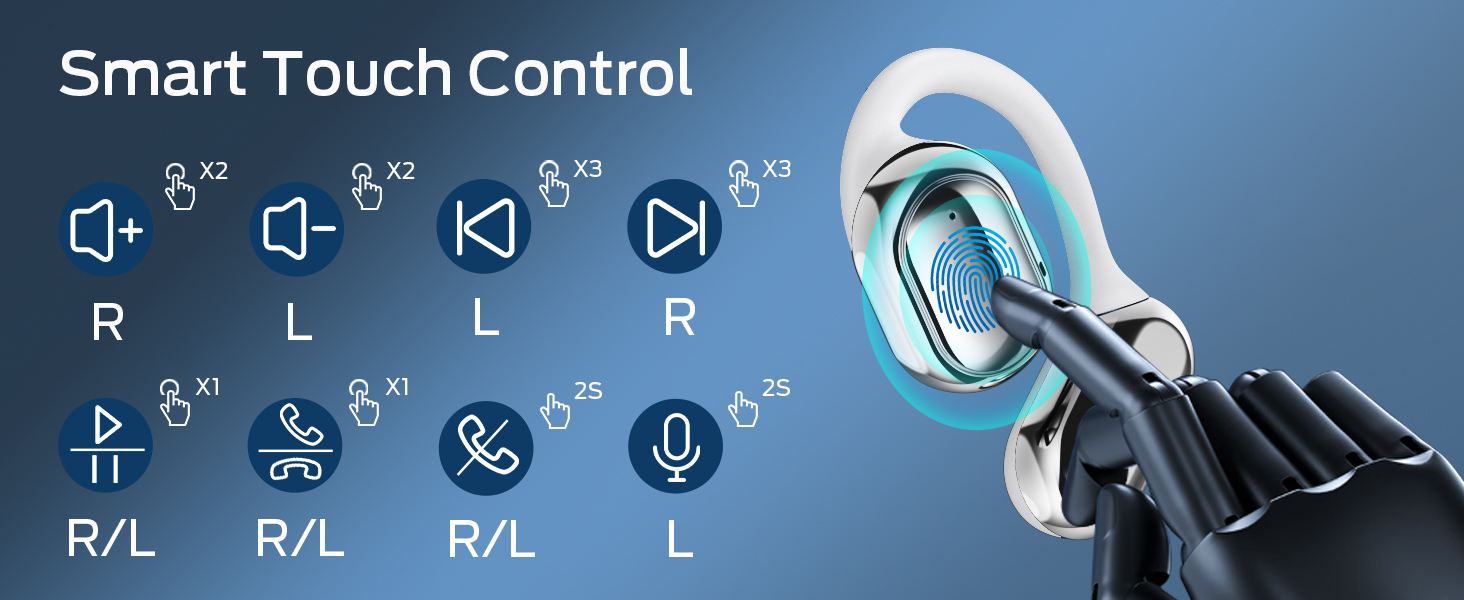
Image: A visual guide to the smart touch controls on the BUGANI Open Ear Headphones, detailing single, double, triple taps, and long presses for various functions.
6.3 Nelepon jeung Narima Telepon
The built-in dual microphones with environmental noise reduction technology ensure clear calls.
- Ngajawab Telepon: Ketok boh earbud sakali.
- Tungtung Telepon: Pencét jeung tahan boh earbud salila 2 detik.
- Nolak Telepon: Pencét jeung tahan boh earbud salila 2 detik.

Image: A man using the BUGANI Open Ear Headphones to make a phone call, emphasizing the clear call feature.
7. Pangropéa
7.1 beberesih
- Ngusap earbuds sareng wadah ngecas ku lawon anu lemes, garing, teu aya serat.
- Ulah make cleaners abrasive, alkohol, atawa pangleyur kimiawi.
- Pastikeun kontak ngecas beresih jeung garing.
7.2 Panyimpenan
- Simpen headphone dina wadah ngecas nalika henteu dianggo pikeun ngajagi sareng tetep dicas.
- Simpen di tempat anu tiis sareng garing, jauh tina suhu anu ekstrim.
7.3 Tahan Cai (IPX5)
The headphones are rated IPX5, meaning they are protected against low-pressure water jets from any direction. This makes them suitable for sports and running, protecting against sweat and light rain. They are not designed for swimming or submersion in water.
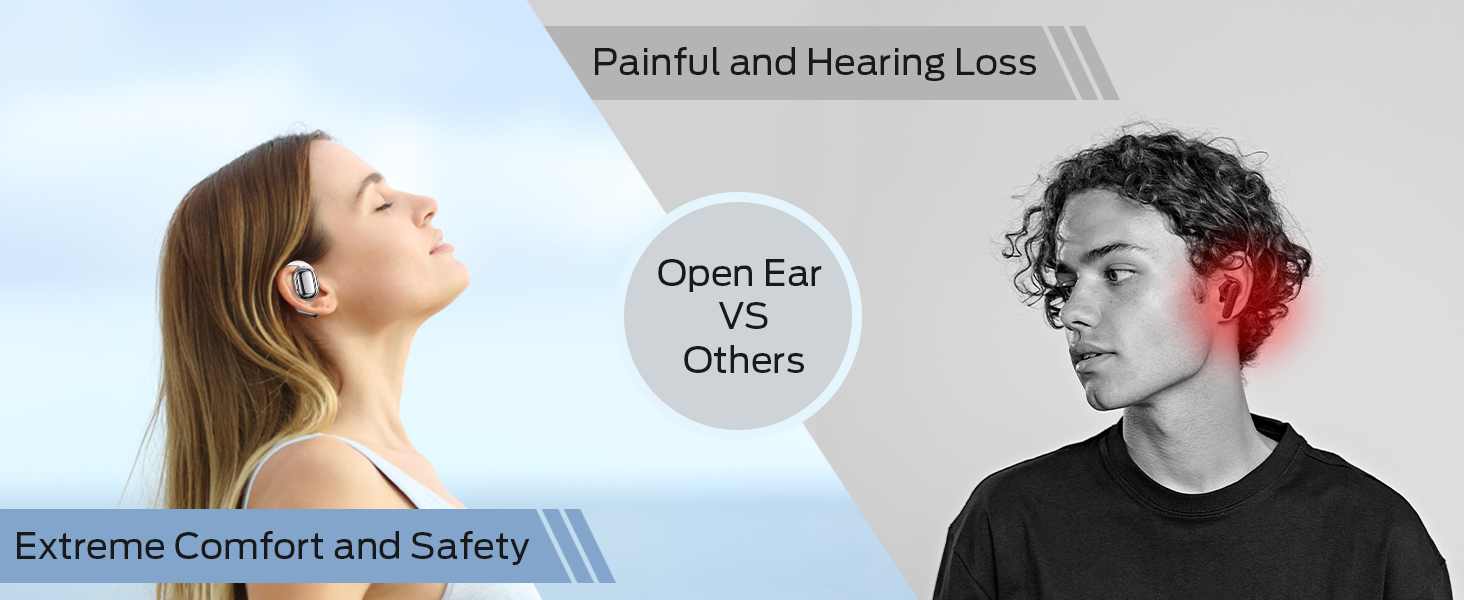
Image: A man running with water splashing on him, demonstrating the IPX5 waterproof feature of the headphones, suitable for active use.
8. Cara ngungkulan
If you encounter issues with your BUGANI Open Ear Headphones, please refer to the following common solutions:
- Henteu aya sora: Pastikeun headphone tos dicas, dipasangkeun kalayan leres, sareng volume dina headphone sareng alat anjeun parantos dikuatkeun.
- Masalah pasangan: Turn off Bluetooth on your device, then turn it back on. Place the earbuds back in the case, close it, then open it again to re-enter pairing mode. Try pairing again.
- Sambungan Intermittent: Ensure you are within the Bluetooth range (up to 10 meters) and there are no significant obstacles between the headphones and your device. Avoid strong electromagnetic interference.
- Earbuds Teu Ngecas: Check that the charging cable is securely connected and the charging contacts on the earbuds and case are clean. Ensure the charging case itself has power.
- Hiji Earbud Teu Gawé: Try placing both earbuds back in the case, closing it, and then taking them out again to reset the connection. If the issue persists, try re-pairing.
9. Spésifikasi
| Fitur | Spésifikasi |
|---|---|
| Ngaran modél | BUGANI OpenFit |
| Nomer modél | MH22109 |
| Téhnologi konektipitas | Nirkabel (Bluetooth) |
| Vérsi Bluetooth | 5.3 |
| Rentang Bluetooth | 10 méter |
| Panempatan Ceuli | Buka Ceuli |
| Ukuran supir | 16mm (Dual Large Driver) |
| Kahirupan Batré (Ngeusian Tunggal) | Nepi ka 6 Jam |
| Total Waktu Puter (kalayan Case Ngecas) | Nepi ka 30 Jam |
| Port ngecas | Tipe-C |
| Peunteun Résistansi Cai | IPX5 |
| Mikropon | Built-in Dual Microphones with Environmental Noise Reduction |
| Alat nu cocog | Alat-alat anu nganggo Bluetooth (smartphone, komputer, TV) |
| Bahan | palastik |
| Item Beurat | 6.4 ons |
10. Garansi jeung Rojongan
BUGANI products are designed for reliability and performance. For warranty information, please refer to the warranty card included with your purchase or visit the official BUGANI website. If you require technical support or have questions not covered in this manual, please contact BUGANI customer service through their official channels.
You can often find support contact information on the BUGANI brand store page: BUGANI Store on Amazon


