1. Produk Langkungview
The TECLAST T40Air is a high-performance tablet designed for various tasks, from entertainment to productivity. It features a 10.4-inch display, 16GB RAM, 256GB ROM, and runs on Android 13, powered by an octa-core processor. Its lightweight design and robust battery ensure portability and extended usage.

Gambar 1.1: Hareup jeung tukang view of the TECLAST T40Air Tablet, showcasing its sleek design and dual rear cameras.
Video 1.1: Pajabat parantos réngséview of the TECLAST T40Air Android Tablet, highlighting its key features and design.
2. Setup Awal
2.1 Unboxing and First Use
Carefully remove the tablet and all accessories from the packaging. Inspect the device for any physical damage. Before first use, it is recommended to fully charge the tablet.
2.2 Ngecas Tablet
Connect the provided USB-C cable to the tablet's charging port and the other end to the 18W PD fast charging adapter. Plug the adapter into a power outlet. The battery indicator on the screen will show the charging status. A full charge typically takes approximately 2-3 hours.
2.3 Powering on / Pareum
- Pikeun Ngahurungkeun: Press and hold the Power button located on the side of the tablet until the TECLAST logo appears on the screen.
- Pikeun mareuman: Pencét jeung tahan tombol Daya nepi ka menu kakuatan nembongan. Pilih 'Pareuman' sareng pastikeun.
- Pikeun ngamimitian deui: Tina ménu kakuatan, pilih 'Balikan deui'.
2.4 Konfigurasi Awal
Nalika mimiti diaktipkeun, tablet bakal nungtun anjeun dina prosés pangaturan awal:
- Pilihan Basa: Pilih basa anu anjeun pikaresep.
- Sambungan Wi-Fi: Pilih jaringan Wi-Fi anjeun teras lebetkeun kecap akses pikeun nyambung ka internét.
- Akun Google: Sign in with your Google account or create a new one. This is essential for downloading apps from the Google Play Store and syncing data.
- Tanggal & Waktos: Setel tanggal sareng waktos anu leres, atanapi hayu jaringan nyetelna sacara otomatis.
- Kaamanan: Nyetél konci layar (PIN, pola, kecap akses, atanapi Face Unlock).
2.5 SIM Card Installation (Optional)
The T40Air supports 4G LTE connectivity. To install a SIM card:
- Panggihan tempat kartu SIM di sisi tablet.
- Paké alat ejector SIM disadiakeun pikeun muka baki.
- Place the Nano-SIM card(s) into the designated slots, ensuring correct orientation.
- Gently dorong baki deui kana tablet nepi ka ngaklik kana tempatna.

Image 2.1: The TECLAST T40Air Tablet highlighting its 4G LTE support and SIM card tray location.
3. Parentah Operasi
3.1 Napigasi Android 13
The TECLAST T40Air runs on Android 13, offering an intuitive user experience. Use touch gestures to navigate:
- Ketok: Pilih hiji item.
- Gesek: Gulung ngaliwatan layar atawa daptar.
- Ciwit-pikeun-zum: Ngazum gede atawa leutik dina gambar na web kaca.
- Pencét panjang: Aksés ménu kontekstual atanapi pindahkeun ikon.
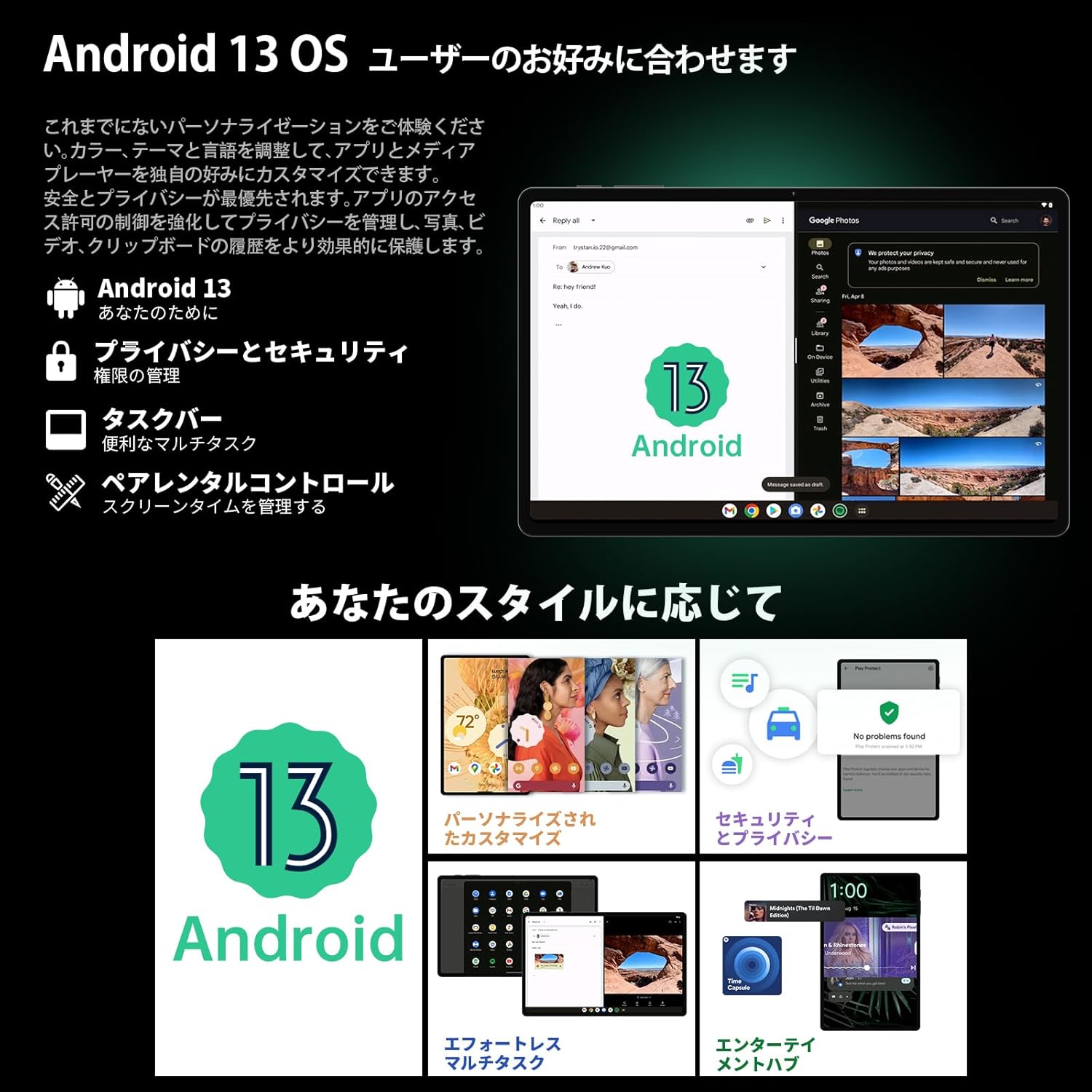
Image 3.1: The Android 13 interface on the TECLAST T40Air Tablet, showing personalization and security features.
3.2 Fitur tampilan
The 10.4-inch 2K FHD IPS display provides vibrant colors and sharp details. It features:
- TDDI Fully Laminated: Enhances touch responsiveness and visual clarity.
- Mode panyalindungan panon: Ngurangan cahaya biru pikeun nyegah panon karasa pegel.
- Mode maca: Optimizes the screen for comfortable reading.
- Dark Mode & Dim Mode: Adjusts screen brightness and color for different lighting conditions.

Image 3.2: Visual representation of the TECLAST T40Air Tablet's display features, including eye protection and reading modes.
3.3 Pamakéan kaméra
The tablet is equipped with a 13MP rear dual camera and an 8MP front camera.
- Nyandak Poto: Buka aplikasi Kamera, pigura poto anjeun, teras ketok tombol jepret.
- Ngarekam Pidéo: Pindah ka modeu vidéo dina aplikasi Kaméra teras ketok tombol rekam.
- Kaméra hareup: Dianggo pikeun nelepon pidéo sareng selfie.

Image 3.3: The TECLAST T40Air Tablet showcasing its camera capabilities and 3.5mm headphone jack.
3.4 Audio jeung Konéktipitas
- SWEET 4 Speakers: Enjoy immersive audio with the tablet's quad-speaker system and Smart K Digital Amppangagung.
- Jack Headphone 3.5mm: Connect your wired headphones for private listening.
- Wifi: Supports 2.4GHz and 5GHz dual-band Wi-Fi (802.11ac) for stable and fast internet.
- Bluetooth 5.0: Sambungkeun asesoris nirkabel sapertos headphone, kibor, sareng beurit.
- VoLTE: Enables high-quality voice calls over 4G LTE networks.
3.5 Muka konci raray
The tablet supports Face Unlock for convenient and secure access. Set it up in the Security settings. Ensure good lighting conditions for optimal performance.
4. Pangropéa
4.1 Ngabersihan Tablet
Pikeun ngabersihan tablet anjeun, paké kaén anu lemes sareng teu aya serat. Pikeun smudges nekad, rada dampBilas lawon ku cai atanapi pembersih layar. Hindarkeun nganggo bahan kimia anu keras, bahan abrasif, atanapi kalembaban anu kaleuleuwihi.
4.2 Perawatan Batré
- Ulah ngalaan tablet ka suhu ekstrim.
- Ulah ngantep batré lengkep solokan remen.
- Use the original charger or a certified 18W PD charger for optimal charging.
4.3 Apdet parangkat lunak
Pariksa sareng pasang apdet parangkat lunak sacara rutin pikeun mastikeun tablet anjeun ngagaduhan fitur pangénggalna, patch kaamanan, sareng paningkatan kinerja. Buka Setélan > Sistem > Apdet sistem.
4.4 Manajemén Panyimpenan
The tablet comes with 256GB of internal storage, expandable via microSD card up to 1TB. Regularly manage your storage by:
- Ngahapus teu perlu files jeung aktip.
- Moving large files kana kartu microSD.
- Ngagunakeun layanan panyimpenan awan.

Image 4.1: The TECLAST T40Air Tablet highlighting its 16GB RAM, 256GB ROM, and support for microSD card expansion.
5. Cara ngungkulan
This section addresses common issues you might encounter with your TECLAST T40Air Tablet.
5.1 Alat Teu Dihurungkeun
- Pastikeun batréna dieusi cekap. Sambungkeun carjer sareng antosan sababaraha menit sateuacan nyobian ngahurungkeun.
- Pencét jeung tahan tombol Daya sahenteuna 10-15 detik pikeun maksa balikan deui.
5.2 Masalah Sambungan Wi-Fi
- Check if Wi-Fi is enabled in Setelan > Jaringan & Internét > Wi-Fi.
- Pastikeun anjeun parantos ngalebetkeun kecap akses Wi-Fi anu leres.
- Balikan deui router Wi-Fi anjeun sareng tablet.
- Coba sambungkeun ka jaringan Wi-Fi anu béda pikeun ngaidentipikasi masalahna.
5.3 Performance slow
- Tutup aplikasi latar tukang anu henteu dianggo.
- Clear cache data for apps that are running slowly (Setelan > Aplikasi > [Ngaran Aplikasi] > Panyimpenan & cache > Hapus cache).
- Pastikeun anjeun gaduh rohangan panyimpen gratis anu cekap.
- Balikan deui tablet.
5.4 Layar Teu Ngarespon
- Balikan deui tablet ku nahan tombol Daya.
- Pastikeun layar bersih sareng bébas tina kalembaban atanapi kokotor.
5.5 Reset Pabrik (Pamungkas)
Upami masalah masih aya, anjeun tiasa ngémutan pikeun ngalakukeun reset pabrik. Perhatosan: Ieu bakal mupus sadaya data dina tablet anjeun. Nyadangkeun data penting sateuacan neraskeun.
Pindah ka Setélan> Sistem> Pilihan Reset> Pupus sadaya data (reset pabrik) tur turutan parentah dina-layar.
6. Spésifikasi
Below are the technical specifications for the TECLAST T40Air Tablet:
| Fitur | Spésifikasi |
|---|---|
| Nomer modél | T40Air |
| Ukuran tampilan | 10.4 inci |
| Resolusi layar | 1920 x 1080 pixels (2K FHD IPS) |
| Ram | 16 GB |
| Ukuran Mémori Flash (ROM) | 256 GB |
| Prosésor Brand | Rockchip or Unisoc (Octa-core) |
| Sistem operasi | Android 13 |
| Tipe Wireless | 5 GHz Radio Frequency, 802.11a/b/g/n/ac |
| Bluetooth | Bluetooth 5.0 |
| Rata Kahirupan Batré | 5 Jam (7200mAh) |
| Item Beurat | 1.01 pon (kira-kira 460g) |
| Dimensi produk | 9.6 x 6.1 x 0.3 inci |
| Fitur husus | Enteng |
7. Garansi jeung Rojongan
7.1 Garansi Produk
The TECLAST T40Air Tablet comes with a standard manufacturer's warranty. Please refer to the warranty card included in your product packaging for specific terms, conditions, and duration. Keep your proof of purchase for warranty claims.
7.2 Rojongan Palanggan
If you encounter any issues not covered in this manual or require further assistance, please contact TECLAST customer support. You can typically find contact information on the official TECLAST websitus atawa ngaliwatan saluran rojongan pangecér Anjeun.
- Kunjungi TECLAST resmi websitus pikeun FAQs jeung sumber rojongan.
- Contact the seller or retailer for product-specific support and return policies.


