1. Bubuka
Thank you for choosing the HerQs Single Max Wireless Meat Thermometer. This device is designed to help you achieve perfectly cooked meals by accurately monitoring internal meat temperatures and ambient cooking temperatures. Please read this manual thoroughly before using your device to ensure optimal performance and safety.
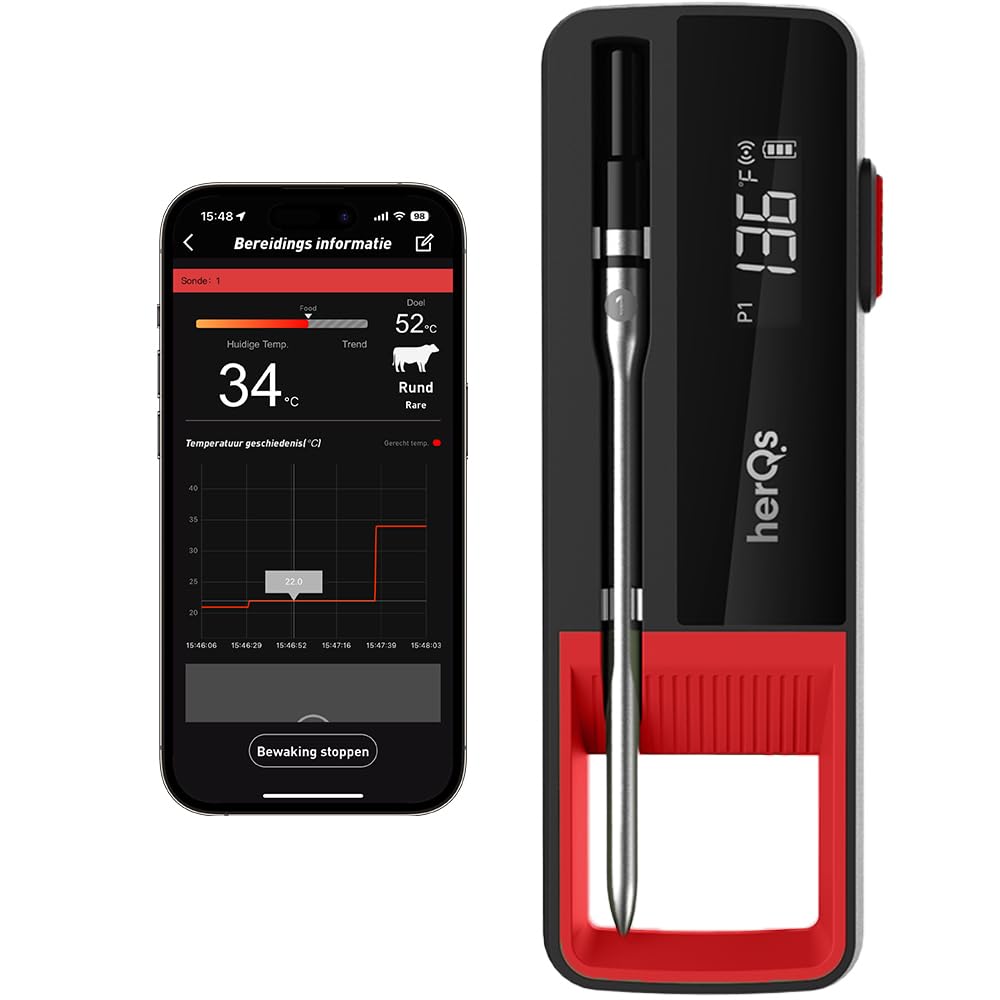
Image: The HerQs Single Max thermometer unit displayed alongside its companion smartphone application interface, showing temperature readings and cooking progress.
2. Eusi Paket
- HerQs Single Max Thermometer Probe
- HerQs Single Max Charging/Receiver Base
- Kabel Ngecas USB-C
- Manual pangguna (dokumén ieu)

Image: The retail packaging for the HerQs Single Max, showing the device and its branding.
3. Setélan
3.1 Ngecas Awal
Before first use, fully charge your HerQs Single Max. Connect the provided USB-C cable to the charging port on the base unit and plug it into a compatible USB power source. A full charge takes approximately 20 minutes and provides up to 72 hours of use.

Image: The HerQs Single Max charging base connected to a laptop via a USB-C cable, illustrating the charging process.
3.2 Pamasangan Aplikasi sareng Papasangan
- Download the "HerQs" app from your smartphone's app store (iOS or Android).
- Pastikeun Bluetooth diaktipkeun dina smartphone Anjeun.
- Open the HerQs app and follow the on-screen instructions to pair your HerQs Single Max device. The device will automatically connect via Bluetooth.
4. Parentah Operasi
4.1 Nyelapkeun Probe
Carefully insert the metal probe into the thickest part of the meat, avoiding bones. Ensure the probe is inserted deep enough so that the temperature sensor (located near the tip) is fully within the meat.

Image: The HerQs Single Max probe inserted into a large cut of meat on a grill, with the thermometer base and app visible in the background.
4.2 Using the HerQs App
The HerQs app provides comprehensive control and monitoring features:
- Meat Type Selection: Choose from 9 different preset meat types.
- Doneness Levels: Select from 5 predefined doneness levels (e.g., Rare, Medium, Well-done). You can also customize target temperatures.
- Pangimeutan sacara real-time: View the current internal meat temperature and ambient cooking temperature in real-time.
- Temperature Graphs: Track temperature changes over time with detailed graphs.
- Smart Reminders & Alerts: Receive notifications when your food reaches the desired temperature or if temperatures deviate significantly.
- Timer: Utilize the integrated timer for cooking duration.
- Saklar Unit: Gampang pindah antara Celsius sareng Fahrenheit.

Image: A smartphone displaying the HerQs app interface, highlighting features such as BBQ presets, temperature history, smart reminders, timer, unit switch, and Bluetooth connectivity.
4.3 Jangkauan Nirkabel
The HerQs Single Max offers an extended wireless range:
- Probe to Receiver: Up to 90 meters (unhindered).
- Receiver to Smartphone: An additional 80 meters (unhindered).
This allows you to monitor your cooking from a distance, providing flexibility during your grilling sessions.

Image: A diagram illustrating the wireless range capabilities of the HerQs Single Max, showing the probe connecting to the base unit and the base unit connecting to a smartphone.
5. Pangropéa
5.1 beberesih
After each use, allow the probe to cool. Clean the metal probe with warm, soapy water. Wipe the charging base with a damp lawon. Ulah neuleumkeun dasar ngecas dina cai.
5.2 Panyimpenan
Store the HerQs Single Max in its charging base in a dry place when not in use. Ensure the device is fully charged before long-term storage to preserve battery life.
6. Cara ngungkulan
| Masalah | Mungkin Cukang lantaranana | Solusi |
|---|---|---|
| Device not turning on or off reliably. | batré lemah; gangguan internal. | Pastikeun alat geus dicas pinuh. Upami masalahna tetep, hubungi dukungan palanggan. |
| App not connecting to the device. | Bluetooth off; device out of range; app issue. |
|
| Bacaan suhu teu akurat. | Probe not inserted correctly; extreme temperature fluctuations; probe damage. |
|
| Limited range, frequent disconnections (especially in ovens). | Obstructions (walls, oven doors); electromagnetic interference. |
|
7. Spésifikasi
| Fitur | Rincian |
|---|---|
| Nomer modél | HerQs008 |
| Rentang Suhu | Nepi ka 300 °C (572 °F) |
| Akurasi Suhu | ±1 °C to ±2 °C |
| Laju Maca | 3 detik |
| Konéktipitas Wireless | Bluetooth |
| Wireless Range (Probe to Receiver) | Up to 90 meters (unhindered) |
| Wireless Range (Receiver to Smartphone) | Up to 80 meters (unhindered) |
| Kahirupan batré | Up to 72 hours (after 20 min charge) |
| Port ngecas | USB-C |
| Ukuran (L x W x H) | 15.7 x 2.8 x 3.7 cm |
| Beurat | 160 gram |
| Sertifikasi | FDA, LFGB, CE |
| Bahan | Plastik (luar) |
8. Garansi jeung Rojongan
For warranty information or technical support, please refer to the HerQs official websitus atanapi ngahubungan layanan palanggan maranéhanana langsung. Simpen resi pameseran anjeun salaku bukti pameseran.
HerQs Official Websitus: www.herqs.com


