Bubuka
Manual ieu nyadiakeun informasi penting pikeun nyetél, operasi, ngajaga, sarta ngungkulan Hideung Anjeunview ZENO 1 8-inch Android 15 Tablet. Please read this guide thoroughly to ensure optimal performance and longevity of your device.
1. Setélan
1.1 Unboxing jeung Eusi Paket
Carefully open the Blackview ZENO 1 package and verify all contents. The box should contain the following items:
- 1x Hideungview ZENO 1 Tablet
- 1x Detachable Stand
- 1x Screen Protector (tos dilarapkeun)
- 1x Clear Case
- 1x Kabel USB-C
- 1 x carjer
- 1x SIM Card Removal Tool
Video: Unboxing the Blackview ZENO 1 8-inch tablet and its included accessories.
1.2 Nyelapkeun Kartu SIM sareng Kartu MicroSD
Si Hideungview ZENO 1 supports dual SIM cards and a MicroSD card for expanded storage up to 2TB. Use the provided SIM card removal tool to open the SIM tray located on the side of the tablet. Carefully place your SIM card(s) and/or MicroSD card into the tray according to the diagram, then reinsert the tray into the device.
Video: Demonstration of inserting a SIM card into the Blackview ZENO 1 tablet.
1.3 Daya Awal Hurung sareng Konfigurasi Dasar
Pencét jeung tahan tombol Daya di sisi tablet nepi ka Hideungview logo appears. Follow the on-screen prompts to select your language, connect to a Wi-Fi network, and complete the initial Android 15 setup. You may be prompted to sign in with a Google account.

Gambar: Si Hideungview ZENO 1 tablet displaying its key specifications on the screen.
1.4 Attaching the Detachable Stand/Case
Si Hideungview ZENO 1 comes with a detachable stand and a clear case. The stand can be easily attached to the back of the tablet for hands-free viewing in various orientations. The clear case provides protection while allowing the stand to be used.
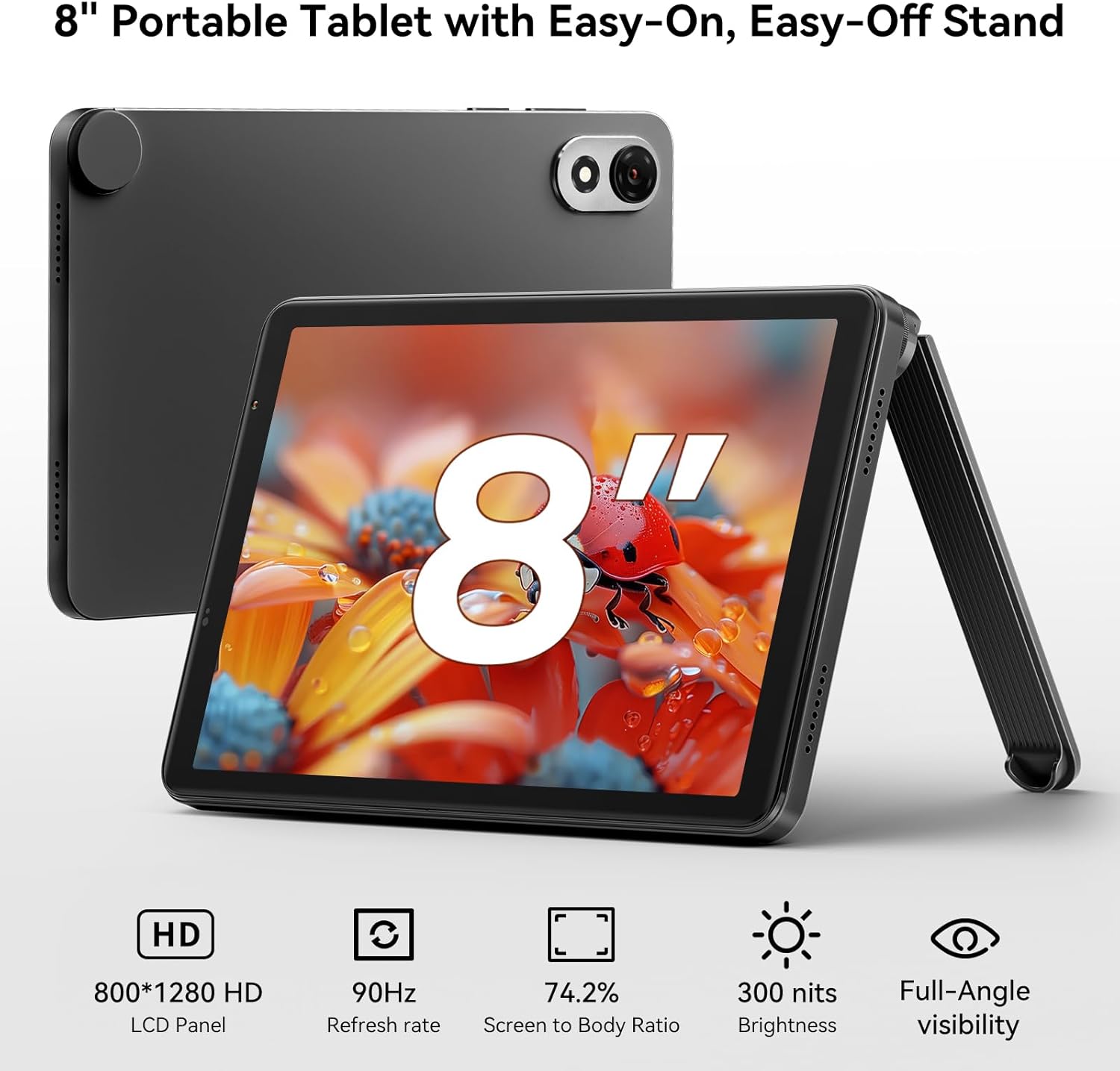
Gambar: Si Hideungview ZENO 1 tablet positioned with its detachable stand, highlighting the 8-inch HD display.
2. Operating the Blackview ZENO 1
2.1 Navigasi Dasar sareng Android 15
The tablet runs on Android 15, offering a user-friendly interface. Navigate using touch gestures: swipe to unlock, tap to open apps, pinch to zoom, and swipe from the top for notifications and quick settings. Android 15 includes features like AI-powered chats, instant image generation, voice-activated Q&A, intuitive controls, and voice-based unlocking.

Gambar: Si Hideungview ZENO 1 tablet showcasing the Android 15 operating system and its integrated Gemini AI capabilities.
2.2 Konéktipitas
The ZENO 1 supports high-speed dual-band 2.4G/5G WiFi for stable internet access. It also features Bluetooth 5.2 for connecting wireless accessories and GPS for navigation.
2.3 Manajemén Panyimpenan
The tablet comes with 18GB RAM (6GB + 12GB expansion) and 256GB internal storage. This can be expanded up to 2TB using a MicroSD card, providing amprohangan pikeun aplikasi, média, sareng dokumén.
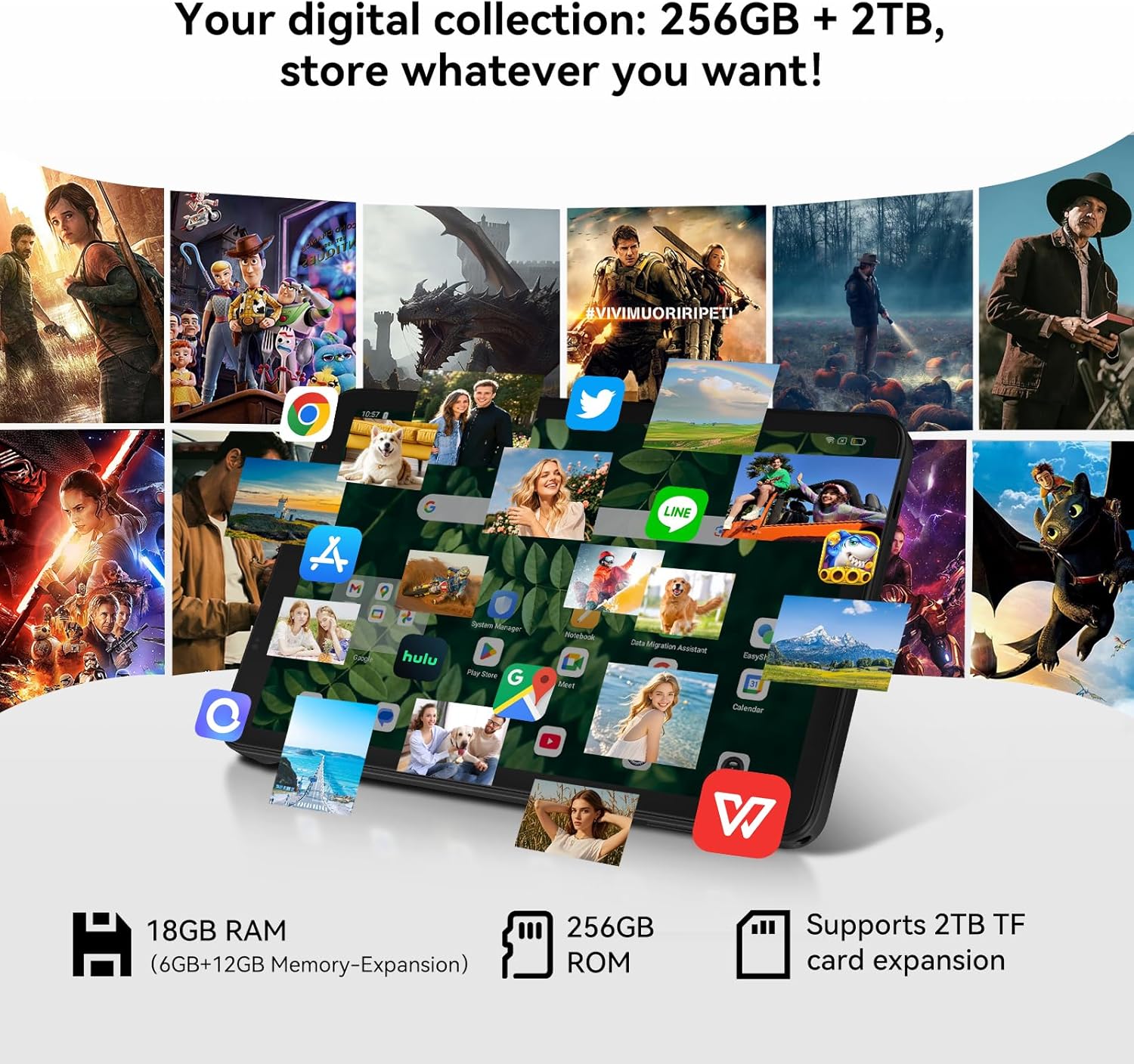
Gambar: Si Hideungview ZENO 1 tablet illustrating its extensive storage and RAM capabilities for various applications.
2.4 Tampilan sareng Audio
Experience vivid visuals on the 8-inch HD display with an 800x1280 resolution and a smooth 90Hz refresh rate. The tablet also features dual stereo speakers and Widevine L1 support for 1080P streaming from services like Netflix and Prime Video.
2.5 Pamakéan kaméra
The ZENO 1 is equipped with an 8MP front camera and an 8MP rear camera, suitable for video calls and capturing everyday moments.

Gambar: Si Hideungview ZENO 1 tablet highlighting its camera features and face unlock functionality.
2.6 Manajemén batré
The 6000mAh battery provides up to 11 hours of web browsing or 672 hours of standby time. Use the included USB-C cable and charger for optimal charging.

Gambar: Si Hideungview ZENO 1 tablet being charged, emphasizing its 6000mAh battery.
3. Pangropéa
3.1 Ngabersihan Alat
Pikeun ngabersihan tablet anjeun, paké kaén anu lemes sareng teu aya serat. Pikeun smudges nekad, rada dampen lawon jeung cai atawa cleaner aman layar. Hindarkeun bahan kimia anu kasar atanapi bahan abrasive.
3.2 Apdet parangkat lunak
Pariksa apdet sistem sacara rutin pikeun mastikeun tablet anjeun ngagaduhan fitur pangénggalna, patch kaamanan, sareng paningkatan kinerja. Buka Setélan> Sistem> Pembaruan sistem pikeun mariksa tur masang apdet sadia.
3.3 Perawatan Batré
To prolong battery life, avoid extreme temperatures. It is recommended to keep the battery charge between 20% and 80% for optimal long-term health. Use only the provided charger and cable.
4. Cara ngungkulan
4.1 Isu umum jeung Solusi
- Tablet henteu hurung: Pastikeun batréna geus dieusian. Sambungkeun carjer sareng antosan sababaraha menit sateuacan nyobian hurung deui.
- kinerja slow: Close unnecessary background applications. Clear cache regularly. Consider a factory reset if issues persist after backing up your data.
- Masalah konektipitas Wi-Fi: Restart your tablet and Wi-Fi router. Forget the network and reconnect. Ensure you are within range of the Wi-Fi signal.
- Aplikasi nabrak: Ensure apps are updated to their latest versions. Clear the app's cache or data (Settings > Apps > [App Name] > Storage).
5. Spésifikasi
| Fitur | Spésifikasi |
|---|---|
| merek | Hideungview |
| Ngaran modél | ZENO 1 |
| Sistem operasi | Android 15 |
| Ukuran layar | 8 inci |
| Resolusi layar | 800x1280 Piksel |
| Prosesor | Unisoc T615 Octa-Core (1.8 GHz) |
| Ram | 18GB (6GB + 12GB Ékspansi) |
| Ukuran Mémori Flash | 256 GB (Tiasa dilegaan dugi ka 2TB nganggo kartu TF) |
| Tipe Wireless | 802.11ax (Dual-band 2.4G/5G WiFi) |
| Tukangeun WebResolusi cam | 8 MP |
| Resolusi kaméra hareup | 8 MP |
| Kapasitas batré | 6000 mah |
| Rata Kahirupan Batré | Up to 24 Hours (Standby: 672 Hours) |
| Dimensi produk | 7.83 x 4.96 x 0.3 inci |
| Beurat | Kira-kira 336.5g |
6. Garansi jeung Rojongan
6.1 Garansi Produk
Si Hideungview ZENO 1 tablet comes with a Garansi perbaikan 2 taun. Hideungview products undergo strict examination and quality testing. For detailed warranty terms and conditions, please refer to the warranty card included in your package or visit the official Blackview websitus.
6.2 Rojongan Téknis
For technical assistance or inquiries, please contact Blackview customer support. Lifetime technician support is available for Blackview tablet.
- Dukungan Online: Refer to the official Blackview websitus pikeun FAQs jeung sumber rojongan.
- Inpormasi kontak: Specific contact details (email, phone) can be found on the warranty card or the Blackview kaca rojongan.


