1. Produk Langkungview
The TCNEWCL 8K 60Hz HDMI KVM Switch allows you to control two computers using a single set of peripherals (keyboard, mouse, etc.) and one high-definition display. This device is designed for efficiency, enabling seamless switching between systems without the need to constantly re-plug cables. It supports high-resolution video and high-speed data transfer, making it suitable for various computing environments.
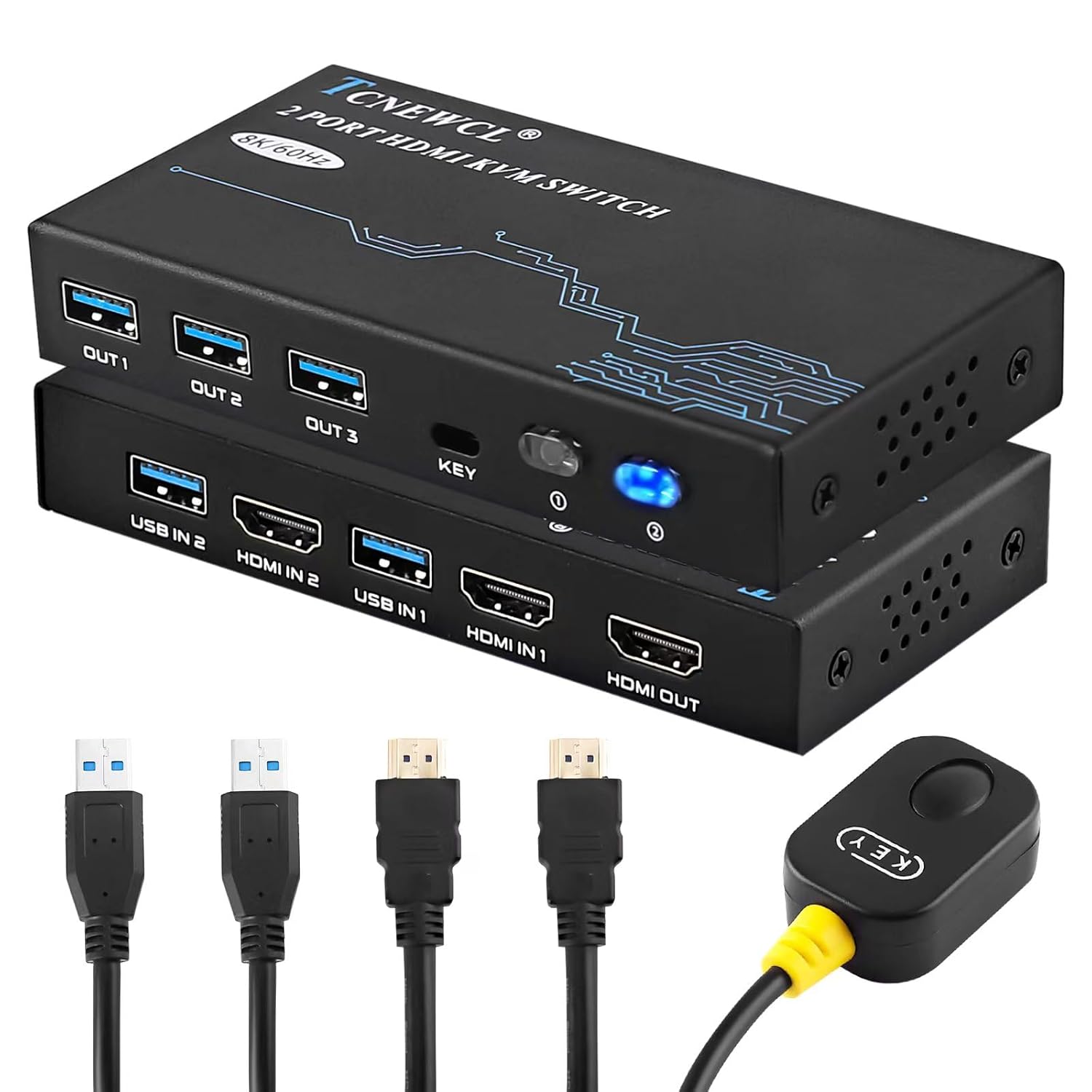
Gambar 1.1: The TCNEWCL 8K 60Hz HDMI KVM Switch, showcasing the main unit, included HDMI 2.1 and USB 3.0 cables, and the wired desktop controller.
2. Eusi Paket
Punten parios yén sadaya barang aya dina pakét anjeun:
- 1x TCNEWCL 8K 60Hz HDMI KVM Switch (Model KS608T)
- 2x HDMI 2.1 Cables
- 2x Kabel USB 3.0
- 1x Wired Desktop Controller
- 1x Manual Pamaké (dokumén ieu)
3. Fitur sareng Spésifikasi
3.1 Fitur konci
- 2-Port KVM Functionality: Control two computers with one monitor, keyboard, and mouse.
- HDMI 2.1 Support: Delivers ultra-high-definition video.
- Resolusi luhur: Supports up to 8K (7680x4320) at 60Hz and 4K (3840x2160) at 120Hz.
- Advanced Video Features: Compatible with HDR, 3D effects, and HDCP2.2.
- Superior Audio Support: Includes Dolby Atmos, DTS X, Dolby TrueHD, DTS-HD Master Audio.
- Konektipitas USB 3.0: Provides high-speed data transfer up to 5Gbps for peripherals, backward compatible with USB 2.0/1.1/1.0.
- Gampang Ngalihkeun: Switch between connected PCs using the front panel button or the included wired desktop controller.
- Kasaluyuan lega: Works with Windows, Linux, Mac OS, Chrome OS, and gaming consoles like Xbox One X, PS4, and Blu-ray players.
- Plug & Play: No drivers or external power supply required for basic operation.
3.2 Spésifikasi Téknis
| Nomer modél | KS608T |
| Vérsi HDMI | HDMI 2.1 |
| Resolusi Max | 8K@60Hz, 4K@120Hz |
| Vérsi USB | USB 3.0 |
| USB Transfer Speed | 5 Gbps |
| Operasi Voltage | 5 volt |
| Operasi Ayeuna | 1 A |
| Bahan | logam |
| Ukuran (L x W x H) | 13 x 6.5 x 2 cm |
| Beurat | 690 gram |

Gambar 3.1: Visual representation of supported resolutions (8K, 4K, 1080P) and HDMI 2.1 bandwidth capabilities.
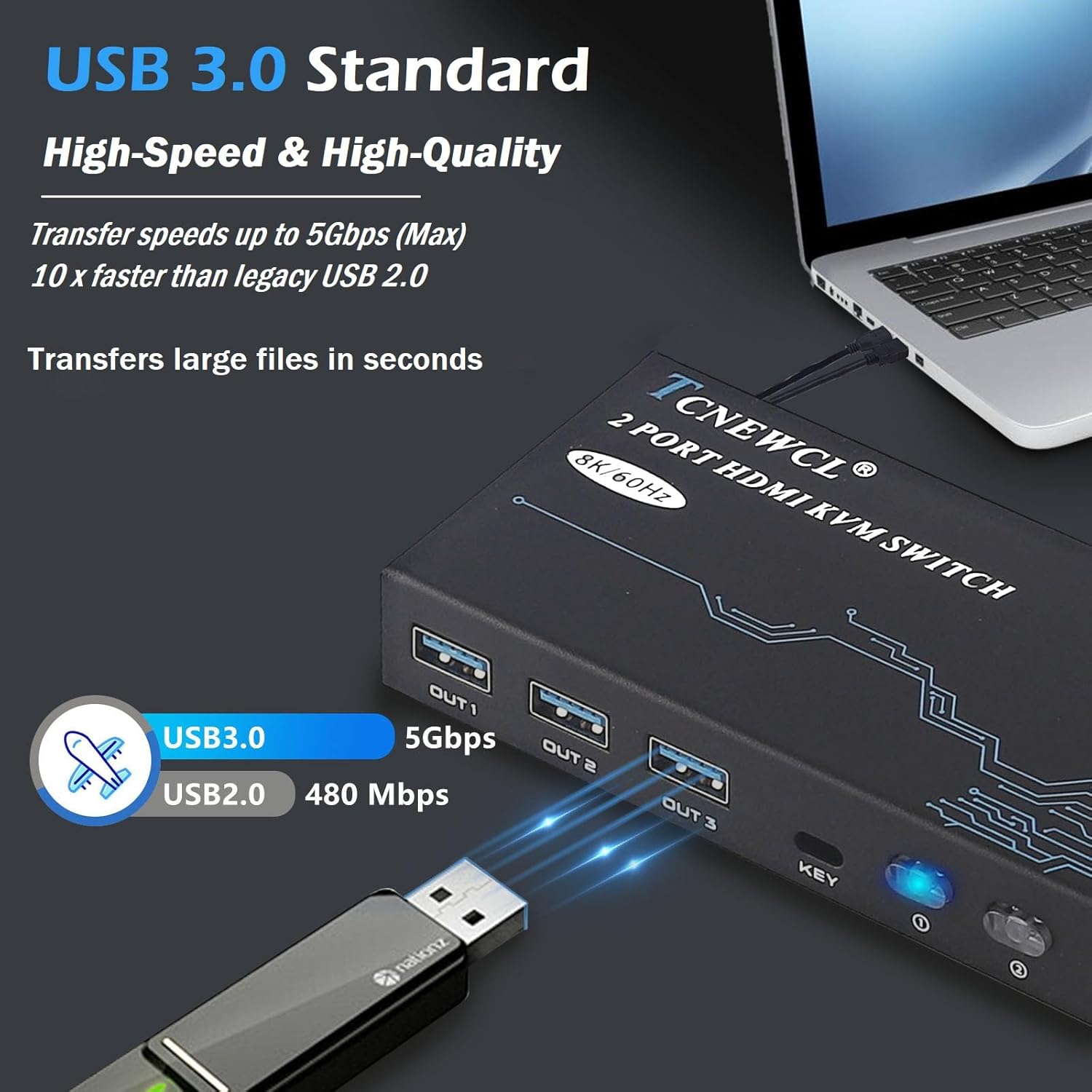
Gambar 3.2: Illustration of USB 3.0 high-speed data transfer at 5Gbps, significantly faster than USB 2.0.
4. Parentah Setup
Turutan léngkah-léngkah ieu pikeun nyambungkeun saklar KVM anjeun:
- Sambungkeun Monitor: Connect your monitor to the 'HDMI OUT' port on the KVM switch using an HDMI 2.1 cable.
- Sambungkeun Komputer:
- For PC 1: Connect its HDMI output to 'HDMI IN 1' on the KVM switch and its USB output to 'USB IN 1'.
- For PC 2: Connect its HDMI output to 'HDMI IN 2' on the KVM switch and its USB output to 'USB IN 2'.
Catetan: For optimal performance, ensure HDMI 2.1 cables used for input are less than 3 meters in length.
- Sambungkeun Periferal: Connect your keyboard, mouse, and other USB 3.0 peripherals (e.g., USB drive, printer) to the 'OUT 1', 'OUT 2', 'OUT 3' USB ports on the KVM switch.
- Sambungkeun Jauh Kabel (Opsional): Plug the wired desktop controller into the 'KEY' port on the KVM switch.
- Daya Hurung: Ensure all connected devices (computers, monitor) are powered on. The KVM switch is Plug & Play and typically does not require an external power adapter.
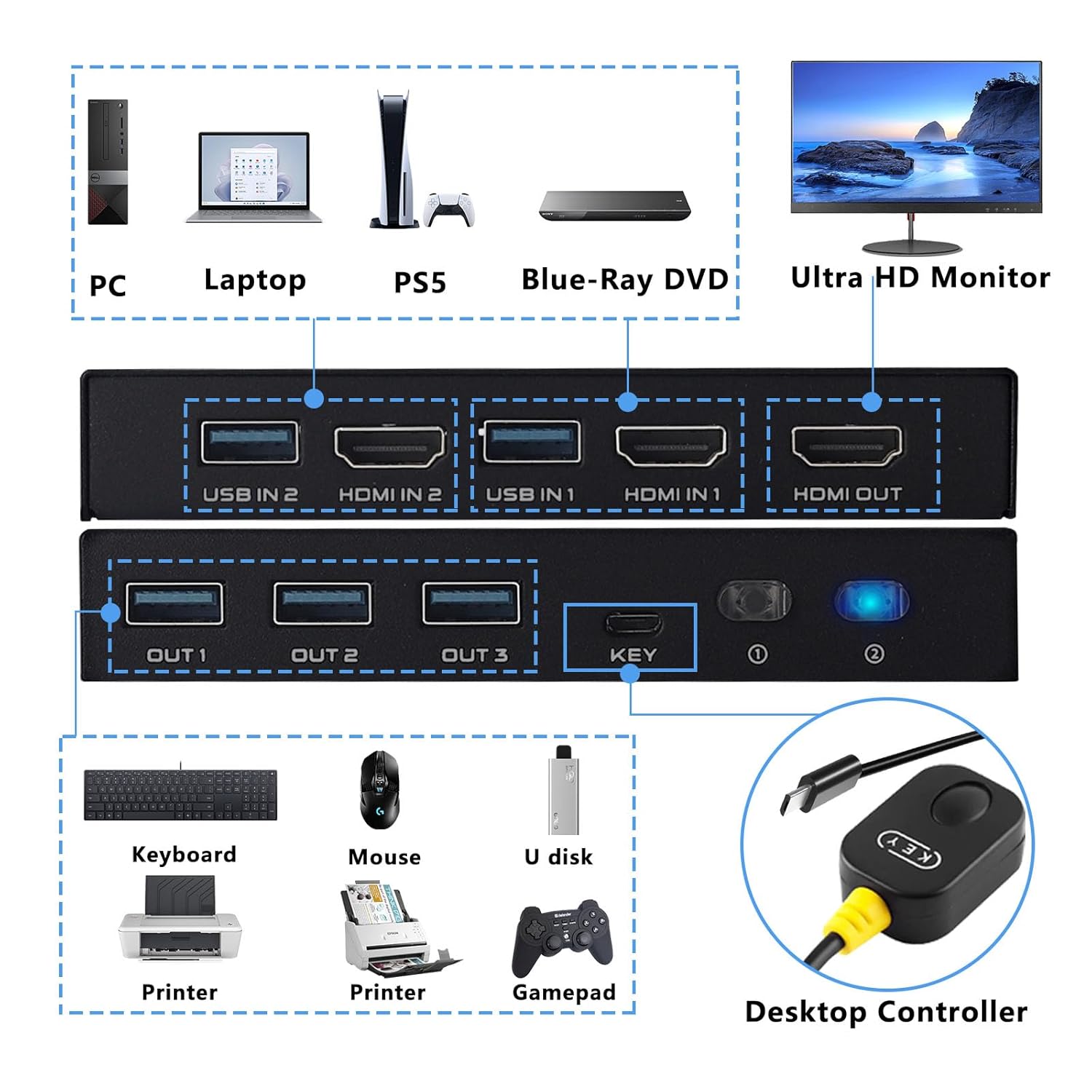
Gambar 4.1: Detailed connection diagram illustrating how to connect PCs, monitor, and various USB peripherals to the KVM switch.
5. Parentah Operasi
Once connected, operating the KVM switch is straightforward:
- Ngalihkeun antara PC: You have two methods to switch between the connected computers:
- Tombol Panel hareup: Press the 'KEY' button on the front panel of the KVM switch to cycle between PC 1 and PC 2.
- Wired Desktop Controller: Press the button on the wired remote control to switch between PC 1 and PC 2.
- Indikator LED: The LED indicator on the KVM switch will illuminate to show which PC is currently selected and active.

Gambar 5.1: Illustration of the two available switching methods: the physical button on the KVM unit and the external wired controller.
6. Cara ngungkulan
If you encounter issues, please refer to the following common troubleshooting steps:
- Henteu aya tampilan dina Monitor:
- Ensure all HDMI cables are securely connected to both the KVM switch and your devices.
- Verify that the monitor is powered on and set to the correct HDMI input.
- Try using different HDMI cables, especially if experiencing issues with 8K or 4K@120Hz resolutions. Ensure HDMI 2.1 cables are used and are within the recommended length (less than 3 meters).
- Restart the connected computers and the KVM switch.
- Kibor/Beurit Teu Ngabales:
- Check that the USB 3.0 cables from your computers are securely connected to the 'USB IN' ports on the KVM switch.
- Ensure your keyboard and mouse are connected to the 'OUT' USB ports on the KVM switch.
- Cobi sambungkeun kibor/mouse langsung ka komputer pikeun mastikeun éta tiasa dianggo.
- Some specialized gaming keyboards/mice with high power requirements or custom drivers may not function optimally through a KVM. Try a standard keyboard/mouse to isolate the issue.
- Intermittent Connection/Flickering Screen:
- This can often be caused by poor quality or excessively long HDMI cables. Replace with certified HDMI 2.1 cables of appropriate length.
- Ensure there are no strong electromagnetic interference sources nearby.
- Switching Not Working:
- Verify the wired desktop controller is properly plugged into the 'KEY' port.
- Ensure the KVM switch has power (indicated by the LED).
7. Émbaran Kasalametan
Mangga baca sareng turutan tungtunan kaamanan ieu pikeun mastikeun operasi anu aman sareng manjangkeun umur alat anjeun:
- Ulah ngalaan alat ka cai, beueus, atawa suhu ekstrim.
- Hindarkeun nempatkeun alat caket sumber panas atanapi dina sinar panonpoé langsung.
- Do not attempt to open or modify the device. This may void the warranty and pose a safety risk.
- Use only the provided or recommended cables.
- Jauhkeun alat ti barudak.
- Pastikeun ventilasi ditangtoskeun sabudeureun alat pikeun nyegah overheating.
8. Garansi jeung Rojongan
TCNEWCL products are designed for reliability and performance. For specific warranty details, please refer to the warranty card included with your purchase or contact TCNEWCL customer support.
For technical assistance or support, please visit the official TCNEWCL website or contact their customer service department. Please have your model number (KS608T) and purchase information ready when seeking support.
