Bubuka
The Cisco Headset 721 is a wireless on-ear Bluetooth headset designed for professional use, offering comfort and advanced features for communication and collaboration. This manual provides comprehensive instructions for its setup, operation, and maintenance.
Naon dina Box
Pastikeun yén sadaya item aya dina bungkusan:
- Cisco Headset 721 (Single On-Ear Headset)
- USB-A HD Bluetooth Adapter
- Ngecas Stand
- USB-A ngecas Cable
- Soft Protective Case
- Bantalan Ceuli (parantos dipasang atanapi cadangan)
- Headband (integrated)

Image: The Cisco Headset 721 shown alongside its soft protective case, highlighting its portability.
Disetél
1. Ngecas Headsét
Before initial use, fully charge the headset. The headset has a battery life of approximately 23 hours of talk time.
- Sambungkeun kabel ngecas USB-A kana dudukan ngecas.
- Connect the other end of the USB-A charging cable to a powered USB port (e.g., computer, wall adapter).
- Place the headset onto the charging stand, ensuring proper alignment. The LED indicator on the headset will show charging status.
2. Nyambungkeun via Bluetooth
The headset can connect wirelessly to two devices simultaneously via Bluetooth.
- Daya Hurung: Press and hold the Power button on the headset until the LED indicator flashes.
- Mode Papasangan: With the headset powered on, press and hold the Bluetooth button until the LED indicator flashes blue and red alternately. This indicates pairing mode.
- Pamasangan alat: On your device (e.g., smartphone, laptop), go to Bluetooth settings and select "Cisco Headset 721" from the list of available devices.
- Konfirmasi: The headset LED will turn solid blue when successfully paired.
3. Connecting with USB-A HD Bluetooth Adapter
For optimal performance and integration with Cisco applications, use the provided USB-A HD Bluetooth Adapter.
- Plug the USB-A HD Bluetooth Adapter into an available USB-A port on your computer.
- The adapter will automatically attempt to pair with your Cisco Headset 721. The LED on the adapter will indicate connection status.
- Ensure your headset is in pairing mode if it does not connect automatically.
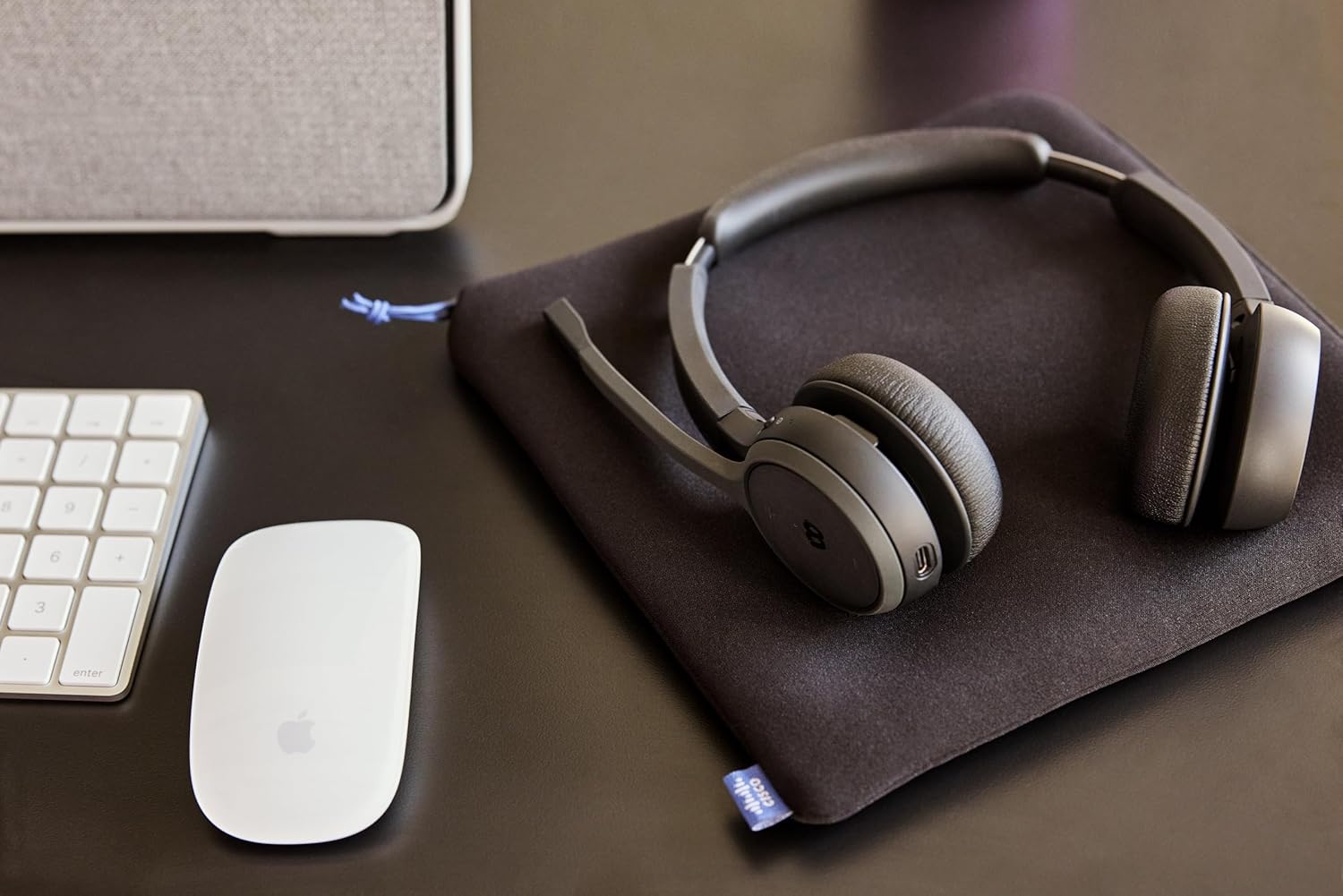
Image: The Cisco Headset 721, USB-A adapter, and charging stand arranged on a desk, illustrating a typical setup.
4. Adjusting the Microphone Boom Arm
The microphone boom arm rotates 276 degrees for optimal placement and features a flip-to-mute function.
- Position the microphone approximately two finger-widths from the corner of your mouth for clear audio.
- To mute the microphone, flip the boom arm upwards. Flip it down to unmute.
Parentah Operasi
Kadali dina Ceuli
The headset features intuitive on-ear controls for managing calls and media.
- Volume Kaluhur/Turun: Anggo tombol volume khusus pikeun nyaluyukeun tingkat audio.
- Ngajawab / mungkas Telepon: Press the Call button once to answer an incoming call or end an active call.
- Ngajempékeun/Nganonaktipkeun: In addition to the flip-to-mute boom arm, a dedicated mute button may be present for quick toggling.
- Puter/Reureuh Média: Press the Call button once to play or pause media playback.
- Lagu Salajengna / Saméméhna: Use specific media control buttons if available, or double-press/triple-press the Call button (refer to specific model documentation for exact functionality).
Webex Button Integration
Anu dikhususkeun Webex button provides seamless integration with Cisco Webex applications.
- gabung Webex Rapat: Pencét éta Webex button to quickly join an active or scheduled Webpasamoan ex.
- Webex Control: The button may also provide quick access to other Webex-specific functions depending on the application version.
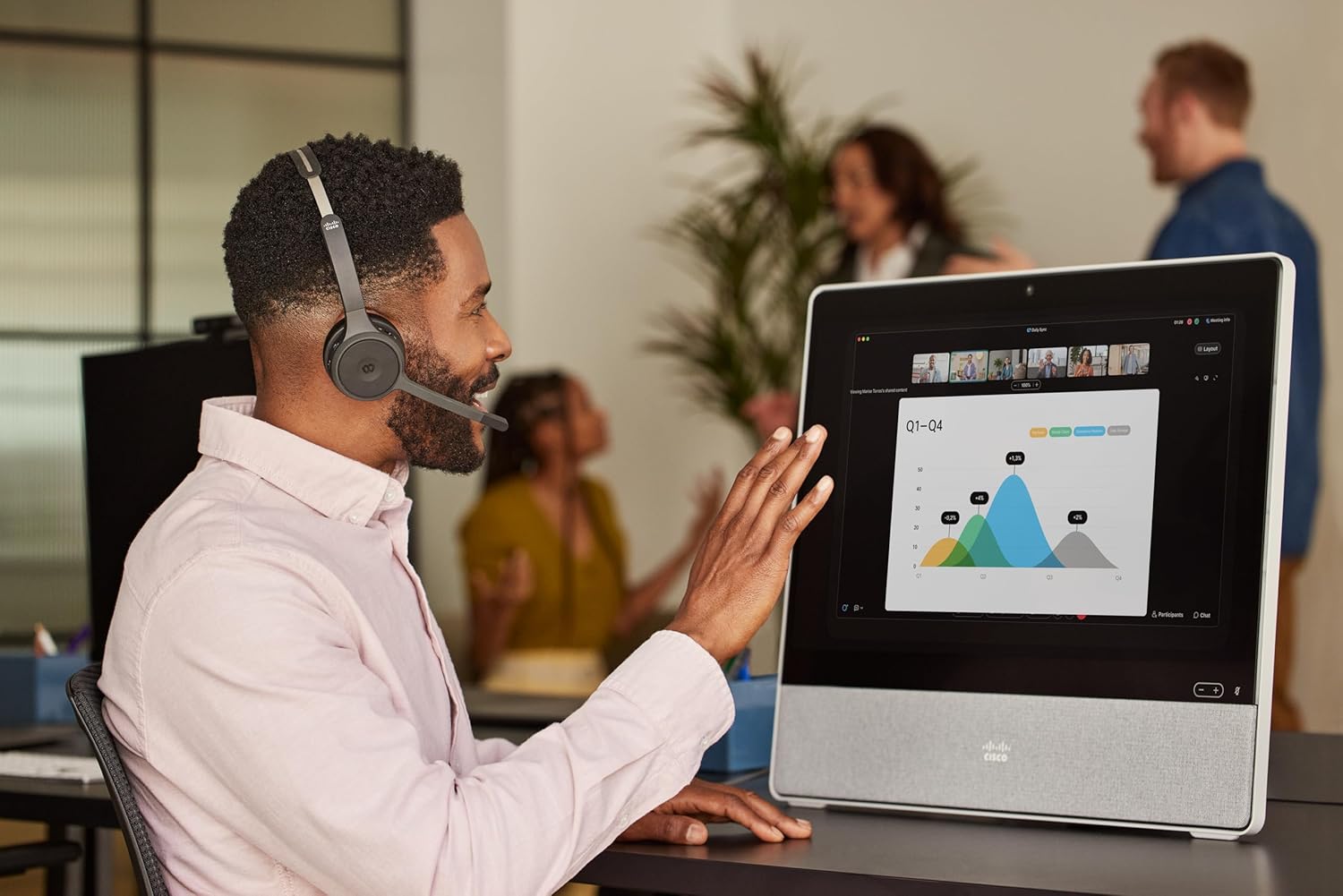
Image: A person wearing the Cisco Headset 721 while engaged in a video conference on a large display, demonstrating its use in a professional setting.
AI Voice-Activated Microphones
The headset features AI voice-activated microphones designed to minimize background noise, ensuring clear communication.
- These microphones automatically focus on your voice and suppress ambient sounds.
- No specific user action is required for this feature; it operates automatically.
Pasangan Multipoint
The headset supports multipoint pairing, allowing it to be connected to two Bluetooth devices simultaneously.
- Once paired with two devices, the headset can seamlessly switch between them for calls or media.
- Pikeun example, you can be connected to your laptop for a video conference and your smartphone for incoming calls.
Pangropéa
Ngabersihan Headsét
Regular cleaning helps maintain the headset's hygiene and performance.
- Use a soft, dry, lint-free cloth to wipe the surfaces of the headset.
- Pikeun bantal ceuli, usap lalaunan ku saeutik kaénamp cloth (water only) and allow to air dry completely before use.
- Ulah make bahan kimia kasar, pangleyur, atawa bahan abrasive.
Panyimpenan
When not in use, store the headset properly to protect it from damage.
- Use the provided soft protective case for storage and transport.
- Nyimpen dina tiis, tempat garing jauh ti sinar panonpoé langsung jeung suhu ekstrim.
Pamérésan masalah
Isu umum jeung Solusi
| Masalah | Solusi |
|---|---|
| Headset teu hurung. | Ensure the headset is fully charged. Connect it to the charging stand and check the LED indicator. |
| Teu tiasa dipasangkeun sareng alat. | Ensure the headset is in pairing mode (LED flashing blue/red). Check your device's Bluetooth settings. Try restarting both the headset and the device. |
| Teu aya audio atanapi kualitas audio anu goréng. | Check the volume levels on both the headset and the connected device. Ensure the headset is selected as the audio output device. Move closer to the connected device to avoid interference. |
| Mikropon teu jalan. | Ensure the microphone boom arm is flipped down (unmuted). Check microphone settings on your connected device/application (e.g., Webex). |
| Webex button not responding. | Ensure the headset is properly connected to a device running the Webex application. Verify that the Webex application is up to date. |
spésifikasi
| Fitur | Rincian |
|---|---|
| Nomer modél | HS-WL-721-BUNAS-C |
| Téhnologi konektipitas | Nirkabel (Bluetooth) |
| Vérsi Bluetooth | 4.0 |
| Rentang Bluetooth | 10 méter |
| Panempatan Ceuli | Dina Ceuli |
| Faktor Bentuk | Dina Ceuli |
| Kontrol bising | Passive Noise Cancellation, Sound Isolation |
| Kahirupan batré | 23 Jam (Waktu Obrolan) |
| Tipe Kontrol | Call Control, Button, App |
| Fitur husus | Adjustable Headband, Fast Charging, Lightweight, Multipoint Pairing, Noise Isolation |
| Alat nu cocog | Telepon sélulér, Desktop, Laptop, Tablet |
| Item Beurat | 0.12 Kilogram (4.2 ons) |
| Bahan | Aluminum, Stainless Steel, Leather or Faux Leather, Memory Foam |
| Komponén Kaasup | Cable, Charging Station, Ear Cushions, Headband, Protective Case |
Garansi sareng Rojongan
The Cisco Headset 721 comes with a Two-Year Limited Liability Warranty, ensuring peace of mind regarding manufacturing defects and performance issues.
For technical support, warranty claims, or further assistance, please visit the official Cisco support website or contact your Cisco product provider. Ensure you have your product model number (HS-WL-721-BUNAS-C) and proof of purchase available.
Rencana Perlindungan Opsional
Additional protection plans may be available for extended coverage:
- Rencana Perlindungan 2 Taun: Manjangkeun panyalindungan salami 24 bulan.
- Rencana Perlindungan 3 Taun: Manjangkeun panyalindungan salami 36 bulan.
- Ngajaga lengkep: Rencana bulanan nyertakeun pameseran katukang sareng ka hareup anu layak.
Mangga tingal sarat sareng katangtuan rencana ieu kanggo katerangan lengkep.