Abask A8 Dashcam User Manual
model: A8 Dashcam | merek: ABASK
Bubuka
Thank you for choosing the Abask A8 Dashcam. This device is designed to provide reliable video recording of your journeys, offering enhanced safety and peace of mind. With its advanced features including 4K front recording, 1080P cabin recording, GPS tracking, super night vision, G-sensor, loop recording, and 24-hour parking monitoring, the A8 Dashcam is your dependable eye on the road. Please read this manual carefully to ensure proper installation and operation of your device.
Naon dina Box
Punten parios eusi bungkusan nalika unboxing pikeun mastikeun yén sadaya barang aya:
- 1 x Abask A8 4K Dashcam
- 1 x 32GB Micro SD Card
- 1 x Car Charger (3.5M cable)
- 1 x USB Cable (0.5M)
- 1 x Suction Cup Mount with GPS
- 1 x Manual Pamaké
- 1 x Alat Pry
- 4 x Dasi Kabel

Image: The Abask A8 Dashcam with its suction cup mount, a 32GB Micro SD card, and a USB/Type-C card reader, illustrating the complete package contents.
Guide Setup
1. Nyelapkeun Kartu Micro SD
- Pastikeun dashcam pareum.
- Insert the provided 32GB Micro SD card into the TF card slot on the side of the dashcam until it clicks into place.
- For optimal performance, it is recommended to format the Micro SD card within the dashcam's settings before first use.
2. Installation in Vehicle
- Clean the area on your windshield where you intend to mount the dashcam.
- Attach the suction cup mount to the dashcam, then firmly press the suction cup onto the cleaned windshield surface and lock it in place. Position the dashcam to ensure a clear view jalan di hareup jeung interior kendaraan.
- Connect the car charger to the dashcam's power input port.
- Colokkeun tungtung carjer mobil anu sanésna kana stop kontak korek api kendaraan anjeun.
- Route the power cable neatly along the windshield and dashboard edges using the provided pry tool and cable ties to avoid obstructing your view or driving.
Parentah Operasi
The Abask A8 Dashcam automatically powers on and begins recording when your vehicle starts. Familiarize yourself with its key features:
1. 4K Front + 1080P Cabin Recording
The dashcam is equipped with a front camera recording in 4K (2160P) resolution and a cabin camera recording in 1080P resolution. This dual-camera system captures high-definition video of both the road ahead and the vehicle's interior simultaneously, providing comprehensive video evidence in case of an accident or dispute.
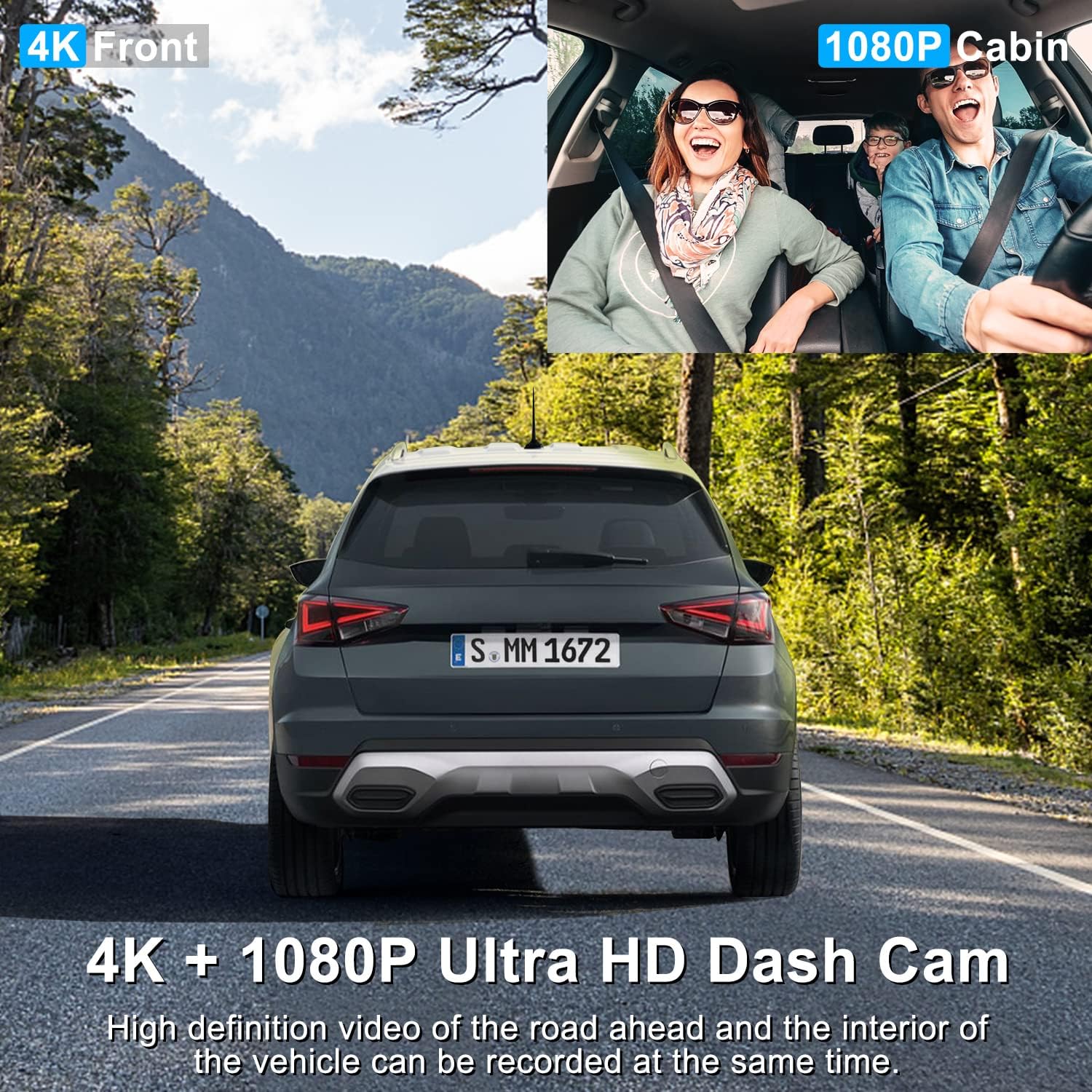
Image: Illustration of the dual recording capability, showing a clear 4K view of the road ahead and a 1080P view of the vehicle's cabin.
2. Fungsi GPS
The integrated GPS module allows the dashcam to track and record your driving route and speed. This data can be crucial evidence, providing an accurate record of your vehicle's location and movement during an event. You can review this information using compatible playback software on a computer.
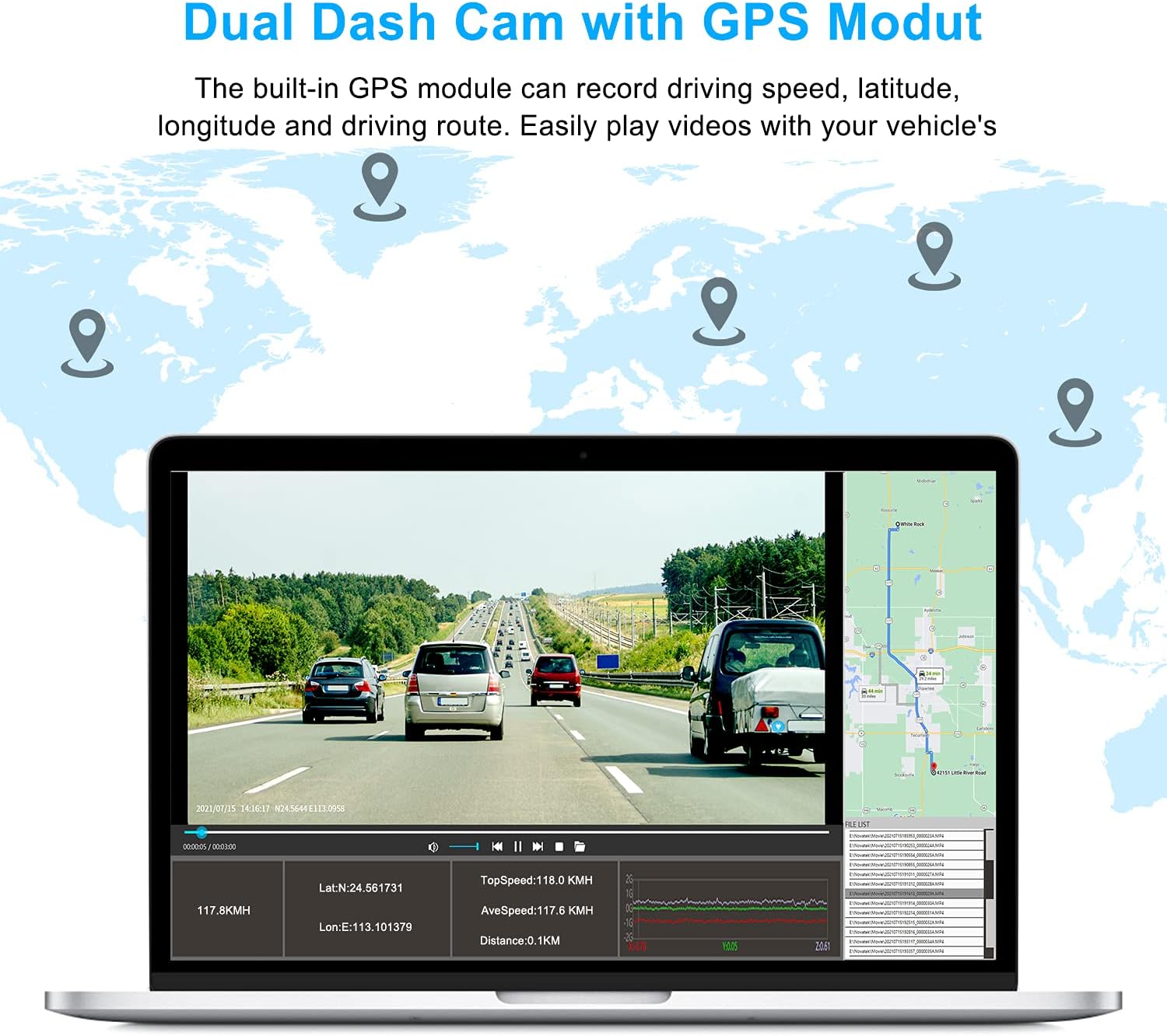
Image: A visual representation of the GPS module's function, showing how driving speed, latitude, longitude, and the driving route are recorded and can be viewed on a map.
3. Panglihatan Peuting Super
Equipped with 4 discreet infrared (IR) lights and WDR (Wide Dynamic Range) technology, the Abask A8 Dashcam ensures clear and detailed images and videos even in low-light conditions or complete darkness. This feature is particularly beneficial for night driving, providing enhanced visibility and recording quality.

Image: Detail of the dashcam's infrared lights and a depiction of its night vision capabilities, showing clear recording in dark environments.
4. G-Sensor & Loop Recording
- Sensor-G (Sensor Gravitasi): With variable sensitivity, the G-Sensor automatically detects sudden shocks, collisions, or abrupt braking. In such events, it immediately saves and locks the current video segment, preventing it from being overwritten by loop recording. This ensures critical footage is preserved as evidence.
- Ngarekam loop: This function allows the dashcam to continuously record by overwriting the oldest video files when the memory card is full. This ensures that recording never stops due to a full card, while protected G-sensor triggered files remain safe.

Image: Visual explanation of G-sensor and loop recording, showing a locked video file and the process of older files being overwritten.
5. Wide-Angle Field of View
The Abask A8 Dashcam offers a total 310° wide-angle field of view, with a 170° front lens and a 140° interior lens. This extensive coverage provides a comprehensive view of the road ahead and the entire inside of your car, minimizing blind spots and capturing more details.

Image: A graphic illustrating the 170° front and 140° interior wide-angle coverage of the dashcam, providing a full view tina sabudeureun.
6. Modeu Parkir 24 Jam
When your vehicle is parked, the dashcam's 24-hour parking mode monitors for impacts. If a shock is detected, the camera will automatically turn on and begin recording video, providing evidence if your car is scratched or damaged while unattended. Note: To enable this function, a hardwire kit (sold separately) is required to connect the dashcam directly to your car's fuse box for continuous power.

Image: A diagram showing the 24-hour parking mode's detection range around a parked vehicle, highlighting its ability to monitor for impacts.
Pangropéa
- beberesih: Use a soft, dry cloth to clean the dashcam's lens and screen. Avoid using abrasive cleaners or solvents that could damage the device.
- Micro SD Card Care: Regularly format your Micro SD card (at least once a month) to maintain optimal recording performance and prevent data corruption. Use a high-quality, genuine Micro SD card from a reputable brand.
- Suhu: Avoid exposing the dashcam to extreme temperatures for prolonged periods, as this can affect its performance and lifespan.
- Pembaruan firmware: Check the official ABASK website periodically for any available firmware updates to ensure your dashcam has the latest features and bug fixes.
Pamérésan masalah
If you encounter any issues with your Abask A8 Dashcam, please refer to the following common problems and solutions:
| Masalah | Mungkin Cukang lantaranana / Solusi |
|---|---|
| Dashcam turns off unexpectedly. |
|
| Kualitas pidéo goréng atanapi buram. |
|
| Micro SD card error / Cannot record. |
|
| GPS teu tiasa dilacak. |
|
If these solutions do not resolve your issue, please contact ABASK customer support for further assistance.
Spésifikasi teknis
| Fitur | Spésifikasi |
|---|---|
| merek | ABASK |
| Ngaran modél | A8 Dashcam |
| Warna | Hideung |
| Ukuran layar | 11 Sentimeter (kira-kira 5 inci) |
| Resolusi Rekaman Video | 4K (3840 x 2160) Front, 1080P Cabin |
| Orientasi | Front and Interior |
| Fitur husus | Night Vision, GPS, Parking Monitor, Motion Detection, G-Sensor, Loop Recording |
| Alat nu cocog | mobil |
| Tipe Pamasangan | Kaca Depan |
| Téhnologi konektipitas | Carjer mobil |
| Batré Rechargeable | No (uses Super Capacitor) |
Garansi sareng Rojongan
The Abask A8 Dashcam comes with a 2-taun jaminan produsén urang. Garansi ieu nyertakeun cacad dina bahan sareng pagawean dina panggunaan normal.
For any questions, technical support, or warranty claims, please do not hesitate to contact ABASK customer service. We are committed to providing a satisfactory solution within 24 hours of your inquiry.
Please refer to the contact information provided with your product packaging or visit the official ABASK websitus pikeun detil rojongan.


