1. Bubuka
Thank you for choosing the SETTY Wireless Rechargeable Mouse. This manual provides essential information for setting up, operating, and maintaining your new mouse. Please read these instructions carefully before use to ensure optimal performance and longevity of your device.
2. Eusi Paket
- 1 x SETTY Wireless Rechargeable Mouse
- 1 x 2.4 GHz USB Receiver
- 1 x Kabel Ngecas USB (25 cm)

Image 1: SETTY Wireless Rechargeable Mouse and its retail packaging.
3. Produk Langkungview
The SETTY Wireless Rechargeable Mouse is designed for comfort and efficiency in both office and home environments. It features a slim, ergonomic design, adjustable DPI settings, RGB lighting, and dual-mode connectivity (2.4 GHz and Bluetooth).
Fitur konci:
- Konektipitas Dual-Mode: Supports 2.4 GHz wireless via USB receiver and Bluetooth 5.1.
- DPI adjustable: Three sensitivity levels (800, 1200, 1600 DPI) for precise control.
- Desain ergonomis: Comfortable for extended use.
- Batré anu tiasa dicas deui: Built-in 500 mAh lithium battery.
- Lampu RGB: Dynamic LED lighting for enhanced aesthetics.
- 6 Tombol: Including left, right, scroll wheel, DPI switch, and two side buttons.
- One-Click Desktop Function: Quickly minimize all windows.
- Desain Klik Silent: Ngurangan bising operasional.

Image 2: The ergonomic shape of the mouse designed for comfortable hand placement.
4. Setélan
4.1. Ngecas Mouse
Before first use, it is recommended to fully charge the mouse. Connect the provided USB charging cable to the charging port on the front of the mouse and the other end to a USB power source (e.g., computer USB port, USB wall adapter). The RGB lighting will indicate charging status and turn off when fully charged.
- Waktu Ngecas: Kurang leuwih 2 jam.
- Waktos damel: Nepi ka 150 jam dina muatan pinuh.

Image 3: The mouse being charged via its USB cable.
4.2. Nyambungkeun Mouse
The SETTY mouse offers two connection methods: 2.4 GHz wireless via USB receiver or Bluetooth 5.1.
4.2.1. Konéksi Nirkabel 2.4 GHz
- Tangtukeun lokasi panarima USB, biasana disimpen dina kompartemen dina underside beurit.
- Colokkeun panarima USB ka port USB nu sadia dina komputer Anjeun.
- Hurungkeun beurit nganggo saklar daya di handapeunna.
- Beurit kedah otomatis nyambung ka komputer anjeun.
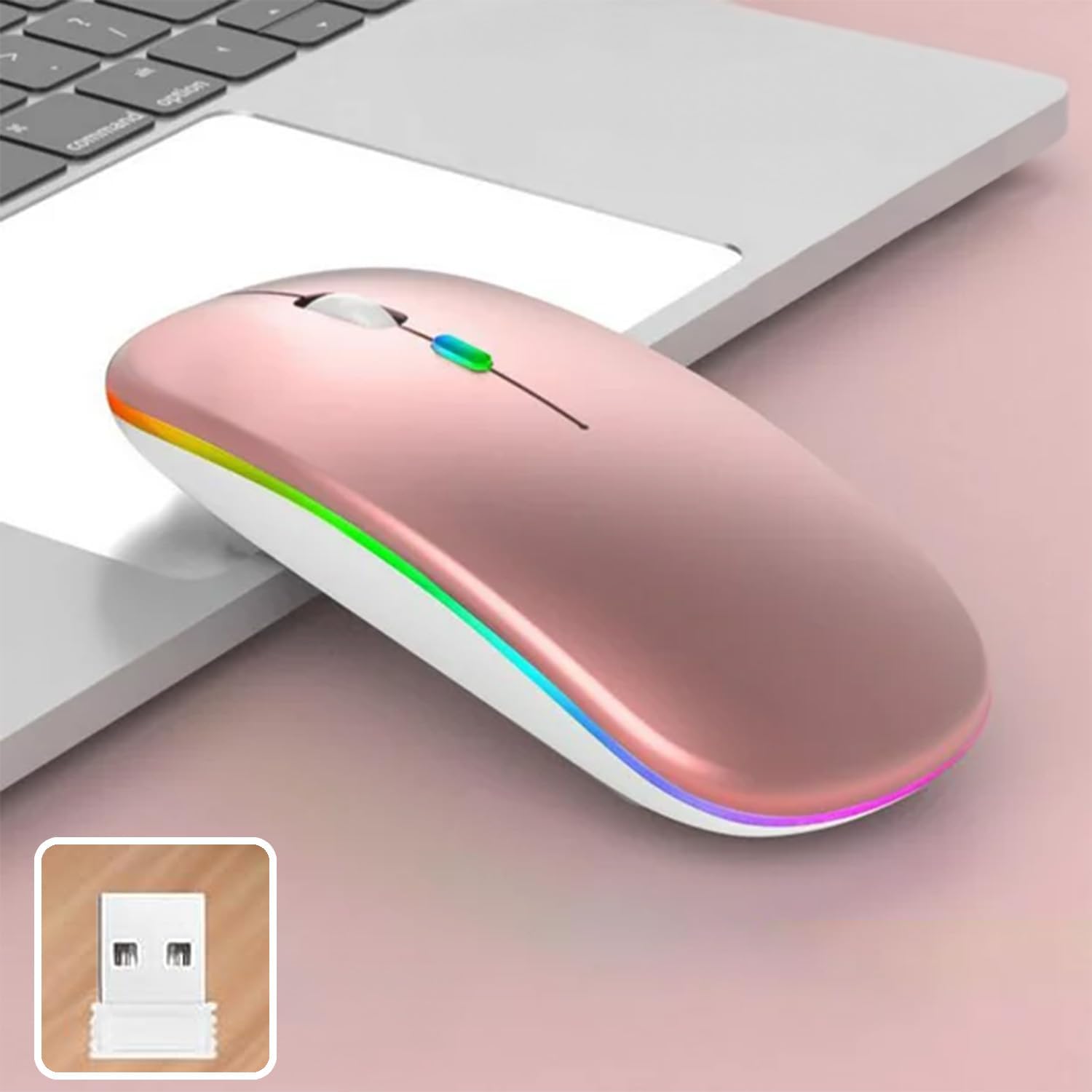
Image 4: The mouse and its 2.4 GHz USB receiver.
4.2.2. Sambungan Bluetooth 5.1
- Hurungkeun beurit nganggo saklar daya.
- Press and hold the Bluetooth pairing button (often located on the underside or a dedicated button) until the indicator light starts flashing, indicating pairing mode.
- On your device (Windows, Mac OS, Android), go to Bluetooth settings and search for new devices.
- Select "SETTY Mouse" or a similar name from the list of available devices to pair.
- Once paired, the indicator light on the mouse will stop flashing.
4.3. Kasaluyuan
The SETTY Wireless Rechargeable Mouse is compatible with a wide range of operating systems and devices:
- Sistem operasi Windows
- Mac OS
- alat Android
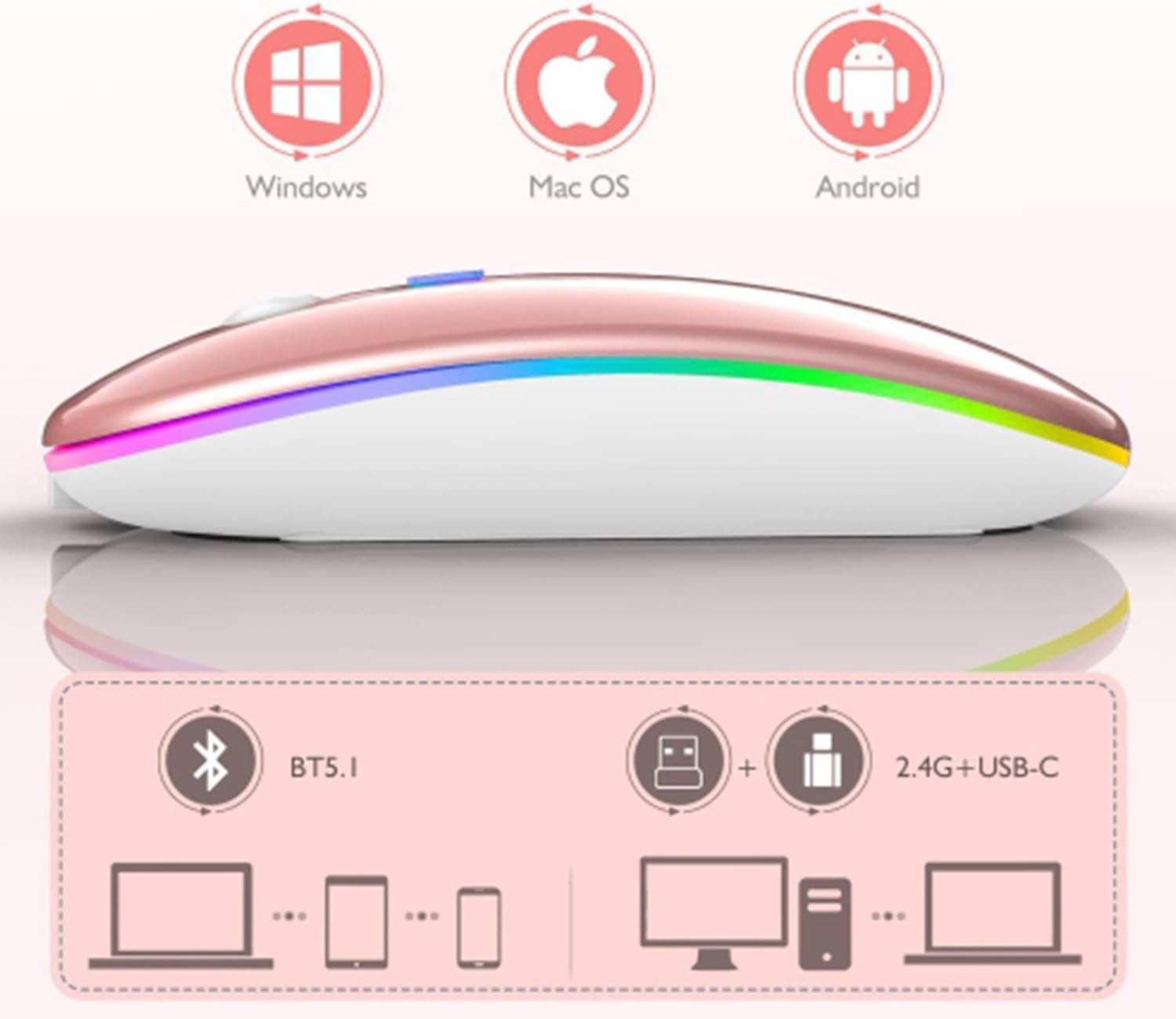
Image 5: Visual representation of the mouse's compatibility with various operating systems and connection types.
5. Parentah Operasi
5.1. Adjustment DPI
The mouse features three adjustable DPI (Dots Per Inch) settings to suit your preference for cursor speed and precision. Press the DPI button (usually located behind the scroll wheel) to cycle through the settings:
- 800 DPI: Lower sensitivity for precise tasks.
- 1200 DPI: Standard sensitivity (default setting).
- 1600 DPI: Higher sensitivity for faster cursor movement.
5.2. Lampu RGB
The mouse is equipped with dynamic RGB LED lighting. The lighting activates when the mouse is in use and enters power-saving modes when idle.
5.3. Modeu Hemat Daya
To conserve battery life, the mouse implements a three-level power-saving system:
- Saré tingkat 1: After 3 seconds of inactivity, the mouse enters a light sleep mode, indicated by a continuously flashing light.
- Saré tingkat 2: After approximately 1 minute of inactivity, the mouse enters a deeper sleep mode, indicated by intermittently flashing lights.
- Saré tingkat 3: After 8 minutes of inactivity, the mouse enters its deepest sleep mode, and the lights turn off completely. To wake the mouse, simply move it or click any button.
5.4. Fungsi Desktop Hiji-Klik
The mouse includes a dedicated button (often a side button) that, when pressed, instantly minimizes all open windows, allowing you to quickly access your desktop.
6. Pangropéa
To ensure the longevity and optimal performance of your SETTY Wireless Rechargeable Mouse, follow these maintenance guidelines:
- beberesih: Anggo kaén anu lembut sareng garing pikeun ngusap permukaan beurit. Keur kokotor bandel, rada dampen lawon ku cai atawa solusi beberesih hampang. Ulah make bahan kimia kasar atawa bahan abrasive.
- Panyimpenan: Lamun teu dipaké pikeun période nambahan, nyimpen mouse dina tiis, tempat garing.
- Perawatan batré: Avoid fully discharging the battery frequently. Charge the mouse when the low battery indicator appears.
- Hindarkeun Kaayaan Ekstrim: Ulah ngalaan beurit kana suhu anu ekstrim, sinar panonpoé langsung, atanapi kalembaban anu kaleuleuwihi.
7. Cara ngungkulan
If you encounter issues with your SETTY Wireless Rechargeable Mouse, please refer to the following common solutions:
- Mouse teu ngabales:
- Pastikeun beurit dihurungkeun.
- Pariksa tingkat batré jeung ngecas mouse lamun perlu.
- For 2.4 GHz connection, ensure the USB receiver is securely plugged into a working USB port. Try a different USB port.
- For Bluetooth connection, ensure Bluetooth is enabled on your device and the mouse is properly paired. Try re-pairing the mouse.
- Move the mouse closer to the receiver/device to ensure it's within the 15m wireless range.
- Gerakan kursor henteu teratur atanapi laun:
- Ngabersihan sensor optik dina underside beurit.
- Pastikeun anjeun ngagunakeun beurit dina permukaan anu cocog (non-reflective, opak).
- Saluyukeun setelan DPI ka nilai nu leuwih luhur lamun kursor teuing slow.
- Lampu RGB teu jalan:
- The lighting may be off due to power-saving mode. Move or click the mouse to wake it up.
- Pastikeun mouse tos dicas kalayan cekap.
8. Spésifikasi
| Fitur | Spésifikasi |
|---|---|
| Modél | GSM111404 |
| Téhnologi konektipitas | Nirkabel 2.4 GHz, Bluetooth 5.1 |
| Range nirkabel | Nepi ka 15 méter |
| Setélan DPI | 800 / 1200 / 1600 DPI (Default: 1200 DPI) |
| Jumlah Kancing | 6 |
| Téhnologi deteksi gerak | Optik |
| Jenis Batré | Built-in 500 mAh Lithium-ion Rechargeable Battery |
| Waktu Ngecas | Kira-kira. 2 jam |
| Waktos Gawé | Kira-kira. 150 jam |
| Dipeunteun Voltage / Ayeuna | 3.7 V / 18 mah |
| Kahirupan konci | 5 juta klik |
| Bahan | ABS + Metal parts |
| Ukuran produk (L x W x H) | 11.3 x 5.7 x 2.5 cm |
| Ngecas Panjang Cable | 25 cm |
| Sistem Operasi cocog | Windows, Mac OS, Android |
9. Garansi jeung Rojongan
For warranty information or technical support, please refer to the documentation provided at the point of purchase or contact SETTY customer service. Keep your proof of purchase for warranty claims.


