Bubuka
This manual provides comprehensive instructions for the RETROSUN replacement remote control, designed for use with Onn 100004118 32" 2.1 CH Sound Bar Home Theater systems. This remote offers a direct replacement solution without the need for complex programming or pairing, featuring durable ABS material and soft plastic buttons for comfortable use.
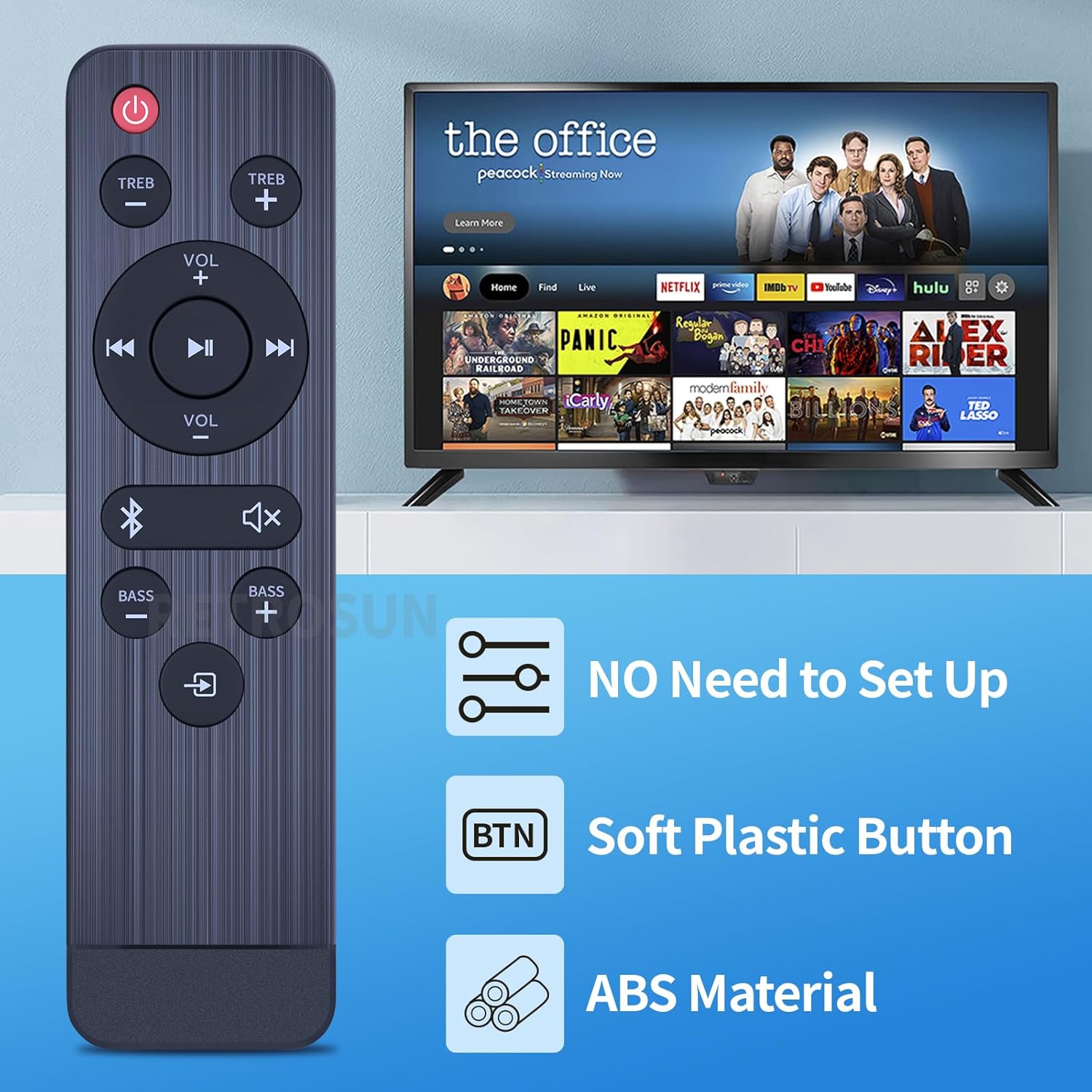
Image: The RETROSUN remote control highlights key features: no setup required, soft plastic buttons, and durable ABS material construction.
Disetél
1. Pamasangan batré
Remot kontrol ieu meryogikeun dua (2) batré AAA 1.5V (teu kalebet). Turutan léngkah-léngkah ieu pikeun masangna:
- Teangan tempat panutup kompartemen batré dina tonggong kadali jauh.
- Geser panutup ka handap atawa pencét kancing (upami aya) pikeun muka kompartemen.
- Selapkeun dua batré AAA, mastikeun terminal positif (+) jeung négatip (-) align bener jeung markings jero kompartemen nu.
- Ganti panutup kompartemen batré ku cara ngageser deui kana tempatna nepi ka klik aman.
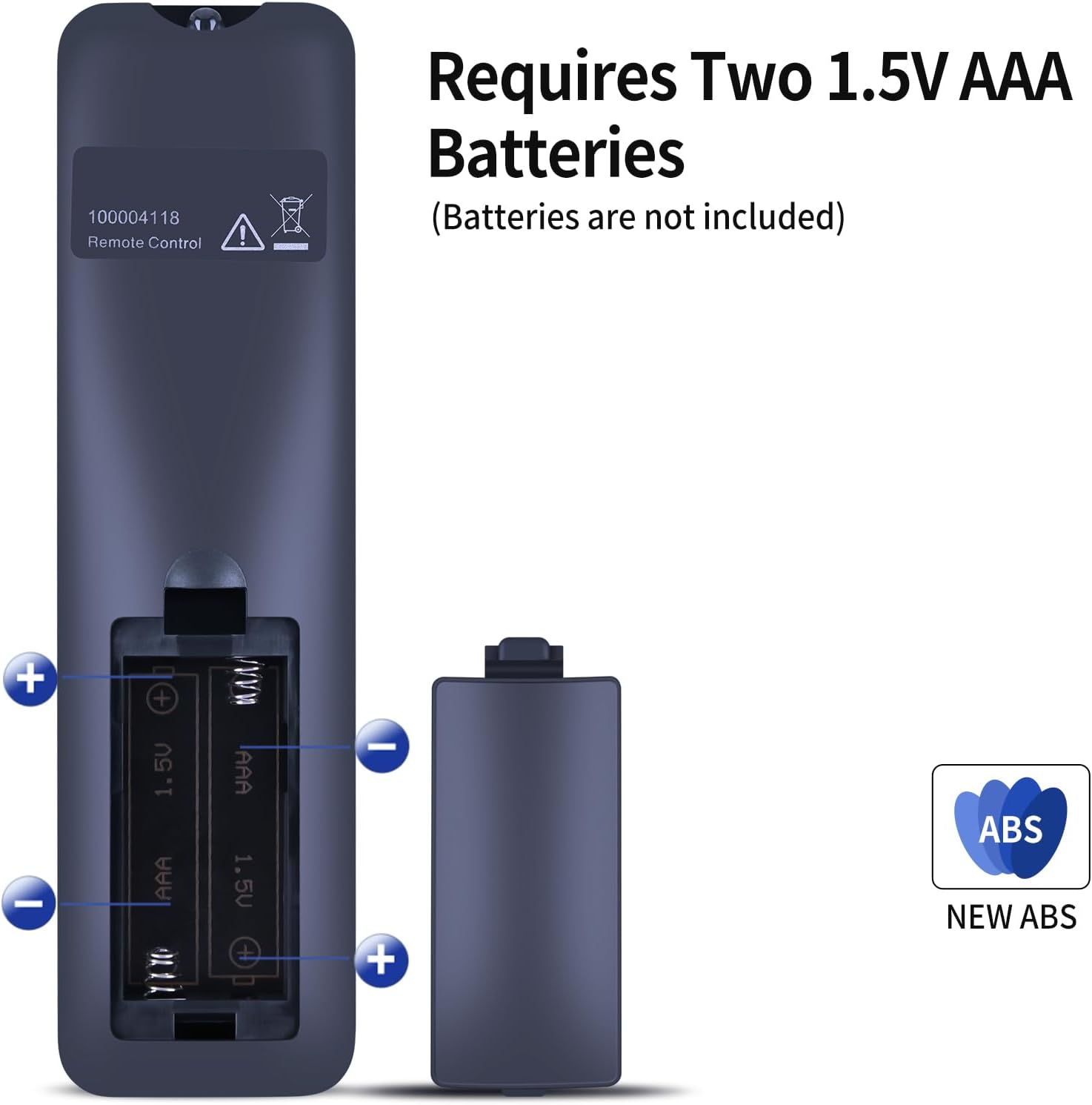
Image: Back of the remote control with the battery compartment open, illustrating the correct placement for two AAA batteries. Batteries are not included.
2. Pamakéan awal
This replacement remote control is designed to work immediately with compatible Onn soundbar models (specifically 100004118) without any programming or pairing. Once batteries are installed, it is ready for use.
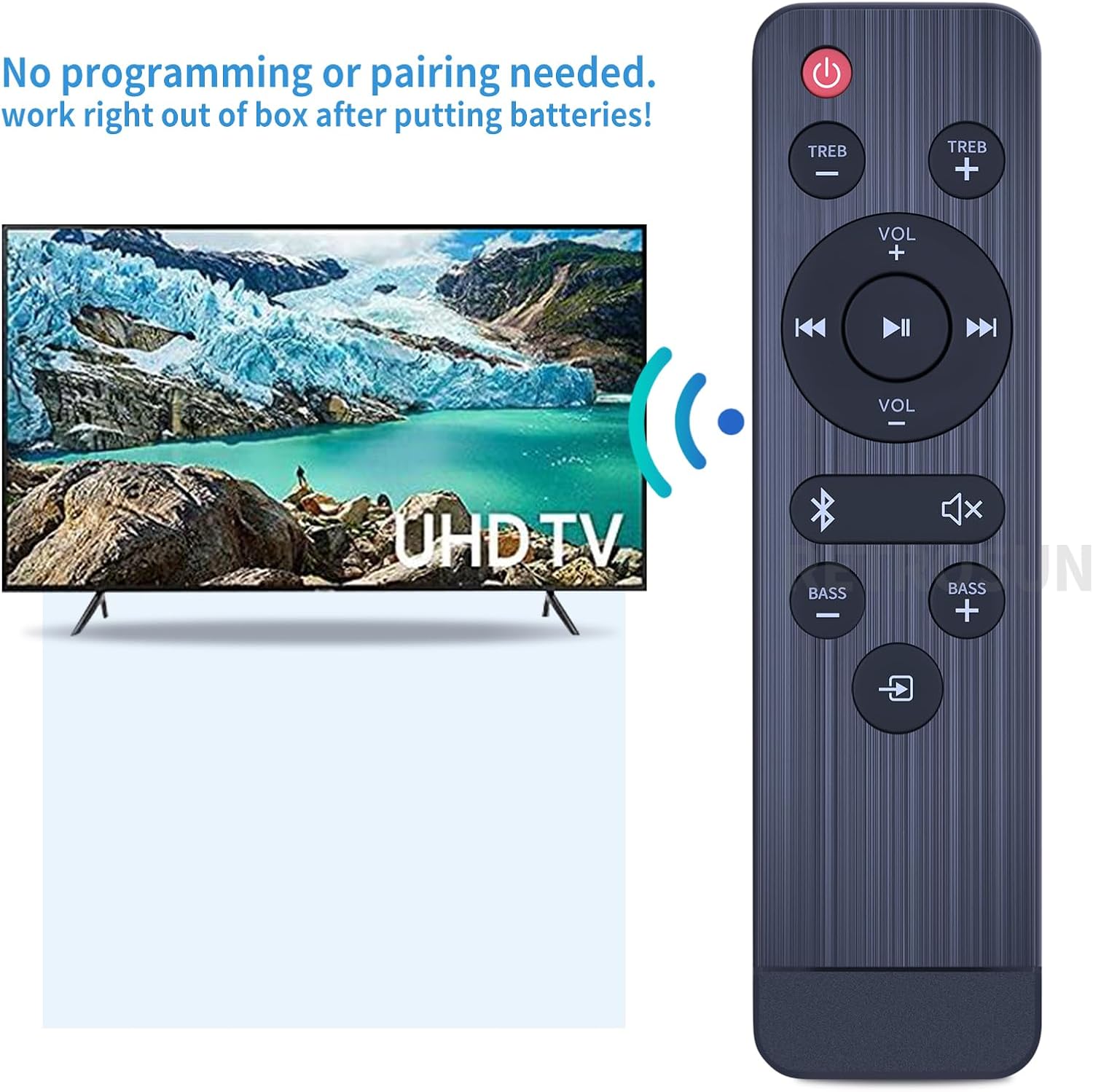
Image: The remote control is ready for immediate use after battery installation, requiring no programming or pairing.
Parentah Operasi
The remote control features an intuitive layout for controlling your Onn soundbar. Below is a general overview of the buttons and their functions:
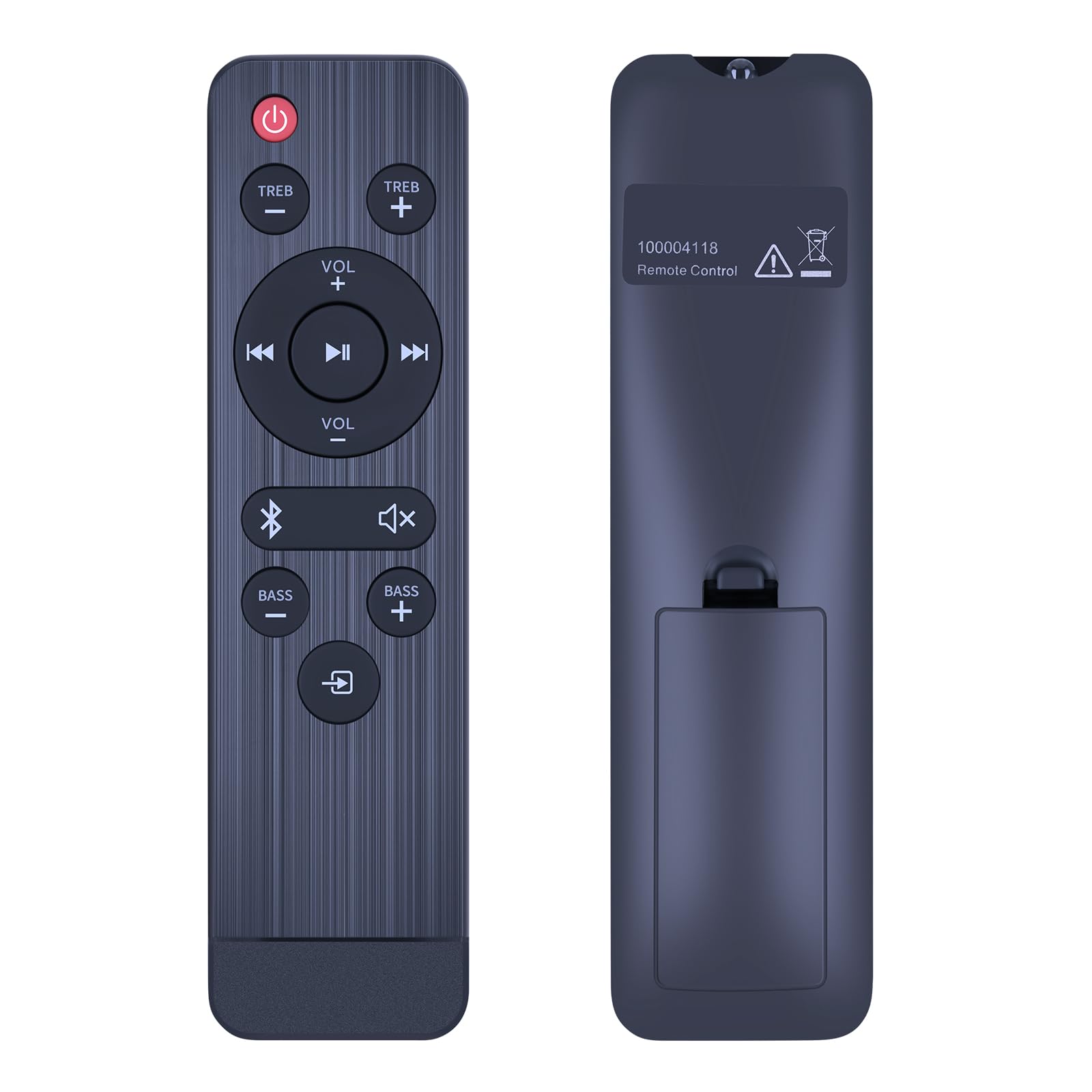
Gambar: Hareupeun view of the remote control, displaying its button layout.
- Tombol Daya (●): Ngahurungkeun atanapi mareuman bar sora.
- TREB +/-: Saluyukeun tingkat treble.
- VOL +/-: Increases or decreases the main volume.
- Maénkeun/Pareuman (►▮▮): Muterkeun atanapi ngareureuhkeun pamuteran média.
- Previous/Next Track (◀◀ / ►►): Luncat ka lagu saméméhna atawa salajengna.
- Bluetooth Button (&): Activates or switches to Bluetooth input mode.
- Mute Button (🔇): Ngajempékeun atanapi nganonaktipkeun sora.
- BASS +/-: Saluyukeun tingkat bass.
- Input/Source Button (↳): Cycles through available input sources (e.g., HDMI, Optical, AUX).
The remote utilizes infrared (IR) technology for control, providing a precise signal transmission up to 10 meters (33 feet) for multi-angle induction.

Image: The remote control offers long-distance, precise infrared control up to 33 feet.
Pangropéa
Pikeun mastikeun umur panjang sareng kinerja optimal tina kadali jauh anjeun, turutan tungtunan pangropéa ieu:
- beberesih: Wipe the remote control with a soft, dry cloth. Do not use liquid cleaners, sprays, or abrasive materials, as these can damage the surface or internal components.
- Ngagantian batré: Replace batteries when the remote's responsiveness decreases. Always replace both batteries at the same time with new ones of the same type (AAA 1.5V). Remove batteries if the remote will not be used for an extended period to prevent leakage.
- Panyimpenan: Simpen remote di tempat anu tiis, garing jauh tina sinar panonpoé langsung, suhu ekstrim, sareng kalembaban anu luhur.
- Penanganan: Avoid dropping the remote control or subjecting it to strong impacts, which can damage its internal circuitry.
Pamérésan masalah
Upami anjeun mendakan masalah sareng kadali jauh anjeun, tingal masalah sareng solusi umum ieu:
| Masalah | Mungkin Cukang lantaranana | Solusi |
|---|---|---|
| Jauh teu ngaréspon | Dead or incorrectly installed batteries. Obstruction between remote and soundbar. Remote out of range. |
|
| Tombol-tombol khusus teu jalan | Dirty contacts under the button. Remote damage. |
|
| Soundbar teu hurung/pareum | Soundbar power issue. |
|
spésifikasi
| Fitur | Rincian |
|---|---|
| Nomer modél | ONN 100004118 (Replacement for) |
| Kasaluyuan | Onn 100004118 32" 2.1 CH Sound Bar Home Theater |
| Sumber Daya | 2 x Batré AAA 1.5V (teu kalebet) |
| Téhnologi Kontrol | Infrabeureum (IR) |
| Rentang Operasi | Nepi ka 10 méter (33 suku) |
| Ukuran (L x W x H) | Kira-kira. 7.40 x 1.57 x 0.70 inci (18.8 x 4.0 x 1.8 cm) |
| Item Beurat | Kira-kira. 1.41 ons (40 gram) |
| Bahan | ABS |
| Fitur husus | Desain ergonomis |
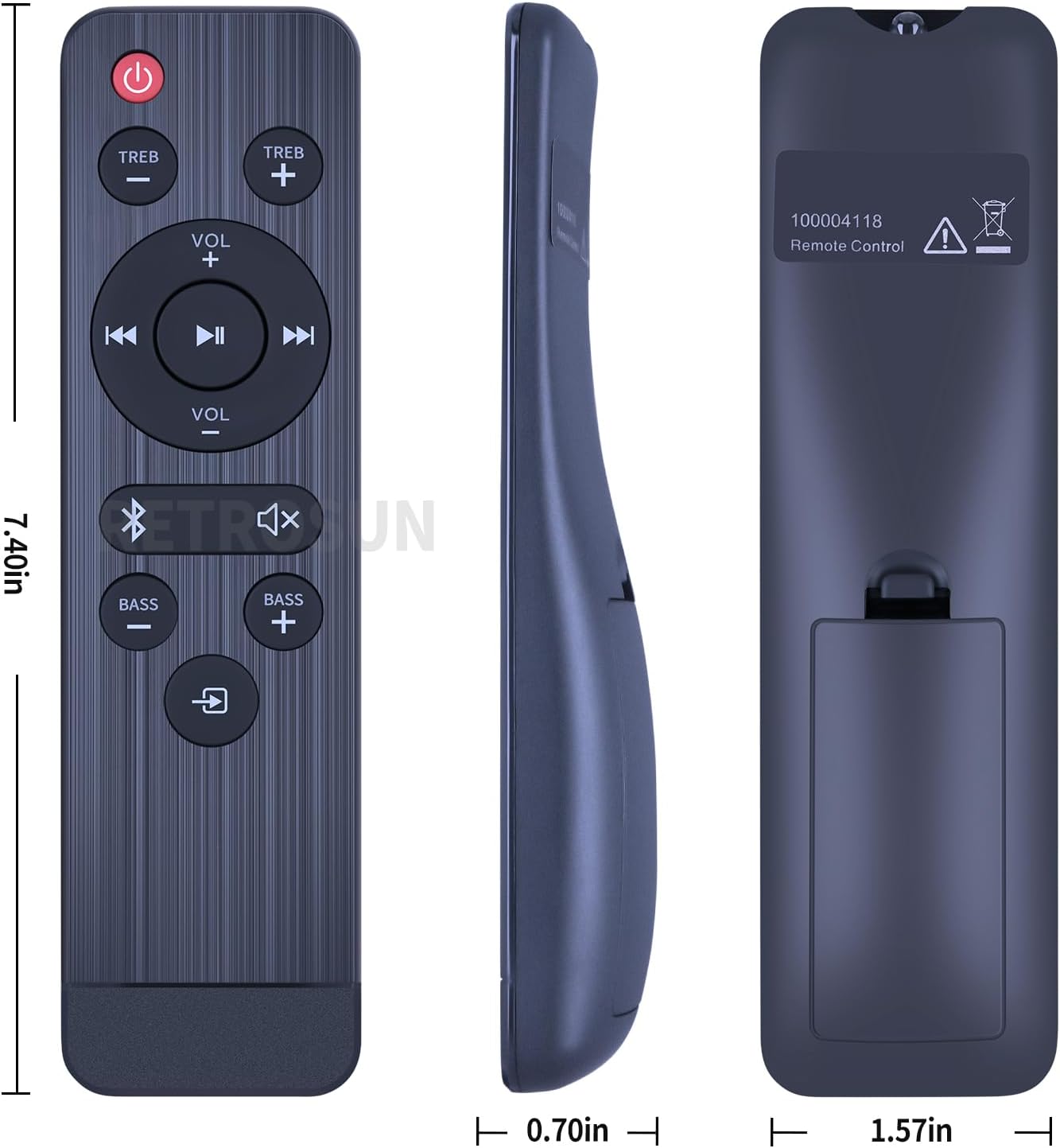
Image: Detailed dimensions of the remote control.
Garansi sareng Rojongan
For any issues or questions regarding your RETROSUN replacement remote control, please contact the seller via Amazon messenger. We are committed to resolving any problems within 24 hours.
This product is designed as a direct replacement and is expected to function upon battery installation without additional setup.


