1. Bubuka
Thank you for choosing the Cherry KW 7100 Mini Multi-Device Compact Keyboard. This manual provides essential information for setting up, operating, and maintaining your new keyboard. Designed for versatility and portability, this keyboard offers seamless connectivity across multiple devices.
2. Naon dina Box
- Cherry KW 7100 Mini Multi-Device Compact Keyboard
- USB-C to USB-A Charging/Connection Cable
- 2 x Batré AAA
- 2.4 GHz Wireless Nano Receiver (stored magnetically in the keyboard)
- Mawa Kasus
- Instruksi Manual

Gambar 1: Top-handap view of the Cherry KW 7100 Mini Keyboard.
3. Setélan
3.1. Pamasangan batré
- Tangtukeun lokasi kompartemen batré dina handapeun kibor.
- Geser muka kompartemen batréna.
- Pasangkeun dua batré AAA, pastikeun polaritasna bener (+/-).
- Tutup panutup kompartemen batré aman.
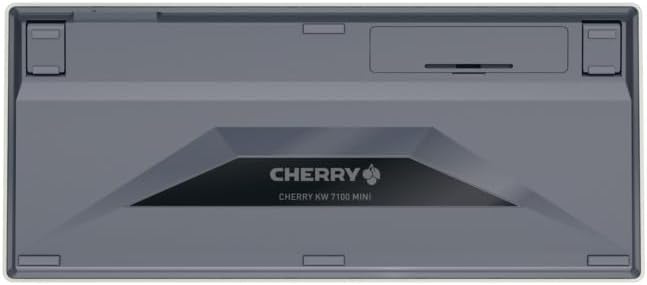
Figure 2: Underside of the keyboard with the battery compartment.
3.2. Nyambungkeun kibor
The Cherry KW 7100 Mini supports three connection methods: Bluetooth, 2.4 GHz Wireless, and Wired USB-C.
3.2.1. Sambungan Bluetooth (Nepi ka 3 Alat)
- Hurungkeun keyboard nganggo saklar daya anu aya di sisi.
- Press and hold one of the Bluetooth channel keys (F1, F2, or F3) for 3-5 seconds until the corresponding LED indicator blinks rapidly. This indicates pairing mode.
- On your device (laptop, smartphone, tablet), navigate to Bluetooth settings and search for available devices.
- Select "Cherry KW 7100" from the list to pair. The LED will stop blinking and remain solid for a few seconds upon successful connection.
- Repeat for up to two additional devices using the other Bluetooth channel keys (F1, F2, or F3).
3.2.2. Konéksi Nirkabel 2.4 GHz
- Locate the 2.4 GHz wireless nano receiver, typically stored magnetically in a slot on the underside of the keyboard.
- Insert the nano receiver into an available USB-A port on your computer.
- Hurungkeun kibor nganggo saklar daya. Kibor kedahna otomatis nyambung ka panarima.
3.2.3. Sambungan USB-C Kabel
- Connect one end of the provided USB-C cable to the USB-C port on the keyboard.
- Connect the other end of the USB-C cable to an available USB-A port on your computer.
- The keyboard will function as a wired keyboard.
Video 1: Demonstrating the setup and typing experience of the Cherry KW 7100 Mini Keyboard.
4. Ngoperasikeun kibor
4.1. Ngalihkeun Antara Alat nu Nyambung
To switch between paired Bluetooth devices, simply press the corresponding Bluetooth channel key (F1, F2, or F3) that your device is paired to. The keyboard will automatically connect to the selected device.
4.2. Function Keys (FN)
The keyboard features a dedicated FN key, typically located near the right Shift key. This key, in combination with other keys, activates secondary functions such as media controls, screen brightness, and other system commands. Refer to the keycap legends for specific FN key combinations.
4.3. Indikator LED
LED indicators on the keyboard provide information about its status:
- Bluetooth Channel LEDs (F1, F2, F3): Indicate the currently active Bluetooth connection or pairing mode.
- Caps Lock LED: Nyaangan nalika Caps Lock aktip.
- LED Status Batré: Nunjukkeun tingkat batré lemah.
4.4. Suku anu tiasa diatur
The keyboard is equipped with stable, fold-out feet on the underside. These allow you to adjust the typing angle for improved ergonomics and comfort.
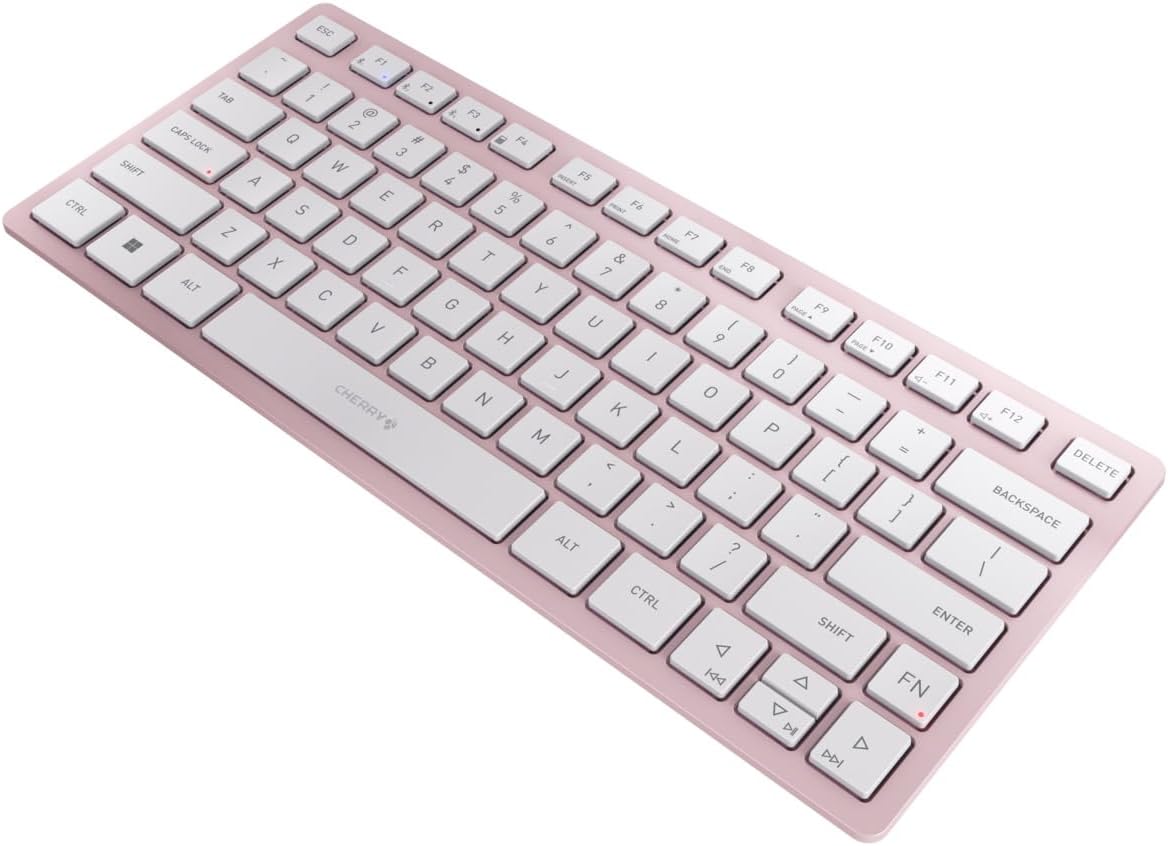
Gambar 3: Angled view of the keyboard, highlighting its slim profile.

Gambar 4: Sisi view showing the adjustable feet extended for an ergonomic typing angle.
5. Pangropéa
5.1. beberesih
To clean your keyboard, gently wipe the keycaps and surface with a soft, lint-free cloth. For stubborn dirt, slightly dampBilas lawon ku cai atanapi larutan pembersih anu hampang sareng henteu abrasif. Hindarkeun kalembaban anu kaleuleuwihi sareng ulah nyemprotkeun pembersih langsung kana kibor.
5.2. Panyimpenan
When not in use, especially during travel, store the keyboard in its included carrying case to protect it from dust, scratches, and minor impacts.

Figure 5: The keyboard stored in its protective carrying case.
6. Cara ngungkulan
6.1. Kibor Teu Nyambung
- Pastikeun keyboard diaktipkeun.
- Pariksa batré jeung ngaganti eta lamun perlu.
- For Bluetooth, ensure the correct channel (F1, F2, or F3) is selected and the keyboard is in pairing mode (blinking LED).
- For 2.4 GHz wireless, ensure the nano receiver is securely plugged into a USB-A port.
- Try connecting via the USB-C cable to rule out wireless issues.
- Balikan deui alat anjeun sareng cobian pasangkeun deui.
6.2. Konci Teu Ngarespon
- Pariksa sambungan sapertos anu dijelaskeun di luhur.
- Pastikeun teu aya runtah anu nyangkut di handapeun konci.
- If using a wired connection, try a different USB port or cable.
6.3. Hirup batré pondok
- Pastikeun anjeun nganggo batré AAA anu seger sareng kualitas luhur.
- Turn off the keyboard when not in use to conserve battery power.
7. Spésifikasi
| Fitur | Spésifikasi |
|---|---|
| Ngaran modél | KW 7100 |
| Nomer Modél Item | JK-7100US-19 |
| merek | buah Cherry |
| Téhnologi konektipitas | Bluetooth 5.1 (3 channels), 2.4 GHz Wireless, USB-C Wired |
| Alat nu cocog | Laptop, Smartphone, Tablet |
| Katerangan kibor | Compact, Multi-Device |
| Key Mechanism | CHERRY SX Scissor Mechanism |
| Sumber Daya | 2 x Batré AAA |
| Énkripsi | AES-128 |
| Dimensi produk | 11.6 x 5.1 x 0.6 inci |
| Item Beurat | 1.4 pon |
| Bahan | Logam, Plastik |
| Warna | Cherry Blossom |
8. Garansi jeung Rojongan
This product is covered by Cherry's standard manufacturer warranty. For detailed warranty information, technical support, or service inquiries, please visit the official Cherry websitus atanapi ngahubungan rojongan customer maranéhanana langsung.
Pabrikan: buah Cherry
Websitus: www.cherry.de


