1. Produk Langkungview
The Cisco Nexus 7706 Bundle is a high-performance, modular data center-class switch designed for mission-critical deployments. This bundle includes the Nexus 7706 chassis, two Supervisor Engine 2E modules (SUP2E), six Fabric Module 2 (FAB2) modules, and three AC power supplies. It provides a robust and scalable platform for network infrastructure.
This manual provides essential information for the safe and efficient installation, operation, and maintenance of your Cisco Nexus 7706 Bundle.

Gambar 1: Hareupeun view of the Cisco Nexus 7706 chassis. This image displays the modular design, showing slots for supervisor engines, fabric modules, and line cards, along with the Cisco Nexus 7706 branding.
2. Émbaran Kasalametan
Before installing, operating, or maintaining the Cisco Nexus 7706, read all safety warnings and instructions. Failure to follow these guidelines can result in serious injury or equipment damage.
- Ensure proper grounding of the chassis.
- This unit might have more than one power supply connection. All connections need to be removed to de-energize the system.
- Perhatikeun pancegahan pikeun nanganan alat sénsitip éléktrostatik.
- Do not use fan tray handles to lift or move the chassis.
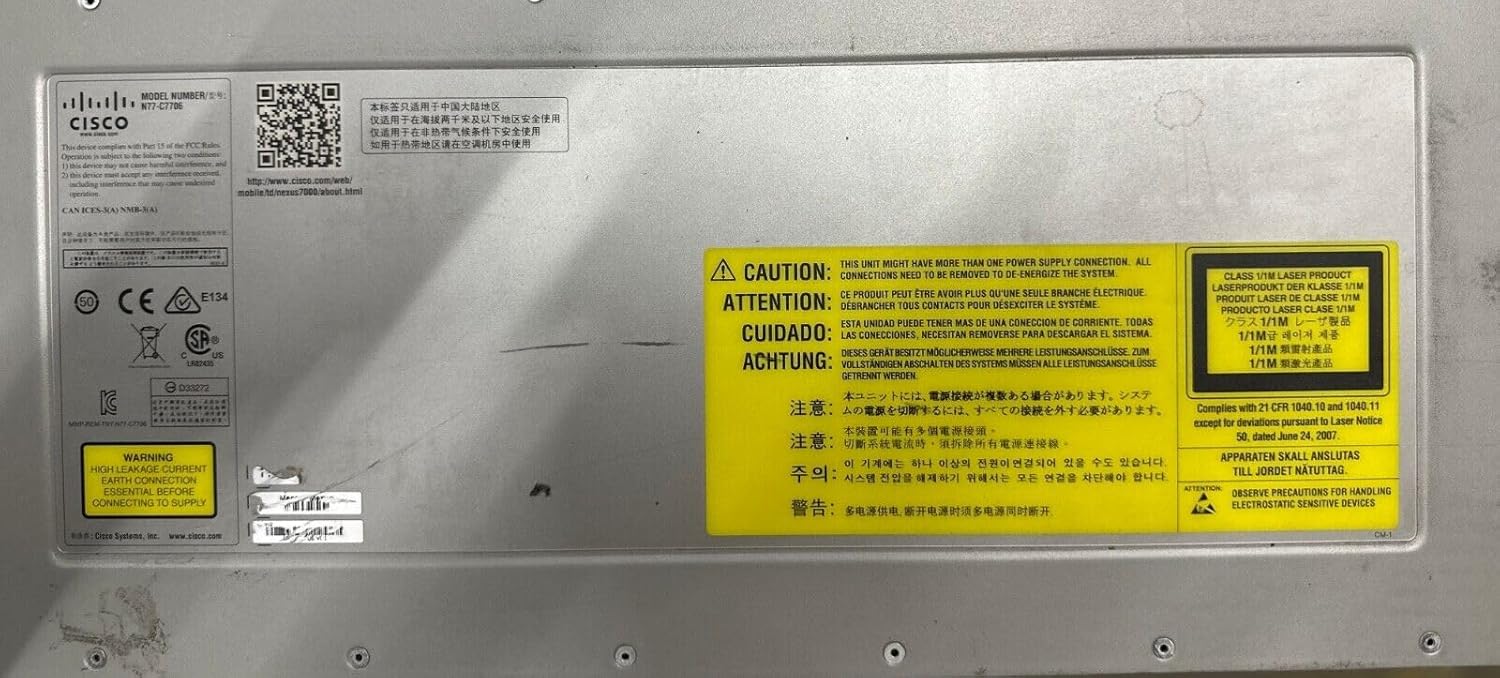
Gambar 2: Warning labels on the chassis. These labels highlight critical safety information, including warnings about multiple power supply connections and precautions for handling electrostatic sensitive devices.

Gambar 3: Tukangeun view of the chassis with fan trays. Each fan tray has a clear warning label stating, "DO NOT USE FAN TRAY HANDLES TO LIFT/MOVE CHASSIS," emphasizing proper handling procedures.
3. Setup jeung Instalasi
The Cisco Nexus 7706 is a heavy device and requires proper handling and installation procedures. Refer to the official Cisco documentation for detailed installation instructions.
3.1 Ngabongkar sareng Inspeksi
- Carefully unpack the chassis and all components.
- Inspect all items for any signs of damage during transit. Report any damage to the carrier and Cisco support immediately.
- Verify that all components listed in your packing slip are present.
3.2 Rak Pamasangan
The Nexus 7706 chassis is designed for rack mounting. Use appropriate rack-mount kits and ensure the rack can support the weight of the fully configured chassis (372 kg / 820 lbs for an empty chassis, as indicated on the label).
- Ensure adequate clearance for airflow and cable management.
- Secure the chassis firmly to the rack using all designated mounting points.
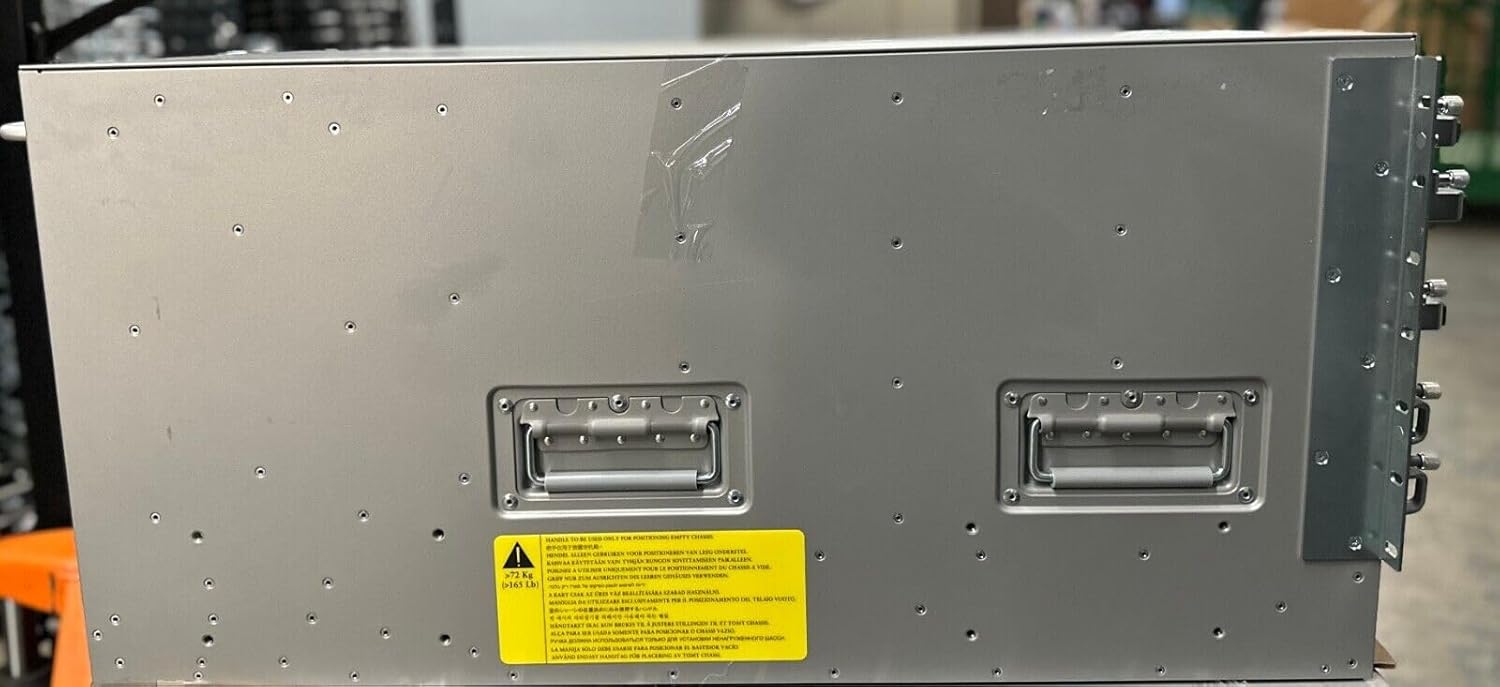
Gambar 4: Samping view of the chassis. This image highlights the side handles for maneuvering and a warning label indicating the substantial weight of the empty chassis (372 kg / 820 lbs), emphasizing the need for proper lifting equipment.
3.3 Component Installation (Supervisor Engines, Fabric Modules, Power Supplies)
Install the Supervisor Engine 2E modules, Fabric Module 2 modules, and AC power supplies into their designated slots. Ensure each module is fully seated and secured according to Cisco's installation guidelines.
- Always handle modules by their edges or designated handles.
- Ensure power supplies are correctly inserted and connected to appropriate power sources.
3.4 Mimiti Power-Up
After all components are installed and secured, connect the power cables to the power supplies and then to the power outlets. Observe the system's boot sequence and indicator lights.
4. Parentah Operasi
The Cisco Nexus 7706 operates on Cisco NX-OS software. Configuration and management are typically performed via a command-line interface (CLI) or a graphical user interface (GUI) if supported.
4.1 Konfigurasi Awal
Connect to the console port using a serial cable and a terminal emulator. Follow the on-screen prompts for initial setup, including setting up basic network parameters, passwords, and management interfaces.
4.2 Manajemén parangkat lunak
Regularly update the NX-OS software to ensure optimal performance, security, and access to new features. Refer to Cisco's official documentation for software upgrade procedures.
4.3 Status Sistem Pemantauan
Monitor the system's health using CLI commands (e.g., show system health, show environment) or network management tools. Pay attention to LED indicators on the chassis and modules for quick status checks.
5. Pangropéa
Regular maintenance ensures the longevity and reliable operation of your Cisco Nexus 7706.
- Kontrol Lingkungan: Maintain proper operating temperature and humidity in the data center.
- Tiupan hawa: Ensure unobstructed airflow around the chassis. Regularly inspect and clean air filters if present.
- Manajemén Kabel: Keep all cables neatly organized to prevent interference and ensure proper airflow.
- Pembaruan firmware: Apply recommended firmware and software updates as released by Cisco.
6. Cara ngungkulan
This section provides general troubleshooting guidance. For detailed diagnostics, refer to Cisco's official troubleshooting guides.
6.1 Isu umum jeung Solusi
- Masalah kakuatan: Verify all power cables are securely connected and power sources are active. Check power supply LEDs.
- Module Not Online: Ensure modules are fully seated in their slots. Check module-specific LEDs for status.
- Konektipitas Jaringan: Verify cable connections, port configurations, and VLAN settings.
- Alarm Sistim: Consult system logs and Cisco documentation for specific alarm codes and recommended actions.
6.2 Ngahubungan Rojongan
If you encounter issues that cannot be resolved using this manual or Cisco's online resources, contact Cisco Technical Assistance Center (TAC) for support.
7. Spésifikasi
| Fitur | Katerangan |
|---|---|
| Nomer modél | N77-C7706-B26S2E-R |
| merek | Cisco |
| Tipe Chassis | Nexus 7706 |
| Supervisor Engines | 2x SUP2E (Supervisor Engine 2E) |
| Fabric Modules | 6x FAB2 (Fabric Module 2) |
| Suplai kakuatan | 3x AC Power Supplies |
| Komponén Kaasup | DVD |
| UPC | 657768658679 |
| Empty Chassis Weight | 372 kg (820 lbs) - Refer to chassis label for exact weight. |
8. Garansi jeung Rojongan
This product is a renewed item. Please refer to the seller's warranty policy for specific details regarding coverage and duration. For technical support and additional documentation, visit the official Cisco websitus.
Cisco Mobile Documentation: For more information on the Nexus 7000 series, you can visit the official Cisco mobile documentation page: http://www.cisco.com/web/mobile/td/nexus7000/about.html


