Bubuka
The Surge PS5 PowerPack 2.0 is designed to extend the battery life of your PlayStation 5 DualSense and DualSense Edge controllers. With a large 1,600mAh capacity, it ensures you stay powered during extended gaming sessions. Its compact design seamlessly attaches to the back of your controller without affecting ergonomics, and the included 10ft braided cable allows for comfortable play and charge functionality.
Eusi pakét
- 1x Surge PS5 PowerPack 2.0 (1,600mAh Battery Pack)
- 1x 10ft Braided Charge Cable (USB-A to USB-C)
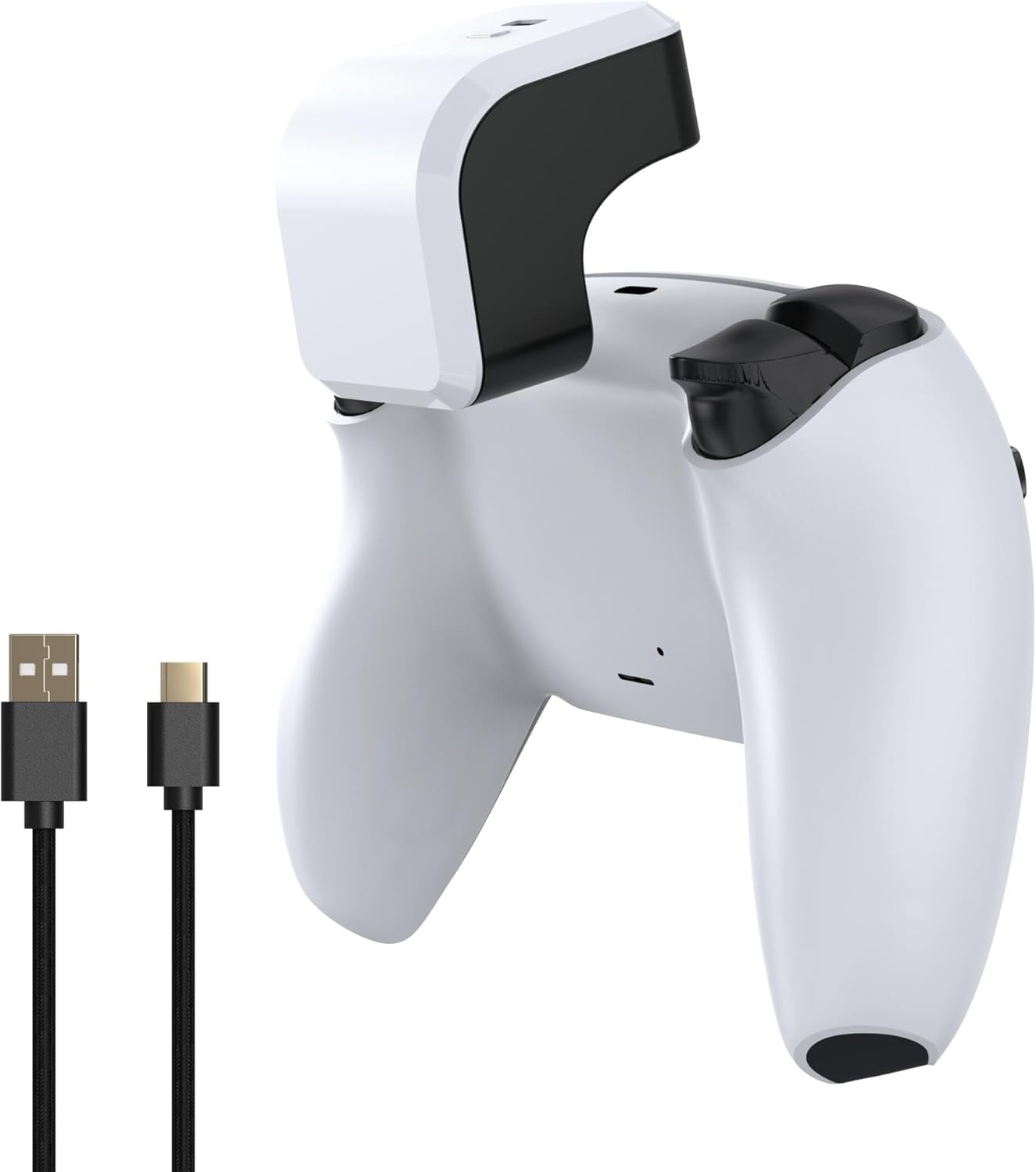
Image: Surge PS5 PowerPack 2.0 and its braided charge cable.
Disetél
Attaching the PowerPack
- Ensure your PlayStation 5 DualSense or DualSense Edge controller is clean and free of debris.
- Align the PowerPack with the top of your controller, ensuring the USB-C connector on the PowerPack aligns with the charging port on your controller.
- Gently press the PowerPack onto the controller until it clicks securely into place. It should fit snugly without obstructing any buttons or ports.

Image: PowerPack attached to a DualSense Edge controller.
Initial Charging of the PowerPack
Before first use, it is recommended to fully charge the PowerPack. Connect the included 10ft braided charge cable to the USB-C port on the PowerPack and the other end to a USB-A power source (e.g., PS5 console, USB wall adapter). The LED indicators on the PowerPack will illuminate to show charging status.

Image: PowerPack with LED indicators.
Parentah Operasi
Ngecas Controller Anjeun
Once the PowerPack is attached and charged, it will automatically begin charging your connected DualSense or DualSense Edge controller. The PowerPack supports "Play & Charge" functionality, meaning you can continue to use your controller while it is being charged by the PowerPack or by the included braided cable connected to the PowerPack.

Image: Play & Charge setup with PowerPack and cable.
Indikator Tingkat batré
The PowerPack features four LED lights that indicate its remaining battery capacity:
- opat LEDs: 75% - 100% dicas
- Tilu LED: 50% - 75% dicas
- Dua LED: 25% - 50% dicas
- Hiji LED: 0% - 25% charged (Recharge soon)
Pangropéa
To ensure the longevity and optimal performance of your Surge PS5 PowerPack 2.0, follow these maintenance guidelines:
- Keep the PowerPack and cable clean by wiping with a soft, dry cloth.
- Ulah ngalaan alat ka suhu ekstrim, sinar panonpoé langsung, atawa Uap.
- Nyimpen dina tiis, tempat garing lamun teu dipaké.
- Do not attempt to disassemble or modify the PowerPack.
Pamérésan masalah
| Masalah | Mungkin Cukang lantaranana | Solusi |
|---|---|---|
| PowerPack or Controller not charging / Controller battery remains low after charging. |
|
|
| PowerPack LEDs are not lighting up. |
|
|
spésifikasi
| Fitur | Rincian |
|---|---|
| Kapasitas batré | 1,600mAh Litium Ion |
| Kasaluyuan | PlayStation 5 DualSense & DualSense Edge Controllers |
| Ngecas Panjang Cable | 10 suku (3 méter) |
| Nomer modél | SG20028 |
| Ukuran Paket | 6.57 x 4.41 x 2.09 inci |
| Item Beurat | 6.74 ons |
| Produsén | Surge |
| Negara asal | Cina |
Garansi sareng Rojongan
For warranty information or technical support regarding your Surge PS5 PowerPack 2.0, please refer to the official Surge websitus atanapi ngahubungan layanan palanggan maranéhanana langsung. Simpen bukti pameseran anjeun pikeun klaim garansi.
Anjeun sering tiasa mendakan sumber daya dukungan sareng inpormasi kontak dina halaman wéb resmi produsén. websitus: Visit the Surge Store on Amazon


