1. Bubuka
This manual provides detailed instructions for the operation and maintenance of the LAUNCH CRP129E Plus OBD2 Scanner. Please read this manual thoroughly before using the device to ensure proper and safe operation. The CRP129E Plus is a comprehensive diagnostic tool designed for automotive professionals and enthusiasts, offering full system diagnostics and various service reset functions.
2. Produk Langkungview
2.1. Komponén Alat
The LAUNCH CRP129E Plus features a user-friendly interface with a 5-inch touchscreen and physical buttons for navigation.

Gambar 2.1: The LAUNCH CRP129E Plus OBD2 Scanner and its protective carrying case.
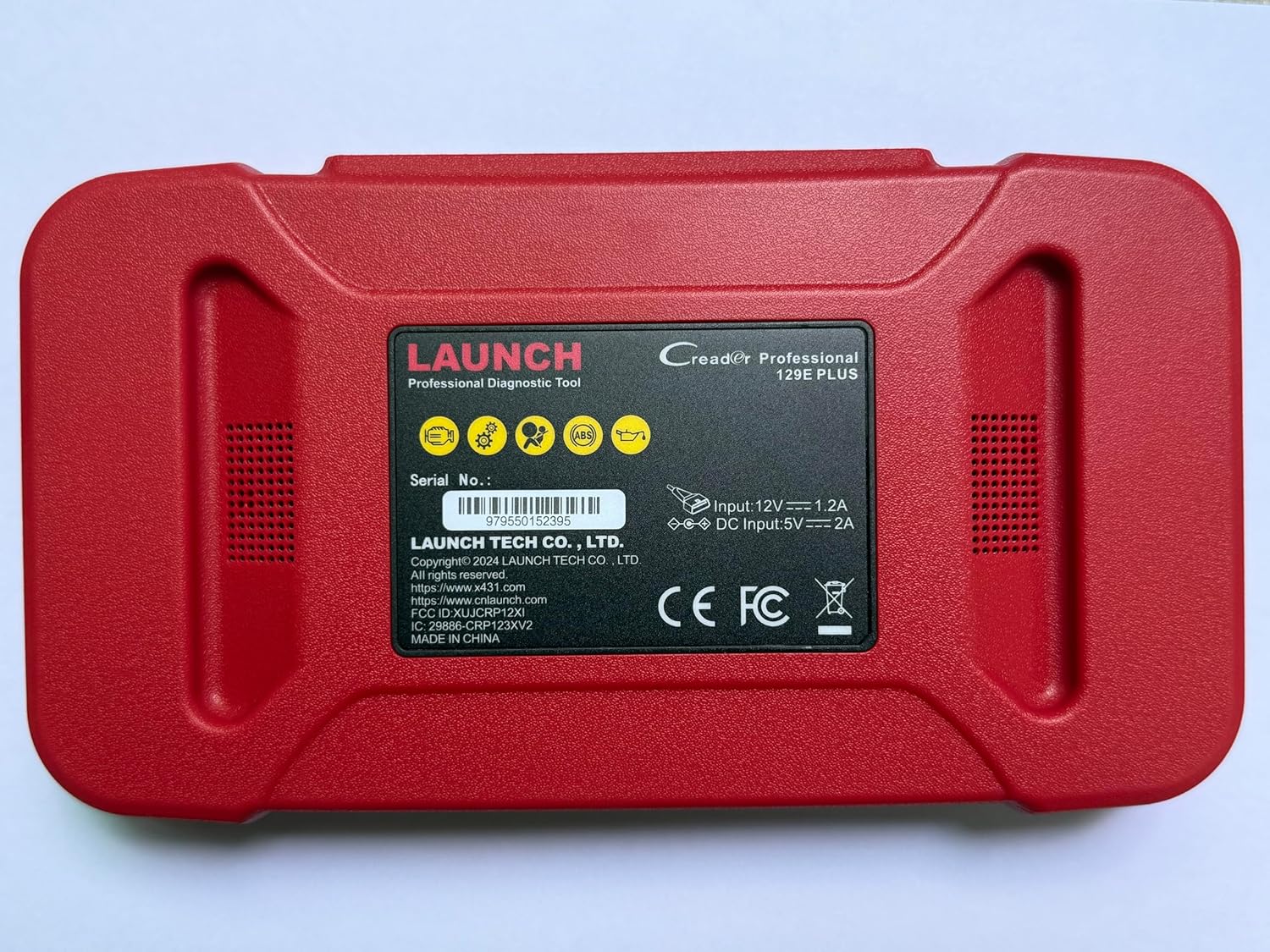
Gambar 2.2: Tukangeun view of the CRP129E Plus, displaying input voltage, current specifications, and serial number (e.g., 979550152395).
2.2. Eusi Paket
Upon unboxing, verify that all items listed below are present:
- CRP129E PLUS OBD2 Scanner (x1)
- OBDII Cable (x1)
- 5V DC Charging Cable (x1)
- Buku Panduan Pamaké (x1)
- Pitunjuk Mimitian Gancang (x1)
- Kantong Jinjing (x1)

Gambar 2.3: Visual representation of the CRP129E Plus package contents.
3. Setup jeung Pamakéan Awal
3.1. Ngecas Alat
Before first use, ensure the device is fully charged using the provided 5V DC charging cable. Connect the cable to the device and a suitable power source.
3.2. Powering on / Pareum
- Daya Hurung: Pencét jeung tahan tombol daya nepi ka layar hurung.
- Pareum listrik: Press and hold the power button, then select "Power Off" from the options.
3.3. Nyambungkeun ka Kendaraan
Locate the vehicle's OBDII port, typically under the dashboard on the driver's side. Connect the provided OBDII cable from the CRP129E Plus to the vehicle's OBDII port. Ensure the vehicle's ignition is in the ON position (engine off or running, depending on the diagnostic task).
3.4. Wi-Fi Connection and Updates
The CRP129E Plus supports one-click Wi-Fi updates. Connect the device to a stable Wi-Fi network to download the latest software and vehicle data. Regular updates ensure compatibility with new vehicle models and improved diagnostic functions.
- From the main menu, tap "Settings".
- Select "WLAN" and connect to an available network.
- Return to the main menu and tap "Upgrade".
- Select the desired software updates and tap "Update".

Gambar 3.1: The device interface showing options for updates, DTC lookup, live data stream, and battery test.
4. Parentah Operasi
4.1. Otomatis VIN Scan
The device can automatically identify vehicle information. After connecting to the vehicle, select "Diagnose" and the device will attempt an Auto VIN scan to quickly identify the vehicle's make, model, and year.

Gambar 4.1: Visual representation of the Auto VIN scan process and systems covered by diagnosis.
4.2. Diagnostik Sistim pinuh
The CRP129E Plus can access and diagnose all available vehicle systems. This includes, but is not limited to, Engine, ABS, SRS, SAS, TCM, TPMS, Body, Chassis, Powertrain, Fuel System, and Lighting System.
- Tina ménu utama, pilih "Diagnosis".
- Choose "Health Report" or select specific systems for diagnosis.
- The device will scan for Diagnostic Trouble Codes (DTCs) and display results.
- You can read fault codes, clear fault codes, and view aliran data hirup.

Gambar 4.2: Leuwihview of the comprehensive system diagnostic capabilities.
4.3. Fungsi OBD2
The device supports all 10 modes of OBDII testing for emissions-related issues.
- Baca/Hapus DTCs: Retrieve and erase diagnostic trouble codes.
- Aliran Data Langsung: View real-time data from the vehicle's sensors.
- Kesiapan I / M: Pariksa status monitor anu aya patalina sareng émisi.
- Freeze Data Frame: View a snapshot of vehicle conditions when a fault code was set.
- Tés Sénsor O2: Candak hasil tés monitor sénsor O2.
- Tes Monitor On-Board: Retrieve results for emission-related powertrain components.
- Uji Sistem EVAP: Initiate a test of the evaporative emission system.
- Émbaran Kandaraan: Candak nomer idéntifikasi kandaraan (VIN), ID kalibrasi, sareng nomer verifikasi kalibrasi (CVN).
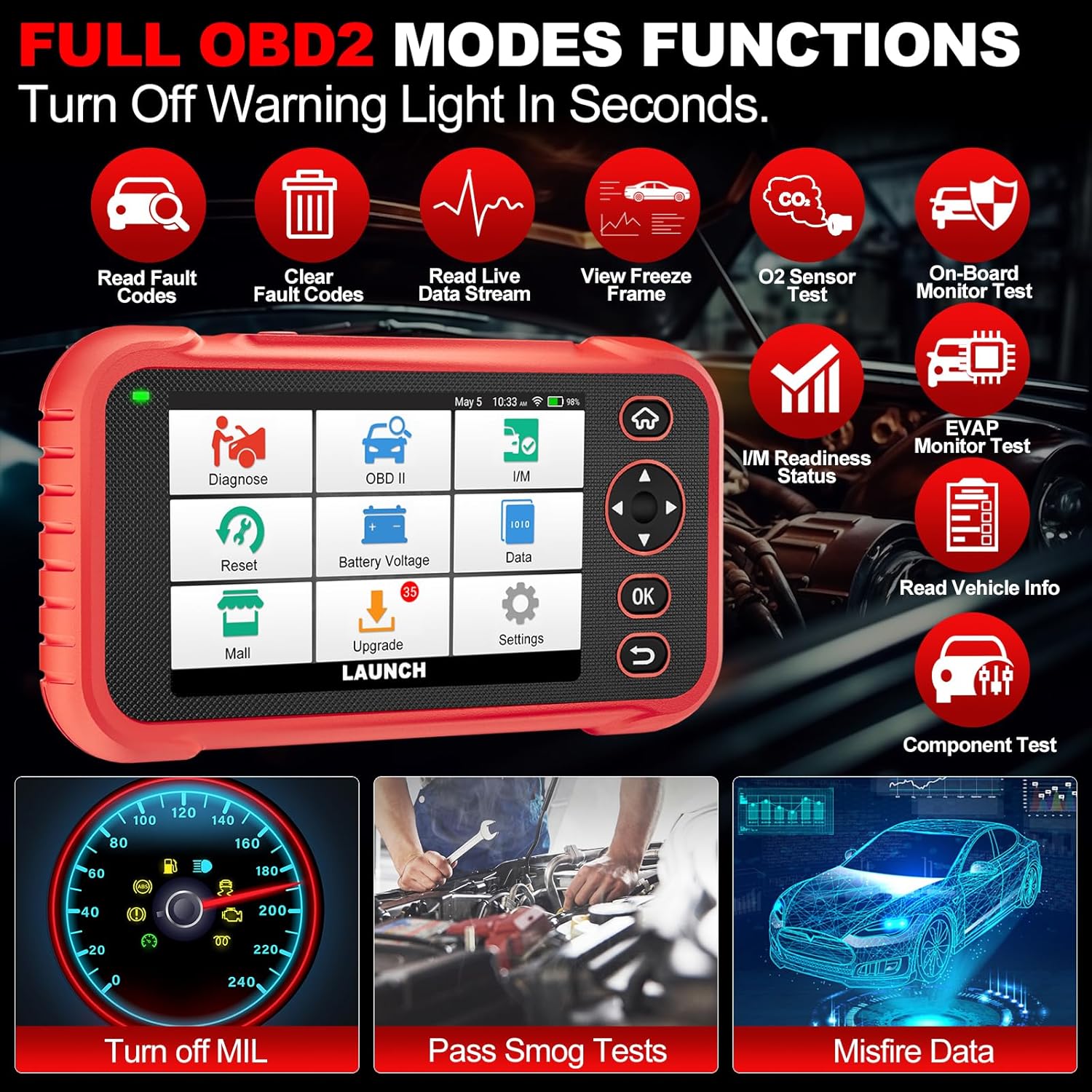
Gambar 4.3: Main menu options for OBD2 functions.
4.4. Service Reset Functions
The CRP129E Plus offers 12+ essential service reset functions for common maintenance tasks.
- Reset minyak: Ngareset sistem hirup oli saatos ganti oli.
- Adaptasi throttle: Initializes the throttle actuators to the default state.
- Reset Adblue: Resets the urea after the diesel exhaust fluid (AdBlue) is replaced or refilled.
- Headlamp Cocog: Calibrates the adaptive front lighting system.
- Reset TPMS: Ngareset sénsor sistem pangimeutan tekanan ban.
- Reset SAS: Calibrates sensor sudut steering.
- Battery Matching (BMS Reset): Registers new battery replacement.
- Reset A/F: Adjusts air/fuel ratio parameters.
- D-P-F Regeneration: Ngabersihkeun partikel tina saringan DPF.
- Injector Coding: Kode nomer injector anyar kana ECU.
- Reset EPB: Ngareset kampas rem parkir éléktronik saatos digentos.
- Perdarahan ABS: Performs bleeding of the brake system.

Gambar 4.4: Leuwihview of available service reset functions.
4.5. Live Data Graphing and Recording
The device can display live data streams in merged quadrant graphs, allowing for comprehensive analysis of up to four parameters simultaneously. Data can also be recorded and played back for further review.

Gambar 4.5: Example of 4-in-1 live data graphing and diagnostic report generation.
4.6. Batré Voltage Tés
Pantau voltase batré kendaraantage in real-time to assess its status and identify potential issues.

Gambar 4.6: Batré voltage test interface and other diagnostic support features.
5. Pangropéa
- beberesih: Anggo lawon anu lemes sareng garing pikeun ngabersihkeun alat. Hindarkeun pembersih atanapi pangleyur anu abrasif.
- Panyimpenan: Store the device in its carrying case in a cool, dry place when not in use.
- Apdet parangkat lunak: Regularly check for and install software updates via Wi-Fi to ensure optimal performance and vehicle compatibility.
- Perawatan batré: Avoid fully discharging the battery frequently. Charge the device regularly, even if not in active use, to maintain battery health.
6. Cara ngungkulan
| Masalah | Mungkin Cukang lantaranana | Solusi |
|---|---|---|
| Alat teu hurung. | batré lemah; tombol kakuatan faulty. | Charge the device for at least 30 minutes. If issue persists, contact support. |
| Kasalahan komunikasi sareng kendaraan. | Loose OBDII connection; vehicle ignition off; incompatible vehicle protocol. | Ensure cable is securely connected. Turn ignition to ON. Verify vehicle compatibility. |
| Unable to update software. | No Wi-Fi connection; unstable internet; insufficient storage. | Check Wi-Fi connection. Ensure stable internet. Free up storage if necessary. |
| Layar teu ngaréspon. | glitch software; karuksakan fisik. | Restart the device. If issue persists, contact support. |
7. Spésifikasi
- model: CRP129E PLUS
- Sistem operasi: Android 7.0
- tampilan: Layar sentuh 5 inci
- Mémori: 16GB
- Batré: 6100 mah
- Konektipitas: Wifi
- ukuran: 7.09 x 6.3 x 2.36 inci
- Beurat barang: 2.27 pon
- Protokol dirojong: OBDII/EOBD
- Cakupan Kandaraan: Over 85 brands (1996-2025)
- UPC: 884508007774

Gambar 7.1: Summary of key hardware and software specifications.

Gambar 7.2: Extensive vehicle brand coverage and multi-language support.
8. Garansi jeung Rojongan
The LAUNCH CRP129E Plus comes with a manufacturer's warranty. Please refer to the official LAUNCH websitus atawa dokuméntasi pameseran Anjeun pikeun istilah jeung kaayaan jaminan husus.
- Garansi: 5 Years (as per product information)
- Return/Replace Policy: 90 Days (as per product information)
- Bantosan Téknis: 24/7 technical support is available. For assistance, please contact LAUNCH customer service.
- Eupan Balik Online: The device supports online feedback for quick resolution of diagnostic issues.
For further assistance or to provide feedback, please visit the official LAUNCH support channels.


