Bubuka
This manual provides detailed instructions for the proper use, setup, and maintenance of your Status Audio Between Pro True Wireless Earbuds. Please read this manual thoroughly before using the product to ensure optimal performance and longevity.

Image: Status Audio Between Pro True Wireless Earbuds with their compact charging case. The earbuds are shown outside the case, highlighting their sleek design.
Eusi pakét
Pastikeun sadaya item aya dina bungkusan:
- Status Audio Between Pro True Wireless Earbuds (Left and Right)
- Kasus Ngecas Nirkabel
- Kabel Ngecas USB-C
- Multiple sizes of Silicone Ear Tips (S/M/L)
- Manual pangguna (dokumén ieu)
Disetél
Ngecas Earbuds sareng Case
Sateuacan dianggo anu munggaran, eusian pinuh earbud sareng wadah ngecas. Wadah ngecas nyayogikeun umur batré tambahan pikeun ngecas nalika di perjalanan.
- Place both earbuds into the charging case. Ensure they are properly seated; the indicator lights on the earbuds will illuminate (red) to confirm charging.
- Connect the USB-C charging cable to the charging port on the back of the case and to a power source.
- The LED indicators on the front of the charging case will show the battery level. Three blue lights indicate a full charge.

Image: The Status Audio Between Pro charging case displaying its battery indicator lights, alongside an illustration of the earbuds and their impressive 12-hour battery life per charge, with an additional 36 hours from the case.
Masangkeun sareng Alat
The earbuds utilize Bluetooth 5.2 for stable and instantaneous pairing.
- Buka wadah ngecas. Earbuds bakal otomatis asup kana mode papasangan.
- On your device (smartphone, laptop, etc.), navigate to the Bluetooth settings.
- Select "Status Between Pro" from the list of available devices.
- Sakali disambungkeun, ajakan sora bakal mastikeun papasangan suksés.
The earbuds support long-range, ultra-stable wireless connectivity.

Image: A visual representation of the Qualcomm QCC3040 Bluetooth 5.2 Chipset, emphasizing its role in providing long-range, ultra-stable wireless connectivity and instantaneous pairing, along with support for AAC & SBC codecs.
Nyocogkeun Earbuds
For optimal sound quality and comfort, select the correct size of silicone ear tips. A proper seal is crucial for noise isolation and bass response.
- Try different sizes (S/M/L) to find the best fit for your ears.
- Lebetkeun earbud kana liang ceuli anjeun lalaunan teras pulas sakedik pikeun ngamankeunana.

Image: An exploded diagram illustrating the internal components of the Status Audio Between Pro earbud, including the silicone tips for personalized fitting and comfort, the 60 mAh battery, and the Qualcomm QCC3040 Bluetooth 5.2 chipset.
Parentah Operasi
The Between Pro earbuds feature physical buttons for intuitive control of music and calls.

Image: A detailed guide to the multifunctional button controls on each earbud, showing specific actions for single tap, double tap, press & hold, and triple tap for both left and right earbuds, as well as actions applicable to either earbud.
Kontrol Playback Musik
- Puter / Reureuh: Ketok tunggal boh earbud.
- Volume Up: Ketok dua kali earbud katuhu.
- Volume Turun: Ketok dua kali earbud kénca.
- Lagu salajengna: Press & Hold the Right earbud.
- Lagu Sateuacanna: Press & Hold the Left earbud.
Manajemén Telepon
- Ngajawab / mungkas Telepon: Ketok tunggal boh earbud.
- Nolak Telepon: Press & Hold either earbud.
- Switch Audio Source (during call): Press & Hold either earbud.
Asisten sora
- Aktipkeun Asisten Sora: Ketok tilu kali salah sahiji earbud.
Sound Quality and Call Clarity
The earbuds feature Hybrid Triple Drivers for a rich frequency response, combining two balanced armature drivers and one dynamic driver in each ear. This provides commanding bass, warmed mids, and bright treble.

Gambar: Hiji ngabeledug view illustrating the powerful Hybrid Triple Driver Sound System, detailing the 10mm Dynamic Driver for deep notes and two Balanced Armature Drivers for stunning sound detail and clarity.
For crystal-clear calls, the earbuds are equipped with four external microphones and Qualcomm cVc noise cancellation technology. This filters out disruptive background noise, ensuring superior noise suppression for precise and audible conversations.

Image: A visual representation of the Crystal-Clear Calls feature, highlighting how four external microphones with Qualcomm cVc noise reduction technology provide noise isolation by filtering out external noise during calls.
Pangropéa
beberesih
Pembersihan rutin ngabantosan ngajaga kualitas sora sareng kabersihan.
- Lembut usap earbuds sareng wadah ngecas ku lawon anu lemes, garing, teu aya serat.
- Cabut tip ceuli sareng bersihkeun ku sabun sareng cai anu hampang. Pastikeun aranjeunna tos rengse garing saméméh reattaching.
- Anggo kapas garing pikeun ngabersihkeun kontak pangisi daya dina earbud sareng jero wadahna sacara saksama.
Tahan cai
The Status Audio Between Pro earbuds are IPX5 water-resistant, meaning they can withstand splashes and sweat. They are not designed for submersion in water.
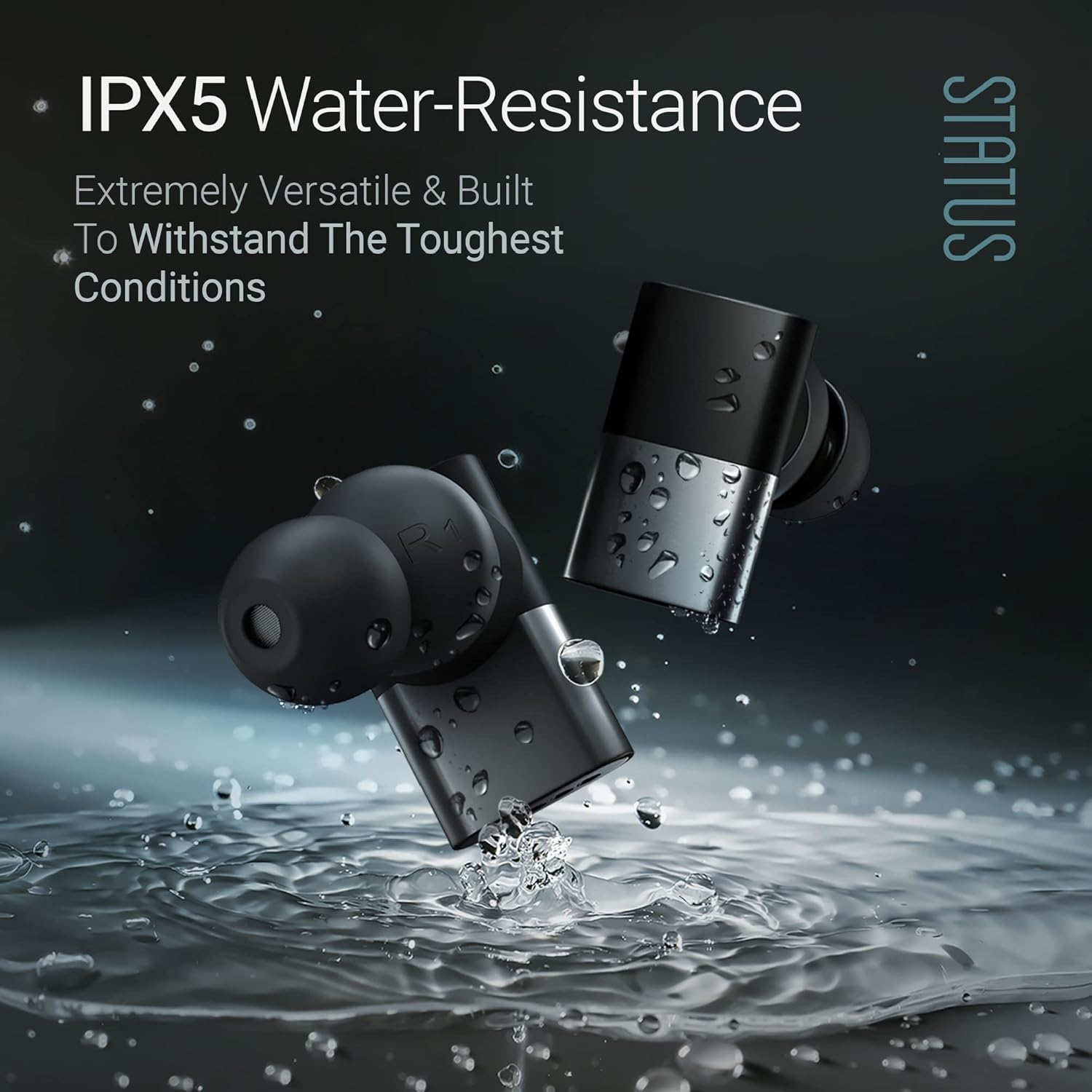
Image: The Status Audio Between Pro earbuds shown with water splashing around them, illustrating their IPX5 water-resistance, making them suitable for workouts and various weather conditions.
Awas:
- Ulah beuleum earbuds dina cai.
- Pastikeun earbuds garing sateuacan nempatkeun deui kana wadah ngecas pikeun nyegah karusakan.
Pamérésan masalah
| Masalah | Mungkin Cukang lantaranana | Solusi |
|---|---|---|
| Earbuds teu dipasangkeun / nyambungkeun. | Earbuds not in pairing mode; device Bluetooth off; interference. | Ensure case is open and earbuds are in pairing mode. Turn device Bluetooth off and on. Move closer to the device. Forget device in Bluetooth settings and re-pair. |
| Taya sora atawa volume low. | Incorrect ear tip size; low earbud battery; device volume too low. | Adjust ear tips for a secure fit. Charge earbuds. Increase volume on both earbuds and connected device. |
| Poor call quality (for others). | Microphone obstruction; excessive background noise. | Ensure microphones are not covered. Move to a quieter environment. If using a single earbud, try placing both in initially then removing one. |
| Earbuds teu ngecas. | Kontak ngecas kotor; kabel/sumber daya rusak. | Clean charging contacts on earbuds and case. Try a different USB-C cable and power adapter. |
spésifikasi
| Fitur | Rincian |
|---|---|
| Ngaran modél | SAEE-3X-NEW (SAEE-3X-1) |
| Téhnologi konektipitas | Nirkabel (Bluetooth 5.2) |
| Tipe Supir Audio | Hybrid Triple Driver (10mm Dynamic Driver, 2x Balanced Armature Drivers) |
| Réspon Frékuénsi | 20 Hz - 20,000 Hz |
| Impedansi | 12 ohm |
| Kahirupan Batré (Earbuds) | Nepi ka 12 Jam |
| Kahirupan Batré (kalayan Case Ngecas) | Up to 36 Hours additional (Total 48 hours) |
| Tingkat Résistansi Cai | IPX5 Tahan Cai |
| Mikropon | 4 external microphones with Qualcomm cVc noise cancellation |
| Tipe Kontrol | Tombol Fisik |
| Bahan | Composite, Metal, Plastic |
| Item Beurat | 8.4 ons (0.24 Kilogram) |
| Komponén Kaasup | Kasus Ngecas Nirkabel |
| UPC | 850056984027 |
Garansi sareng Rojongan
For warranty information and customer support, please refer to the official Status Audio websitus atanapi ngahubungan layanan palanggan maranéhanana langsung. Simpen bukti pameseran anjeun pikeun klaim garansi.
Pabrikan: Status
Jumlah modél: SAEE-3X-1
ASIN: B0CLFPNS22
Titimangsa munggaran sadia: 19 Oktober 2023


