1. Bubuka
Thank you for choosing the Baseus E13 TWS Bowie Headphones. This manual provides essential information for setting up, operating, and maintaining your new wireless earbuds. Please read it carefully before use to ensure optimal performance and longevity of your device.
2. Eusi Paket
Pastikeun yén sadaya item aya dina pakét anjeun:
- Baseus E13 TWS Bowie Headphones (Left and Right Earbuds)
- Ngecas Case
- Kabel Ngecas USB
- Bantalan Ceuli (rupa-rupa ukuran)
- Manual pangguna (dokumén ieu)

Image: The Baseus E13 TWS Bowie Headphones, including the earbuds, charging case, and the included USB charging cable.
3. Produk Langkungview
The Baseus E13 TWS Bowie Headphones feature a compact design with a charging case for portability and extended battery life.

Image: The Baseus E13 TWS Bowie Headphones, showing both earbuds resting in their open charging case.
4. Setélan
4.1 Ngecas Earbuds sareng Case
- Muatan Awal: Saméméh dipaké munggaran, eusian pinuh ku earbuds jeung wadah ngecas.
- Ngecas Kasus: Connect the provided USB charging cable to the charging port on the case and a compatible USB power source. The indicator light on the case will show charging status.
- Ngecas Earbuds: Lebetkeun earbud kana wadah ngecas. Pastikeun dipasang kalayan leres; lampu indikator dina earbud bakal mastikeun ngecas.
Ngecas pinuh nyadiakeun dugi ka 30 jam total waktos puter deui nganggo wadah ngecas.
4.2 Nyapasangkeun Bluetooth
- Daya Hurung: Buka wadah ngecas. Earbuds bakal otomatis hurung tur asup kana mode papasangan.
- Aktipkeun Bluetooth: Dina alat Anjeun (smartphone, tablet, jsb), aktipkeun Bluetooth.
- Pilih Alat: Milarian pikeun "Baseus E13" in the list of available Bluetooth devices and select it to connect.
- Konfirmasi: A ajakan sora bakal mastikeun papasangan suksés.
Earbuds bakal otomatis nyambung deui ka alat dipasangkeun panungtungan sawaktos nyandak kaluar tina wadahna, upami Bluetooth diaktipkeun dina alat.
4.3 App Control
Enhance your experience by downloading the official Baseus app. The app allows for customizable controls, EQ settings, and other features.
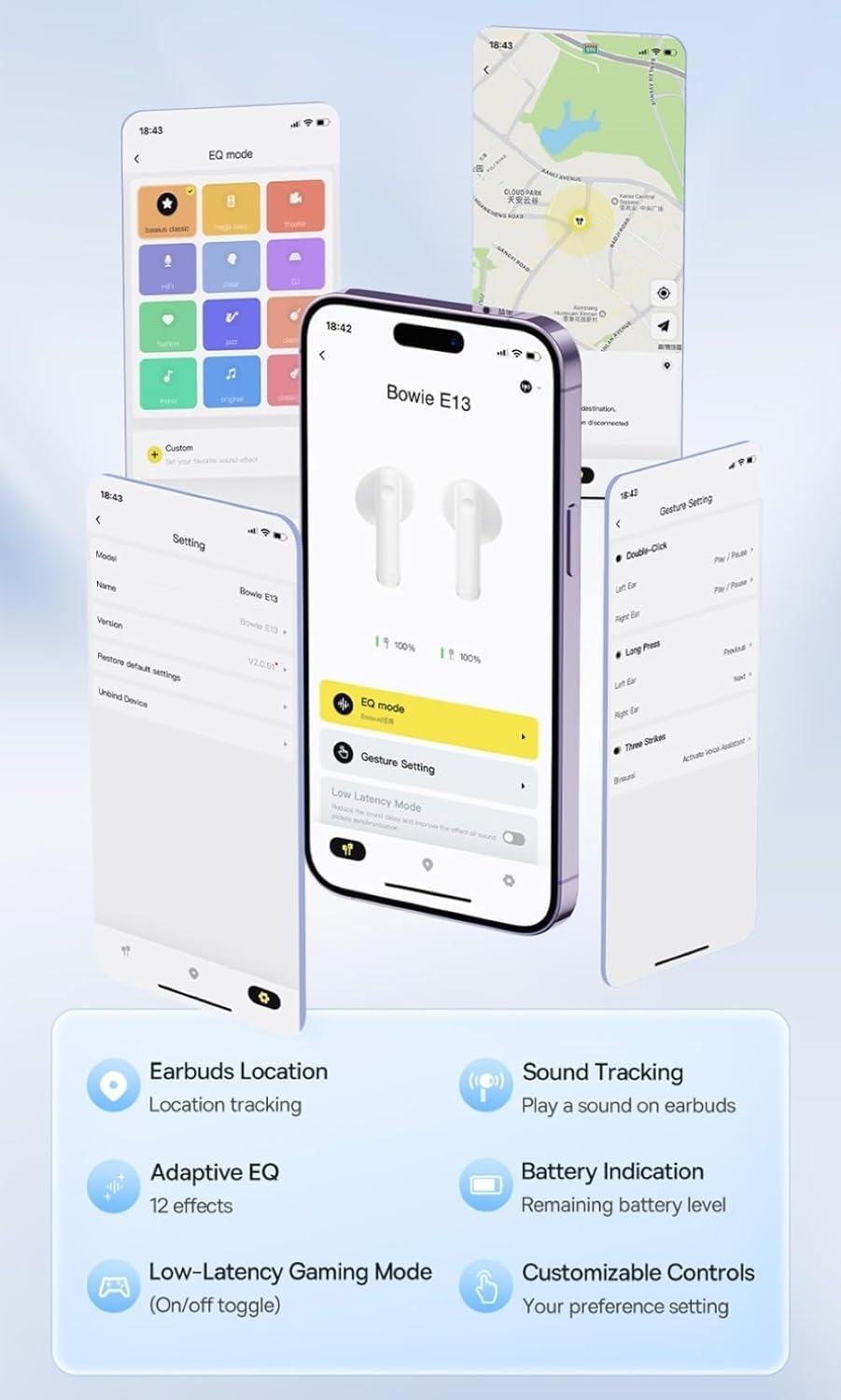
Image: Multiple smartphone screens displaying the Baseus app interface, highlighting features such as EQ mode, gesture settings, low-latency gaming mode, earbud location tracking, sound tracking, adaptive EQ with 12 effects, battery indication, and customizable controls.
5. Operasi
5.1 Kadali Dasar
The Baseus E13 TWS Bowie Headphones feature touch controls for easy management of audio and calls. Specific gestures can be customized via the Baseus app.
- Puter / Reureuh: Ketok tunggal dina boh earbud.
- Lagu salajengna: Ketok dua kali dina earbud katuhu.
- Lagu Sateuacanna: Ketok dua kali dina earbud kénca.
- Ngajawab / mungkas Telepon: Ketok tunggal dina boh earbud.
- Nolak Telepon: Pencét lila dina boh earbud.
- Aktipkeun Asisten Sora: Ketok tilu kali dina boh earbud.
5.2 Modeu Kaulinan Latensi Rendah
For an optimized gaming experience, activate the 0.06s ultra-low latency gaming mode through the Baseus app. This reduces audio delay, providing faster response times.
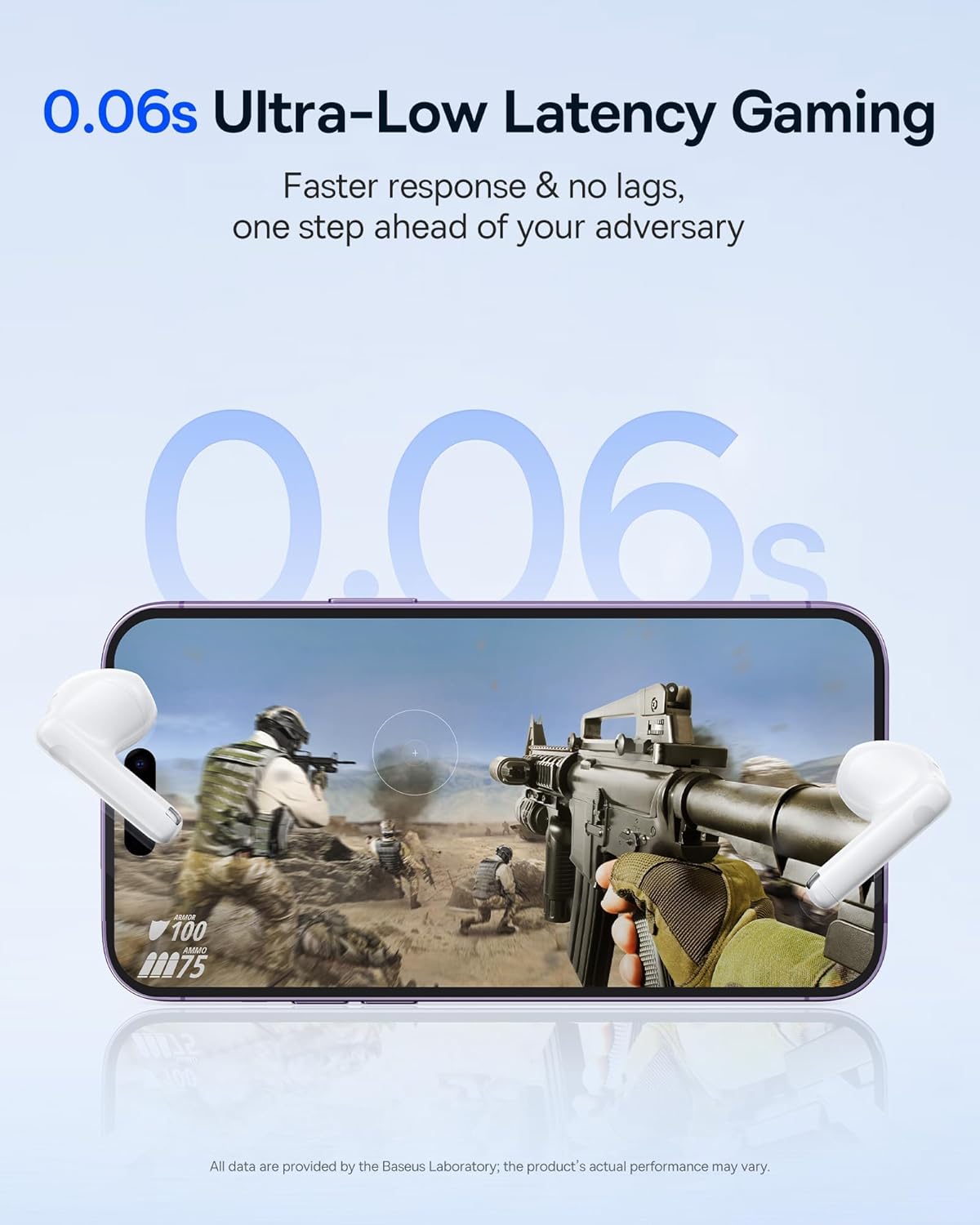
Image: The Baseus E13 TWS Bowie Headphones positioned near a smartphone screen displaying a fast-paced first-person shooter game, emphasizing the 0.06s ultra-low latency feature for gaming.
5.3 Playback audio
Enjoy up to 30 hours of continuous audio playback with the assistance of the charging case. Each earbud provides several hours of playback on a single charge, with the case offering multiple recharges.

Image: The Baseus E13 TWS Bowie Headphones and their charging case, overlaid with a graphic prominently displaying '30H', signifying the total audio playback time achievable with the case.
5.4 Kualitas Sora
The earbuds are equipped with a large 12mm diaphragm, designed to restore each note with remarkable depth and accuracy, providing a powerful low-frequency audio experience.

Image: A detailed cutaway diagram of a Baseus E13 TWS earbud, focusing on the internal structure of the large 12mm diaphragm and its contribution to sound quality.
5.5 Konéktipitas
Utilizing Bluetooth 5.3 technology, the headphones offer a faster and more stable wireless connection, ensuring smooth audio transmission and enhanced sound quality.

Gambar: A transparan view of a Baseus E13 TWS earbud, revealing its internal circuitry and specifically highlighting the integrated Bluetooth 5.3 chip for advanced wireless connectivity.
6. Ngagem Earbuds
The earbuds are designed with a mini stem and a lightweight profile, featuring a 45° wearing angle for a comfortable and secure fit.

Image: A woman wearing a Baseus E13 TWS earbud, illustrating the ergonomic design with a mini stem and lightweight construction for a comfortable user experience.
7. Pangropéa
- beberesih: Rutin ngabersihkeun earbuds sareng wadah ngecas ku lawon anu lemes, garing, teu aya lint. Ulah make bahan kimia kasar atawa bahan abrasive.
- Tahan cai: The earbuds are water resistant. Avoid submerging them in water or exposing them to excessive moisture. Dry thoroughly if they come into contact with liquids.
- Panyimpenan: Nalika henteu dianggo, simpen earbuds dina wadah ngecasna pikeun ngajagi sareng tetep dicas. Nyimpen dina tiis, tempat garing jauh ti suhu ekstrim.
- Perawatan batré: Pikeun ngawétkeun umur batre, ulah miceun sapinuhna earbuds sareng wadahna sering. Ngeusi batre aranjeunna rutin, sanajan teu di pamakéan konstan.
8. Cara ngungkulan
If you encounter issues with your Baseus E13 TWS Bowie Headphones, refer to the following common solutions:
- Henteu aya sora:
- Pastikeun earbuds dieusi.
- Pariksa sambungan Bluetooth ka alat Anjeun.
- Saluyukeun polumeu dina duanana earbuds sareng alat nu disambungkeun.
- Earbuds Teu Nyapasangkeun:
- Pasangkeun deui earbud kana wadahna, tutup, teras buka deui pikeun lebet deui kana modeu pairing.
- Forget "Baseus E13" from your device's Bluetooth list and attempt to pair again.
- Pastikeun earbud aya dina jangkauan alat anjeun.
- Masalah ngecas:
- Pastikeun kabel ngecas parantos nyambung kalayan pageuh kana wadah sareng sumber daya.
- Coba port USB atawa adaptor kakuatan béda.
- Ensure charging contacts on earbuds and in case are clean and free of debris.
- Hiji Earbud Teu Gawé:
- Pastikeun kadua earbuds dicas.
- Try resetting the earbuds (refer to app or Baseus support for specific instructions).
9. Spésifikasi
| merek | Baseus |
| Ngaran modél | E13 TWS |
| Téhnologi konektipitas | Nirkabel (Bluetooth 5.3) |
| Panempatan Ceuli | Dina Ceuli |
| Faktor Bentuk | Wireless Leres |
| Impedansi | 32 ohm |
| Tipe Kontrol | Touch controls, App |
| Bahan | palastik |
| Item Beurat | 0.07 kg |
| Tingkat Résistansi Cai | Tahan cai |
| Jarak Operasi maksimum | 10 Méter |
| Batré Rata Kahirupan | Dugi ka 30 jam (kalayan ngeusi batre) |
| Fitur husus | 0.06s ultra-low latency, Faster and more stable 5.3 wireless chip, Lightweight and Mini Design, Powerful low frequency controller |
10. Garansi jeung Rojongan
Baseus products are designed for reliability and performance. For warranty information, please refer to the warranty card included with your purchase or visit the official Baseus website. For technical support or further assistance, please contact Baseus customer service or visit the Toko Baseus di Amazon.


