1. Bubuka
Thank you for choosing the Baseus Bowie E5x True Wireless Stereo (TWS) Earphones. These earphones are designed to provide a high-quality audio experience with convenient wireless connectivity. This manual will guide you through the setup, operation, and maintenance of your new earphones.

Figure 1: Baseus Bowie E5x TWS Earphones and Charging Case with Retail Packaging
2. Eusi Paket
Mangga parios eusi pakét pikeun mastikeun yén sadaya barang aya:
- Baseus Bowie E5x TWS Earphones (Left and Right)
- Ngecas Case
- Kabel Ngecas USB-C
- Manual pangguna (dokumén ieu)

Figure 2: Baseus Bowie E5x Charging Case and USB-C Charging Cable
3. Produk Langkungview
Familiarize yourself with the components of your Baseus Bowie E5x earphones:
- Earbuds: Left (L) and Right (R) earbuds with touch control areas and charging contacts.
- Kasus ngecas: Used for charging the earbuds and for storage. Features a USB-C charging port and LED indicators.
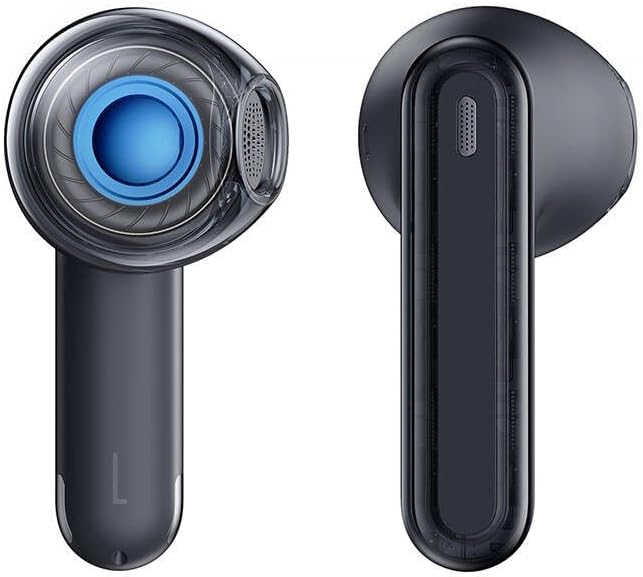
Figure 3: Left and Right Baseus Bowie E5x Earbuds
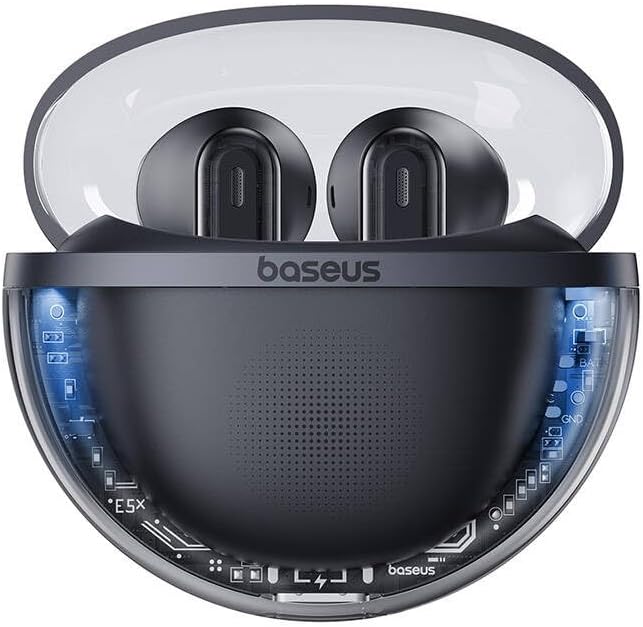
Figure 4: Baseus Bowie E5x Charging Case with Earbuds Inserted
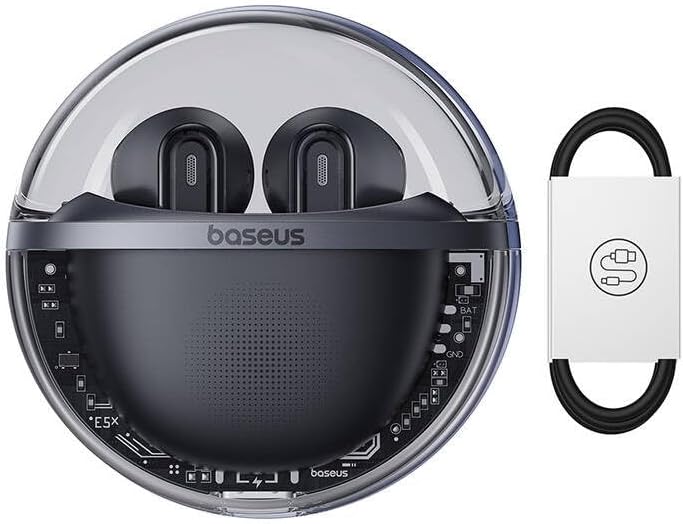
Figure 5: Close-up of an Earbud's Speaker
4. Setélan
4.1 Ngecas Earphone sareng Case
- Muatan Awal: Before first use, fully charge the charging case and earbuds. Place the earbuds into the charging case.
- Ngecas Kasus: Connect the provided USB-C cable to the charging port on the case and the other end to a USB power adapter (not included). The LED indicator on the case will show charging status.
- Ngecas Earbuds: When placed in the charging case, the earbuds will automatically begin charging. The case's indicator lights will show the charging status of the earbuds.
4.2 Nyapasangkeun Bluetooth
- Daya Hurung: Buka wadah ngecas. Earbud bakal otomatis hurung sareng lebet kana modeu pairing (ditunjukkeun ku lampu LED anu kedip-kedip dina earbud).
- Aktipkeun Bluetooth: Dina alat anjeun (smartphone, tablet, komputer), aktipkeun Bluetooth.
- Pilih Alat: In your device's Bluetooth settings, search for available devices and select "Baseus Bowie E5x".
- Nyambung: Once selected, the earbuds will connect to your device. A voice prompt or steady LED light will confirm successful pairing.
- Sambung deui: Saatos dipasangkeun heula, earbud bakal otomatis nyambung ka alat anu terakhir dipasangkeun nalika dicabut tina casingna, salami Bluetooth diaktipkeun dina alat éta.
5. Parentah Operasi
The Baseus Bowie E5x earphones feature intuitive touch controls:
| Fungsi | Aksi (Earbud Kénca/Katuhu) |
|---|---|
| Daya Hurungkeun | Open charging case / Long press touch area (if off) |
| Daya Pareum | Place earbuds into charging case and close lid / Disconnect Bluetooth and wait |
| Play / Reureuh | Double tap touch area |
| Lagu salajengna | Tripel ketuk earbud katuhu |
| Lagu saméméhna | Tripel keretek earbud kénca |
| Ngajawab / mungkas Telepon | Double tap touch area |
| Nolak Telepon | Pencét panjang daérah toél salami 2 detik |
| Aktipkeun Asisten Sora | Pencét panjang daérah toél salami 3 detik |
| Switch to Gaming Mode (Low Latency) | Specific gesture (refer to product packaging or Baseus app for exact control) |
Catetan: Specific touch controls for features like volume adjustment or gaming mode may vary. Refer to the official Baseus app or product packaging for the most accurate and customizable controls.
6. Pangropéa
To ensure the longevity and optimal performance of your earphones, follow these maintenance tips:
- beberesih: Rutin ngabersihkeun earbuds sareng wadah ngecas ku lawon anu lemes, garing, teu aya lint. Ulah make bahan kimia kasar atawa bahan abrasive.
- Ngecas Kontak: Ensure the charging contacts on both the earbuds and inside the case are clean and free of debris to ensure proper charging.
- Panyimpenan: Lamun teu dipake, nyimpen earphones dina wadah ngecas maranéhanana pikeun ngajaga eta tina lebu jeung karuksakan.
- Hindarkeun Kaayaan Ekstrim: Do not expose the earphones to extreme temperatures, humidity, or liquids.
7. Cara ngungkulan
If you encounter issues with your Baseus Bowie E5x earphones, try the following solutions:
- Henteu aya sora:
- Pastikeun earbuds dieusi.
- Check if Bluetooth is enabled on your device and connected to "Baseus Bowie E5x".
- Atur volume dina alat sareng earphone anjeun.
- Coba pasangkeun deui earbuds sareng alat anjeun.
- Earbuds Not Pairing with Each Other:
- Lebetkeun deui dua earbud kana wadah ngecas, tutup tutupna, antosan sababaraha detik, teras buka deui tutupna.
- Pastikeun kadua earbuds gaduh muatan anu cekap.
- Masalah ngecas:
- Pariksa kabel USB-C sareng adaptor kakuatan.
- Bersihkeun kontak anu ngecas dina earbuds sareng jero wadahna.
- Pastikeun wadah ngecasna parantos dicas.
- Connection Drops/Unstable:
- Pindah ngadeukeutan ka alat Anjeun nu disambungkeun.
- Hindari lingkungan anu aya gangguan éléktromagnétik anu kuat.
- Pegatkeun sambungan jeung sambungkeun deui sambungan Bluetooth.
If the issue persists, consult the Baseus official website or customer support for further assistance.
8. Spésifikasi
| Fitur | Rincian |
|---|---|
| merek | Baseus |
| Modél | Bowie E5x |
| Warna | Hideung |
| Komponén Kaasup | 1 package (Earphones, Charging Case, USB-C Cable, Manual) |
| Konektipitas | True Wireless Stereo (TWS) |
| Port ngecas | USB-C |
Catetan: Spésifikasi tiasa robih tanpa aya bewara sateuacana.
9. Garansi jeung Rojongan
Baseus products come with a manufacturer's warranty. Please refer to the warranty card included in your package or visit the official Baseus websitus pikeun istilah jaminan lengkep jeung kaayaan husus pikeun wewengkon Anjeun.
For technical support, troubleshooting, or service inquiries, please contact Baseus customer support through their official websitus atanapi inpormasi kontak anu disayogikeun dina bungkusan produk anjeun.
Resmi Websitus: www.baseus.com


