1. Bubuka
Thank you for choosing the JORLAI 3-Speed Portable Bluetooth Vintage Turntable. This manual provides essential information for the safe and efficient operation, maintenance, and troubleshooting of your new record player. Please read this manual thoroughly before use and retain it for future reference.
2. Produk Langkungview
The JORLAI T316 is a versatile record player designed for both vintage vinyl playback and modern audio streaming. Its portable suitcase design, built-in rechargeable battery, and integrated speakers make it ideal for various settings. Key features include:
- 3-Speed Turntable: Supports 33 1/3, 45, and 78 RPM for 7, 10, and 12-inch vinyl records.
- Bluetooth Connectivity: Wirelessly stream music from your smartphone or other Bluetooth-enabled devices.
- Built-in Rechargeable Battery: Provides up to 3 hours of playtime for portable use.
- Integrated Speakers: Enjoy audio directly from the unit.
- Multiple Connectivity Options: Aux-in, RCA Line Out, and Headphone Jack.
- Vinyl to MP3 Recording: Convert your vinyl records to digital WAV/MP3 formats via PC connection.
2.1 Komponén jeung kadali
Familiarize yourself with the various parts and controls of your JORLAI T316 record player.
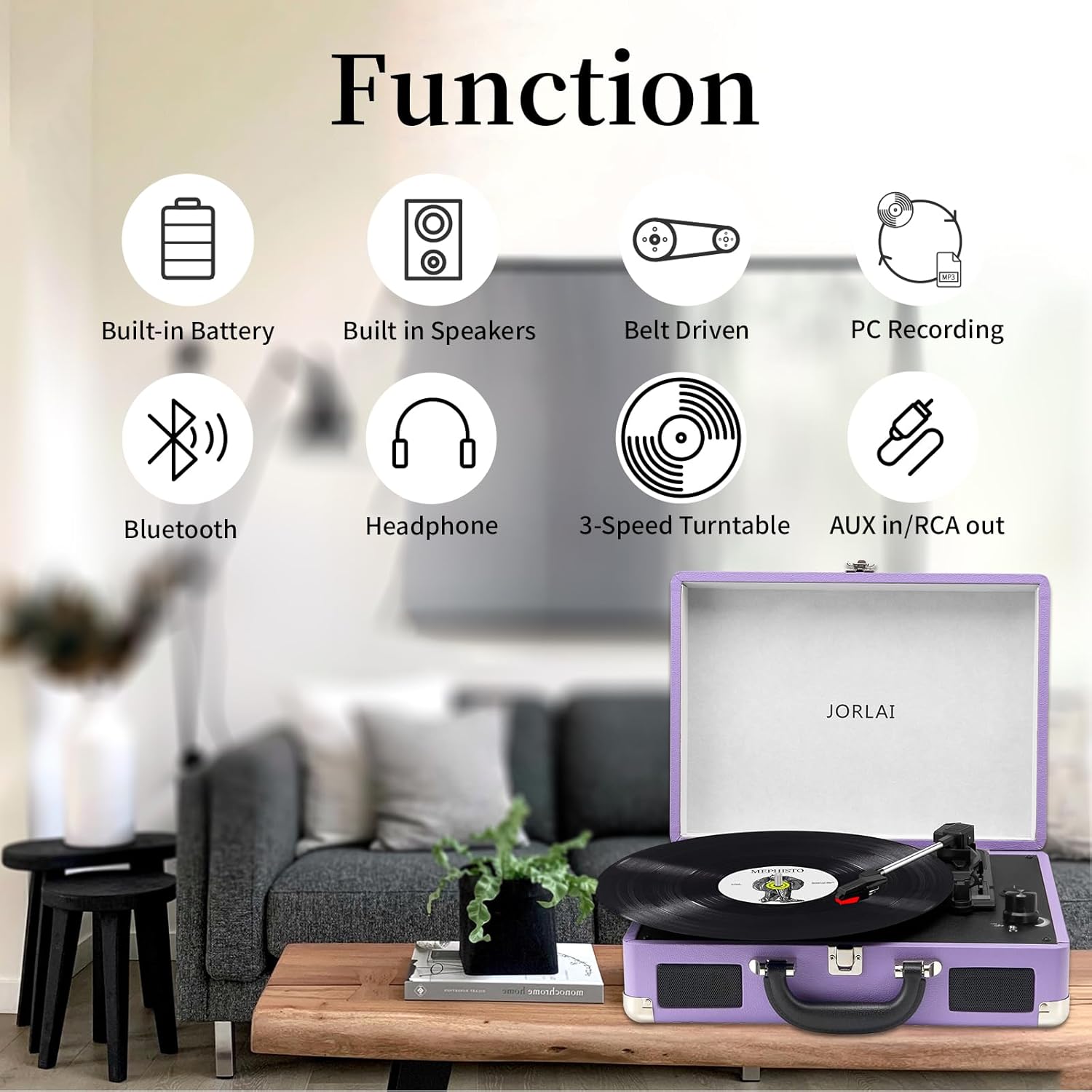
Figure 1: JORLAI T316 Portable Turntable - Top View

Figure 2: Control Panel Details
- Piring: Tempat piringan hitamna disimpen.
- Tonearm: Nyekel stylus (jarum).
- Stylus: Maca alur dina rékaman éta.
- Klip Tonearm: Secures the tonearm when not in use.
- Arm Raise Lever: Lifts and lowers the tonearm.
- 45 RPM Adaptor: Used for 7-inch records with large center holes.
- Switch Pamilih Speed: Nyaluyukeun kecepatan puter (33, 45, 78 RPM).
- Saklar Eureun Otomatis: Enables/disables automatic platter stop at the end of a record.
- Power/Volume Control Knob: Ngahurungkeun/mareuman unit sareng nyaluyukeun volume.
- Mode Selector (BT/PH): Switches between Bluetooth and Phono (vinyl) modes.
- Indikator batré: Nembongkeun status batre.
- Jack Headphone 3.5mm: Pikeun déngékeun pribadi.
- RCA Line Out Jacks (L/R): Connect to external speakers or amppangagung.
- Jack Aux-in: Sambungkeun sumber audio éksternal.
- PC USB Port: For connecting to a computer for MP3 recording.
- DC 5V IN Jack: Pikeun nyambungkeun adaptor kakuatan.
3. Setélan
3.1 Ngabongkar bungkusan
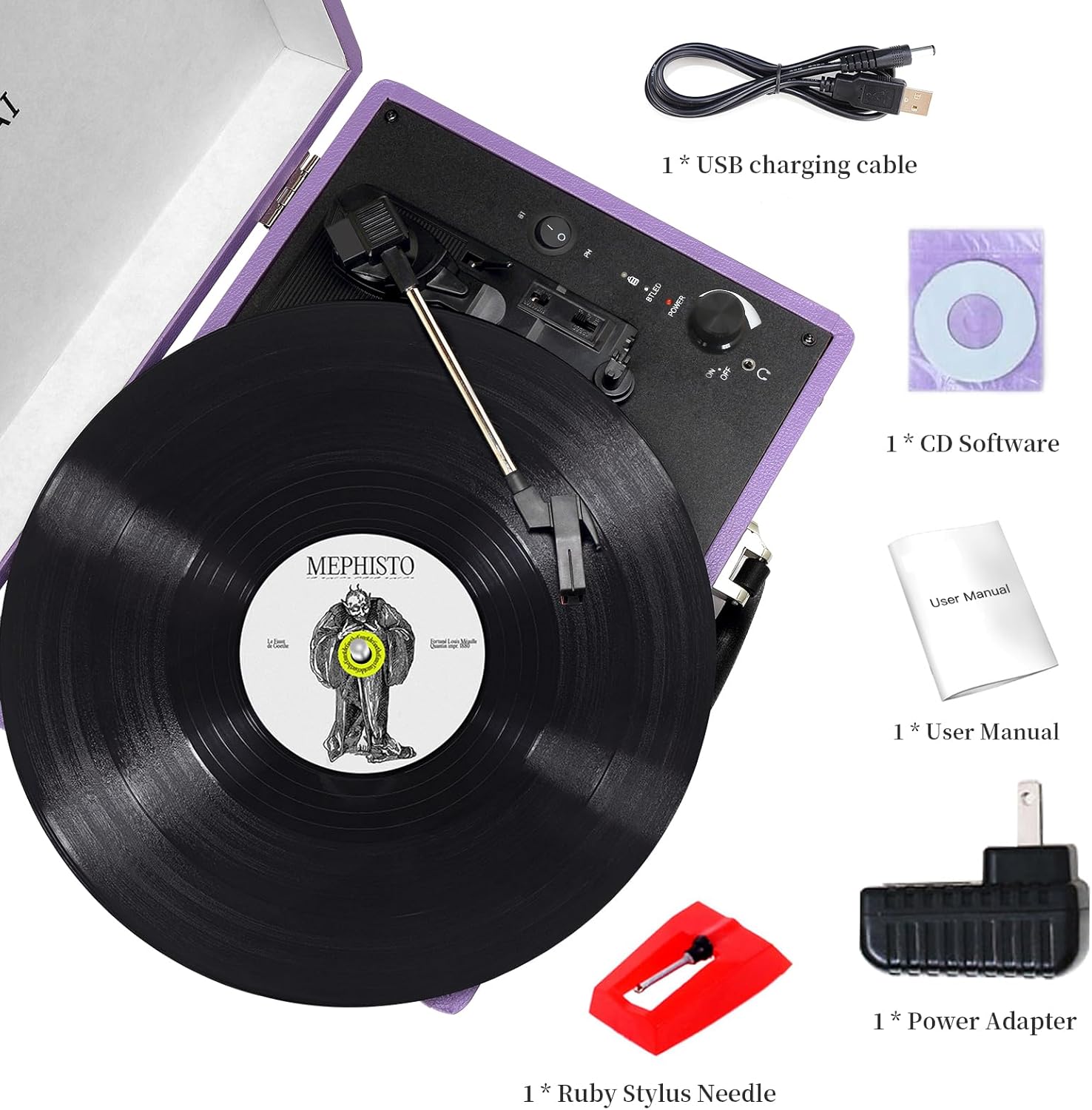
Carefully remove the record player from its packaging. Ensure all components are present: the record player unit, power adapter, USB charging cable, ruby stylus needle, and user manual. Inspect the unit for any damage.
3.2 Powering Unit
Your JORLAI T316 can be powered by its built-in rechargeable battery or via the included AC power adapter.
- Operasi batré: The unit has a built-in 1800mAh rechargeable battery, providing approximately 3 hours of continuous playtime when fully charged. The battery indicator light will show its status.
- Daya AC: Connect the included power adapter to the DC 5V IN jack on the back of the unit and plug it into a wall outlet. This will power the unit and charge the battery simultaneously.
4. Parentah Operasi
4.1 Maénkeun Rekaman Vinyl
- Buka tutup pamuter piringan hideung.
- Place a vinyl record on the platter. If playing a 7-inch record with a large center hole, use the 45 RPM adaptor.
- Set the speed selector switch to the appropriate speed (33, 45, or 78 RPM) for your record.
- Turn the Power/Volume control knob clockwise to turn on the unit and adjust to a low volume.
- Ensure the mode selector is set to 'PH' (Phono) for vinyl playback.
- Leupaskeun tonearm tina klip na.
- Lift the tonearm using the arm raise lever.
- Carefully move the tonearm over the desired starting groove of the record.
- Gently lower the tonearm using the arm raise lever. The stylus will make contact with the record, and playback will begin.
- Adjust the volume to your preference using the Power/Volume control knob.
- At the end of the record, if the Auto Stop switch is ON, the platter will stop spinning. If it's OFF, the platter will continue to spin. Manually lift the tonearm and return it to its clip.

Gambar 3: Maénkeun Rekaman Vinyl
Video 1: Demonstration of vinyl record playback on the JORLAI T316.
4.2 Sambungan Bluetooth
The JORLAI T316 features a built-in Bluetooth receiver, allowing you to stream audio wirelessly from your compatible devices.
- Turn on the record player using the Power/Volume control knob.
- Set the mode selector to 'BT' (Bluetooth). The Bluetooth indicator light will flash, indicating it's in pairing mode.
- Dina smartphone Anjeun atawa alat Bluetooth-diaktipkeun, aktipkeun Bluetooth tur neangan alat nu sadia.
- Select 'JORLAI' from the list of devices to pair.
- Once successfully paired, the Bluetooth indicator light will stop flashing and remain solid.
- You can now play music from your device through the record player's speakers. Adjust the volume using both your device's volume control and the record player's Power/Volume control knob.

Gambar 4: Sambungan Bluetooth
Video 2: Leuwihview of the JORLAI T316's Bluetooth connectivity and built-in battery feature.
4.3 Aux-in and RCA Line Out
- Aux-in: Connect an external audio source (e.g., MP3 player, CD player) to the Aux-in jack on the back of the unit using a 3.5mm audio cable. The audio from the external device will play through the record player's speakers.
- Jalur RCA Out: Connect the RCA Line Out jacks (red for right, white for left) on the back of the unit to an external stereo system, larger speakers, or an amplifier using RCA cables. This allows for enhanced audio output.
Gambar 5: Port Konektipitas Pungkur
4.4 Vinyl to MP3 Recording
The JORLAI T316 allows you to convert your vinyl records into digital audio files (WAV/MP3) using a computer.
- Connect the record player to your computer using the included USB charging cable via the PC USB port on the back of the unit.
- Install the provided software on your computer (or download compatible recording software).
- Follow the software's instructions to record and convert your vinyl audio.

Figure 6: Vinyl to MP3 Recording Setup
5. Pangropéa
5.1 Ngabersihkeun Stylus
A clean stylus ensures optimal sound quality and prolongs the life of your records. Use a soft brush (not included) to gently clean the stylus from back to front. Do not use excessive force or harsh cleaning solutions.
5.2 Ngabersihan Unit
Wipe the record player's exterior with a soft, dry cloth. Avoid using abrasive cleaners or solvents, as they may damage the finish.
5.3 Panyimpenan
When not in use, ensure the tonearm is secured with its clip. Close the lid to protect the platter and tonearm from dust. Store the unit in a cool, dry place away from direct sunlight and extreme temperatures.
6. Cara ngungkulan
If you encounter any issues with your JORLAI T316, please refer to the following common problems and solutions:
- Henteu aya kakuatan: Ensure the power adapter is securely connected and plugged into a working outlet, or that the built-in battery is charged.
- Henteu aya sora: Check that the volume is turned up on both the record player and any connected external devices. Ensure the mode selector is set correctly (PH for vinyl, BT for Bluetooth, Aux for Aux-in). If using external speakers, verify their connection and power.
- Ngalangkungan Rékaman: Ensure the record player is on a stable, level surface. Clean the record and the stylus. Check if the stylus is damaged and replace if necessary.
- Bluetooth Teu Nyambung: Make sure the record player is in Bluetooth mode and the indicator light is flashing. Ensure your device's Bluetooth is enabled and within range. Try restarting both the record player and your device.
- Kualitas Sora goréng: Clean the stylus and record. Ensure the correct speed is selected. If using external connections, check cable integrity.
If the problem persists, please contact JORLAI customer support.
7. Spésifikasi
| Fitur | Spésifikasi |
|---|---|
| merek | JORLAI |
| Ngaran modél | T316 |
| Dimensi produk | 4 x 4 x 4 inci |
| Item Beurat | 6.54 pon (2.97 Kilogram) |
| Laju rotasi maksimum | 78 RPM (ngadukung 33 1/3, 45, 78 RPM) |
| Fitur husus | Portable, Built-in Battery, Bluetooth, Integrated Speakers |
| Bahan | Metal (case material not specified, but typically faux leather/wood) |
| Warna | Ungu |
| Alat nu cocog | Headphone, Smartphone, Speaker |
| Tipe Motor | Motor AC |
| ASIN | B0CM6JFSH6 |
| Tanggal Kahiji Sadia | 31 Oktober 2023 |
8. Garansi jeung Rojongan
For warranty information or technical support, please refer to the documentation included with your product or visit the official JORLAI website. JORLAI is committed to providing excellent quality and customer service.


