1. Bubuka
The FEELWORLD S55 V3 is a compact and versatile 6-inch camera field monitor designed to enhance your filming experience. With its 1920x1080 Full HD IPS display, it provides bright and clear images, making it suitable for various camera systems, especially those used with gimbals. This manual provides detailed instructions for setting up, operating, and maintaining your monitor to ensure optimal performance.
2. Eusi Paket
Punten parios yén sadaya barang anu didaptarkeun di handap kalebet kana pakét anjeun:
- 1x FEELWORLD S55 V3 Monitor
- 1x Micro HDMI Cable
- 1x Sunshade
- 1x Tilt Arm
- 1 x Manual Pamaké
- 1x NP-F550 Battery (2200mAh)
- 1x Kabel Ngecas USB-C

3. Fitur Produk
3.1 High-Resolution Display
The S55 V3 features a 6-inch IPS display with a resolution of 1920x1080, offering sharp and vibrant visuals. With a brightness of 500 cd/m² and a 1000:1 contrast ratio, the monitor ensures clear visibility in various lighting conditions.

3.2 Advanced Video Assist Functions
The monitor is equipped with a suite of professional video assist functions to aid in accurate exposure and focus:
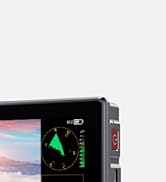
- Bentuk gelombang: Displays the brightness distribution of the video signal.
- Warna Palsu: Maps exposure levels to different colors for quick exposure assessment.
- Zebra Exposure: Highlights overexposed areas with striped patterns.
- Peaking Focus Assist: Highlights sharp edges in the image to confirm focus.
- Histogram: Provides a graphical representation of tonal distribution.
- Custom LUTs: Supports loading 3D LUTs via USB for real-time preview of filming looks.


3.3 4K HDMI Input/Output
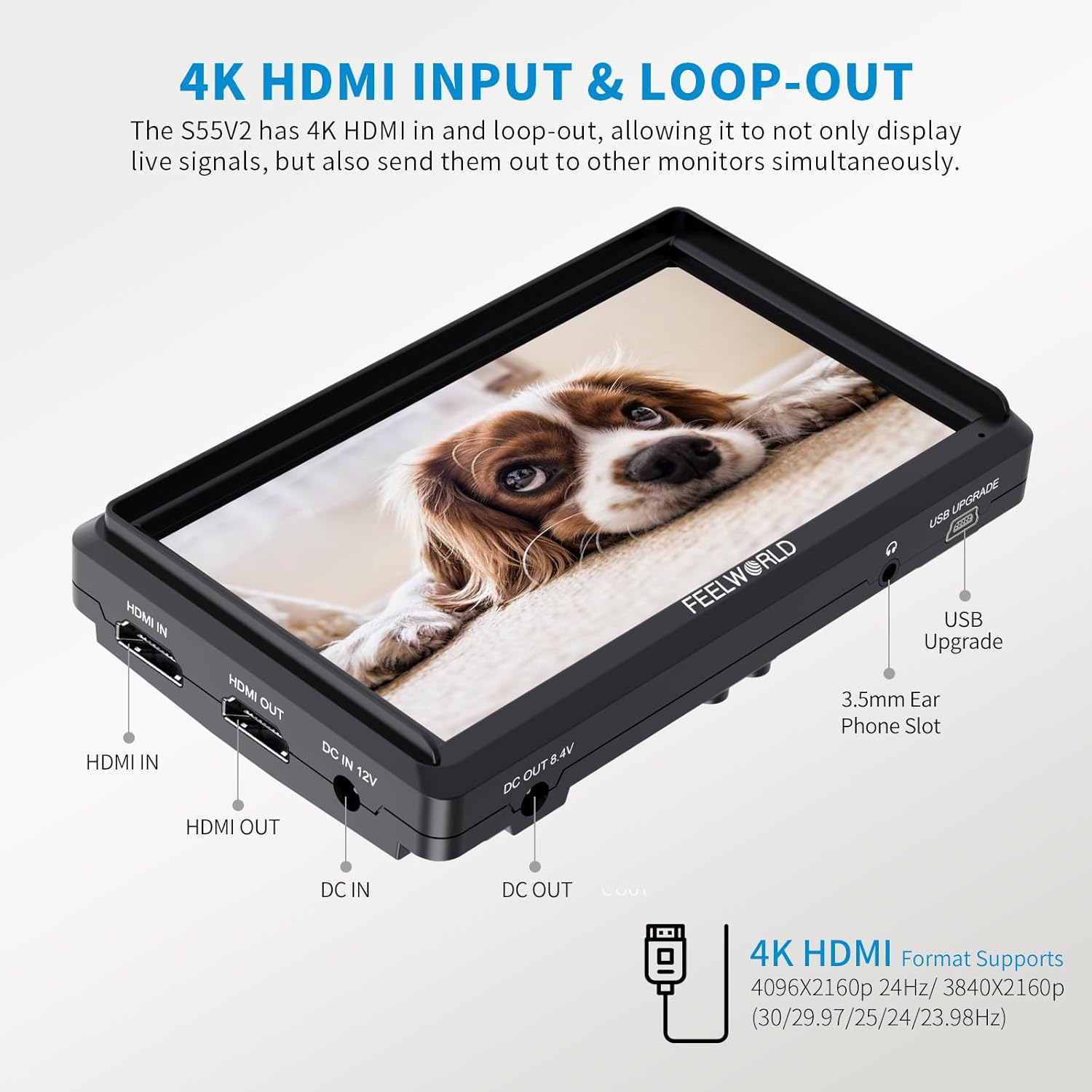
The S55 V3 supports 4K HDMI input and loop-out, allowing you to connect to various cameras and simultaneously output to larger monitors for instant review. Supported 4K formats include 4K UHD 3840x2160p (30/29.97/25/24/23.98Hz) and 4096x2160p (24Hz).
3.4 Lightweight Design and Flexible Installation
Weighing only 175g, the S55 V3 is designed for portability. The included 360° rotating tilt arm allows for flexible installation on various camera setups or gimbals, providing optimal viewdina sudut.

3.5 Real-Time Camera Power Supply
The monitor features an 8.4V DC power output, allowing users to power both the monitor and their camera (via an optional dummy battery adapter), extending camera runtimes.

4. Setup Guide
4.1 Masang Monitor
Attach the included tilt arm to the 1/4" screw hole on the bottom of the monitor. Secure the tilt arm to your camera's hot shoe mount or a compatible rig. The 360° rotation allows for flexible positioning.

4.2 Nyambungkeun ka Kaméra
Use the provided Micro HDMI cable to connect your camera's HDMI output to the HDMI IN port on the monitor. Ensure the cable is securely connected.
4.3 Powering Monitor
The monitor can be powered by the included NP-F550 battery or an external DC 12V power adapter. Insert the NP-F550 battery into the battery slot on the back of the monitor until it clicks into place. Alternatively, connect a DC 12V power adapter to the DC IN 12V port.

5. Parentah Operasi
5.1 Daya Hurung/Pareuman
Press and hold the power button on the side of the monitor to turn it on or off.
5.2 Navigasi Menu
Use the MENU button and the arrow keys (left/right) to navigate through the monitor's settings. Press the MENU button again to select an option or confirm a setting.
5.3 Activating Assist Functions
Many video assist functions can be quickly accessed via the customizable function buttons (F1, F2, F3) or through the main menu. Refer to the on-screen menu for specific settings and activation options.
5.4 Loading Custom LUTs
The S55 V3 supports loading up to 32 custom 3D LUTs. Insert an SD card containing your LUT files into the SD card slot on the monitor. Navigate to the LUT settings in the menu to import and apply your desired LUTs.

6. Pangropéa
To ensure the longevity and optimal performance of your FEELWORLD S55 V3 monitor, follow these maintenance guidelines:
- beberesih: Use a soft, dry cloth to clean the monitor screen and body. For stubborn smudges, use a screen-specific cleaning solution applied to the cloth, not directly to the screen.
- Panyimpenan: When not in use, store the monitor in its protective case in a cool, dry place away from direct sunlight and extreme temperatures.
- Perawatan batré: Fully charge batteries before extended storage. If storing for long periods, periodically charge the batteries to maintain their health.
- Ngahindarkeun Dampak: Protect the monitor from drops and impacts, which can damage internal components or the screen.
7. Cara ngungkulan
Upami anjeun mendakan masalah sareng monitor anjeun, tingali léngkah-léngkah ngungkulan umum ieu:
- Henteu aya sinyal:
- Ensure HDMI cables are securely connected to both the camera and the monitor.
- Verify that the camera's HDMI output settings are correct and compatible with the monitor.
- Try a different HDMI cable to rule out cable malfunction.
- Masalah kakuatan:
- Pariksa lamun batréna geus dicas pinuh tur bener diselapkeun.
- If using a DC adapter, ensure it is correctly connected and providing the specified voltage (12V).
- Press and hold the power button for a few seconds to ensure proper power cycle.
- Display Problems (e.g., flickering, incorrect colors):
- Reset monitor settings to factory defaults via the menu.
- Ensure the camera's video output settings (resolution, frame rate) are stable.
- Check for physical damage to the screen or cables.
8. Spésifikasi
| Fitur | Spésifikasi |
|---|---|
| Ukuran tampilan | 6 inci |
| Resolusi | 1920x1080 |
| Caang | 500 cd/m² |
| Babandingan Kontras | 1000:1 |
| Input / Kaluaran | 4K HDMI In/Out |
| Input kakuatan | DC 12V, DC 5V (Type-C) |
| Kaluaran kakuatan | DC 8.4V |
| Kasaluyuan Batré | NP-F Series (NP-F550 included) |
| Item Beurat | 1.13 ounces (monitor only) |
| Ukuran Paket | 8.11 x 6.18 x 4.17 inci |
| Tingkat Résistansi Cai | Henteu Tahan Cai |
9. Video Produk Resmi
FEELWORLD S55 V3 Camera Field Monitor
video ieu nyadiakeun leuwihview of the FEELWORLD S55 V3 Camera Field Monitor, showcasing its design and basic functionalities.
7 Reasons to Use FEELWORLD S55 Monitors
Panggihan konci advantages and features that make the FEELWORLD S55 monitor a valuable tool for videographers and filmmakers.
Looking for a Monitor Beginner's Budget - FEELWORLD S55
This video highlights the affordability and features of the FEELWORLD S55, making it an excellent choice for beginners on a budget.
FEELWORLD S55 Monitor Help You Accurate Expose and Focus
Learn how the advanced features of the FEELWORLD S55 monitor assist in achieving accurate exposure and precise focus for your shots.
Reasons to Choose the S55 Monitor
This video outlines the compelling reasons why the S55 monitor stands out as a preferred choice for camera monitoring needs.
10. Garansi jeung Rojongan
The FEELWORLD S55 V3 monitor comes with a 1-year warranty. For any support inquiries, technical assistance, or warranty claims, please contact FEELWORLD Official Store-US customer service. US local after-sales support is available.


