1. Bubuka
The Universal Audio SC-1 Standard Condenser Microphone is designed to capture vocals and instruments with exceptional sound quality. When paired with the Hemisphere Microphone Modeling Plug-In, it can emulate the sound and character of popular studio microphones, offering versatile recording options.

Figure 1.1: Universal Audio SC-1 Condenser Microphone (Front View)
2. Naon dina Box
Your Universal Audio SC-1 package includes the following components:
- Universal Audio SC-1 Condenser Microphone
- Mawa Kasus
- Mikropon Nangtung Gunung
- 5/8" to 3/8" Thread Adapter

Figure 2.1: SC-1 Microphone with Included Stand Mount
3. Setélan
Follow these steps to set up your SC-1 microphone:
- Pasang Mikropon: Attach the SC-1 microphone to the included microphone stand mount. If your stand requires it, use the 5/8" to 3/8" thread adapter.
- Connecting to Audio Interface: Connect the SC-1 to your audio interface or mixer using a standard XLR cable. The SC-1 requires 48V phantom power, which must be enabled on your audio interface or mixer for the microphone to function.
- Pamasangan parangkat lunak: Install the Universal Audio Hemisphere Microphone Modeling Plug-In on your computer. Refer to the software's documentation for detailed installation instructions and system requirements.
- Pamasangan supir: Ensure all necessary drivers for your audio interface and the SC-1 are installed and up to date.
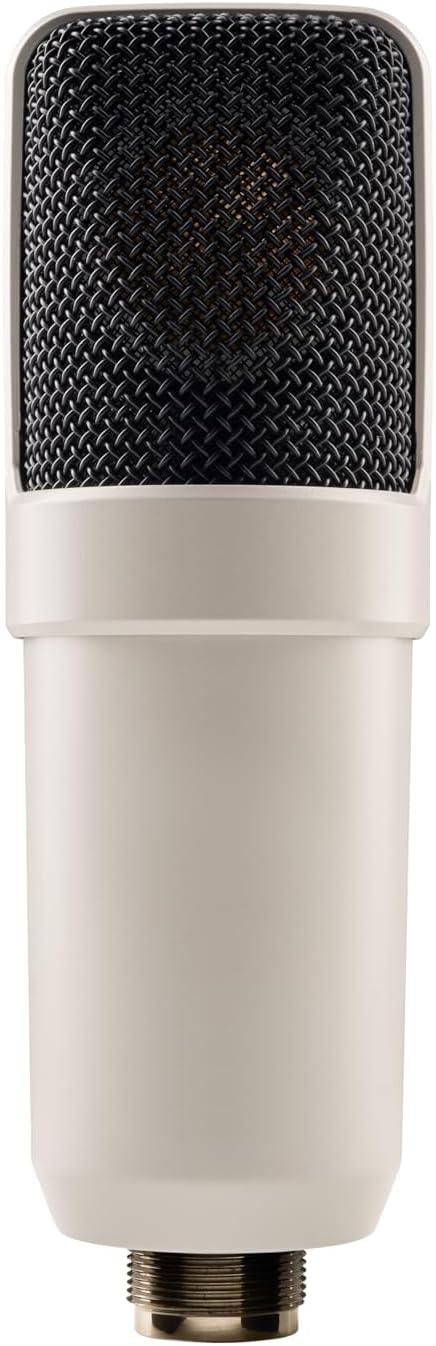
Figure 3.1: SC-1 Microphone XLR Connector
Catetan: Video produk resmi ti anu ngajual henteu sayogi pikeun produk ieu.
4. Operating the SC-1
The SC-1 can be used as a standard condenser microphone or enhanced with the Hemisphere modeling software.
Operasi standar:
- Position the microphone appropriately for your sound source (e.g., vocals, acoustic instruments).
- Adjust the gain on your audio interface to achieve an optimal recording level, avoiding clipping.
- The SC-1 features a Unidirectional polar pattern, making it ideal for capturing sound directly in front of the microphone while minimizing off-axis noise.
Using Hemisphere Mic Modeling:
The Hemisphere Plug-In allows you to apply various microphone models and adjust parameters digitally:
- Pilih Modél: Choose from a range of classic condenser microphone emulations within the Hemisphere software.
- saringan: Apply high-pass or low-pass filters to shape the microphone's frequency response.
- Deukeutna: Adjust the simulated proximity effect, which alters the low-frequency response based on distance to the sound source.
- Sumbu: Control the simulated off-axis response, allowing for fine-tuning of the microphone's directional characteristics.
5. Pangropéa
Proper care will ensure the longevity and performance of your SC-1 microphone:
- beberesih: Use a soft, dry cloth to wipe down the microphone body. Avoid using liquid cleaners or solvents, as they may damage the finish or internal components.
- Panyimpenan: When not in use, store the microphone in its included carrying case to protect it from dust, moisture, and physical damage.
- Penanganan: Handle the microphone with care. Avoid dropping it or subjecting it to strong impacts.
6. Cara ngungkulan
If you encounter issues with your SC-1 microphone, consider the following:
- Taya Kaluaran Sora:
- Ensure 48V phantom power is enabled on your audio interface/mixer.
- Check all XLR cable connections for proper seating and integrity.
- Verify input gain levels on your audio interface are set correctly.
- Sora distort:
- Reduce the input gain on your audio interface to prevent clipping.
- Ensure the microphone is not placed too close to the sound source, especially for loud signals.
- Hemisphere Software Issues:
- Verify that the Hemisphere Plug-In is correctly installed and updated.
- Check your Digital Audio Workstation (DAW) settings to ensure the plug-in is properly loaded on the microphone track.
7. Spésifikasi
| Fitur | Rincian |
|---|---|
| merek | Audio Universal |
| Modél | SC-1 |
| Faktor Bentuk Mikropon | Diafragma badag |
| Pola Polar | Saarah |
| Téhnologi konektipitas | XLR |
| Tipe Panyambung | XLR |
| Sumber Daya | Corded Electric (48V Phantom Power Required) |
| Rasio Signal-to-Noise | 78 dB |
| Jumlah Saluran | 1 |
| Item Beurat | 2.75 pon (1.25 Kilogram) |
| Warna | Bodas |
| Fitur husus | Hemisphere Mic Modeling |
| Dianjurkeun Mangpaat | Singing, Video Recording, Voice Recording |
8. Garansi jeung Rojongan
For detailed warranty information and technical support, please refer to the official Universal Audio websitus atanapi ngahubungan layanan palanggan maranéhanana langsung. Simpen bukti pameseran anjeun pikeun klaim garansi.
Additional protection plans may be available from your retailer. Please consult your retailer for details on extended coverage options.


