1. Langkungview
The JOBY Fly X Mini Drone is a compact quadcopter designed for ease of use and aerial photography. It features a 6-axis gyroscope for stable flight, one-button takeoff and landing, and the ability to perform 360-degree flips. Equipped with an HD camera, it captures 720p video and JPEG images, transmitting footage via Wi-Fi to a compatible smartphone.

Image 1.1: The JOBY Fly X Mini Drone, showcasing its compact design and integrated camera.
2. Naon dina Box
Pastikeun sadaya komponén aya sateuacan neraskeun setelan:
- JOBY Fly X Mini Drone sareng kaméra HD
- Kadali jauh
- 2 x Lithium Ion Batteries (for drone)
- Kabel Ngecas USB
- Baling-balik cadang
- Manual Pitunjuk (dokumén ieu)
3. Setélan
3.1 Pamasangan Batré sareng Ngecas
- Drone batre: Locate the battery compartment on the drone. Carefully insert one of the provided Lithium Ion batteries. Ensure it is securely connected.
- Ngecas: Connect the drone battery to the USB charging cable. Plug the USB cable into a compatible USB power source (e.g., computer, wall adapter). The indicator light on the cable will show charging status. Charge until fully indicated.
- Batré Controller: Open the battery compartment on the remote control. Insert the required batteries (not specified in product data, typically AA or AAA, refer to physical product for exact type).
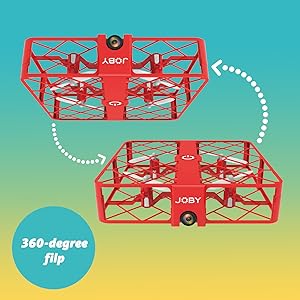
Image 3.1: Drone with its battery compartment open for installation.
3.2 Pamasangan Aplikasi sareng Sambungan Wi-Fi
To utilize the HD camera and view hirup footage, download the dedicated drone control application on your smartphone (compatible with iPhone/Android). Refer to the packaging or a QR code on the drone for the specific app name.
- Drone nu Bisa Dihurungkeun: Press the power button on the drone. The indicator lights will flash.
- Nyambung ka Wi-Fi: On your smartphone, go to Wi-Fi settings and connect to the drone's Wi-Fi network (usually named something like "JOBY_DRONE_XXXX").
- Ngajalankeun App: Open the drone control app. You should see the live camera feed from the drone.
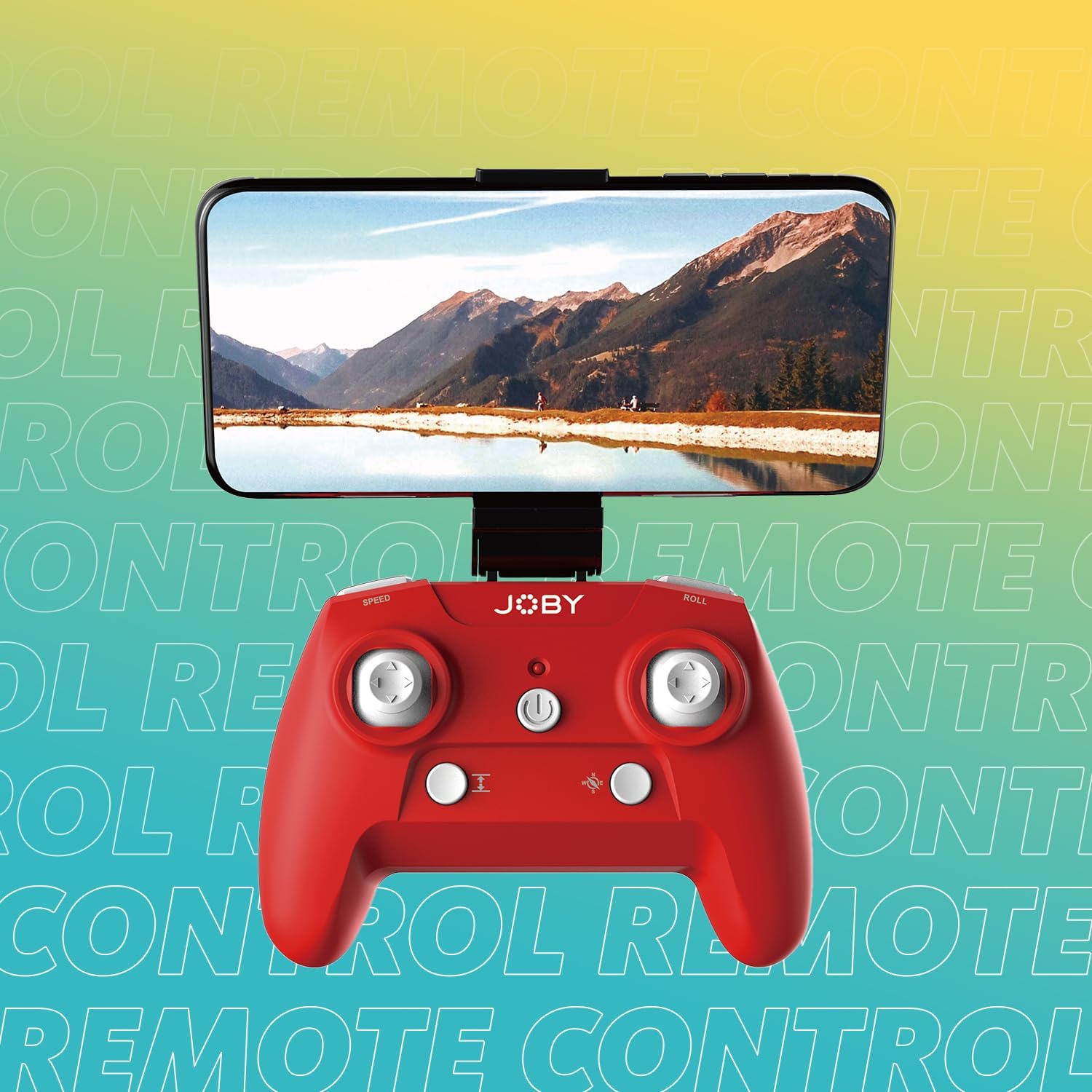
Image 3.2: Remote control with a smartphone attached, showing the live camera view.
4. Parentah Operasi
4.1 Hurungkeun sareng Pasangkeun
- Drone nu Bisa Dihurungkeun: Press the power button on the drone. The lights will flash, indicating it's ready for pairing.
- Power On Controller: Pencét tombol daya dina kadali jauh.
- papasangan: Pencét joystick kénca (gas) ka luhur, teras ka handap. Lampu drone bakal eureun kedip-kedip sareng hurung padet, nunjukkeun pasangan anu suksés.
4.2 Takeoff jeung badarat
- Lepas landas hiji tombol: After pairing, press the dedicated one-button takeoff/landing button on the controller. The drone will automatically ascend to a stable hovering height.
- Pendaratan Hiji Tombol: Press the same one-button takeoff/landing button during flight, and the drone will automatically descend and land.
- Throw to Launch: For experienced users, the drone can be gently tossed into the air after pairing, and it will automatically stabilize.
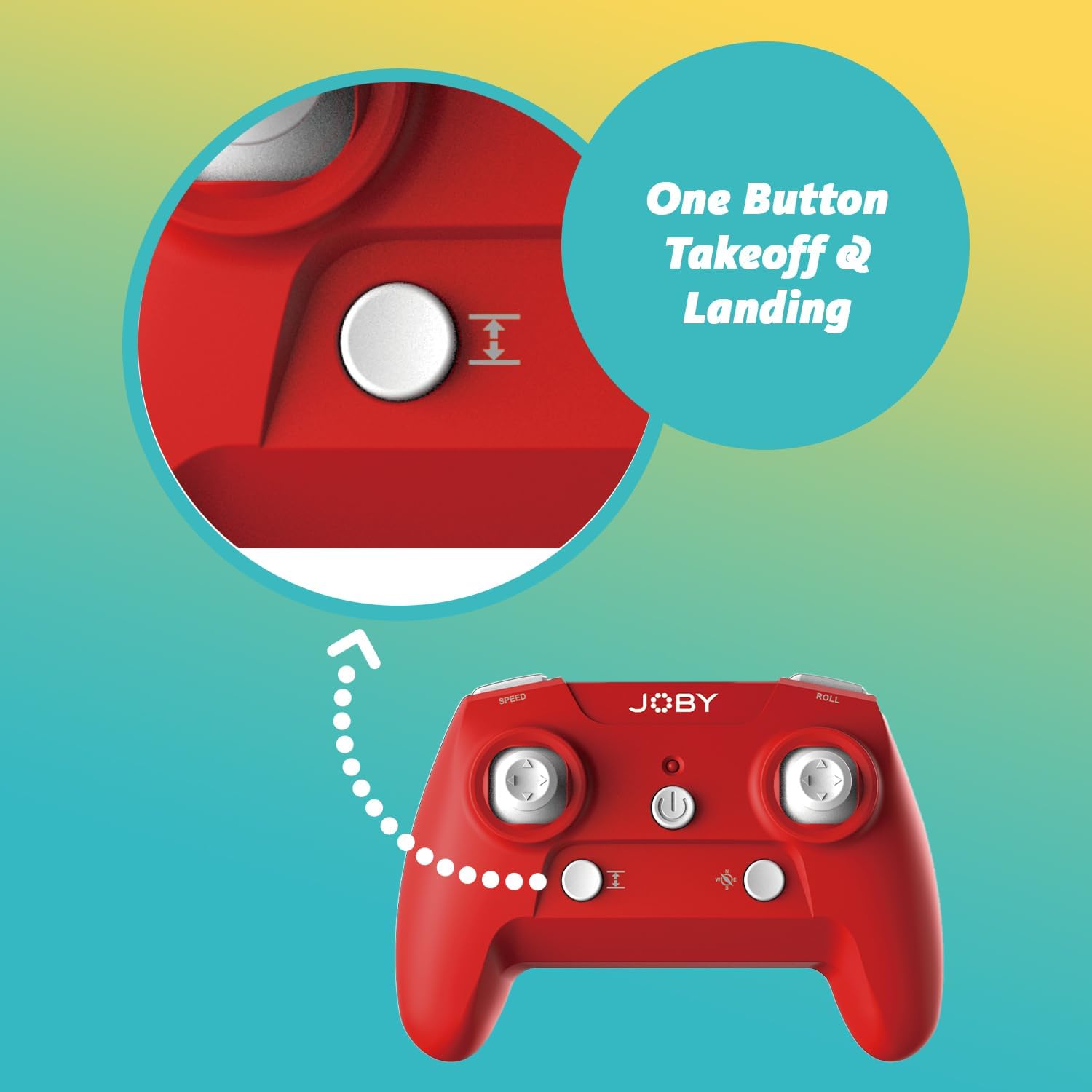
Image 4.1: Remote control highlighting the one-button takeoff/landing button.
4.3 Kadali hiber
Use the joysticks on the remote control to maneuver the drone:
- Joystick kénca (Throttle): Up/Down for ascend/descend; Left/Right for yaw (rotate).
- Joystick Katuhu (Arah): Up/Down for forward/backward; Left/Right for left/right strafe.
4.4 Fitur husus
- 360-Degree Flip: Press the dedicated "Flip" button on the controller, then push the right joystick in the desired direction to perform an aerial flip.
- Emergency Landing: In case of an emergency, activate the emergency landing function (refer to controller button layout for specific button) to quickly bring the drone down safely.

Image 4.2: Visual representation of the 360-degree flip feature.
4.5 Operasi kaméra
The integrated HD camera captures 720p video and JPEG images. Control camera functions via the smartphone app:
- Nyokot poto: Tap the camera icon in the app to take a still photograph.
- Ngarékam pidéo: Tap the video icon to start recording. Tap again to stop.
- ViewMédia: Access recorded photos and videos directly through the app's gallery.
Image 4.3: Detail of the drone's HD camera.
4.6 Video Pangajaran
Video 4.4: This video demonstrates the unboxing, battery installation, pairing process, and various flight maneuvers of the JOBY Fly X Mini Drone, including indoor and outdoor flight examples.
5. Pangropéa
Regular maintenance ensures optimal performance and longevity of your drone:
- Inspeksi Baling-Baling: Regularly check propellers for damage (cracks, bends). Replace any damaged propellers using the spare parts provided.
- beberesih: Anggo lawon anu lemes sareng garing pikeun ngabersihkeun awak drone sareng lénsa kaméra. Hindarkeun nganggo bahan kimia atanapi cairan anu keras.
- Perawatan batré: Store batteries in a cool, dry place. Do not overcharge or completely drain batteries. Remove batteries from the drone and controller during extended periods of non-use.
- Panyimpenan: Store the drone in a safe place, away from direct sunlight and extreme temperatures.
6. Cara ngungkulan
- Drone teu hurung: Pastikeun batre tos dicas pinuh sareng diselapkeun leres.
- Controller teu ngabales: Check controller batteries. Ensure the drone and controller are properly paired (refer to Section 4.1).
- Penerbangan teu stabil: Perform a calibration (refer to the app or controller instructions for calibration steps). Check propellers for damage or obstructions.
- No Camera Feed/Poor Quality: Ensure your smartphone is connected to the drone's Wi-Fi network. Check for app updates. Ensure the camera lens is clean.
- Waktos hiber pondok: Batteries may not be fully charged or may be nearing the end of their lifespan.
7. Spésifikasi
| Fitur | Rincian |
|---|---|
| merek | Joby |
| Ngaran modél | Fly X Mini |
| Nomer Modél Item | JB01966-BWW |
| Diménsi | 5.12 "L x 5.12" W x 1.18" H |
| Item Beurat | 2.24 ons |
| Resolusi Capture Video | 720 p |
| Resolusi Kaluaran Video | 1280x720 Piksel |
| Format Capture Video | MP4 |
| Format Gambar Anu Didukung | JPEG |
| Téhnologi konektipitas | Wifi |
| Téhnologi kadali jauh | Wifi |
| Rentang maksimum | 100 suku (kira-kira 30 méter) |
| Batré | 2 batré Litium Ion (kaasup) |
| Bahan | palastik |
| Tingkat kaahlian | pamula |
8. Garansi jeung Rojongan
For warranty information and customer support, please refer to the official Joby websitus atanapi ngahubungan layanan palanggan maranéhanana langsung. Simpen bukti pameseran anjeun pikeun klaim garansi.
Anjeun tiasa nganjang ka Joby Store on Amazon pikeun émbaran produk tambahan jeung sumber rojongan.


