Bubuka
This user manual provides detailed instructions for the safe and efficient operation of your AFU 67.2V 10A Li-ion Battery Smart Charger. Please read this manual thoroughly before using the product and retain it for future reference.
Eusi pakét

Image: Contents of the AFU Smart Charger package, including the charger unit, power cable, operating manual, and spare fuses.
- 1x AFU 67.2V 10A Smart Charger (Model: AF800-67210B-C13)
- 1x US Standard Power Cable
- 1 x Manual Operasi
- 2x Spare Fuses
Fitur produk
- OLED Charging Display: Nyayogikeun inpormasi sacara real-time ngeunaan voltage, current, temperature, and power.
- Tilu-stage Intelligent Charging: Utilizes Constant Current (CC), Constant Voltage (CV), and Trickle charging modes for optimal battery health and full charge.
- Robust Aluminum Casing: Durable and aids in heat dissipation.
- Kipas Pendingin Terpadu: Ensures efficient heat management during operation.
- Indikator LED: Clearly shows power status and charging progress.
- Sababaraha fitur panyalindungan: Ngawengku overvoltage, overcurrent, short circuit, and reverse protection for enhanced safety.
- Pareuman otomatis: Charger automatically stops charging when the battery is fully charged.

Gambar: Hareupeun view of the AFU Smart Charger, highlighting the OLED display and charging indicators.

Image: Visual representation of the charger's multiple protection features, including super heat dissipation, overvoltage, overcurrent, short circuit, balance function, voltage protection, anti-protection, and temperature protection.
spésifikasi
| Ngaran produk | 67.2V 10A Carjer |
| Modél | AF800-67210B-C13 |
| Diménsi | 170 x 90 x 63 mm (6.7 x 3.54 x 2.48 inci) |
| Beurat | Kira-kira 1.17 kg (2.57 pon) |
| Warna / Bahan | Black/Aluminum Case |
| Tipe Batré Cocog | 16S 60V Lithium Battery Pack |
| Input AC | 100~120Vac, 50~60Hz |
| Kaluaran Voltage | 67.2 Volt (DC) |
| Kaluaran Ayeuna | 10 Amp |
| Perlindungan batré | SCP (Short Circuit Protection), OVP (Overvoltage Protection), OCP (Overcurrent Protection), OTP (Over Temperature Protection) |
| Mode ngecas | Constant Current - Constant Voltage - Trickle (three-stage intelligent charging) |
| Efisiensi Ngecas | ≥85% |
| Suhu Gawé | -20 ℃ ~ +40 ℃ (-4°F ~ +104°F) |
| Suhu Panyimpenan | -40 ℃ ~ +70 ℃ (-40°F ~ +158°F) |
| Panyambung DC | C13 N+L- Plug (default) |

Image: Diagram illustrating the dimensions (6.7 x 3.54 x 2.48 inches) and weight (3.1 lbs) of the AFU Smart Charger.
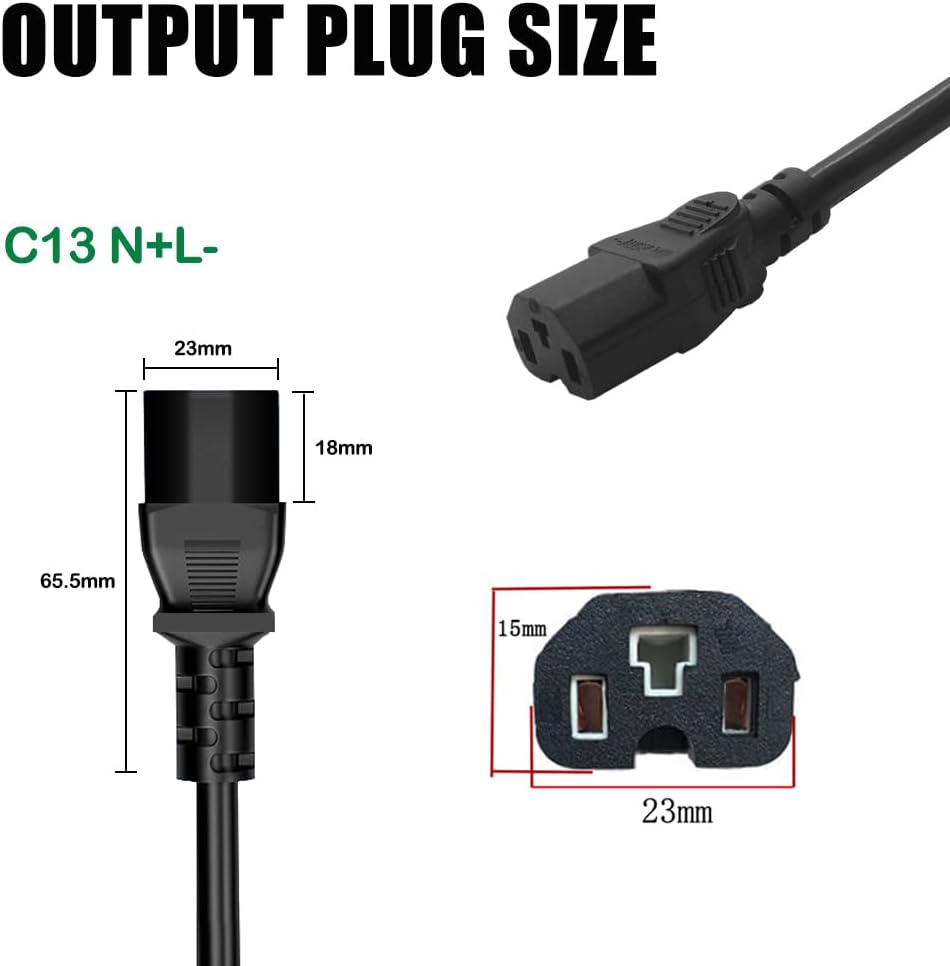
Gambar: Detil view of the C13 N+L- output plug, including its dimensions.
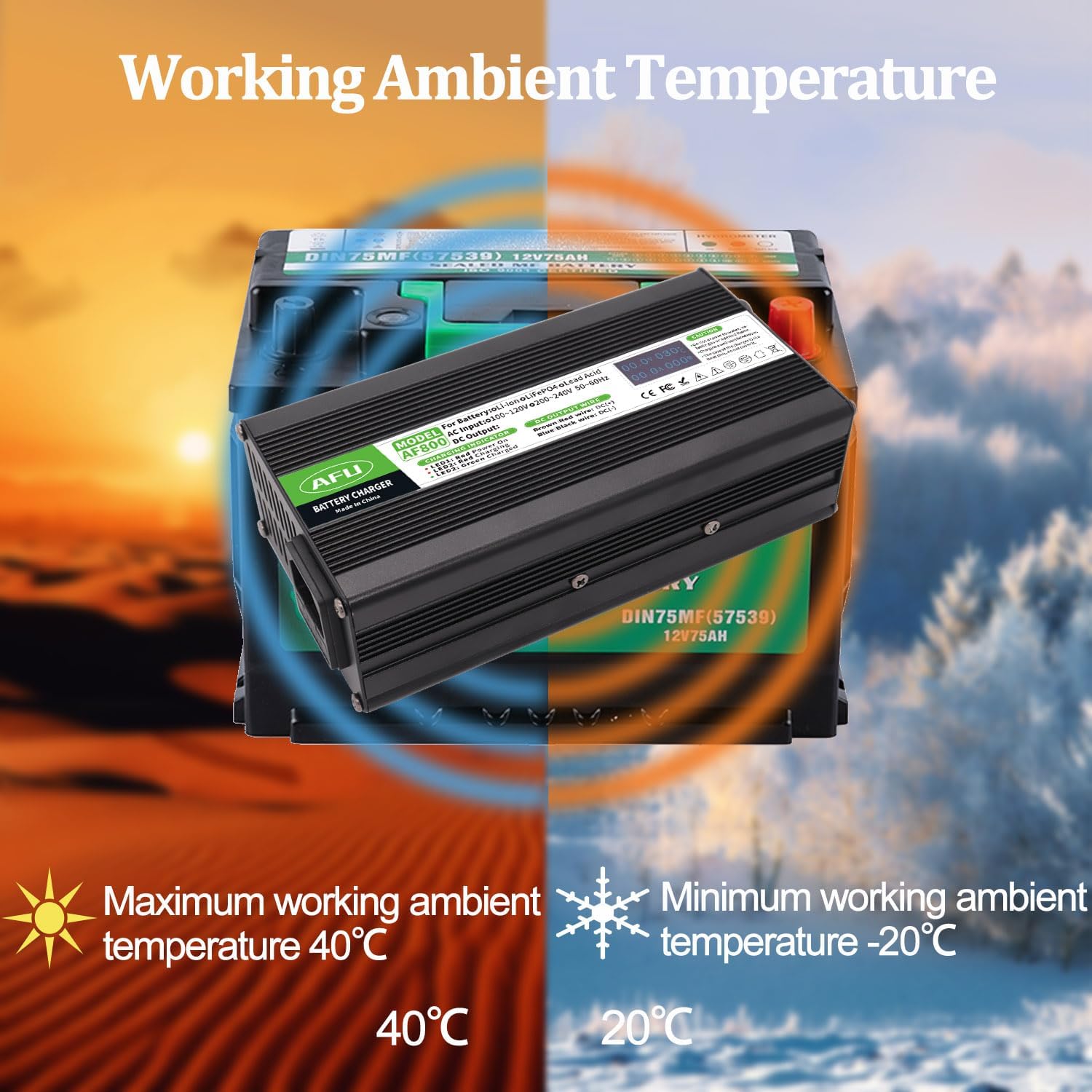
Image: Illustration of the charger's optimal working ambient temperature range, from -20°C to +40°C.
Disetél
Before initial use, ensure all components listed in the "Package Contents" section are present and undamaged. Place the charger on a stable, flat surface in a well-ventilated area, away from direct sunlight, heat sources, and moisture.
Nyambungkeun Kabel Daya
- Locate the AC input interface on the charger (typically at the back).
- Connect the provided US standard power cable to the AC input interface of the charger.
- Pastikeun sambunganna teguh sareng aman.
Video: Hiji leuwihview of the AFU Smart Charger, demonstrating its components, dimensions, and the process of connecting the power cable and observing the OLED display and LED indicators during operation.
Parentah Operasi
Follow these steps carefully to charge your 16S 60V Lithium Battery Pack:
- Connect to Battery First: Before connecting the charger to AC power, ensure the DC output terminal of the charger is securely connected to the battery's charging socket.
- Nyambung ka Daya AC: After the DC terminal is connected to the battery, plug the AC power cord into a standard 100-120Vac, 50-60Hz wall outlet.
- Monitor ngecas: Observe the LED indicators and the OLED display for charging status.
- Pegatkeun sambungan Saatos Ngecas: Once charging is complete (LED 2 turns green), first unplug the AC power cord from the wall outlet, and then unplug the DC terminal from the battery.
- Panyimpenan: When not in use or after charging, always unplug both the DC terminal from the battery and the AC terminal from the wall outlet.
Guide Indikator LED
- LED 1 (Beureum): Nunjukkeun yén carjer diaktipkeun.
- LED 2 (Beureum): Nunjukkeun yen batréna ayeuna keur dieusi.
- LED 2 (Flashing Red): Indicates that the battery is nearing a full charge.
- LED 2 (Héjo): Indicates that the battery has been fully charged.
Émbaran Témbongkeun OLED
The OLED display provides real-time data during the charging process:
- Voltage (V): Displays the current charging voltage.
- Ayeuna (A): Displays the current charging amperage.
- Suhu (°C): Némbongkeun suhu internal carjer.
- kakuatan (W): Displays the current charging power in watts.
Pangropéa
- beberesih: Rutin usap bagian luar carjer nganggo lawon anu garing sareng lemes. Ulah make cleaners abrasive atawa pangleyur.
- Ventilasi: Ensure the cooling fan and ventilation slots are free from dust and debris to maintain optimal heat dissipation.
- Panyimpenan: Store the charger in a cool, dry place when not in use, away from extreme temperatures and humidity.
- Ngagantian sekering: If the charger stops functioning, check the fuse. Refer to the "Troubleshooting" section for instructions on replacing the fuse.
Pamérésan masalah
| Masalah | Mungkin Cukang lantaranana | Solusi |
|---|---|---|
| Charger not powering on (LED 1 off) | No AC power; Loose power cable; Blown fuse. | Check wall outlet and power cable connection. Replace fuse if necessary (refer to fuse replacement instructions below). |
| LED 2 remains red, battery not charging | DC connector not properly connected to battery; Battery fault. | Ensure DC connector is firmly seated. Check battery for issues. |
| Charger gets excessively hot | Ventilasi goréng; Kaleuwihan beban. | Ensure charger is in a well-ventilated area. Clear any obstructions from cooling fan/vents. Ensure battery is compatible. |
| OLED display is blank or erratic | Masalah daya; Gangguan internal. | Pariksa sambungan kakuatan. Lamun masalah persists, kontak rojongan customer. |
Ngagantian sekering
The charger is equipped with a replaceable fuse for protection. If the charger fails to power on, the fuse may need replacement.
- Pegatkeun Daya: Ensure the charger is completely disconnected from both the AC power outlet and the battery.
- Locate Fuse Holder: The fuse holder is typically located near the DC output wire on the charger. It is a small, circular cap that can be unscrewed.
- Cabut Sekering Lawas: Unscrew the fuse holder cap. Carefully remove the old fuse.
- Selapkeun Sekering Anyar: Insert one of the provided spare fuses into the fuse holder.
- Tempat Sekring Aman: Screw the fuse holder cap back into place firmly.
- Test Charger: Reconnect the charger to the battery and then to AC power to test its functionality.
Émbaran Kasalametan penting
- Pamakéan jero rohangan wungkul: This charger is designed for indoor use. Do not expose to water, rain, or excessive humidity.
- Ventilasi: Always operate the charger in a well-ventilated area. Do not cover the charger or block its ventilation openings.
- Bahan anu gampang kaduruk: Do not use the charger near flammable or combustible materials.
- Kasaluyuan batré: Only use this charger with compatible 16S 60V Lithium Battery Packs. Using it with incompatible batteries may cause damage or injury.
- Urutan Sambungan: Always connect the DC terminal to the battery first, then the AC power. When disconnecting, unplug AC power first, then the DC terminal.
- Henteu aya bagian anu tiasa dianggo pikeun pangguna: Do not attempt to open or repair the charger. Refer all servicing to qualified personnel.
- Barudak jeung Pets: Jauhkeun carjer tina jangkauan barudak sareng piaraan.
- Ruksakna: Do not use the charger if the power cord, plug, or charger casing ruksak.
Awas: Do not expose to water, volatile gas or opened flame. Charge in a well-ventilated room. The case of the charger is the heat sink, do not cover it.
Garansi sareng Rojongan
For warranty information or technical support, please contact AFU customer service through the retailer where you purchased the product or visit the official AFU Store on Amazon:
Please have your product model number (AF800-67210B-C13) and purchase details ready when contacting support.


