1. Bubuka
This manual provides detailed instructions for the installation, configuration, and operation of your Rebel KOM1031 Dual-Band Wireless Network Repeater. This device is designed to extend the coverage of your existing Wi-Fi network, providing a stronger and more reliable signal in areas with weak or no coverage. It supports both 2.4 GHz and 5 GHz wireless bands, offering flexible connectivity options and high data transfer rates.
2. Eusi Paket
Punten parios yén sadaya barang aya dina pakét anjeun:
- Rebel KOM1031 Wireless Network Repeater
- Manual pangguna (dokumén ieu)
- Ethernet Cable (may be included, check packaging)

Gambar 2.1: The Rebel KOM1031 Repeater packaging, showing the device and its key features.
3. Produk Langkungview
Familiarize yourself with the physical components and indicators of the Rebel KOM1031 Repeater.
3.1. Tata perenah

Gambar 3.1: Hareupeun view of the Rebel KOM1031 Repeater, highlighting the LED indicators and Ethernet ports.

Gambar 3.2: Samping view of the Rebel KOM1031 Repeater, showing the four external antennas in an extended position.

Gambar 3.3: Handapeun view of the Rebel KOM1031 Repeater, illustrating the integrated power plug and two RJ45 Ethernet ports.
3.2. Indikator LED
| Indikator | Status | Katerangan |
|---|---|---|
| SYS / kakuatan | Padet Dina | Alat dihurungkeun tur beroperasi normal. |
| 2.4G | Padet Dina | 2.4 GHz Wi-Fi band is active. |
| 5.8G | Padet Dina | 5 GHz Wi-Fi band is active. |
| LAN3 / LAN4 | Solid On/Flashing | Indicates an active Ethernet connection and data transfer on the respective LAN port. |
4. Setup Guide
Follow these steps to set up your Rebel KOM1031 Repeater.
4.1. Initial Placement and Power On
- Pilih Lokasi: Plug the repeater into an electrical outlet in an area between your main router and the location where you need improved Wi-Fi coverage. Ensure it is within the range of your existing Wi-Fi signal.
- Daya Hurung: Plug the device directly into a standard wall socket. The SYS/POWER LED should illuminate. Wait approximately 30-60 seconds for the device to boot up.
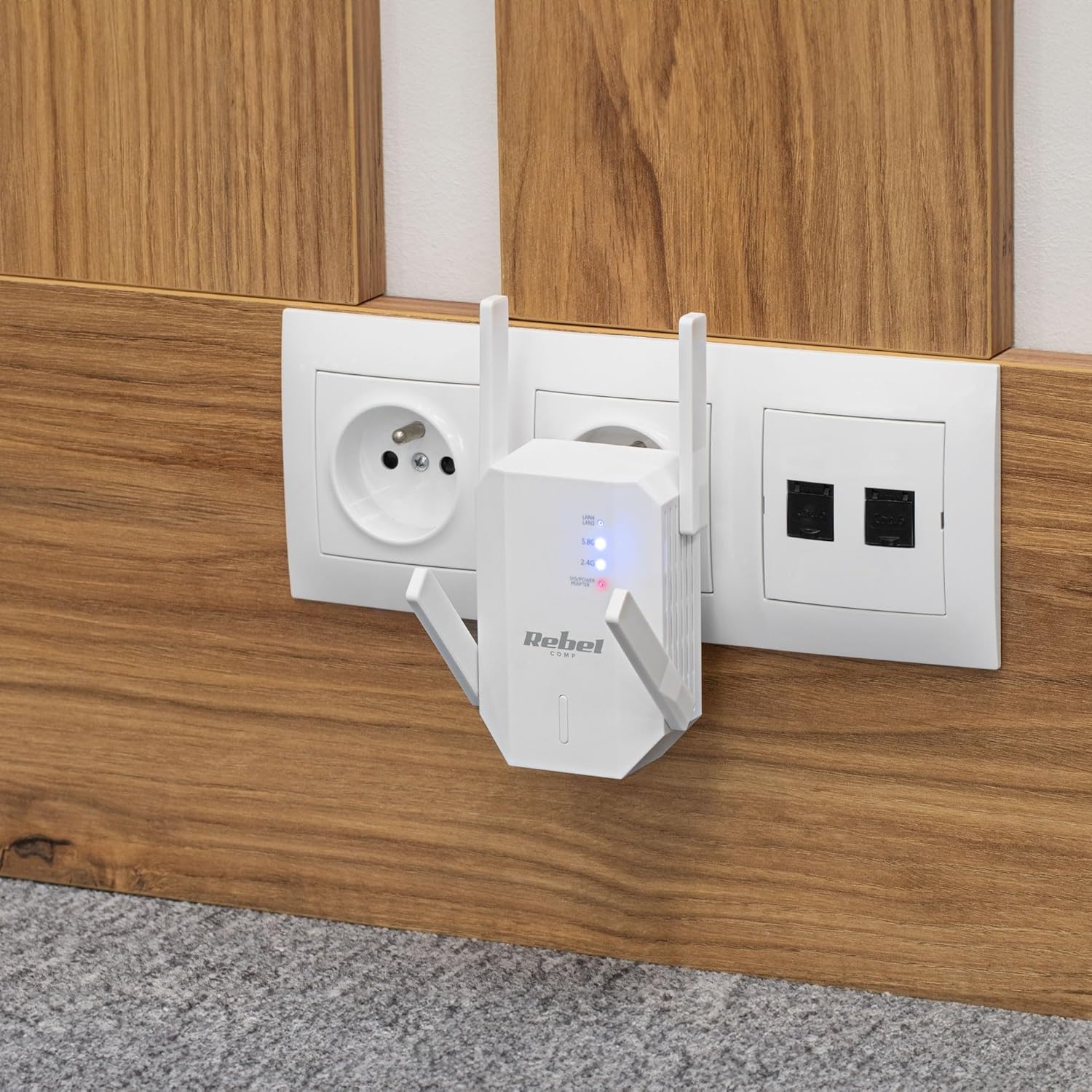
Gambar 4.1: The Rebel KOM1031 Repeater plugged into a wall outlet, ready for configuration.
4.2. Connecting to the Repeater
- Connect Wirelessly: On your computer or mobile device, search for available Wi-Fi networks. Connect to the network named "Rebel_XXXX" or similar (check the label on the device for the default SSID). No password is required for the initial connection.
- Aksés Web panganteur: Buka a web browser (e.g., Chrome, Firefox, Edge) and enter the default IP address or domain name (usually 192.168.10.1 or rebelrepeater.net) kana bilah alamat. Pencét Enter.
- Lebet: When prompted, enter the default username and password (usually admin pikeun duanana).
4.3. Configuration Wizard (Repeater Mode)
Most users will configure the device in Repeater Mode to extend an existing Wi-Fi network.
- Select Repeater Mode: Dina web interface, select "Repeater Mode" or "Wi-Fi Repeater" from the available options.
- Scan pikeun Jaringan: The device will scan for available Wi-Fi networks. Select your main Wi-Fi network (SSID) from the list.
- Lebetkeun kecap akses: Enter the Wi-Fi password (security key) of your main router.
- Configure Repeater SSID (Optional): You can choose to keep the same SSID as your main network or create a new one (e.g., "MyHome_EXT"). It is recommended to use a different SSID to easily distinguish between networks.
- Larapkeun Setélan: Click "Apply" or "Save" to confirm your settings. The repeater will restart. This process may take a few minutes.
- Sambung deui: After the repeater restarts, disconnect from the repeater's default Wi-Fi network and connect to your newly configured extended network (e.g., "MyHome_EXT") using the password you entered.
Your Rebel KOM1031 Repeater should now be extending your Wi-Fi network. Check the signal strength in previously weak areas.
5. Modeu Operasi
The Rebel KOM1031 supports multiple operating modes to suit various networking needs.
5.1. Modeu Pangulang (Baku)
In Repeater Mode, the device extends the coverage of an existing wireless network. It receives the wireless signal from your main router and re-transmits it, effectively expanding the Wi-Fi range. This is the most common mode for eliminating Wi-Fi dead zones.
5.2. Modeu Titik Aksés (AP)
In AP Mode, the device connects to a wired network (via an Ethernet cable) and broadcasts a new wireless network. This is useful for adding Wi-Fi capability to a wired-only network or creating a new Wi-Fi hotspot from a wired internet connection.
- Sambungkeun Ethernet: Connect an Ethernet cable from your router or modem to one of the RJ45 ports on the KOM1031.
- Aksés Web panganteur: Follow steps 4.2 to access the web panganteur.
- Pilih Mode AP: Choose "AP Mode" or "Access Point" from the configuration options.
- Konpigurasikeun Setélan Wi-Fi: Set a new SSID (network name) and a strong password for your new wireless network.
- Larapkeun Setélan: Save the configuration. The device will restart and operate as an Access Point.
6. Pangropéa
Pangropéa anu leres mastikeun umur panjang sareng kinerja optimal alat anjeun.
- beberesih: Anggo kaén anu lemes sareng garing pikeun ngabersihan alat. Ulah make cleaners cair atawa aerosol.
- Ventilasi: Ensure the device is placed in a well-ventilated area. Do not block the ventilation slots.
- Pembaruan firmware: périodik pariksa produsén urang website for firmware updates. Updating firmware can improve performance and security.
- Ngareset: If the device malfunctions or you forget the login credentials, you can perform a factory reset. Locate the reset button (usually a small pinhole) and press it with a paperclip for 5-10 seconds while the device is powered on. The device will revert to factory default settings.
7. Cara ngungkulan
Upami anjeun mendakan masalah, tingal masalah sareng solusi umum di handap ieu.
7.1. No Internet Access After Setup
- Check Main Router: Pastikeun yén router utama anjeun gaduh sambungan internét anu aktip.
- Pariksa Kecap aksés: Double-check that you entered the correct Wi-Fi password for your main router during setup.
- Relocate Repeater: The repeater might be too far from your main router. Move it closer to ensure it receives a strong signal.
- Balikan deui Alat: Restart your main router, the repeater, and your client devices.
7.2. Teu Bisa Aksés Web Page Manajemén
- Pariksa sambungan: Ensure your device is connected to the repeater's Wi-Fi network (either the default "Rebel_XXXX" or your configured extended network).
- Pariksa Alamat IP: Confirm you are using the correct IP address (e.g., 192.168.10.1) or domain name (rebelrepeater.net).
- Hapus Cache Browser: Coba bersihan anjeun web cache browser atawa maké browser séjén.
- Pabrik Reset: If all else fails, perform a factory reset (see Section 6. Maintenance) and try setting up again.
7.3. Weak Signal or Slow Speed
- Penempatan optimal: Ensure the repeater is placed optimally, roughly halfway between your router and the dead zone. Avoid physical obstructions like thick walls or metal objects.
- gangguan: Other electronic devices (microwaves, cordless phones) can cause interference. Try moving the repeater away from such devices.
- Adjustment anteneu: Adjust the external antennas for better signal reception and transmission.
8. Spésifikasi Téknis
| Fitur | Rincian |
|---|---|
| Modél | KOM1031 |
| merek | Barontak |
| Chipset | MTK7612 |
| Standar Wireless | IEEE 802.11 a/b/g/n/ac |
| Pita frékuénsi | 2.4 GHz / 5 GHz (Dual-Band) |
| Laju Pangiriman Data | Nepi ka 300 Mbps (2.4 GHz), Nepi ka 867 Mbps (5 GHz) |
| anteneu | 4 External (2 dBi each) |
| Protokol Kaamanan | WEP, WPA/WPA2, WPS (64/128 bit) |
| palabuhan Ethernet | 2x RJ45 (10/100 Mbps) |
| Range nirkabel | Up to 100 meters (environment dependent) |
| Sasayogian tanaga | 110-240 V; 50/60 Hz; 2 A |
| Diménsi | 87 x 63 x 55 mm |
| Beurat | 76 g |
| Pangguna Sakaligus | Ngarojong nepi ka 10 pamaké sakaligus |
9. Émbaran Kasalametan
Mangga baca tur turutan tungtunan kaamanan ieu pikeun nyegah karuksakan kana alat atawa tatu ka diri anjeun.
- Ulah ngalaan alat ka cai, beueus, atawa suhu ekstrim.
- Ulah nyobian ngabongkar atawa ngalereskeun alat sorangan. Rujuk sadayana jasa ka tanaga anu mumpuni.
- Ensure the power outlet used is easily accessible and provides the correct voltage (110-240V).
- Hindarkeun nempatkeun alat caket sumber panas atanapi dina sinar panonpoé langsung.
- Jauhkeun alat ti barudak jeung piaraan.
10. Garansi jeung Rojongan
For warranty information, technical support, or further assistance, please refer to the official Rebel website or contact your retailer. Please have your product model number (KOM1031) and purchase details ready when seeking support.