1. Bubuka
Thank you for choosing the Rapoo 1530 Silent Wireless Optical Mouse. This manual provides detailed instructions for the proper setup, operation, and maintenance of your new device. Please read this manual thoroughly before use to ensure optimal performance and longevity of your mouse.
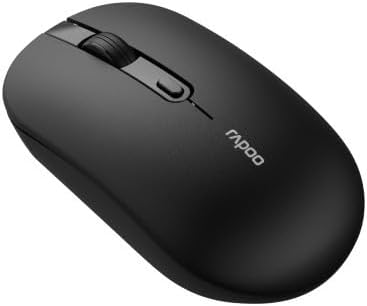
Figure 1: Rapoo 1530 Silent Wireless Optical Mouse (Top View)
2. Eusi Paket
Pastikeun sadaya item aya dina bungkusan:
- Rapoo 1530 Silent Wireless Optical Mouse
- Panarima USB
- Pituduh Mimiti Gancang (manual ieu)
- Batré AA (tiasa dipasang sateuacanna atanapi kalebet misah)
3. Setélan
3.1. Pamasangan batré
- Teangan tempat panutup kompartemen batré dina underside beurit.
- Geser panutupna muka.
- Selapkeun hiji batré AA, mastikeun polaritasna bener (+/-).
- Tutup panutup kompartemen batré aman.
3.2. Nyambungkeun Panarima USB
- Remove the USB receiver from its storage slot, usually located inside the battery compartment or on the underside of the mouse.
- Colokkeun panarima USB ka port USB nu sadia dina komputer Anjeun.
- Komputer anjeun kedah otomatis ngadeteksi sareng masang panggerak anu diperyogikeun. Ieu bisa butuh sababaraha moments.
3.3. Ngahurungkeun
Locate the On/Off switch on the underside of the mouse. Slide the switch to the "On" position. The mouse is now ready for use.
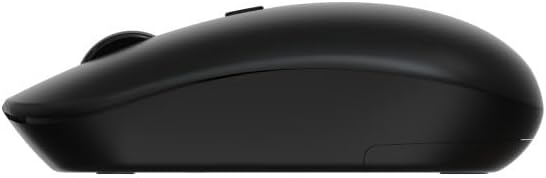
Figure 2: Rapoo 1530 Silent Wireless Optical Mouse (Side View)
4. Parentah Operasi
4.1. Fungsi Dasar
- Klik Kénca: Primary action, select items, open links.
- Klik katuhu: Secondary action, opens context menus.
- Gulung kabayang: Gulung ka luhur atanapi ka handap dina dokumén sareng web kaca.
- Pencét Tengah (Gulung Roda Pencét): Opens links in new tabs, or other application-specific functions.
4.2. Fitur Klik Jempe
The Rapoo 1530 mouse is designed with silent click technology, significantly reducing click noise for a quieter working environment.
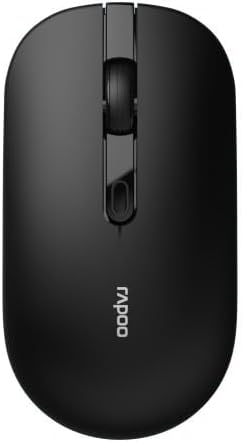
Figure 3: Rapoo 1530 Silent Wireless Optical Mouse (Button Layout)
5. Pangropéa
5.1. beberesih
Pikeun ngajaga kinerja anu optimal, bersihan beurit anjeun sacara rutin:
- Disconnect the mouse from your computer (or turn it off).
- Make kaen nu lemes, teu aya lint rada dampdikumbah ku cai atanapi larutan pembersih anu hampang pikeun ngusap permukaanana.
- Pikeun sénsor optik, anggo kapas garing pikeun miceun lebu atanapi kokotor sacara lalaunan.
- Hindarkeun ngagunakeun bahan kimia anu kasar atanapi bahan abrasive.
5.2. Ngagantian batré
When the mouse performance degrades or it stops responding, it may be time to replace the battery. Follow the battery installation steps in Section 3.1.
6. Cara ngungkulan
| Masalah | Solusi |
|---|---|
| Beurit teu ngabales |
|
| Cursor lagging or erratic movement |
|
| Masalah sambungan |
|
7. Spésifikasi
- merek: Rapoo
- Ngaran modél: 1530 Jempé
- Jumlah modél: 819660
- Konektipitas: Nirkabel (Receiver USB)
- Tipe sénsor: Optik
- warna: Black (as per product images, though description mentions "multicolore" which might be a generic placeholder or refer to a range of colors)
- Sumber Daya: 1x Batré AA
- Fitur husus: Silent Click Technology
8. Garansi jeung Rojongan
Rapoo products are designed for reliability and performance. For warranty information and technical support, please refer to the official Rapoo websitus atanapi ngahubungan pangecér lokal Anjeun. Simpen bukti pameseran anjeun pikeun klaim garansi.
For further assistance, visit the official Rapoo support page or contact their customer service.


