Produk Leuwihview
The LC-M27-QHD-180 is a 27-inch (68.58 cm) PC monitor designed to deliver a high-quality visual experience. It features a QHD resolution of 2560 x 1440 pixels, providing sharp and detailed images. The IPS panel ensures an ultra-fast 1 ms response time, excellent color accuracy, and wide viewing angles. With a refresh rate of 180 Hz, content display is very fluid, making it suitable for fast-paced applications and gaming.
Key features include Adaptive Sync for smooth gameplay, Picture-by-Picture (PbP) and Picture-in-Picture (PiP) for multi-source viewing, and a height-adjustable stand with integrated cable management for ergonomic use. The monitor also supports a pivot feature, allowing it to be rotated 90 degrees for vertical document viewing.
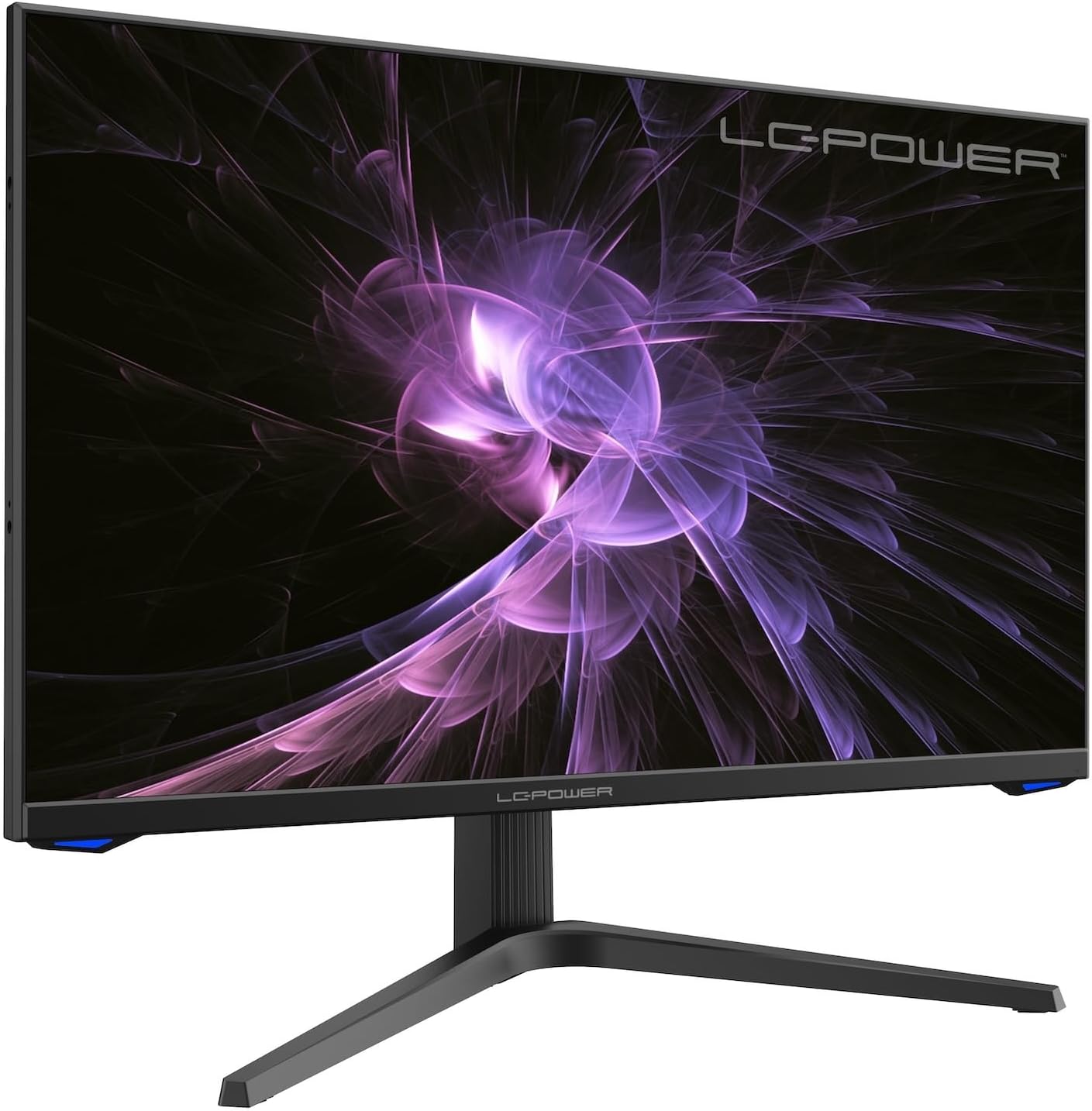
Gambar: Hareupeun view of the LC-M27-QHD-180 monitor, showcasing tampilan na jeung desain sleek.
Guide Setup
1. Ngabongkar jeung Eusi
Carefully remove all components from the packaging. Please verify that all items listed below are present:
- LC-M27-QHD-180 Monitor
- Basis Monitor
- Kabel HDMI
- Adaptor kakuatan
- Bahan Pamasangan
- Manual pangguna (dokumén ieu)
2. Majelis
Ngalampirkeun Base:
- Simpen layar monitor nyanghareup ka handap dina permukaan anu lemes sareng bersih pikeun nyegah goresan.
- Align the stand arm with the slot on the back of the monitor.
- Secure the stand arm to the monitor using the provided screws.
- Attach the base plate to the stand arm and tighten the screws.
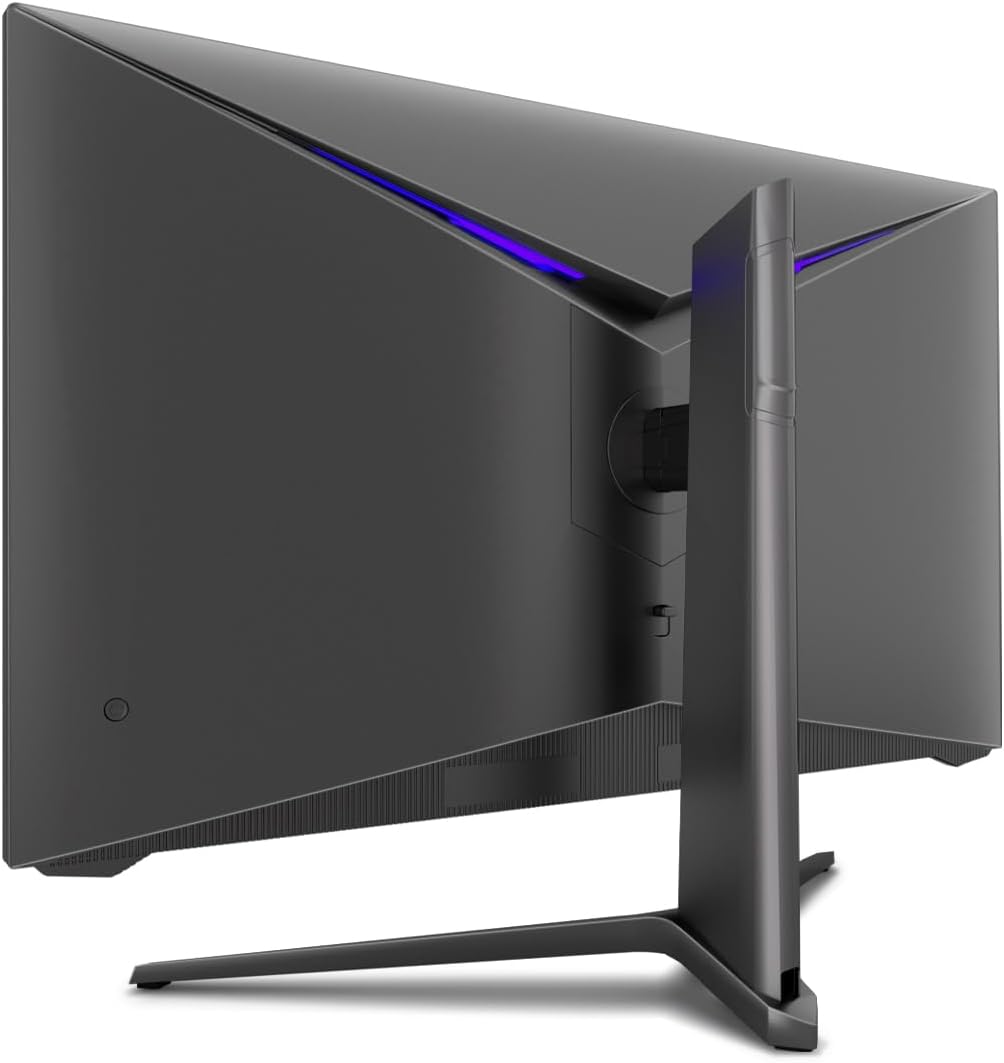
Gambar: Tukangeun view of the monitor, illustrating the stand assembly area and cable management design.
Pamasangan VESA: The monitor is VESA compatible. If you intend to use a VESA mount, remove the stand arm after assembly and attach your VESA mount according to its instructions.
3. Nyambungkeun Monitor
- Sambungan Daya: Connect the power adapter to the monitor's power input and then plug the power adapter into a wall outlet.
- Sambungan Video: Connect one end of the provided HDMI cable to the HDMI port on your computer's graphics card and the other end to an HDMI input port on the monitor.
- Pastikeun sadaya sambungan aman.
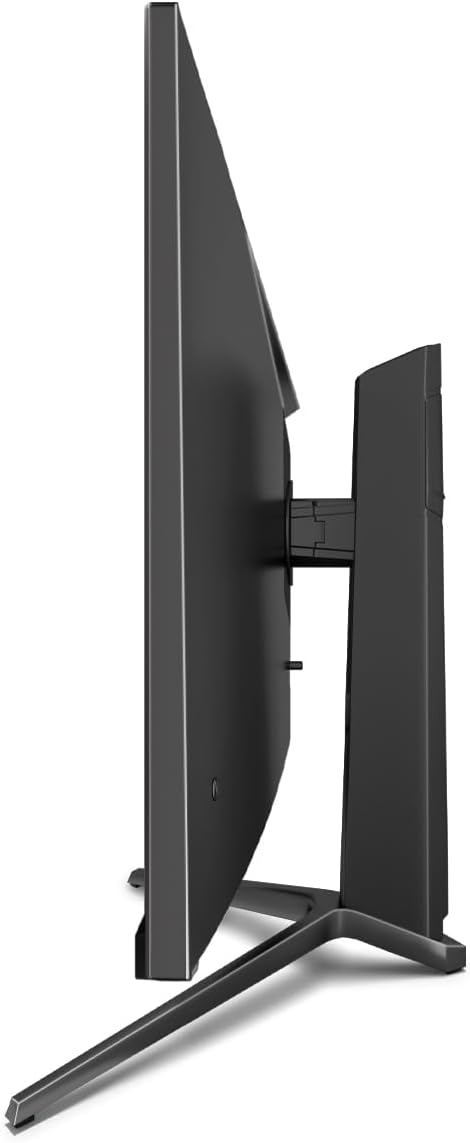
Gambar: Sisi view of the monitor, showing its slim design and connectivity ports.
4. Daya Awal Hurung
Press the power button on the monitor. The power indicator light should illuminate. Your computer should automatically detect the new display. If not, adjust display settings in your operating system.
Parentah Operasi
Menu dina layar (OSD).
The monitor features an On-Screen Display (OSD) menu for adjusting various settings. Use the control buttons located on the monitor (typically on the back or bottom edge) to navigate the OSD menu.
Fitur konci sareng Setélan
- Singkronisasi adaptif: This technology synchronizes the monitor's refresh rate with your graphics card's frame rate, reducing screen tearing and stuttering for a smoother gaming experience. Enable this feature in your graphics card settings and on the monitor's OSD if applicable.
- Overdrive: Overdrive pre-calculates and accelerates specific pixels, significantly reducing response times for both black-and-white and color nuance changes, resulting in clearer motion.
- Cahaya Biru Rendah: The Low Blue Light filter reduces the emission of harmful blue light from the screen, minimizing eye strain and fatigue during prolonged use. This feature can be adjusted via the OSD menu.
- Picture-by-Picture (PbP) / Picture-in-Picture (PiP):
- PbP: Allows you to display content from two different input sources side-by-side on the same screen.
- PiP: Displays the image from a second source as a smaller, scalable window (up to 25% of original size) that can be positioned anywhere on the main screen.
- FPS / RTS Modes: Dedicated display modes optimized for First Person Shooter (FPS) and Real-Time Strategy (RTS) games. These modes enhance visibility and provide a better gaming experience by adjusting display parameters.
- Fitur Pivot: The monitor can be rotated 90 degrees to a vertical (portrait) orientation. This is particularly useful for reading documents, coding, or web ngotektak.

Image: Diagram illustrating the monitor's ability to pivot 90 degrees for vertical viewing.
Note: After physically rotating the monitor, you must adjust the display orientation settings within your operating system (e.g., Windows Display Settings) to match the new physical orientation.
- Height Adjustable Stand & Cable Management: The integrated stand allows for height adjustment to achieve an ergonomic viewing position. Cables can be neatly routed through the stand's built-in cable management system to maintain a tidy workspace.

Image: Close-up of the monitor's stand, highlighting the integrated cable management feature.
Pangropéa
Pikeun mastikeun umur panjang sareng kinerja optimal monitor anjeun, turutan tungtunan pangropéa ieu:
- Ngabersihan layar: Lap layar sacara lalaunan nganggo lawon lemes anu henteu ngaganggu anu khusus dirancang pikeun éléktronika. Pikeun tanda anu bandel, usap layar sacara hampangampen lawon jeung cai atawa non-abrasive, solusi beberesih monitor-aman. Ulah nyemprot cairan langsung kana layar.
- Ngabersihan Casing: Anggo kaén anu lembut sareng garing pikeun ngabersihan monitor casing. Ulah make bahan kimia kasar atawa bahan abrasive.
- Ventilasi: Pastikeun bukaan ventilasi dina monitor teu diblokir pikeun nyegah overheating.
- Pareum listrik: Always power off the monitor and unplug it from the power outlet before cleaning or if it will not be used for an extended period.
- Hindarkeun sinar panonpoé langsung: Ulah ngantepkeun monitor ka sinar panonpoé langsung atanapi panas anu kaleuleuwihi.
Pamérésan masalah
If you encounter issues with your LC-M27-QHD-180 monitor, please refer to the following common troubleshooting steps:
| Masalah | Mungkin Cukang lantaranana | Solusi |
|---|---|---|
| Henteu aya gambar dina layar | Monitor not powered on; video cable loose or disconnected; incorrect input source selected. | Ensure power cable is securely connected and monitor is turned on. Check video cable connections (HDMI). Select the correct input source via the OSD menu. |
| Gambar buram atanapi menyimpang | Incorrect resolution setting; video cable issue. | Set the display resolution to 2560 x 1440 pixels in your computer's display settings. Try a different HDMI cable if available. |
| No sound (if monitor has speakers/audio out) | Audio cable not connected; volume too low; incorrect audio output selected on computer. | Ensure audio cable (if used) is connected. Adjust monitor volume via OSD. Select the monitor as the default audio output device in your computer's sound settings. |
| Layar kedip-kedip | Refresh rate mismatch; faulty cable; graphics driver issue. | Ensure refresh rate is set to 180 Hz in display settings. Try a different video cable. Update your graphics card drivers. |
For more detailed troubleshooting or persistent issues, please consult the full user manual or contact LC-Power customer support.
spésifikasi
| Fitur | Rincian |
|---|---|
| Nomer modél | LC-POWER (LC-M27-QHD-180) |
| Ukuran layar | 27 Inci (68.58 cm) |
| Resolusi | QHD Wide 1440p (2560 x 1440 pixels) |
| Rasio Aspék | 16:9 |
| Refresh Laju | 180 Hz |
| Waktu Tanggapan | 1 ms |
| Tipe Panel | IPS |
| Beungeut layar | Flach (Flat) |
| Ukuran produk (L x W x H) | 28.74 x 18.9 x 8.66 inci |
| Item Beurat | 17.73 pon |
| Produsén | Kakuatan LC |
| ASIN | B0CQJNV3YR |
| Tanggal Kahiji Sadia | 31 Méi 2024 |

Image: EU Energy Label for the LC-M27-QHD-180 monitor. For more details, scan the QR code or visit eprel.ec.europa.eu/qr/1758049.
Garansi sareng Rojongan
The LC-M27-QHD-180 monitor is manufactured by LC Power.
- Garansi Umum: The product comes with a 3-year general warranty from the date of purchase.
- Guaranteed Availability of Spare Parts: Suku cadang dijamin bakal sayogi salami 7 taun ti tanggal produk dipasarkan.
- Guaranteed Product Support: Product support is guaranteed for 7 years.
For technical support, warranty claims, or service inquiries, please contact LC-Power customer support through their official channels. Refer to the packaging or the brand's official websitus kanggo inpormasi kontak khusus.


