1. Bubuka
This manual provides essential information for setting up and operating your artfone A400 4G senior mobile phone. Please read it carefully to ensure proper use and to take full advantage of all features. The artfone A400 is designed for ease of use, featuring large keys, a loud volume, and a dedicated SOS button for emergencies.
2. Naon dina Box
- artfone A400 Mobile Phone
- Kabel USB
- Adaptor kakuatan
- Tempat ngecas
- Batré
- Manual pamaké

Figure 2.1: Contents of the artfone A400 package.
3. Produk Langkungview
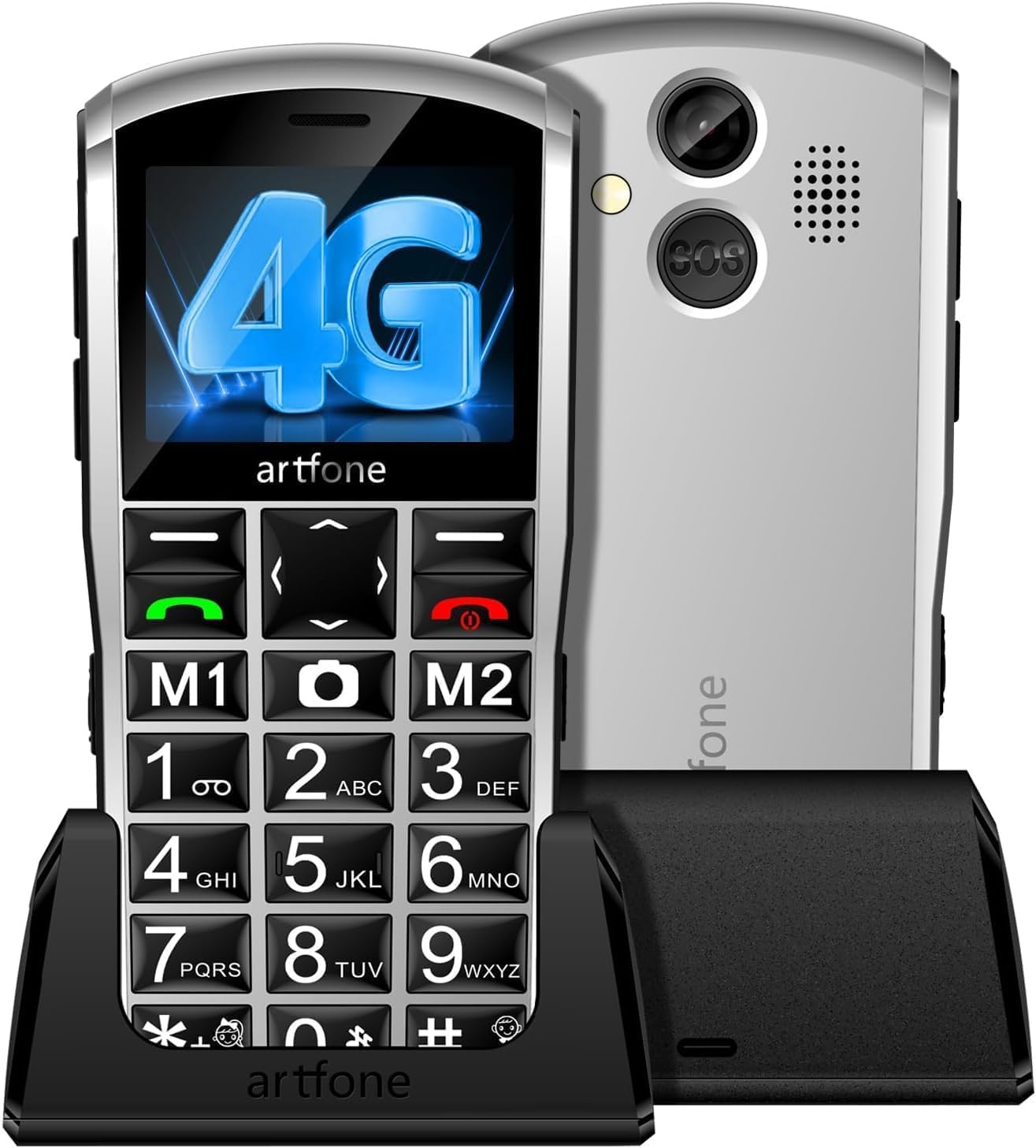
Figure 3.1: artfone A400 Mobile Phone.
Fitur konci:
- Large Keys and Fonts: Designed for easy dialing and viewing, even for users with visual impairments.
- Volume nyaring: Enhanced audio output for clear conversations, beneficial for individuals with hearing difficulties.
- Tombol SOS: A dedicated emergency button on the back of the phone that can be programmed to call up to 5 emergency contacts.
- Voice Time Announcement: Long-press the volume+ key to hear the current time announced in 21 languages.
- Dukungan Dual SIM: Compatible with two Nano SIM cards for network flexibility.
- Pilihan ngecas: Convenient charging via USB-C cable or the included desktop charging station.
- Senter: Integrated torch for convenience in low-light conditions.

Figure 3.2: artfone A400 Dimensions.
4. Ngamimitian
4.1. Kartu SIM sareng Pamasangan Batré
- Cabut panutup tukang telepon sacara saksama.
- Insert your Nano SIM card(s) into the designated SIM slots (SIM1 and SIM2). Ensure the gold contacts face downwards and the card is correctly oriented as indicated by the diagram.
- If using a Micro SD card for additional storage, insert it into the Micro SD slot.
- Insert the battery into its compartment, aligning the gold contacts with the phone's terminals.
- Pasang deui panutup tukang, pastikeun éta ngaklik pageuh kana tempatna.
Video 4.1: Guide on how to insert the SIM card into the phone.
4.2. Daya Awal Hurung
Press and hold the Power/End Call button (red button) until the screen lights up. The phone will display the artfone logo and then the main screen. If prompted, enter your SIM PIN.
5. Operasi dasar
5.1. Nelepon
- Asupkeun nomer telepon nganggo alas kenop.
- Pencét tombol Telepon Héjo pikeun ngamimitian telepon.
- Pikeun mungkas telepon, pencét tombol Réngsékeun telepon nu warnana beureum.
5.2. Ngajawab Telepon
When the phone rings, press the Green Call button to answer. To reject a call, press the Red End Call button.
5.3. Sending SMS Messages
- Arahkeun ka menu 'Pesen'.
- Select 'New SMS'.
- Type your message using the keypad. The phone supports T9 input for easier text entry.
- Asupkeun nomer panarima atawa pilih tina kontak Anjeun.
- Pilih 'Kirim'.
5.4. Dial gancang
The artfone A400 supports 13 speed dial keys, including M1 and M2. To set up speed dial contacts:
- Go to 'Contacts' and select 'Edit' for a speed dial slot (e.g., M1).
- Lebetkeun nami sareng nomer telepon kontak.
- Simpen kontak.
To use speed dial, simply long-press the assigned key (e.g., M1 or a number key) to call the stored contact.
5.5. Senter
The phone features a built-in flashlight. To activate or deactivate it, use the dedicated switch on the side of the phone.
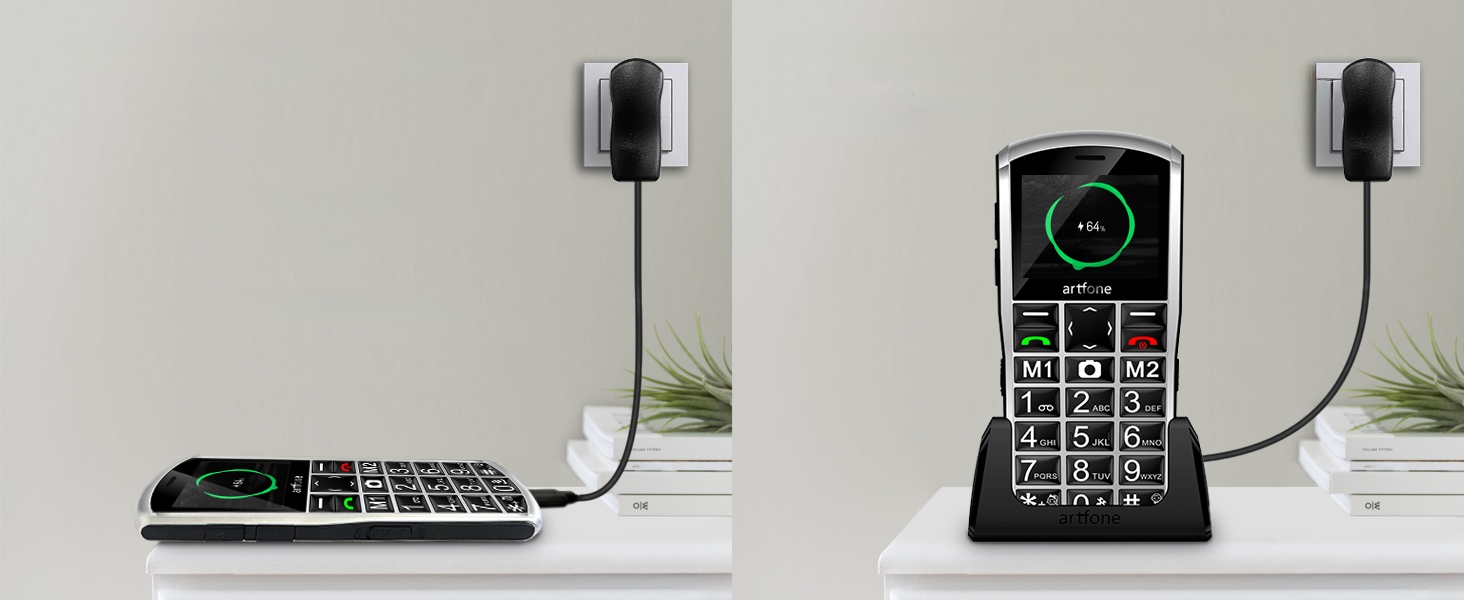
Figure 5.1: Activating the flashlight.
6. Fitur husus
6.1. Tombol Darurat SOS
The SOS button is located on the back of the phone. In an emergency, press and hold this button to activate the SOS function. The phone will automatically call up to 5 pre-programmed emergency contacts in sequence until one answers. It will also send an emergency SMS to these contacts.
Nyetél Kontak SOS:
- Go to 'Settings' > 'SOS Settings'.
- Select 'SOS Numbers' and add up to 5 emergency contacts.
- You can also customize the emergency message.

Figure 6.1: SOS function with multiple emergency contacts.
6.2. Voice Time Announcement
To hear the current time announced, simply long-press the Volume Up (+) button located on the side of the phone. This feature supports 21 languages, including French, and is particularly useful for visually impaired users.

Figure 6.2: Voice Time Announcement feature.
7. Ngecas
Your artfone A400 can be charged using two methods:
- Kabel USB-C: Connect the provided USB-C cable to the phone's charging port and the other end to the power adapter. Plug the adapter into a wall outlet.
- Tempat ngecas: Place the phone securely in the charging station. Ensure the charging contacts on the phone align with those on the station. Connect the USB-C cable to the charging station and the power adapter.
The battery indicator on the screen will show the charging status. A full charge typically takes a few hours.

Figure 7.1: Charging options for artfone A400.
8. Spésifikasi
| Fitur | Rincian |
|---|---|
| merek | artfone |
| Ngaran modél | artfone A400 |
| Sistem operasi | artfone OS |
| Téhnologi sélular | 4G, 3G, 2G |
| Ukuran layar | 2.4 inci |
| Resolusi layar | 240x320 Pixel |
| Laju CPU | 1000 MHz |
| Ukuran RAM anu dipasang | 48 MB |
| Resolusi Masih Éféktif | 2 megapiksel |
| Fitur husus | Dual SIM, Stereo Speaker |
| Jenis Batré | Lithium-nickel cobalt aluminum (NCA) |
| Sambungan | USB Cellular, USB Type C |
9. Cara ngungkulan
If you encounter any issues with your artfone A400, please try the following basic troubleshooting steps:
- Telepon teu hurung: Ensure the battery is correctly inserted and charged. Connect the phone to the charger for at least 30 minutes before attempting to power it on again.
- Henteu aya sinyal jaringan: Check if the SIM card is properly inserted. Ensure you are in an area with network coverage. Contact your service provider if the issue persists.
- Teu tiasa nelepon/nampi telepon: Verify that your SIM card is active and has sufficient credit/plan. Check network signal strength.
- Masalah sora: Adjust the volume settings. Ensure the speaker is not obstructed.
- Phone frozen/unresponsive: Remove the battery, wait a few seconds, and reinsert it. Then try to power on the phone again.
For more complex issues, please refer to the detailed troubleshooting section in the full product manual or contact customer support.
10. Garansi jeung Rojongan
Your artfone A400 comes with a manufacturer's warranty of 2 years. For warranty claims or technical support, please contact your retailer or artfone customer service. Keep your proof of purchase for warranty validation.
11. Video Guides
Watch these official video guides for visual instructions on using your artfone A400 mobile phone.
artfone A400 Senior Mobile Phone Overview
video ieu nyadiakeun leuwih umumview of the artfone A400 senior mobile phone, highlighting its main features and design.
Nyelapkeun Kartu SIM
A step-by-step guide on how to correctly insert the SIM card into your artfone A400.
Melefon 4G Senior Mobile Phone Features
This video demonstrates various features of a 4G senior mobile phone, applicable to the artfone A400's functionalities.
T190 User Guide
A general user guide for a similar senior phone model (T190), which may offer insights into common operations.
Senior Mobile Phone Overview
video ieu nyadiakeun leuwihview of a senior mobile phone, demonstrating features and usability relevant to the artfone A400.


